
Bulk Profile Management
Manage Browser Profiles in Bulk
Create, configure, group, and maintain browser profiles in one workflow. MasBrowser reduces repetitive setup while each account keeps its own isolated browser profile.
- Bulk Creation
- Proxy Setup
- Profile Groups
- Profile Isolation
The Scaling Problem
Profile Setup Gets Slower as You Scale
Configuring one browser profile is simple. Repeating the same work across dozens or hundreds of accounts quickly drains time and creates inconsistency.
More profiles mean more repetitive work
Slow Profile Creation
Every new account requires another round of similar profile setup.
Repetitive Updates
Proxy, group, and profile changes become ongoing manual work.
Configuration Errors
Repeated data entry makes missing or mismatched settings more likely.
Harder Organization
Large profile lists become difficult to find and maintain without clear groups.
One Bulk Workflow
Replace Repetitive Setup with Bulk Actions
Select multiple profiles, apply common settings once, and keep each resulting browser profile separate and controllable.
Unified management ≠ shared profiles
Built into MasBrowser
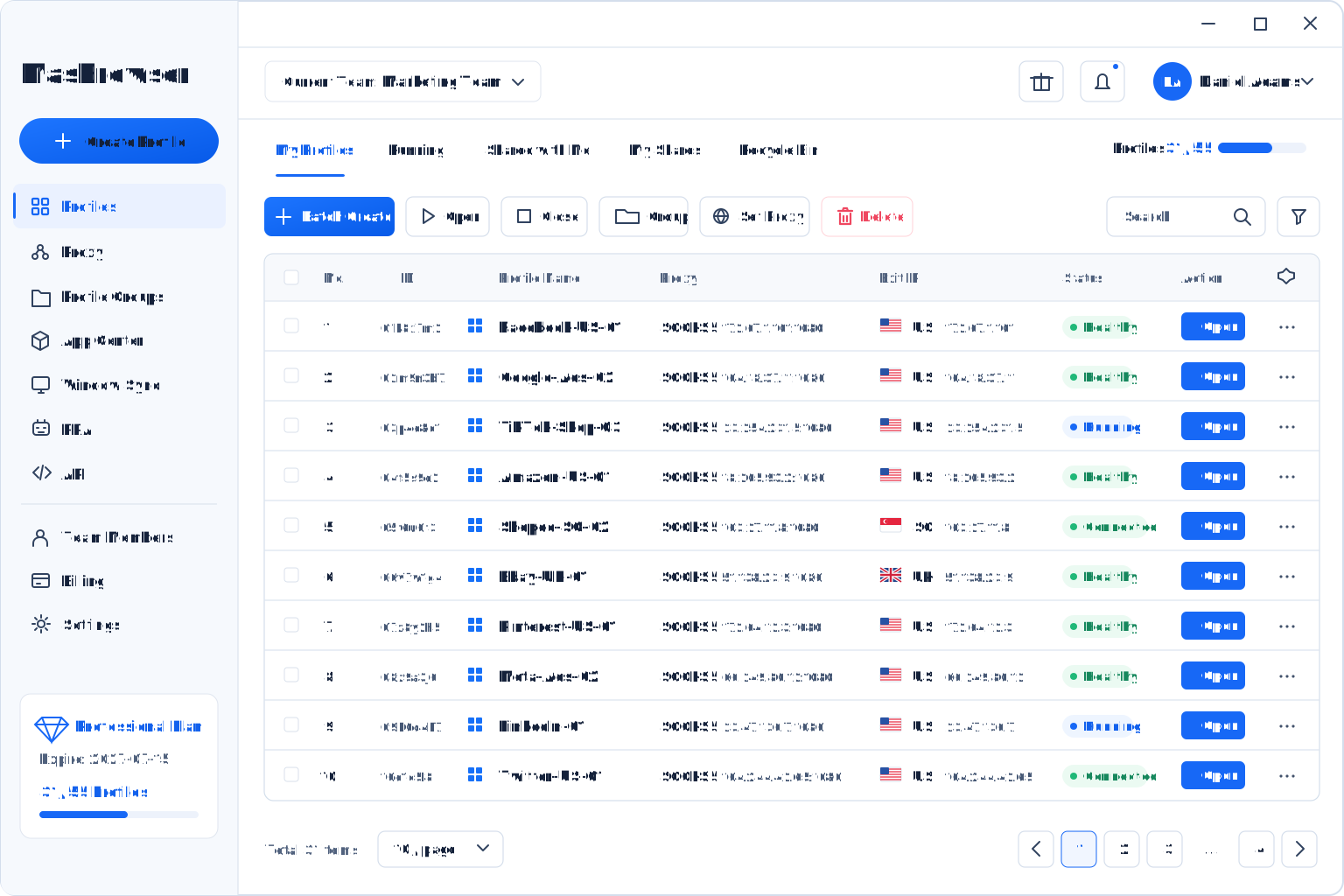
Bulk Profile Management in One Workspace
Handle profile creation, proxy settings, groups, and routine maintenance from the MasBrowser client.
Operational Efficiency
Less Setup, Faster Scaling
Standardize repeated profile work so your team can spend more time on operations that require judgment.
Reduce Setup Time
Combine profile creation, proxy setup, and grouping into fewer actions.
Create in Bulk
Prepare multiple isolated browser profiles in one workflow.
Apply Proxy Settings
Configure proxies centrally and reduce repeated switching.
Organize with Groups
Structure profiles around teams, clients, or business lines.
One bulk action can serve multiple profiles without turning them into a shared browser environment.
Bulk and Isolated
Scale Management Without Sacrificing Profile Isolation
Bulk actions improve administration while every profile retains its own browser fingerprint, cookies, proxy, and local data.
Bulk Management with Isolated Profiles
Creating or editing profiles together does not merge their data. Each browser profile remains independently configured.
Unified Management≠Shared Profile
Consistent Browser Fingerprints
Maintain clear browser identity settings for each profile.
Centralized Proxy Management
Keep proxy and profile workflows in the same workspace.
Clear Profile Groups
Make large profile sets easier to find and maintain.
Standardized Team Workflows
Reduce configuration drift across team members.
Built for Scale
The More Profiles You Manage, the More Time You Save
Bulk profile management supports teams that continuously create and maintain isolated browser profiles.
Create Faster
Keep store profiles and proxy configurations organized as operations grow.
Stay Organized
Handle recurring profile setup and maintenance across account portfolios.
Maintain Consistency
Give administrators a consistent way to configure and group profiles.
Why MasBrowser
An Anti-Detect Browser Built for Multi-Account Management
Combine browser fingerprint consistency, profile isolation, automation, and collaboration in one workspace.
Professional capabilities at a practical cost
More Value in One Platform
MasBrowser brings the essential tools for scaled account operations together without adding unnecessary workflow complexity.

Consistent Browser Fingerprints
Keep each browser identity natural and internally consistent.
Strong Profile Isolation
Store cookies, local data, proxies, and browser settings separately.
Efficient Multi-Account Management
Reduce repetitive work with bulk actions, window sync, and automation.
Lightweight Desktop Client
Keep large profile workflows clear and responsive.
Practical Support
Get help aligned with real account operations and automation needs.
FAQ
Bulk Profile Management Frequently Asked Questions
Answers about bulk creation, proxies, profile groups, and isolated browser profiles.
Get Started with MasBrowser
Spend Less Time on Repetitive Profile Setup
Create and manage isolated browser profiles in bulk with MasBrowser.