
Profile A1Google AdsProfile A2Meta Ads
Digital Marketing Agency Solution
Manage Every Client and Account from One Workspace
MasBrowser helps digital marketing agencies separate client environments, organize platform accounts, reduce repetitive work, and coordinate teams through one multi-client browser operations workspace.
- Client Separation
- Multi-Platform Management
- Batch Operations
- Team Collaboration
- Automation
Profile B1TikTokProfile B2Instagram
Profile C1YouTubeProfile C2Facebook
Agency Account Operations
More Clients Create More Operational Complexity
As clients, platforms, accounts, and team members grow, environments, responsibilities, and daily execution become harder to control.
Client Environments Get Mixed
Teams constantly switch among client accounts in the same browser and device.
Client account boundaries become less clearPlatform Switching Takes Time
Many platforms and accounts require repeated login, search, and switching.
Routine navigation consumes team capacityResponsibilities Are Unclear
Different people own different clients, channels, and accounts.
Access and account ownership become fragmentedProject Handoffs Are Costly
Staff changes can require account and browser setup again.
Environment changes add time and riskRoot Cause
The Real Complexity Is Mixed Client Environments
Every client should have a separate account, browser identity, local data set, and network configuration.
Before
Client AClient BClient C
- Shared Cookies
- Similar Fingerprint
- Mixed Browser Data
- Overlapping Network
With MasBrowser
Client AProfile A1 · Profile A2
Client BProfile B1 · Profile B2
Client CProfile C1 · Profile C2
Different clients should not share one browser identity
Client Account Safety
Give Every Client an Independent Browser Environment
Run client accounts in separate browser profiles with their own browser identity, local data, and network configuration.
Client ProfileFingerprintCookiesLocal StorageProxyTimezoneLanguage
Independent Profiles
Each client account runs in a dedicated Browser Profile.
Stable Fingerprints
Device, system, timezone, and language settings remain reasonably consistent.
Separate Local Data
Cookies and local storage stay separated across clients.
Dedicated Proxy
Configure the appropriate network environment for each Profile.
Reduce cross-client environment overlap and linkage risk
Client Management
Keep Every Client Clearly Organized
Use Profile Groups and one workspace to organize accounts by client, brand, platform, or project.
MasBrowser Workspace
Client A
Google Ads · Meta Ads
Profile A1Profile A2
Client B
TikTok · Instagram
Profile B1Profile B2
Client C
YouTube · Facebook
Profile C1Profile C2
Multi-Platform Operations
Bring Advertising, Social, and Content Accounts Together
Reduce switching among browsers, spreadsheets, and tools by organizing marketing channels in one workspace.
Paid Advertising
Organize media buying accounts by client and campaign.
Google AdsMeta AdsTikTok Ads
Social Media
Separate social account environments across clients.
FacebookInstagramTikTokX
Content and Video
Group Profiles by channel, brand, or content project.
YouTube
Account and Email
Keep related login environments inside the right client group.
Gmail
Agency Efficiency
More Clients Should Not Mean More Repetitive Work
Use batch management, Window Sync, or RPA for different standardized browser tasks.
Batch Profile Management
Manage multiple selected Profiles together.
Batch Profile ManagementWindow Sync
Mirror one manual action across selected windows.
Window SyncRPA Automation
Run repeatable browser workflows supported by current templates.
RPA AutomationBefore
Open accounts one by oneRepeat login and navigationRepeat standardized actionsWith MasBrowser
Manage selected Profiles in batchesMirror manual work with Window SyncRun supported workflows with RPALess Repetitive WorkFewer Manual ErrorsMore Capacity for Clients
Team Collaboration
Make Client Responsibilities Easy to Understand
Organize members, client Groups, Profiles, and access scope around the work each person owns.
Team Collaboration
Manage members, Profiles, and access scope together.
Team CollaborationProfile Groups
Organize accounts by client, brand, platform, or project.
Profile GroupsMembers access the accounts and Profiles they are responsible for
Project Handover
Changing Operators Should Not Mean Rebuilding the Environment
Profile Transfer hands over the selected Browser Profile and relevant operating environment with less reconfiguration and fewer unnecessary changes.
Before
Share account details onlyRebuild browser setupRepeat login and verificationBrowser ProfileCookiesFingerprintProxyBrowser SettingsLocal Data
With MasBrowser
Transfer the Browser ProfileContinue with selected environment dataReduce unnecessary changesHelp the next operator continue from a clearer, more consistent client environment
Agency Workflow
From Client Onboarding to Team Collaboration
Create, organize, operate, and hand over client account environments through one practical agency workflow.
- 01
Create a Client Group
Define a clear boundary for each client or project
- 02
Create Independent Profiles
Prepare a dedicated environment for each account
- 03
Configure the Proxy
Set the appropriate network environment
- 04
Sign In to Platforms
Use each account inside its dedicated Profile
- 05
Assign Team Members
Match access scope to client responsibility
- 06
Improve Execution
Use Batch, Window Sync, or RPA
- 07
Hand Over or Extend
Use Profile Transfer or Local API when needed
Before and After
The Same Clients, a Completely Different Operating Model
Move from mixed environments and scattered teamwork to independent client Profiles and one workspace.
Before
Client accounts share one browserPlatforms require repeated login and switchingInformation is scattered across sheets and chatMember access is unclearRepetitive work consumes team timeHandoffs rebuild the environmentWith MasBrowser
One Group and independent Profiles per clientMulti-platform accounts in one workspaceProfiles and proxies managed togetherAccess scope organized by responsibilityBatch, Window Sync, and RPA reduce repetitionProfile Transfer simplifies handoffsClearerSaferMore EfficientEasier to Scale
Agency Use Cases
Support Common Digital Marketing Agency Workflows
Organize accounts around client work, not a generic platform logo wall.
Paid Advertising
Manage advertising environments across clients and brands.
Google AdsMeta AdsTikTok Ads
Social Media Management
Organize publishing, engagement, and daily social operations.
FacebookInstagramTikTokX
Content / Video Operations
Manage environments by channel, content team, or client project.
YouTube
Account / Email Operations
Keep related login and email environments organized.
Gmail
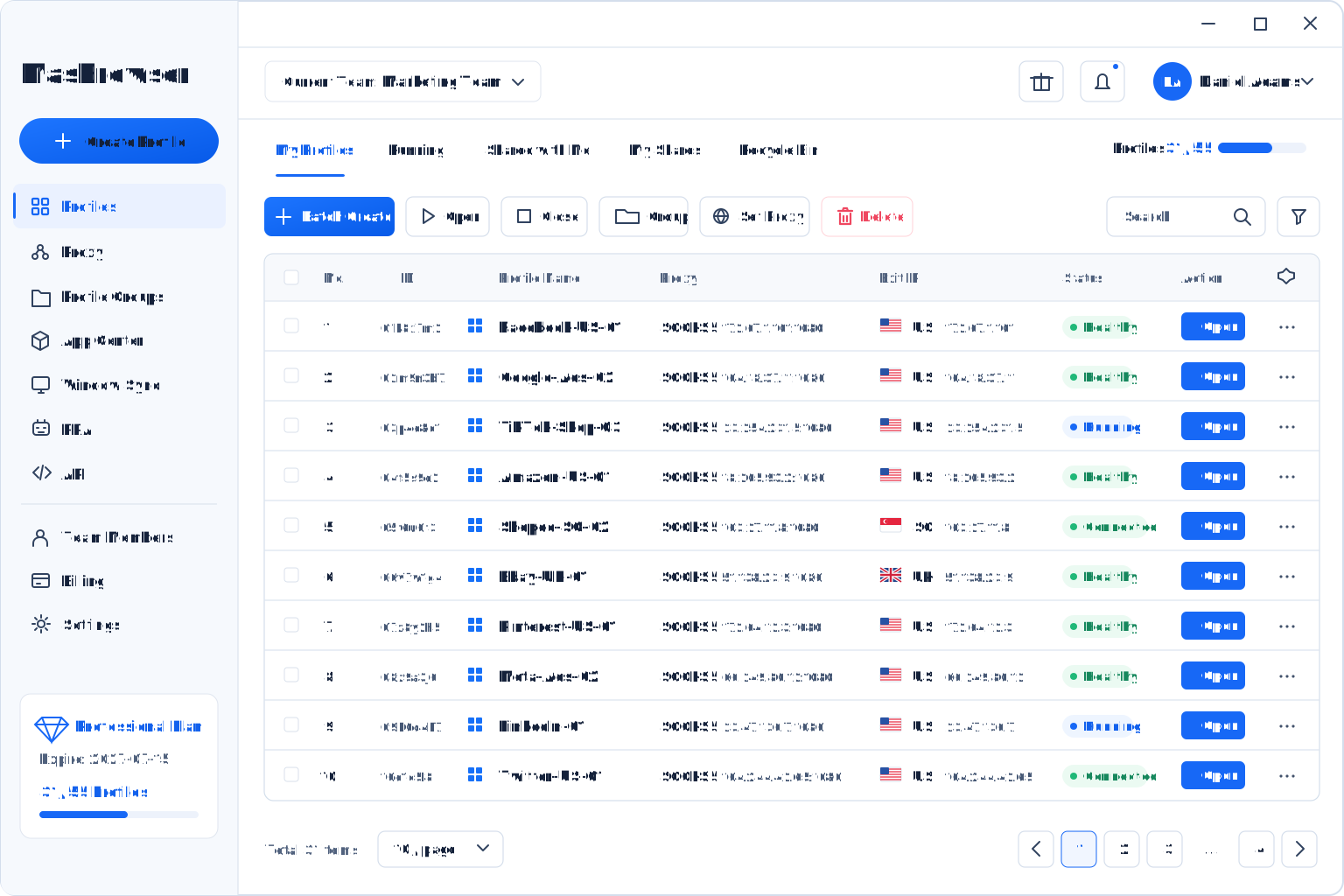
Real Product Workspace
Real Multi-Client Account Management Happens in One Workspace
View Profiles, Groups, proxy settings, and batch actions in the MasBrowser client.
Customer Feedback
Marketing Teams Are Simplifying Multi-Client Operations
Approved customer feedback already published by MasBrowser.
.png)
E. X.Freelancer
“Window Sync and automation removed a lot of repetitive work from our process. Even as our account count grew, the workspace stayed clear and manageable.”
★★★★★.png)
C. Y.Business Development Manager
“The value was a major reason we chose MasBrowser. The core tools are complete and stable; simplifying a few advanced settings would make onboarding even faster.”
★★★★.png)
S. P.E-commerce
“Member permissions and Profile management work well for our team. Responsibilities are clearer and we have fewer setup mistakes, while more permission templates would help larger teams.”
★★★★Why MasBrowser
Why Digital Marketing Agencies Choose MasBrowser
Build a stronger agency workflow around client separation, organization, efficiency, collaboration, handover, and extensibility.
Safer Separation
Keep client environments apart through independent Profiles.
Clearer Organization
Group Profiles by client, platform, or project.
More Efficient
Reduce repetition with Batch, Window Sync, and RPA.
Easier Collaboration
Organize members and access scope together.
Simpler Handoffs
Reduce reconfiguration with Profile Transfer.
Easier to Extend
Use Local API and flexible plans as teams scale.
Easier to Extend →FAQ
Multi-Client Agency Operations Questions
Learn about client separation, teamwork, automation, and handover.
Agencies managing many client and platform accounts can use independent browser profiles to separate fingerprints, cookies, local data, and proxy settings.
Each client is a separate business asset. A dedicated Profile reduces overlap in browser identity, local data, and network configuration.
Yes. Groups, Profiles, and proxy management can organize accounts by client, brand, platform, or project.
Teams can organize members, Groups, Profiles, and access scope around each person’s client responsibilities.
Window Sync mirrors one manual action across selected windows. RPA automatically runs repeatable browser workflows supported by current templates.
It hands over a selected Browser Profile and relevant operating environment, reducing reconfiguration, repeated login, and unnecessary environment changes.
Yes. Each Profile can use the proxy appropriate for its client, account, market, and project requirements.
Teams can choose batch management, Window Sync, or RPA for bulk setup, mirrored manual actions, and supported automated workflows.
Teams connecting internal systems or supported automation tools can evaluate Local API against their workflow and development capabilities.
No. Isolated Browser Profiles, consistent fingerprints, and separate network configurations can reduce environment overlap and unexpected change, but platform policy, account behavior, content, information quality, payment methods, and network quality can still affect restrictions.
Start with MasBrowser
Make Multi-Client Account Management Safer and More Efficient
Bring client accounts, browser environments, team collaboration, and automation into one workspace built for digital marketing agency operations.