
Profile Transfer
Hand Off the Account and Its Browser Profile
Transfer a profile to a new user with selected cookies, local storage, session data, proxy, browser fingerprint, and browser settings. Reduce disruptive changes during client, team, or project handoffs.
- Preserve Continuity
- Reduce Reconfiguration
- Clear Access Handoff
- Faster Transitions
Original UserCurrent Owner
CookieLocal StorageSessionProxyBrowser FingerprintBrowser Settings
Profile Transfer
New UserContinues with the Profile
Broken Continuity
Credentials Move, but the Operating Context Does Not
When a new user starts from another device, browser, network, and session, the account may face a sudden change at the exact moment responsibility changes.
Before Handoff
Original DeviceOriginal BrowserOriginal CookieOriginal ProxyOriginal Fingerprint
Credentials OnlyThe browser profile does not move
After Handoff
New DeviceNew BrowserNew NetworkSign In AgainVerify Again
Profile continuity is broken
- 01Device and browser change suddenly
- 02Cookies and session state must be rebuilt
- 03Proxy and network require reconfiguration
- 04One-by-one handoffs slow down teams
Complete Handoff
Transfer the Profile with the Account
Choose what to transfer from one profile, verify the recipient, and confirm the handoff. After completion, the original user automatically loses access to that profile.
Handoff
Browser ProfileProfile A · Select Data
CookieLocal StorageSessionProxyBrowser FingerprintBrowser Settings
Confirm Transfer
Profile Continuity
Reduce Sudden Changes During a Handoff
Carry selected settings, state, and proxy relationships forward instead of rebuilding everything at once.
Original ContextNew DeviceNew NetworkNew Browser
Device ChangedBrowser ChangedNetwork ChangedSession Rebuilt
Significant Context Change
Original ProfileProfile TransferNew user continues with the profile
Browser SettingsCookie / Local StateProxy / NetworkBrowser Fingerprint
- Settings Continue
- State Continues
- Proxy Relationship Continues
- Fewer Abrupt Changes
Built into MasBrowser
Profile Transfer in the MasBrowser Workflow
Open the transfer flow from the profile workspace, select the data to hand off, verify the recipient, and confirm the access change.
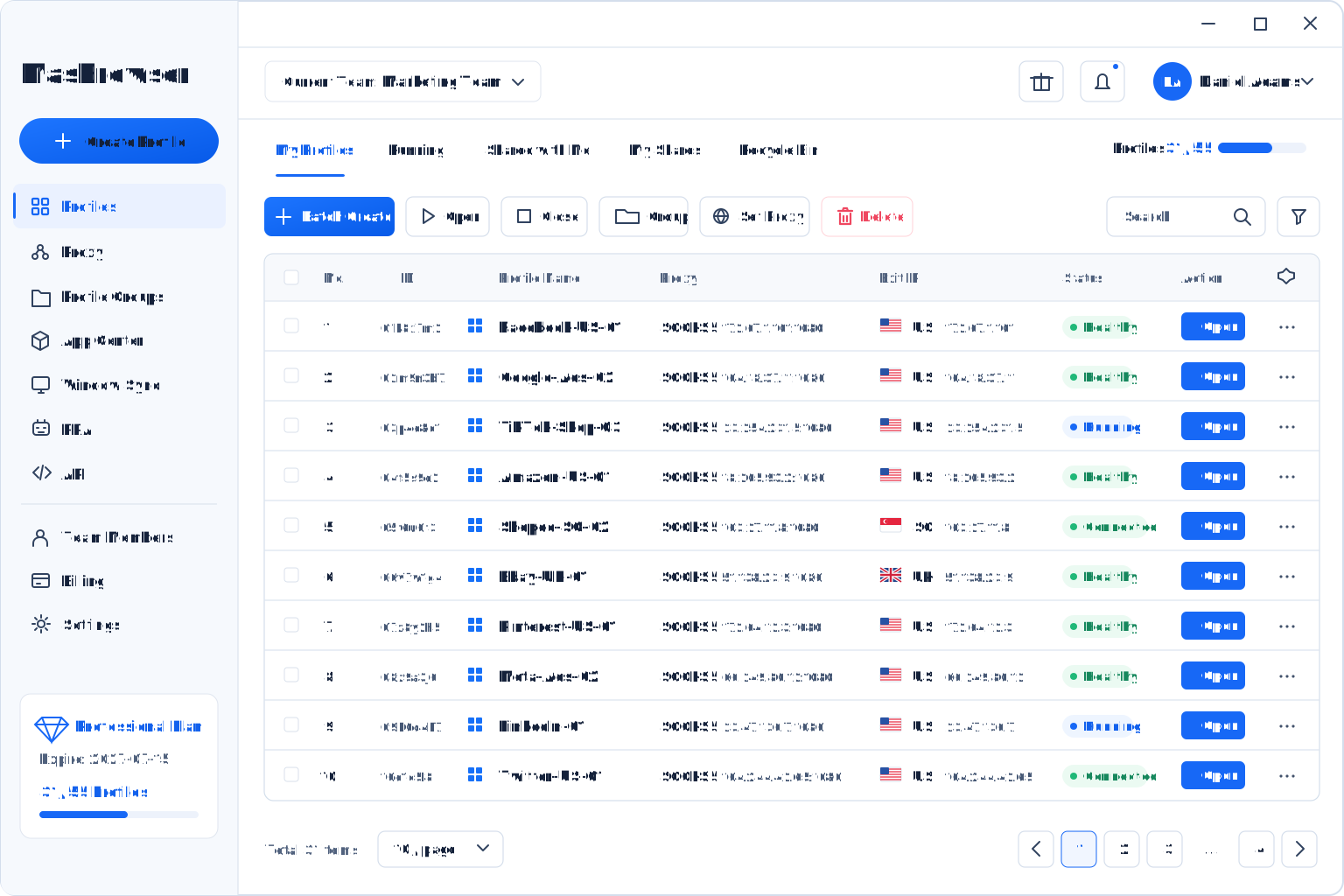
Transfer ProfileSelected DataAccess Handoff
Handoff Benefits
Less Reconfiguration, Faster Transitions
Give the recipient a more continuous starting point while keeping the handoff process explicit.
Profile A · Continuity Preserved
Reduce Reconfiguration
BeforeManual Reconfiguration→AfterProfile Transfer
Reduce Reconfiguration
Avoid rebuilding selected browser settings, fingerprint configuration, and proxy details.
Reduce Repeated Sign-Ins
Selected state may reduce setup work when the destination platform allows it.
Reduce Login Disruption Risk
Limit abrupt environmental changes without replacing platform security or compliance requirements.
Standardize Handoffs
Make the recipient, transferred data, and resulting permissions clear.
Hand off the account with its browser profileStart with a clearer profile handoff
Use Cases
Continuity Matters When Responsibility Changes
Use Profile Transfer when a client, teammate, or project owner needs to take over an existing browser profile.
Client Project Delivery
Client Project Delivery
Transfer the project profile and selected operating data to the client at delivery.
Service Team
Profile ABrowser Profile
ClientTeam Member Handoff
Move a profile to a new owner after a role or staffing change.
Former OwnerNew OwnerManaged-Service Handoff
Transfer responsibility to a client or another operating team.
Service TeamClient / New TeamCross-Team Migration
Reduce repeated browser profile preparation between teams.
Original TeamNew TeamBusiness Asset Handoff
Move the profile from the former owner to the new accountable party.
Former OwnerNew OwnerWhy MasBrowser
An Anti-Detect Browser for Controlled Account Operations
Bring profile isolation, consistent browser fingerprints, automation, and collaboration into one workspace.
Professional capabilities at a practical cost
More Value in One Platform
Combine profile management, collaboration, and automation for ongoing multi-account operations.
Browser FingerprintProfile IsolationAutomationTeam Collaboration

Consistent Browser Fingerprints
Help each profile maintain a natural, consistent browser identity.
Clear Profile Isolation
Keep profile data, proxies, and browser settings separately stored.
Efficient Operations
Reduce repetitive work with bulk actions, window sync, and automation.
Unified Desktop Client
Manage profiles, tasks, and team workflows in one place.
Practical Support
Get product guidance aligned with real operating needs.
FAQ
Profile Transfer Frequently Asked Questions
Understand transferable data, access changes, session continuity, and current limitations.
Get Started with MasBrowser
Make Every Profile Handoff More Complete
Transfer a profile and selected operating data to the next user with less repeated setup.