What Is Browser Fingerprint Consistency? Why Multi-Account Operations Need Stable Environments
When a team needs to manage multiple storefront, social media, advertising, or affiliate accounts over the long term, many people focus on proxy IPs first and overlook a more fundamental question: whether the browser environment stays consistent.
If an account uses a US time zone, English language, and a US proxy today, but switches to another region's environment tomorrow—or if the browser version, resolution, fonts, and network configuration change frequently—day-to-day account management becomes much harder to maintain.
This is why browser fingerprint consistency matters.
For multi-account operators, stability does not mean never adjusting the environment. It means giving every account a reasonable, independent, and traceable browser configuration, and keeping clear records whenever adjustments are needed.

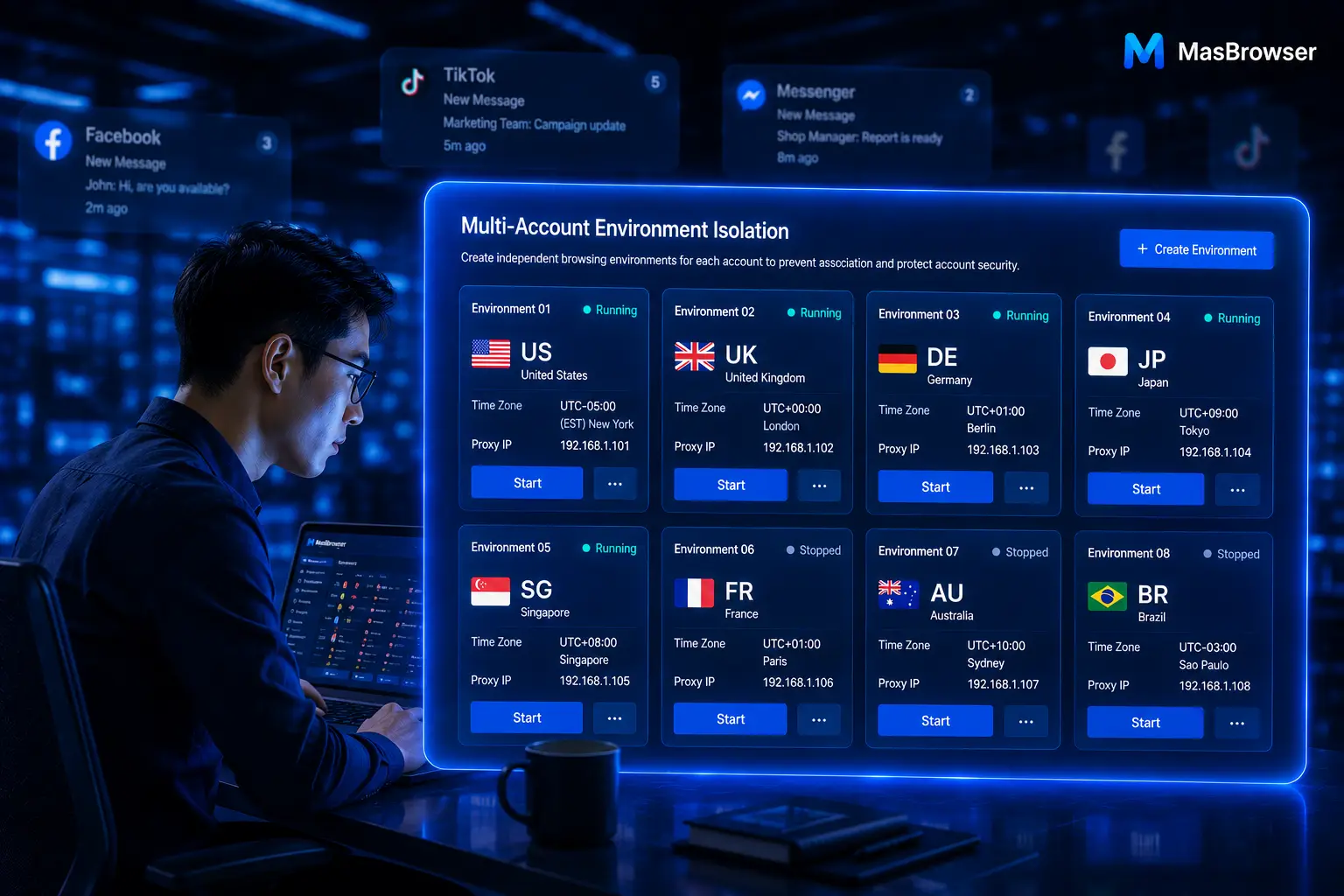
MasBrowser helps teams manage the daily operations of multiple accounts more systematically through independent browser environments and fingerprint configuration capabilities.
What Is a Browser Fingerprint?
A browser fingerprint can be understood as the set of browser and device information a website can recognize when you visit it. It is not a single data point, but a combination of multiple parameters.
Common browser environment information includes:
- Browser version and operating system;
- Language, time zone, and geolocation;
- Screen resolution and fonts;
- Rendering characteristics such as Canvas and WebGL;
- Cookies, local storage, and other browser data;
- Proxy IP and network connection information.
When an ordinary user runs only one account, they usually do not manage this information deliberately. But when the same team needs to maintain multiple accounts, whether environment settings are independent, reasonable, and stable directly affects how clear daily operations are.
You can visit the MasBrowser multi-account security management page to learn how independent environments, fingerprint isolation, and proxy configuration work together.
What Is Browser Fingerprint Consistency?
Browser fingerprint consistency does not mean making every account use identical settings, nor does it mean blindly modifying more parameters.
What it really emphasizes is: the browser environment an account uses over the long term should remain internally coordinated and free of erratic changes.
For example, if an account targeting the US market uses a US-region proxy, settings such as browser language, time zone, and geolocation should generally match that business scenario. If adjustments are needed later, the reasons should be made clear—rather than changing the time zone today, the proxy tomorrow, and the browser version the day after.
Well-managed consistency makes it easier for a team to answer three questions:
- Which environment is this account currently using?
- Why is this environment configured this way?
- If something goes wrong, what was changed most recently?
When this information can be clearly recorded, multi-account operations no longer depend on individual memory.
Why Is Changing Only the Proxy IP Not Enough?
The proxy IP is part of an account's environment, but not all of it.
If you focus only on the proxy while ignoring browser language, time zone, cookies, local storage, and other environment parameters, the team can still face environment chaos. The more common consequence is not a technical parameter itself, but operators being unable to confirm which environment an account is actually running in, who maintains it, and whether it has been switched by mistake.
A more practical approach, therefore, is to manage the account, the browser environment, and the proxy information as one group.
For each account, record at least:
- The platform, business purpose, and target market;
- The name of the corresponding browser environment;
- The proxy region and its current status;
- Basic configuration such as language and time zone;
- The current owner;
- The most recent important adjustment and its reason.
If you are managing cross-border e-commerce stores, refer to the cross-border e-commerce multi-account environment management guide to organize your environment structure by store, region, and business line.
How Do You Build a Stable Multi-Account Browser Environment?
Building a stable environment does not require finishing every configuration at once. A better approach for teams is to establish unified rules first, then gradually complete the environment records.
The first step is to create an independent browser environment for each account, using naming rules the team can understand. For example: Amazon - Home - US - Store 01 or TikTok - Brand A - UK - Content.
The second step is to record the proxy, language, time zone, and purpose in the same environment description. This way, team members do not need to ask repeatedly, and work can resume quickly during account handovers.
The third step is to reduce unnecessary adjustments. Environment changes are not forbidden, but every change should leave a reason and a timestamp to make later troubleshooting easier.
The fourth step is regular checkups. Spending a little time each week reviewing environments with no owner, environments unused for a long time, and environments with incomplete information is usually more efficient than investigating problems one by one after they occur.
The 4 Details Multi-Account Teams Most Often Overlook
Unclear environment naming.
Names like "New Environment 1" or "Test Account" easily cause operational mistakes once the number of accounts grows. A name should state the platform, region, and purpose directly.
No mapping records between proxies and environments.
When a team member leaves, an account changes hands, or a network exception occurs, missing records sharply increase the cost of troubleshooting.
All accounts managed by one person's memory.
Multi-account operations cannot rely on a single member's memory. Environment information should be distilled into rules the whole team can view and hand over.
Blind batch operations in the name of efficiency.
Window synchronization and automation suit repetitive, well-defined work; budget changes, content review, exception handling, or important submissions should still be confirmed by a person.
How Does Fingerprint Consistency Improve Multi-Account Efficiency?
A stable environment is not only about account management—it also directly affects team efficiency.
When every account has a fixed environment, a fixed purpose, and a clear owner, operators no longer need to guess between multiple windows or spend time repeatedly confirming "which proxy should this account use."
Combined with window synchronization and automation tools, the team can hand repetitive, low-judgment actions to processes and reserve time for work that genuinely requires human judgment, such as content, advertising, customers, and strategy.
This is also the key step for multi-account management to move from "constantly switching windows" to "standardized operations."
When you are ready to build a clearer multi-account environment, visit the MasBrowser download page and start by creating your first independent browser environment.
Conclusion
Browser fingerprint consistency is not mysterious. Its core is keeping each account's browser environment independent, reasonable, stable, and traceable.
Do not focus only on proxy IPs. Managing accounts, browser environments, proxies, owners, and operation records as one system is what makes multi-account work truly organized.
MasBrowser provides multi-account teams with independent browser environments, fingerprint configuration, team collaboration, and efficiency tools, helping you gradually build a more stable daily operating process.
Download MasBrowser and start organizing your multi-account browser environments.