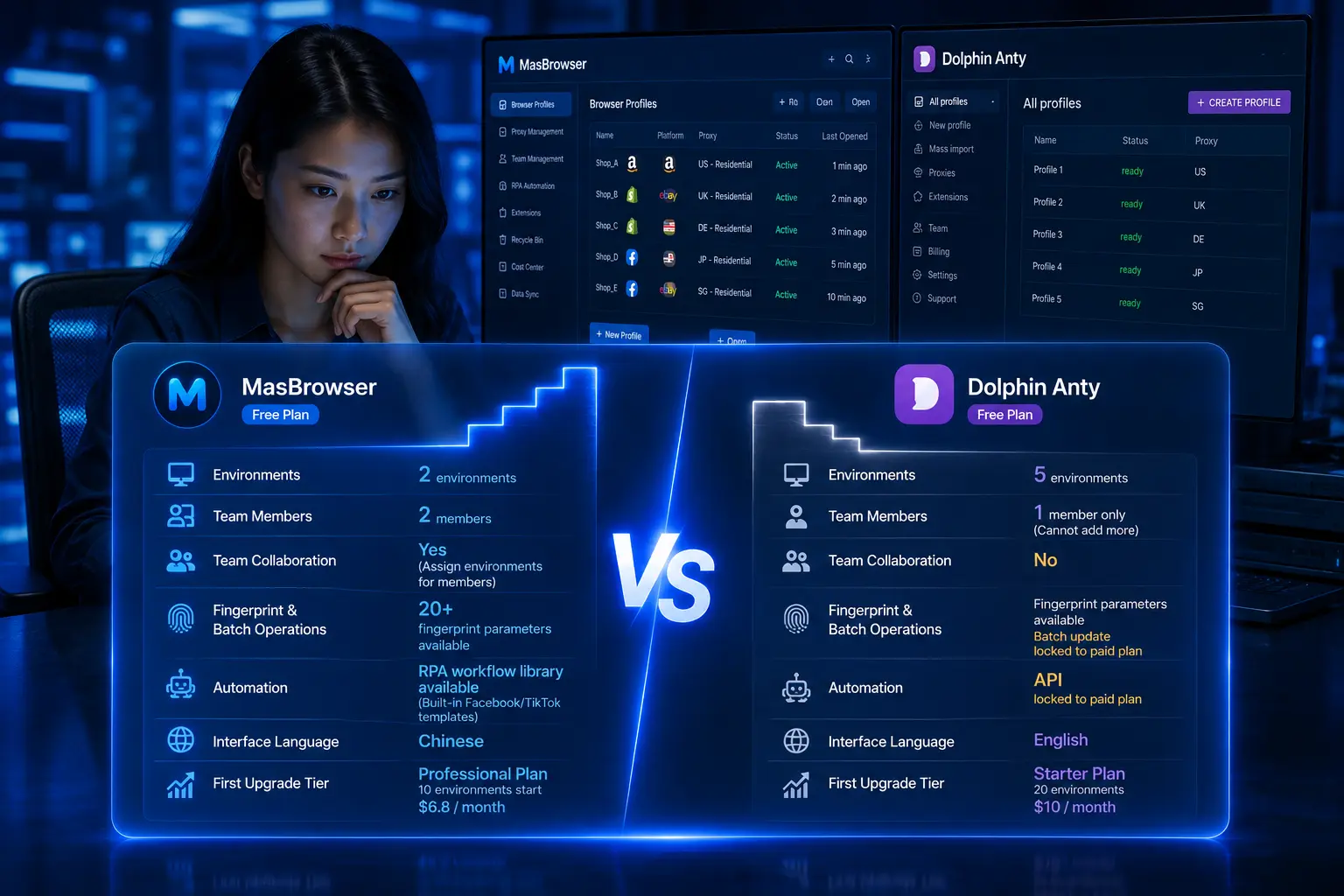
How to Prevent Linking in Bulk Facebook Registration? Pre-Registration Checklist
Core takeaway: the most common mistake in bulk Facebook registration is not the account details themselves — it's the "birth environment". When multiple accounts register one after another on the same device, the same IP and the same browser fingerprint, they are mutually bound into "one gang" before operations even start. The correct approach is separating three things before registration: resources, environments and pacing — an independent email and phone number per account, an exclusive region-matched IP, an isolated browser environment, then staggered registration in small batches. One platform boundary first: Meta's official terms require one personal account per person, and multi-account operation carries the risk of violating platform terms; this article targets teams doing multi-account environment isolation for legitimate business needs (multi-brand, multi-market operations) and covers the engineering method of environment preparation — it does not involve any circumvention of platform review.
Why freshly registered accounts get linked before they even run
The association risk of bulk registration is, in the vast majority of cases, planted at the moment of registration. Facebook imposes a high-intensity review period on new accounts, and the information submitted at registration is cross-validated. Combining multiple field tests, the triggers for instant bans or linked restrictions concentrate in the following categories:
- IP carrying a risk record: shared proxies, free VPNs, or IPs used repeatedly by many accounts are already flagged in the platform's database. A familiar escalation: the first account on one IP works fine, the second starts getting verification, the third gets restricted outright.
- Many registrations on one device in a short time: even with a fresh email and phone per account, if the browser fingerprint (Canvas, WebGL, fonts and other parameter combinations) stays the same, the platform still recognizes "these accounts come from the same device".
- Inconsistent cross-validation: IP located in Southeast Asia, browser language Chinese, timezone Beijing — but the profile claims to be a US user. Contradictory signals make the system rule "disguised login" directly.
- Registration resources with a prior record: virtual numbers from SMS-receive platforms, brand-new mailboxes registered days ago — these resources have been consumed by bulk registration and carry a risk record; VoIP numbers are often rejected outright.
- Over-aggressive actions after registration: adding dozens of friends, posting ads in groups, changing profile details frequently on day one — an account in its high-surveillance period gets judged a marketing bot directly.
Of these five factors, the first four belong to "registration environment preparation": whether the account survives is mostly decided before you fill in the form. The only action item (post-registration over-aggression) also interacts with environment quality: clean-environment accounts get more tolerance.
Pre-registration resource checklist: email, phone, IP, profile details — one by one
The first step of bulk registration is not opening the signup page — it's preparing four resource types in "one account, one set". The check standards, item by item:
- Email: prefer older mailboxes with a normal usage history; avoid brand-new mailboxes created the same day. One independent email per account, and no shared naming pattern (such as one prefix with incrementing numbers).
- Phone: use real, working physical numbers that have never been bound to any Facebook account; avoid SMS-receive platforms and VoIP ranges. One number serves one account, never reused.
- IP: choose an exclusive residential IP, region-matched to the account's positioning and kept fixed. Datacenter IPs pass registration at a visibly lower rate; shared IPs mean inheriting someone else's risk record.
- Profile details: names in formats common to the target region, realistic profile photos that never repeat across accounts, birthday and details internally consistent. The same photo appearing on multiple accounts is a classic association signal.
Put the four resource types into one reference table — one row per account logging email, number, IP region, registration date. It is extremely useful for later troubleshooting and prevents on-the-spot confusion about "which resource set was used".
One account, one environment, one IP: the isolation standard for registration environments
Once resources are ready, environment isolation is the watershed of bulk registration. Each account needs a fully independent browser environment: independent cookie storage, independent fingerprint configuration, and its own assigned proxy IP. This is exactly the core scenario of MasBrowser as a fingerprint browser — each environment auto-matches timezone, language and geolocation to its IP, 20+ fingerprint parameters stay mutually independent, and shared device characteristics across accounts are eliminated at the source.
The workflow for preparing bulk registration environments in MasBrowser:
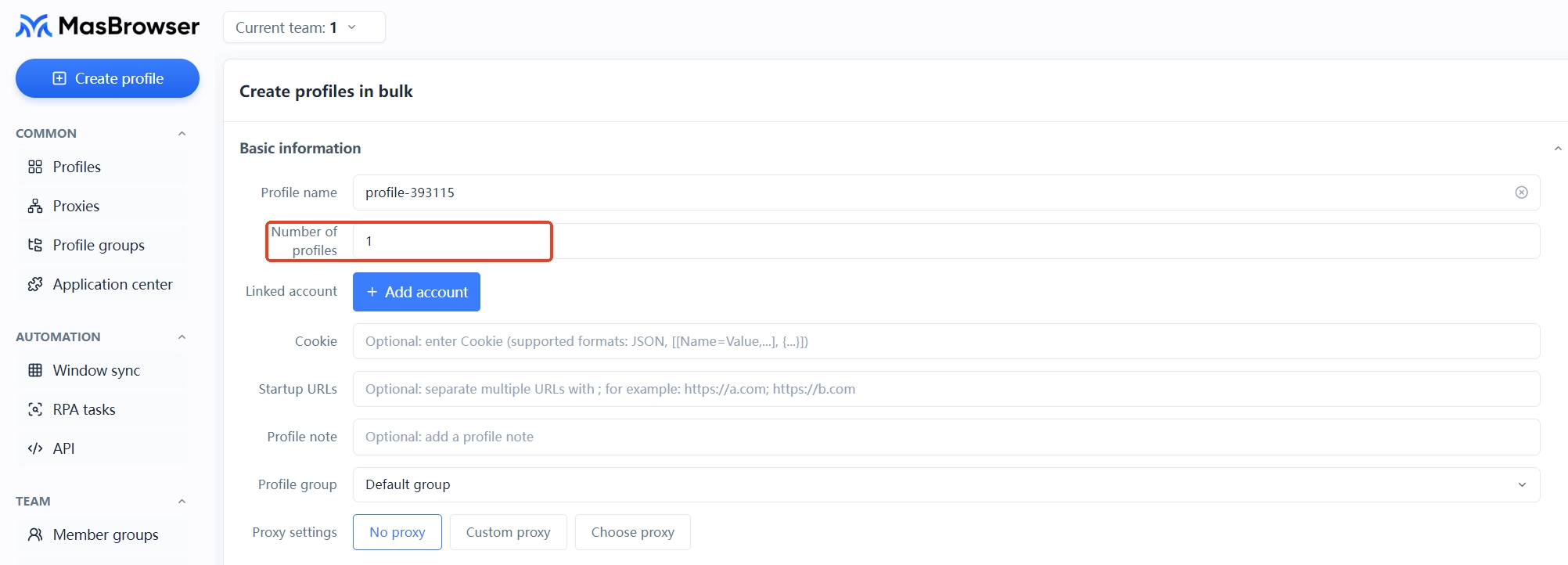
Step 1: bulk-create environments. In the environment management page, create the required number of environments and name them one by one (names should match the resource table, e.g. "US-01") to avoid later confusion.
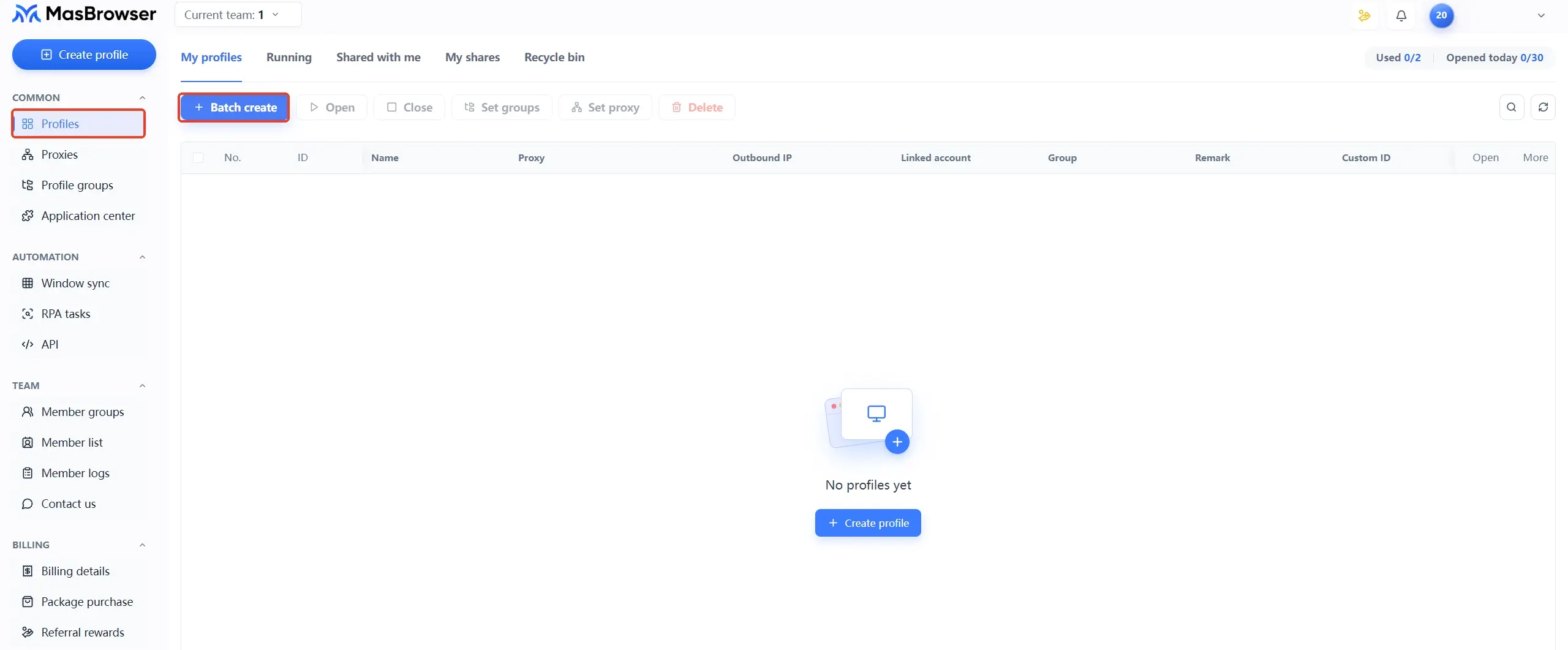
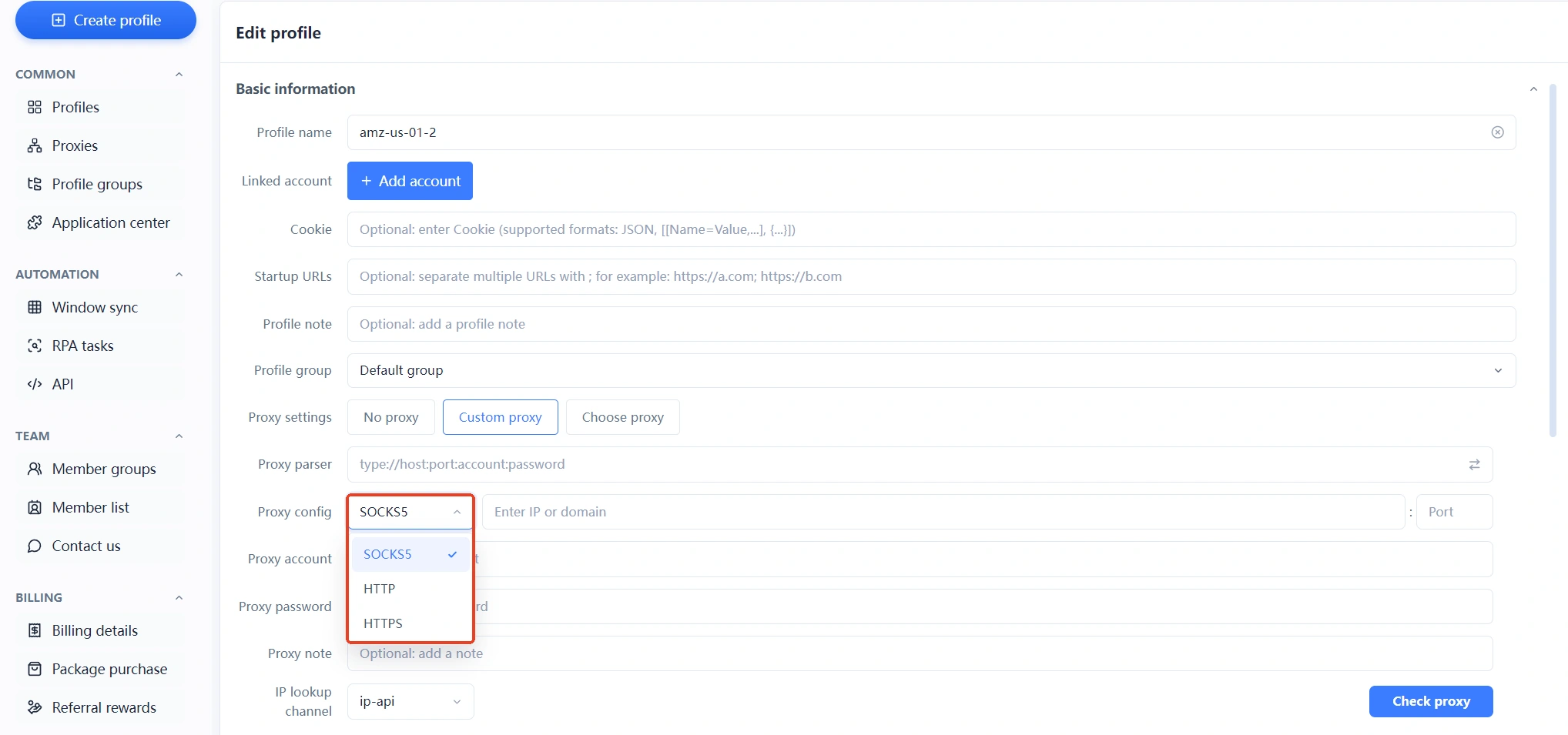
 Step 2: attach exclusive proxies. Bind an HTTP/HTTPS/SOCKS5 proxy to each environment separately, run the connectivity test after binding, and confirm the IP region matches the account's positioning before moving on.
 Step 3: verify fingerprint parameters. Check that each environment's timezone, language and geolocation auto-match its bound IP; set WebRTC to disabled to prevent the real IP leaking through WebRTC.
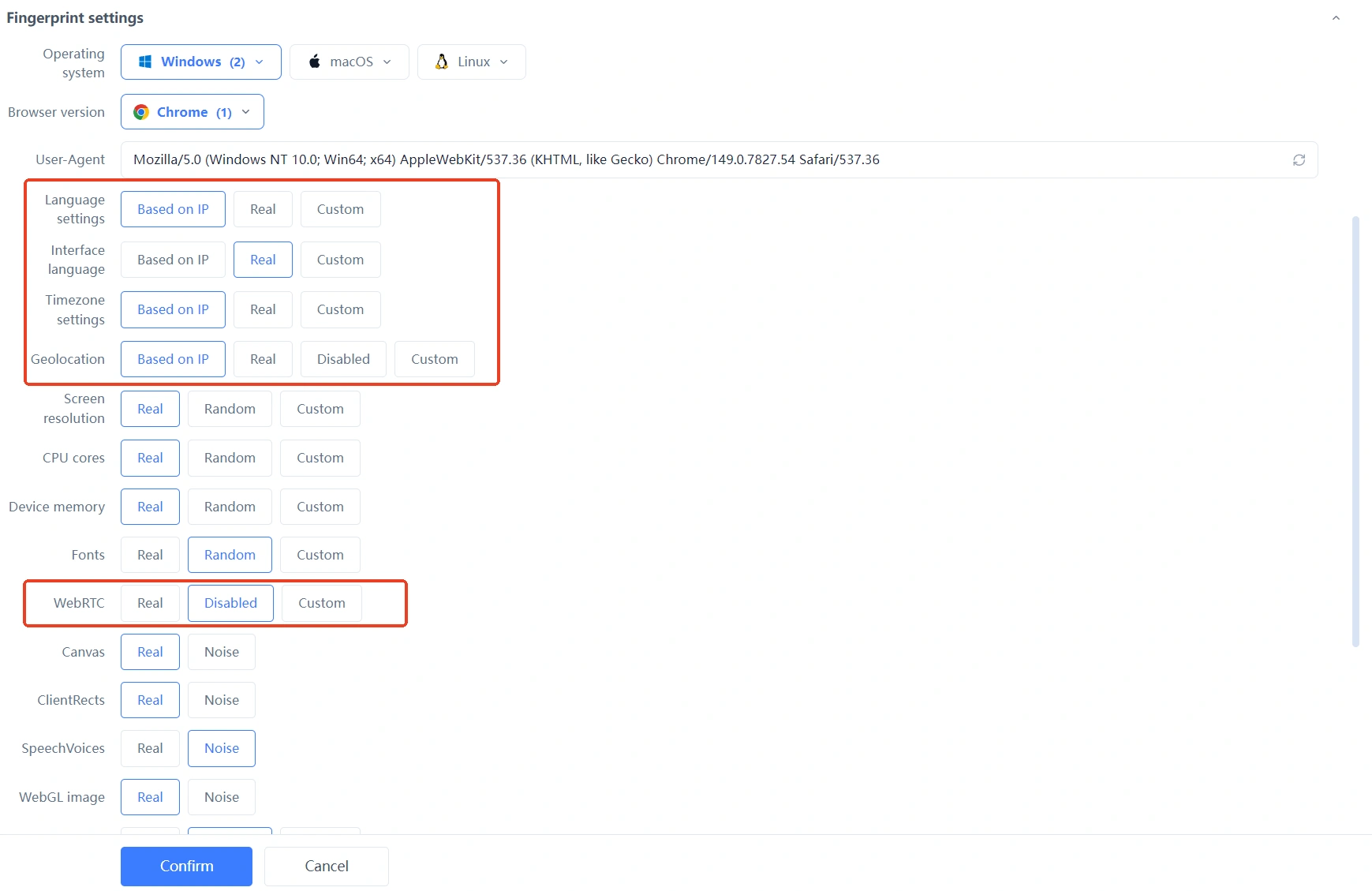 Step 4: fix the usage relationship. Each account "grows" inside its own environment from registration on; every later login goes through the same environment, never swapping accounts between environments — a mismatch between registration and login environments is itself an anomaly signal for the platform.
The acceptance test is plain: open two environments at random — timezone, language and fingerprint parameters all differ, IP regions are independent — and the biggest association source, "bulk registration on one device", is cut off.
Registration timing and pacing: how to stagger registrations
The cardinal sin of bulk registration is creating all accounts in one breath within a single day. Even with fully isolated environments, accounts registered in a tight cluster are easily grouped as the same abnormal batch. The experienced approach is pacing:
- Daily cap: start with 1-2 new accounts per day, watch their survival, then scale up gradually — don't flood from day one.
- Time staggering: spread registrations across different dates and time slots.
- Minimal actions on registration day: after registering, only complete the profile — no friends, no posts, no groups; give the first week to "landing".
- Stop on failure: if a registration fails, stop trying on that IP for the day — repeated retries only deepen the risk marking; come back days later with a new approach.
For team collaboration, MasBrowser supports assigning environments to different members by permission: several people each run their own batch, forming natural staggering, and nobody crowds around one computer taking turns.
Week one after registration: from registration to nurturing
Registration success is not mission complete — the first week decides whether the account survives long-term. New accounts are in a high-surveillance period; the operating principle is "few and normal": log in for a fixed time daily, browse the feed, occasionally like — keep actions in single digits. Add friend interactions after a week, consider posting content after two. The complete nurturing rhythm and forbidden actions are broken down paragraph by paragraph in the Facebook account nurturing guide; not repeating here.
Handover quality matters just as much: the environments built during registration must carry over to nurturing unchanged. Some teams register in isolated environments and then, for convenience, switch back to a normal browser for nurturing — throwing away all the earlier work. When the team grows and accounts need handover, use MasBrowser's environment sharing/transfer to hand over as a whole: account, proxy and fingerprint configuration move together, and the operating environment never breaks.
Finally, back to the platform rules themselves: Meta officially supports creating up to 4 additional personal profiles under one main account, and business operations are advised to run on Pages — if your scenario is covered by these two official forms, take the official path first. Teams that do need a multi-account system must assess risk on the basis of the platform terms, treating environment isolation as a way to reduce operational accidents, not a tool to break rules.
FAQ
How many Facebook accounts can one computer register?
With environments fully isolated, the limit is not the computer but resources and pacing: each account needs its own email, phone, IP and browser environment, with staggered registration timing. Without isolation, the more accounts one computer registers, the faster the linked restrictions arrive.
Which IP is most reliable for bulk registration?
An exclusive residential IP is the most reliable choice for registration — region matched to the account's positioning and kept fixed. Shared proxies and free VPNs carry historical risk records; datacenter IPs pass registration at a lower rate. None of them is recommended for registration.
The account is needed the day after registration — is that feasible?
No. The high-surveillance period usually lasts one to two weeks; adding friends or posting ads on day one or two very likely gets the account judged as marketing. Schedule the registration plan ahead of time and leave each account its landing time.
Closing
Anti-association in bulk Facebook registration is, in the end, about guarding the "birth gate": one set of resources per account, one environment per account, one or two registrations per day — and the isolated environments laid down at registration keep serving nurturing and daily operations. The effort put into environment preparation before registration beats post-ban appeals by miles. If you are building a multi-account operation system, download MasBrowser and make every account's starting point solid with environment isolation.