Dolphin Anty vs MasBrowser: The Real Boundary of Free Tiers
People searching "free anti-detect browser" usually aren't after a permanent freebie — they want to run the full workflow without paying first. Nothing wrong with that — the problem is most comparison articles only tell you which tool gives away more, never where exactly the free tier will stop you.
Core takeaway: the real boundary of a free tier was never the profile count — it's the capabilities locked beyond that count: collaboration seats, bulk operations, cloud sync, automation APIs. Dolphin Anty's free plan gives 5 profiles, MasBrowser gives 2 — this article takes both free tiers apart line by line, then maps out which type of user should board at which tier. Pricing follows both official sites' current rates.
The verdict first: what each free plan actually includes
Comparing free tiers means looking at both "what's given" and "what's locked" — the latter decides how far you can go.
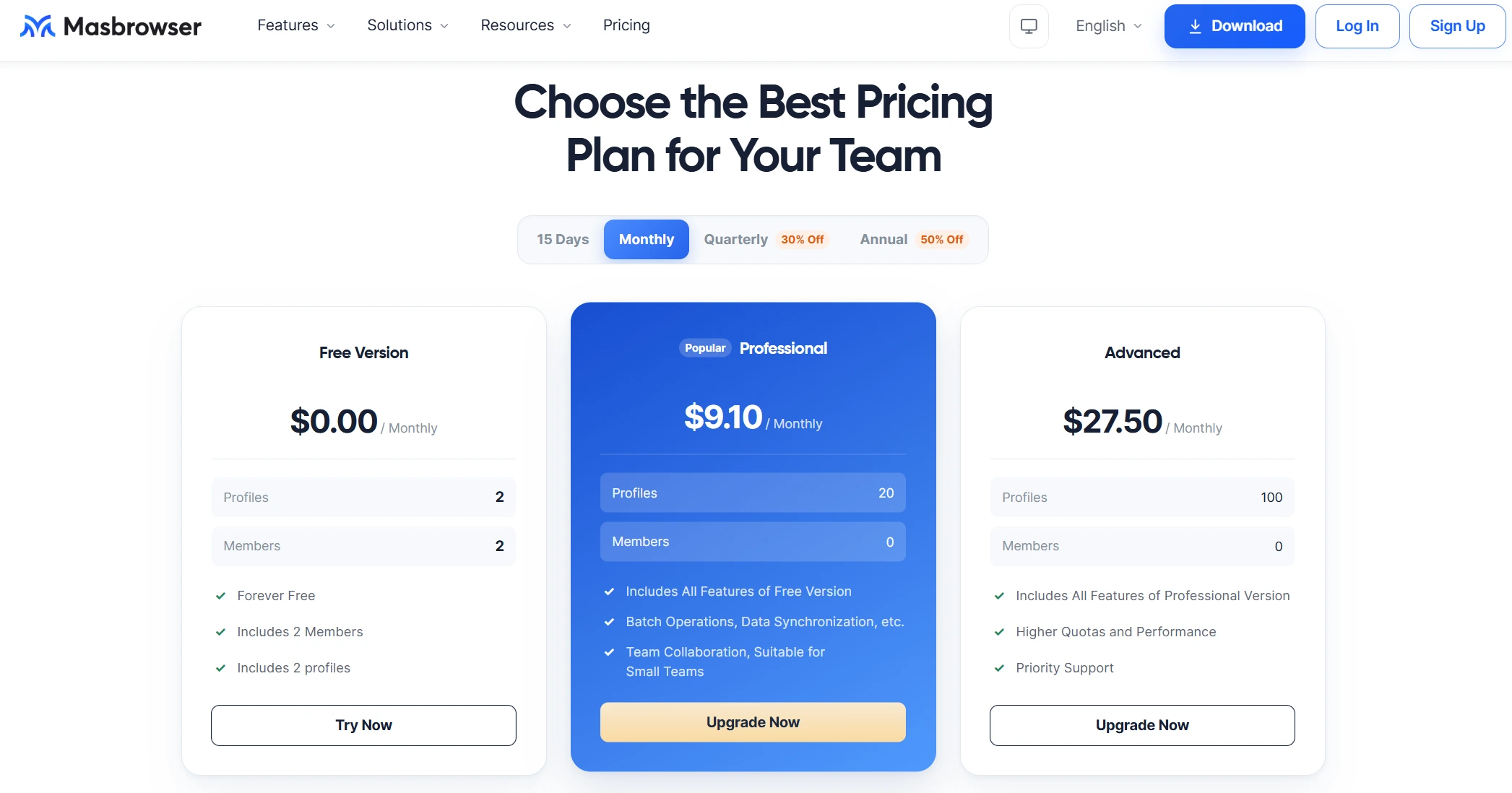
- Profiles: 2 (fixed on the free plan)
- Team seats: 2 members
- Team collaboration: yes (profiles assignable to members)
- Fingerprint & bulk operations: 20+ fingerprint parameters available
- Automation: RPA flow library available (built-in Facebook/TikTok templates)
- Interface language: Chinese
- Upgrade path: buy more profiles as needed — Pro, 10 profiles from $6.8/month, 20 profiles $9.1/month
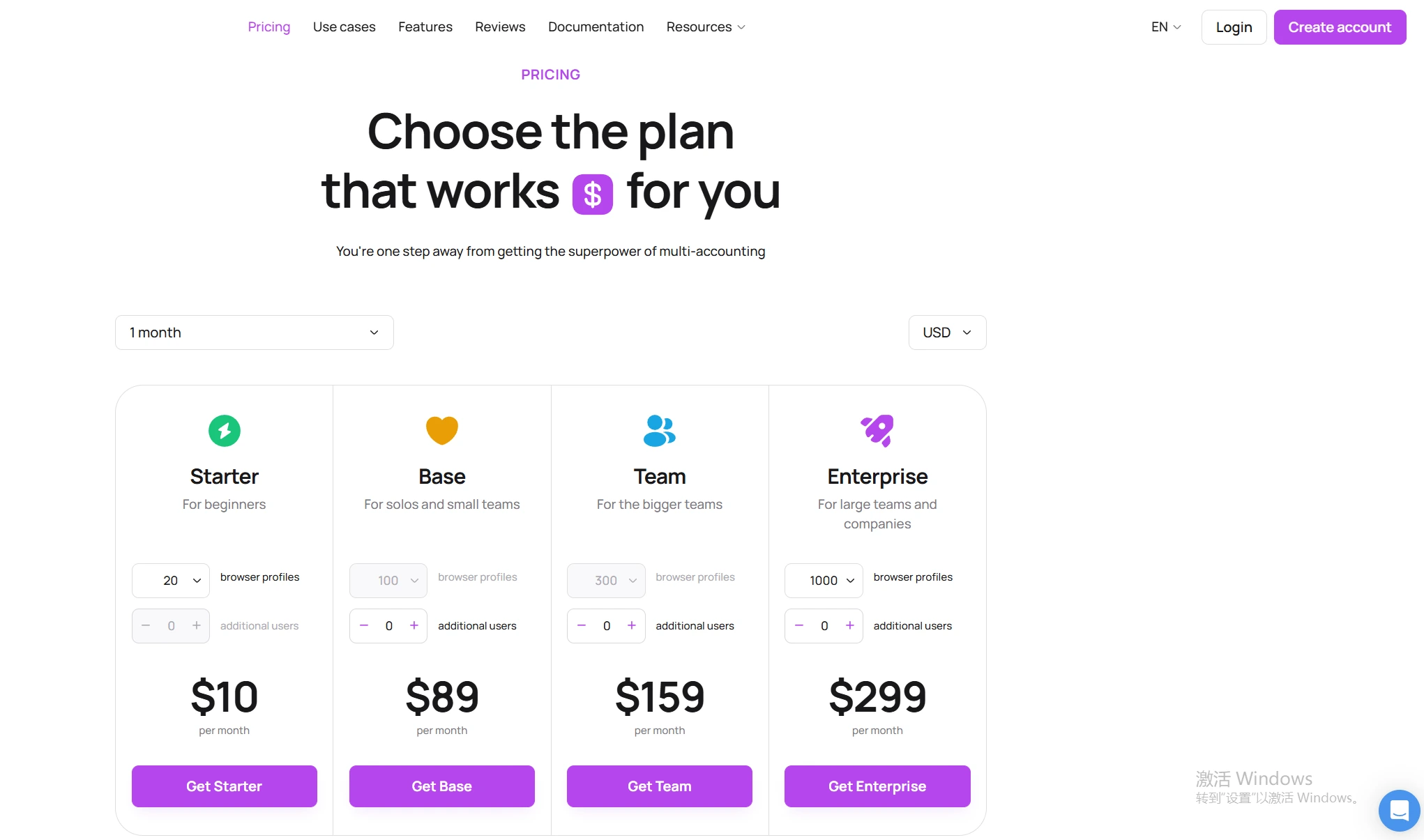
- Profiles: 5 (fixed on the free plan)
- Team seats: 1 user only, no add-on seats
- Team collaboration: none
- Fingerprint & bulk operations: fingerprint parameters available, bulk updates paywalled
- Automation: API paywalled
- Interface language: English
- Upgrade path: profile-count tiers — Starter, 20 profiles at $10/month
Profile count is just one dimension — on collaboration, bulk actions and automation, the two free plans open up in completely different degrees, so the one with more profiles doesn't win everywhere. Take the sections below one by one, then decide which hand suits you.
Dolphin Anty free tier: four walls beyond the 5 profiles
Dolphin Anty's free tier is built as "solo trial" — one person, 5 profiles, more than enough to validate the flow; but before you ever need a 6th profile, you'll hit several other walls first.
In the order your business moves forward, the walls arrive like this:
- Wall one: collaboration. The free tier is 1 user with no add-on seats — even a two-person team that wants to split profile management hits the end right there. And team division of labor is usually the first need of a multi-account business.
- Wall two: bulk operations. Bulk fingerprint updates are a paid feature in Dolphin Anty. Editing 5 profiles one by one is tolerable, but with "bulk" locked, every day your profile count grows you're stacking reasons to upgrade.
- Wall three: cross-device. Cloud sync (dolphin cloud) is paywalled — switching computers or working across locations, the free plan only has local storage: profiles follow the device, not the account.
- Wall four: automation API. API is paywalled; if you want to plug scripts into bulk tasks, the free tier has no entry point.
Paid tiers price by profile count: Starter starts at 20 profiles, $10/month, roughly $6/month after the annual 40% discount; Base above it starts at 100 profiles, $89/month; Team and Enterprise correspond to 300 and 1,000 profiles. Profiles can be adjusted within a tier, but each jump to a bigger tier is a step in monthly cost — plan your profile budget against that staircase.
Dolphin Anty's strengths are also on open display: its Synchronizer has a solid reputation in affiliate circles (actions on the main profile replicate onto the rest in real time), one-click real-fingerprint profile creation is fast, and the interface is modern and smooth. Its free tier's positioning: "a solo user can run the whole flow; teams and scale-up trigger the paywall immediately."
MasBrowser free tier: trading profile count for team capability
MasBrowser's free plan gives only 2 profiles, but keeps "collaboration" and "automation" inside the free zone — fewer profiles, yet the boundary sits much further out.
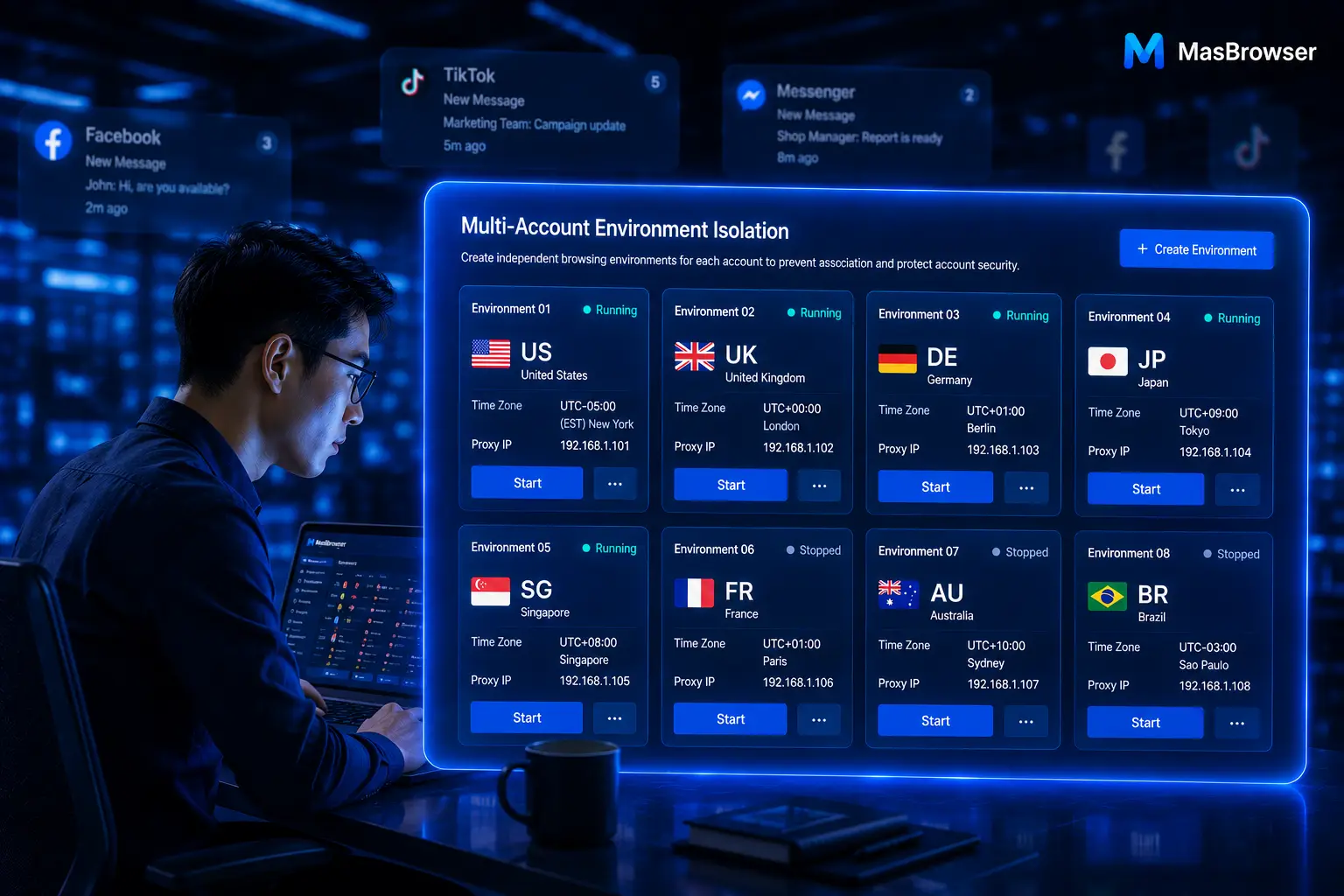
Against those four walls, MasBrowser's free-plan answer: 2 profiles with 2 member seats, fingerprint parameters fully open (20+ parameters, IP-based configuration, WebRTC disabled), the RPA flow library (built-in Facebook/TikTok templates) open to use, plus a Chinese interface and Chinese support — no language hurdle to clear first.
This trade-off fits a different starting path: two or three partners validate the full chain — create profile → attach proxy → fingerprint check → platform login — inside 2 profiles, then scale. The free tier validates the complete flow, not a castrated one — that is where a free plan's real value lies.
Scaling prices also move by profile count: the Pro plan adds profiles elastically, 10 profiles at $6.8/month, 20 at $9.1/month; annually, 10 profiles $40.8/year, 20 profiles $54.6/year — profiles and price scale linearly, pay for what you use. Going higher, the Advanced plan runs 100 profiles at $165/year, which works out to roughly $0.13 per profile per month. For a fuller comparison of free options, the free fingerprint browser guide has a more complete roundup.
Paid tiers head-to-head: Synchronizer vs RPA plus window sync
Free boundaries settled, now the signature paid capabilities — they decide what you actually buy when you upgrade.
- Dolphin Anty's Synchronizer: replicates clicks and inputs from the main profile onto the others in real time — the "dozens of accounts farmed and posting in sync" scenario of affiliate marketing was designed for exactly this. Note it eats local resources: too many synced profiles and your hardware feels it.
- MasBrowser's RPA plus window sync: the RPA flow library ships ready-made templates for Facebook, TikTok and other platforms, handing fixed routines like account nurturing and posting to bots on schedule; window sync (uniform size, one-click arrange, dual-display tiling) suits monitoring multiple stores at once — one is "the machine does it for you", the other is "you watch everything at once".
They are not substitutes: for affiliate sync-farming scenarios the Synchronizer is smoother; for multi-store e-commerce and social-matrix flows, RPA templates plus window sync save more manpower. Choose by your business shape, not by the length of the feature list. The full landscape of 8 tools sits in the anti-detect browser ranking review.
How to choose: three types of users, find your seat
No tool wins everything — match by team size, business type and language comfort.
- Solo affiliate, comfortable in English, heavy on sync-farming: Dolphin Anty's free tier starts smoothly, 5 profiles enough to validate; the moment you need a teammate, bulk updates or cloud sync, go straight to Starter — don't wrestle the free tier.
- Chinese-speaking teams, multi-store e-commerce or social matrices: MasBrowser's free 2-profiles-2-members runs the full flow first, then scales tier by profile tier, with Chinese support removing one communication cost; for comparison with another Chinese-language tool, see AdsPower vs MasBrowser.
- Still deciding, want to validate before paying: register both free plans, build a few profiles on each, run fingerprint checks and platform logins — the only job of a free tier is validating the flow; never leave real accounts living long-term in any free environment.
FAQ
Can Dolphin Anty's free plan be used forever?
Yes — 5 profiles with no time limit, but capped at 1 user with no add-on seats, and bulk fingerprint updates, cloud sync and API all sit behind the paywall. It suits "solo flow validation", not a long-term workhorse for a multi-person team.
Can both tools be used at the same time?
Yes, they install without conflict, and many teams run affiliate tasks in Dolphin Anty while managing e-commerce stores in MasBrowser. But never log the same business account across both tools — logging the same account into a different environment is itself an environment-change signal.
Does Dolphin Anty have a Chinese interface?
Currently the interface is English-only, with no Chinese support. For Chinese users there's a learning curve, and if the team includes non-technical members, this directly drags onboarding speed.
Can free-tier profiles host real accounts?
Not recommended. Free profiles exist to validate the flow: create profile, attach proxy, run checks, confirm isolation works. Real accounts are assets and belong in verified, long-term stable paid environments — validate on free, raise accounts on paid. Keep that order.
Closing
The real boundary of a free competitor isn't the big "Free" on its homepage — it's the walls you hit when the team reaches its 3rd person, the profiles their 10th, and the first bulk operation is needed. Dolphin Anty's free tier treats solo affiliates well; MasBrowser's free tier leaves collaboration and automation to starting teams — different boundaries, different fits.
Figure out where you'll hit a wall, then decide which tier to board at. Start by downloading MasBrowser (free download), run its 2 profiles through the full flow, and upgrade by profile count once validated — the right use of a free tier is informing the paying decision, not saving those few dozen dollars.