Securely Manage Multi-Accounts, Start with Masbrowser
Reduce Association Risks, Boost Efficiency, Support Scaling

Cleared your cookies. Switched to incognito. The accounts got banned anyway.
That's not a mystery — that's browser fingerprinting at work.
Platforms stopped relying on cookies alone a long time ago. Your screen resolution, GPU model, installed fonts, timezone settings, WebGL rendering characteristics — combined, these data points form a device identity that's nearly impossible to replicate. Switching proxies changes your IP. It doesn't touch any of these underlying signals. Run multiple accounts from the same device, and platforms identify the connection immediately.
An anti-detect browser solves exactly this — building each account its own independent, logically consistent device identity so that platforms read them as completely different real users.
Here are 9 use cases where it actually makes a difference.
Every time a browser loads a page, it sends the server a set of device signals:
This combination is far more stable than cookies — and far harder to spoof. Clearing your browsing history or opening incognito mode doesn't touch the fingerprint layer at all.
Anti-detect browsers don't work by generating random fake parameters. They build a logically consistent complete device identity for each account — OS, browser version, hardware specs, network environment — assembled the way a real device would be, not randomly cobbled together. Random fingerprints are actually more detectable: a profile claiming to run Windows 11 on a 4K monitor while reporting a 2013 integrated graphics card WebGL signature is an obvious anomaly to any detection system.
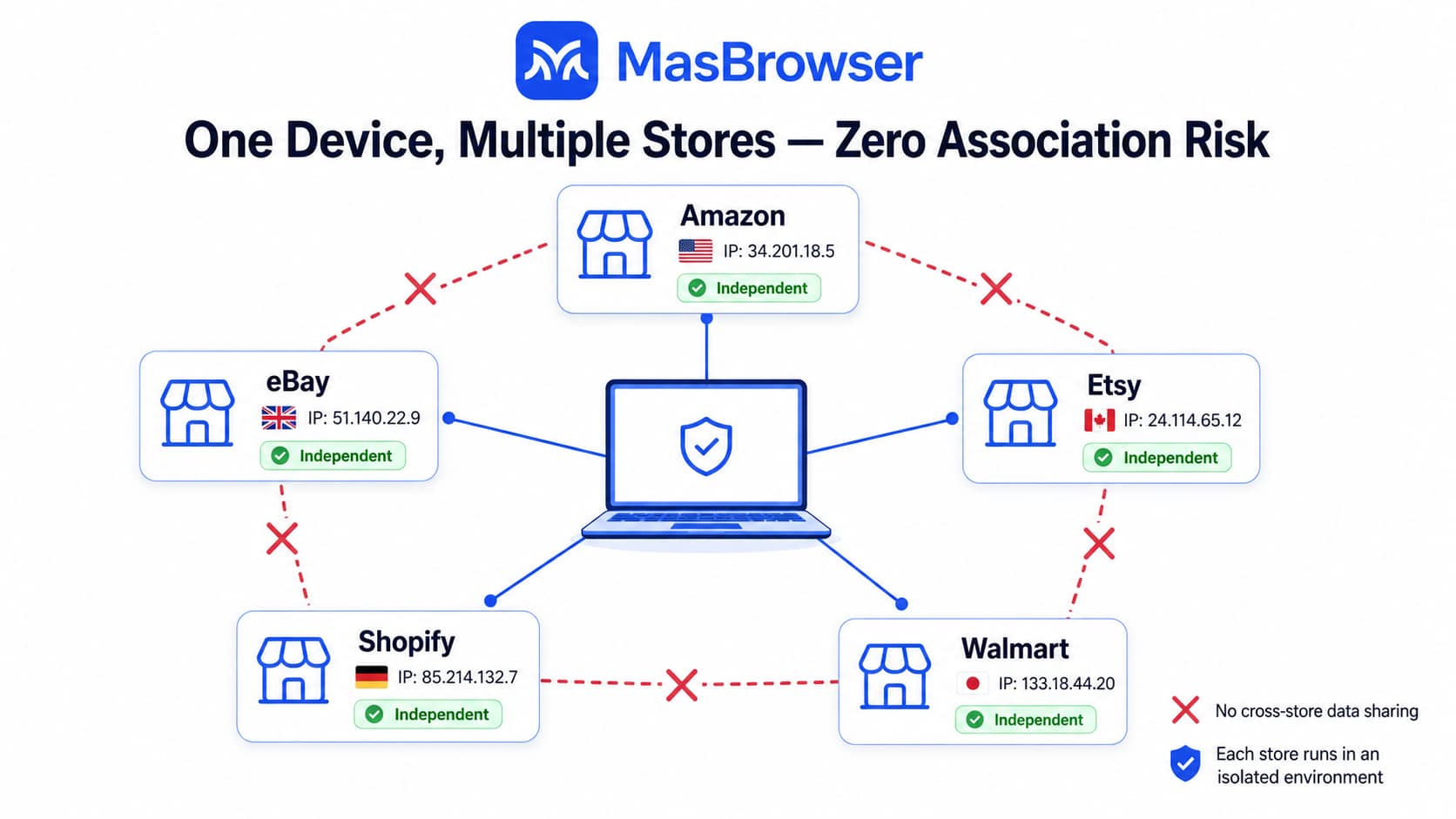
Running multiple storefronts on Amazon, eBay, Etsy, or Shopify is a standard business strategy — separating product categories, testing different niches, distributing risk. Platform policies explicitly prohibit multiple linked accounts under the same entity.
The problem is that "linked" isn't determined by the information you submit — it's determined by device fingerprints. Two store dashboards logged in from the same computer share identical Canvas hashes, WebGL signatures, and screen resolutions. The platform flags them as associated immediately and doesn't need any other reason to act.
MasBrowser creates an isolated browser environment for each store account, each with its own fingerprint, its own proxy IP, and its own cookie storage. The platform sees independent sellers from different devices in different regions — not multiple windows on the same machine.
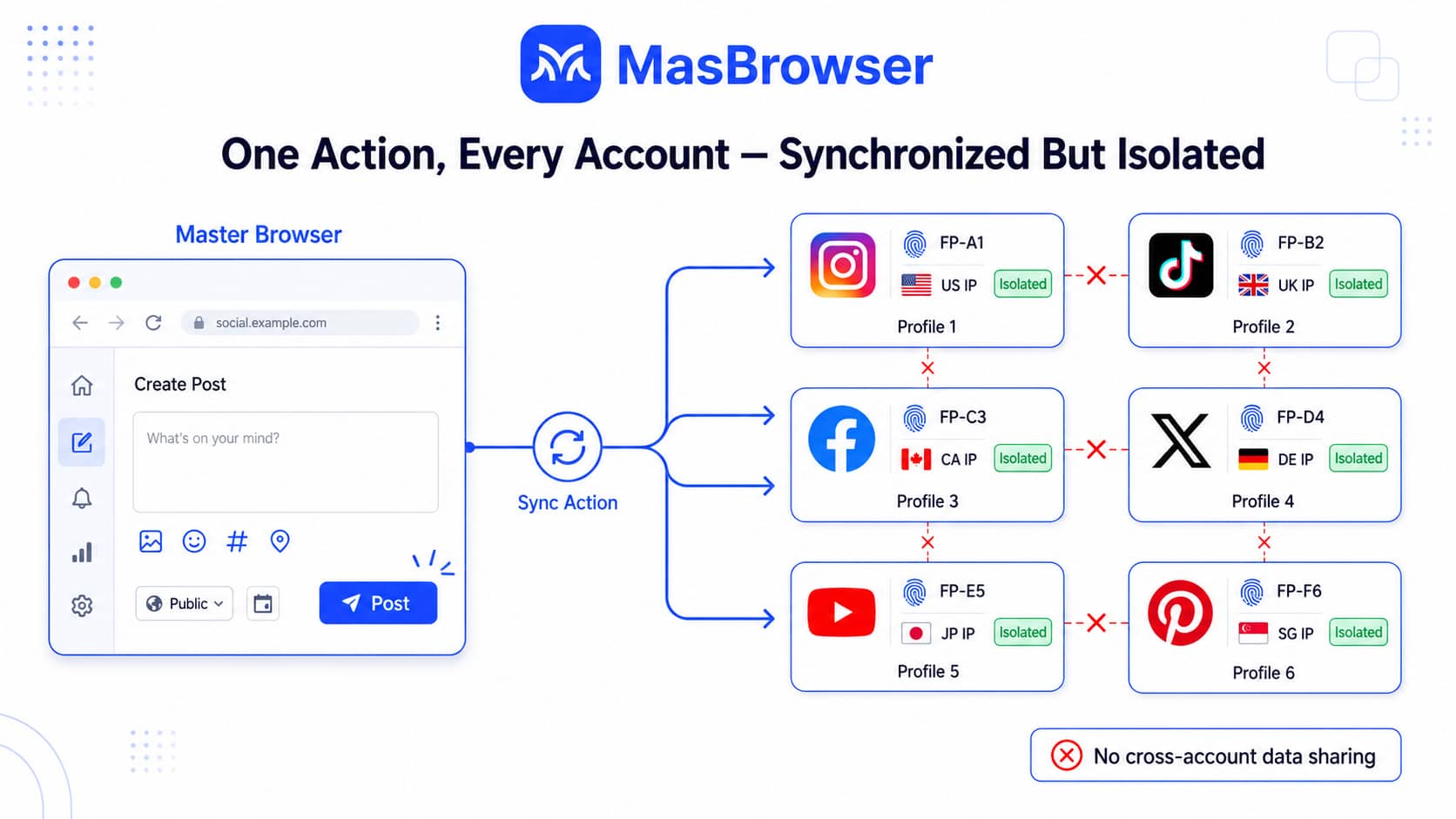
Scaling social media presence follows two paths: go deep on a single account, or expand horizontally across an account network. The network approach runs accounts that cross-promote each other, reach different audience segments, and funnel traffic toward the same product or service.
The barrier isn't content — it's account safety. Instagram, TikTok, and Facebook's risk systems all detect when multiple accounts are operated from the same device. The result ranges from throttled reach to mass bans.
MasBrowser runs each account in its own isolated environment — natural to operate, with no cross-contamination. The multi-window sync feature lets you execute an action in one primary window and replicate it across all selected environments simultaneously — posting, liking, commenting — each account acting with its own independent fingerprint.
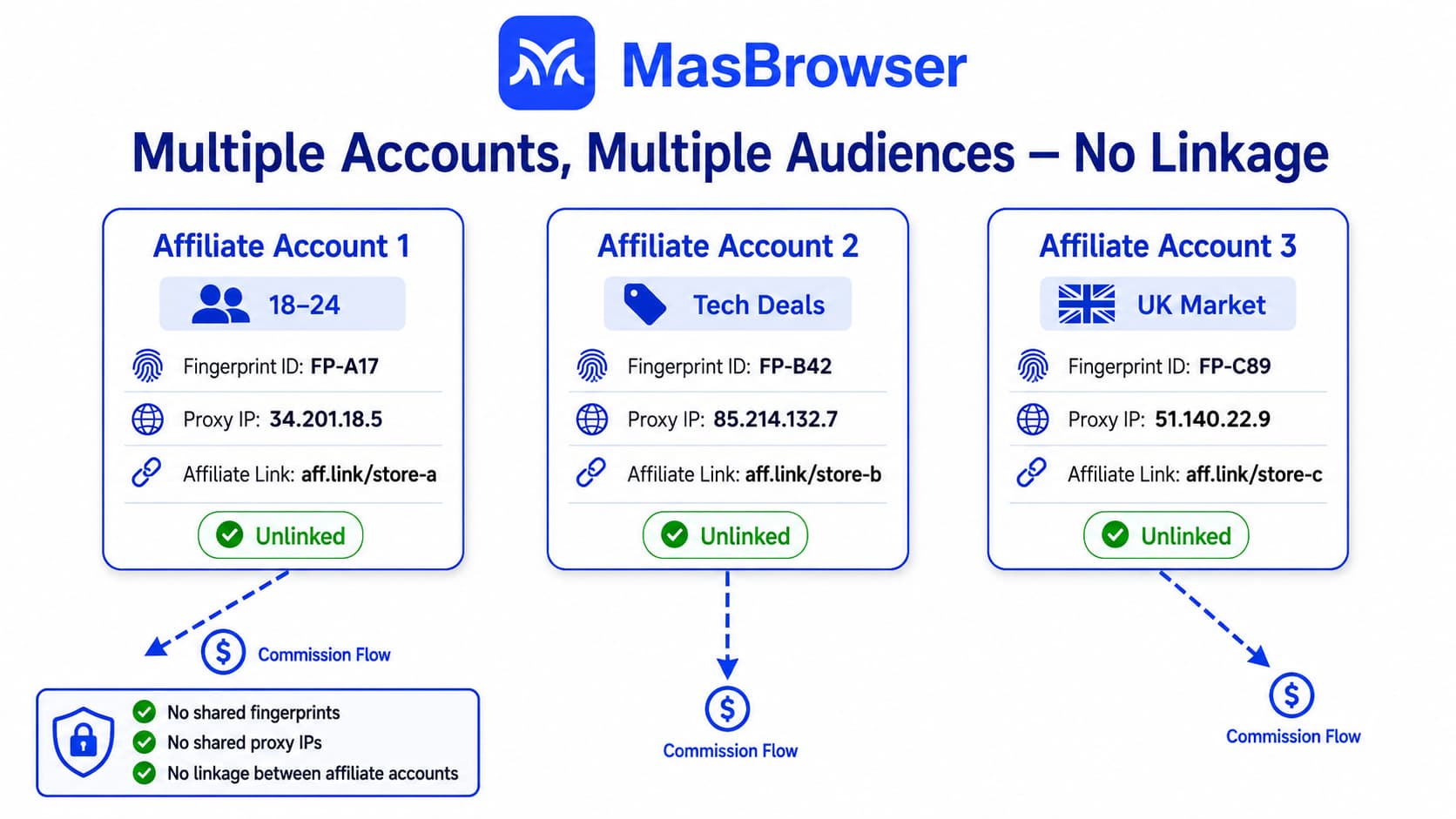
Common affiliate strategies involve running multiple accounts across different audience segments — separate promotion accounts for different products, or several accounts pushing the same offer to maximize traffic overlap and aggregate conversions.
The key risk is concentrated: once a platform identifies multiple accounts as the same entity, it flags them for artificial traffic inflation or abnormal promotion behavior. Commissions get reversed. Accounts get bulk-banned.
Every promotion account needs to appear independent, genuine, and coming from a different device. MasBrowser's environment isolation covers fingerprint, IP, cookies, timezone, and language — the full set of signals that association detection systems rely on.
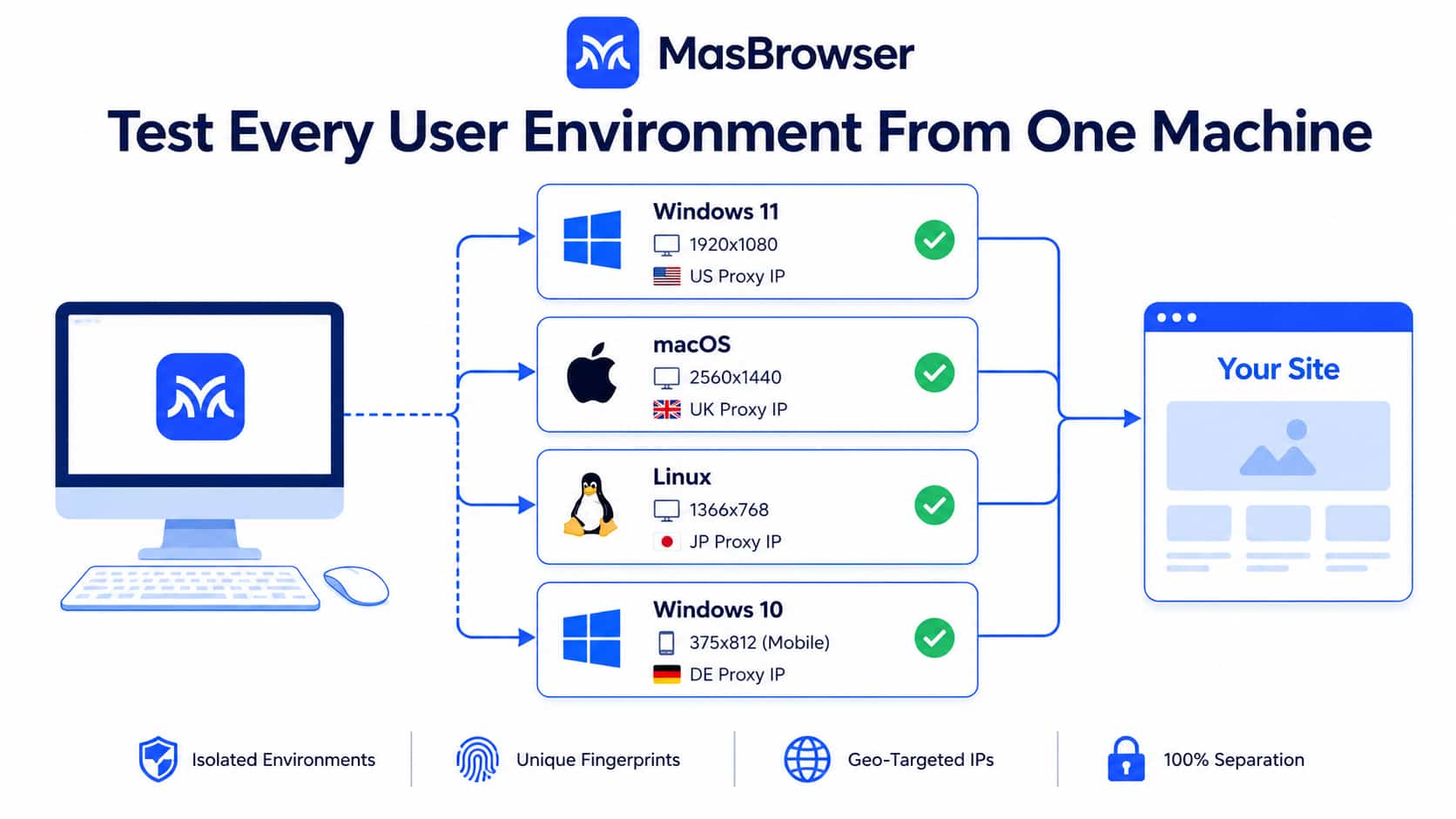
Before a site launches, you need to validate across multiple dimensions: layout behavior at different screen resolutions, font rendering differences across operating systems, content variations visible to users in different regions, and compatibility across browser versions.
The conventional approach means multiple physical devices or virtual machines — expensive and slow to switch between. MasBrowser simulates different user environments by configuring different fingerprint parameters: Windows/macOS/Linux, varying screen resolutions, different regional IPs — all from one machine, covering the real-world scenarios your actual users will encounter.
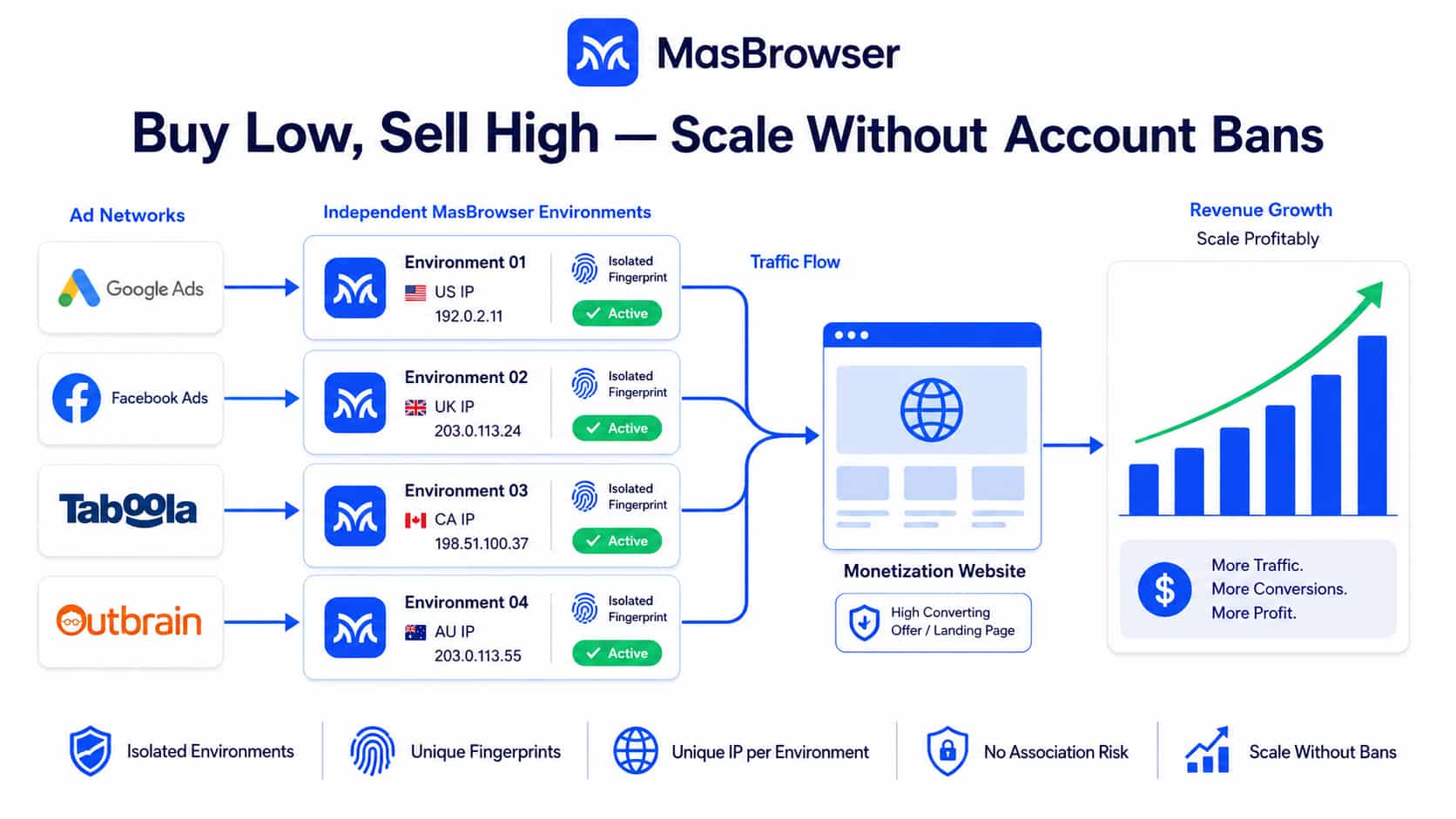
Traffic arbitrage works by buying traffic through lower-cost channels, routing it through owned landing pages, and monetizing it at a higher CPM or CPC through other ad networks.
Scaling this requires running multiple accounts across multiple ad networks simultaneously — broader source coverage, A/B testing ROI across different channels. Single-account volume has a ceiling; a multi-account matrix is how you operate at scale.
This use case has high requirements for account independence. Ad platforms are highly sensitive to abnormal account patterns, and linked accounts are typically processed in bulk once identified. MasBrowser's environment isolation presents each account as an independent entity at the platform level, so testing and optimization across channels doesn't get disrupted by association flags.
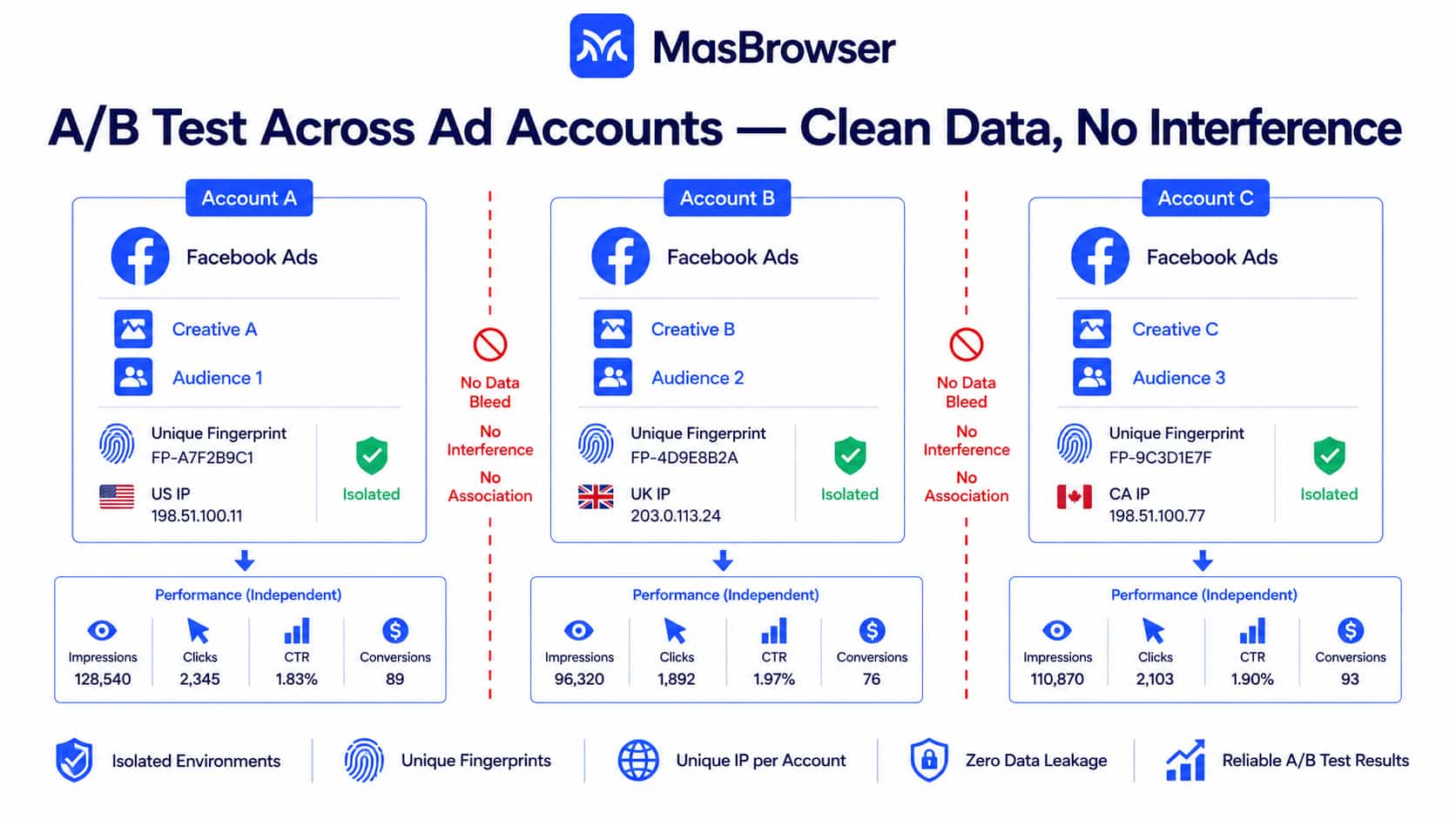
Effective ad testing requires variable control: different creatives, different targeting parameters, different bid strategies — each running in its own isolated account to produce clean comparative data without cross-contamination.
The prerequisite is that every account looks real and independent. Once a platform detects account association, it affects delivery data across all linked accounts and can directly restrict ad spend permissions for the entire group.
MasBrowser assigns each ad account its own fingerprint and IP, protecting the validity of test data. Batch environment creation and centralized configuration management make it practical to run multiple test groups simultaneously.
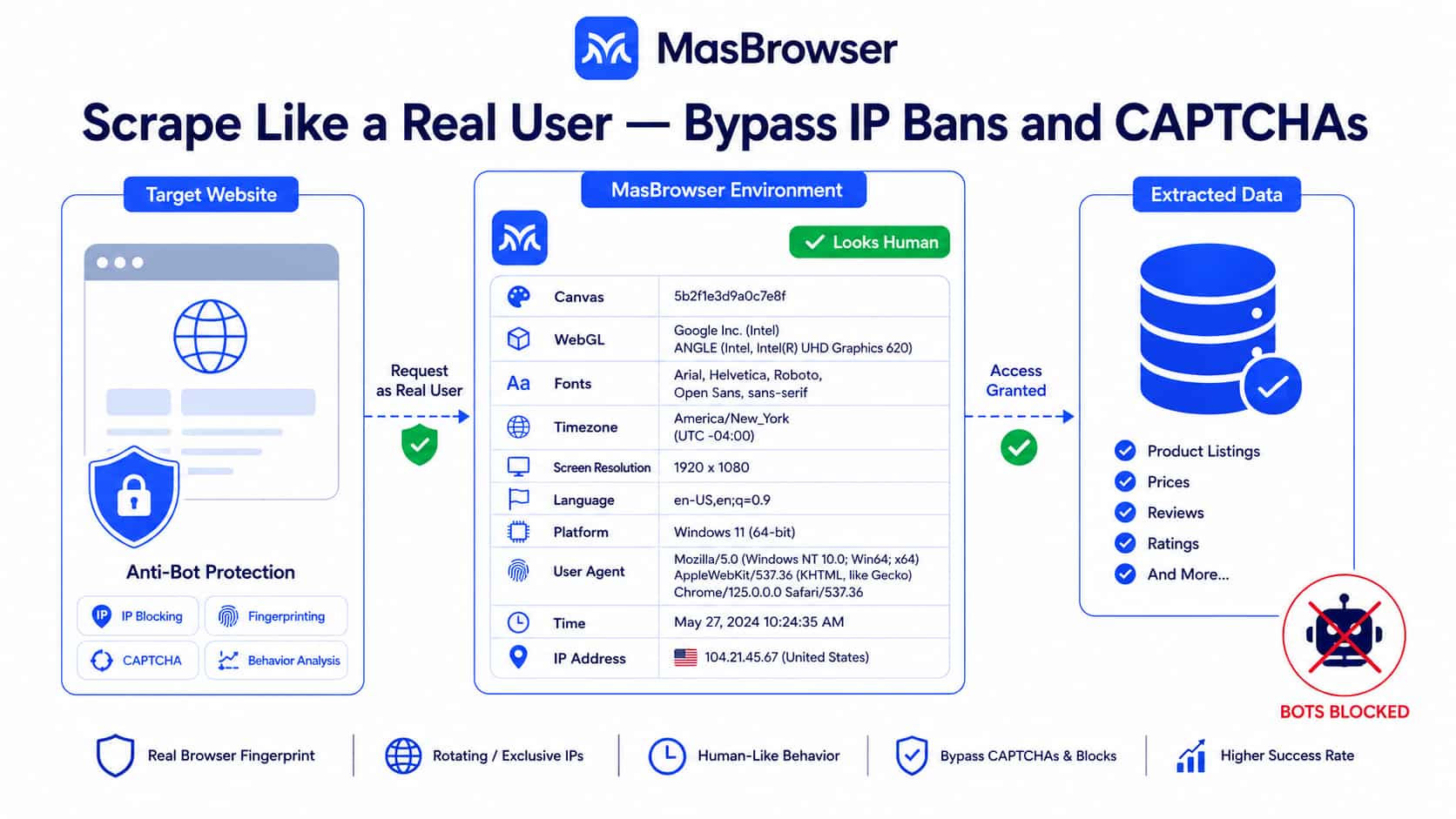
Data collection underpins market research, competitor monitoring, and price tracking. Most sites have bot detection in place: IP blocks, rate limiting, CAPTCHA challenges, behavioral anomaly detection.
Browser fingerprinting is one of the primary signals these systems use to identify scrapers. Real user browsers have complete, coherent fingerprint profiles. Scraping tools typically don't — or their fingerprint characteristics are obviously inconsistent.
Each MasBrowser environment carries a complete, logically consistent browser fingerprint that reads as normal user behavior to security systems. Combined with proxy IP rotation, it bypasses both IP-based and fingerprint-based blocking layers for legitimate data collection.
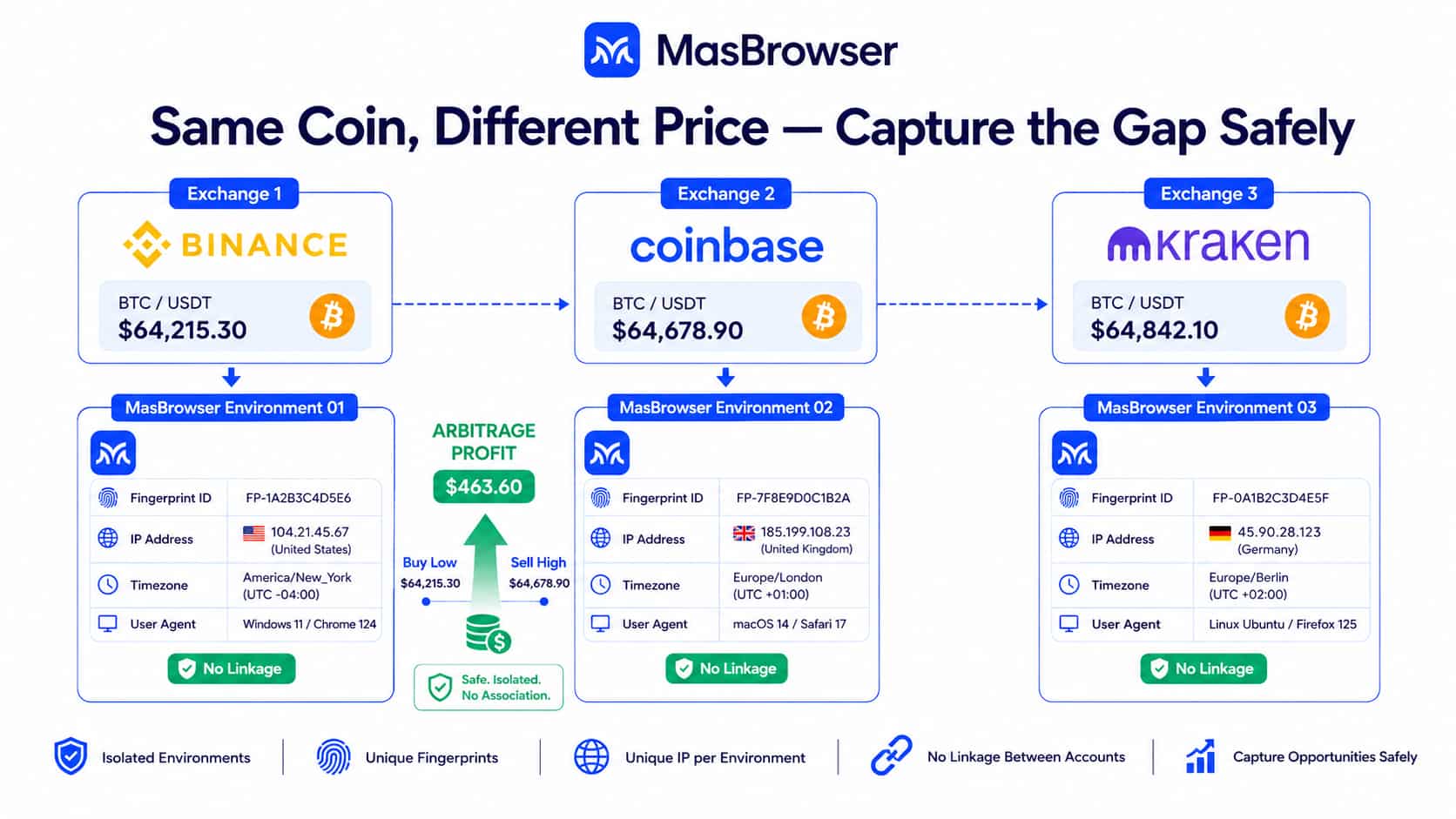
Crypto arbitrage captures price spreads across exchanges — buy where the price is lower, sell simultaneously where it's higher. Spread windows close fast; multiple accounts across multiple exchanges need to be ready in real time.
Exchanges are highly sensitive to multi-account activity and abnormal trading patterns. Detected linked accounts are typically frozen or restricted immediately. Each account needs to present as an independent real user from a separate device.
MasBrowser gives each exchange account its own isolated environment — fingerprint, IP, cookies, all separated. There are no detectable association signals between accounts, keeping multi-platform simultaneous operations safe at the risk-detection level.
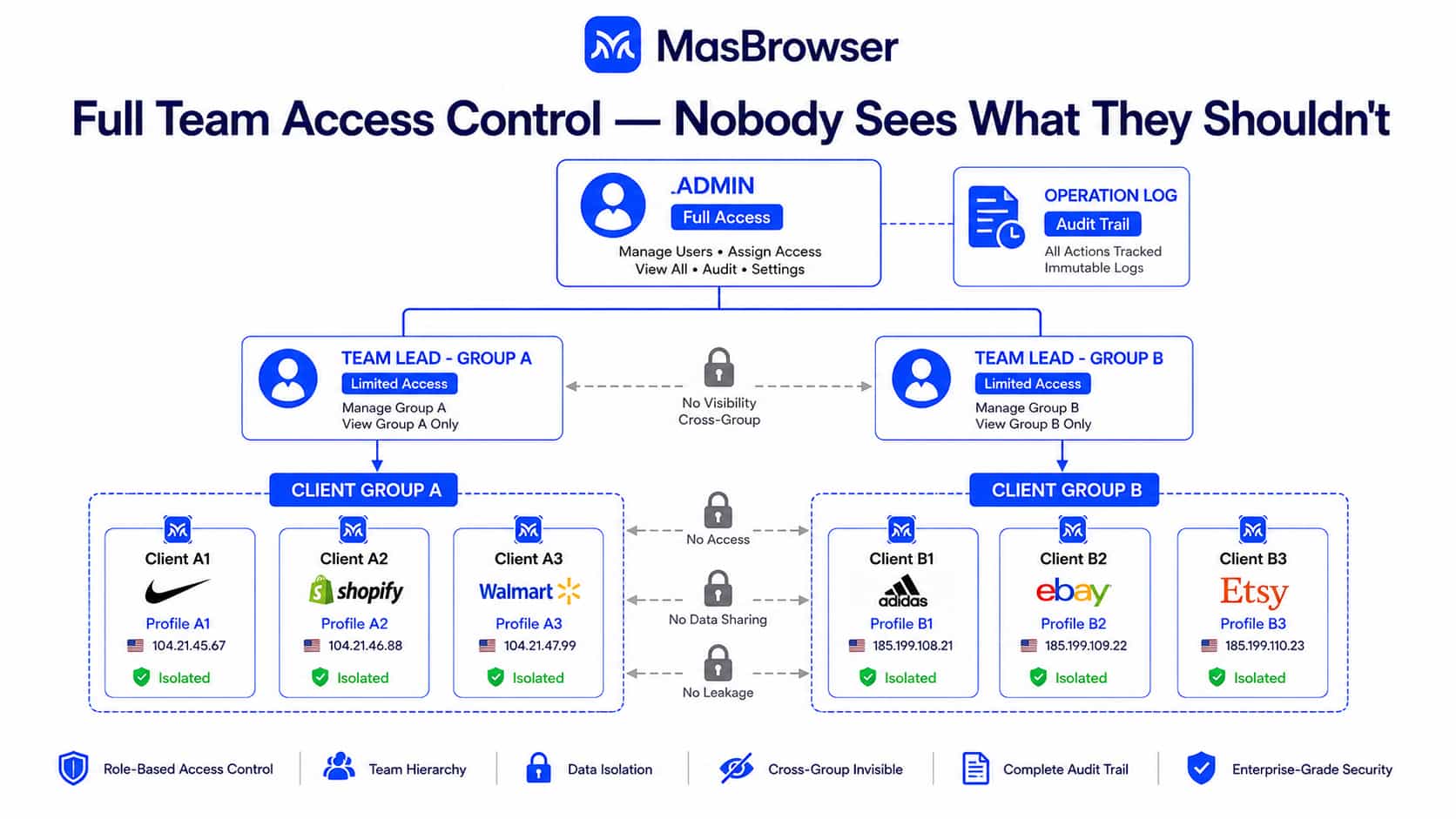
This is the use case with the highest account security requirements and the most complex collaboration needs.
An agency managing ten clients, each with multiple accounts across three or four platforms, means anywhere from dozens to hundreds of accounts running inside the same infrastructure. Any account problem directly impacts the client relationship — in the worst case, it costs you the contract.
Two core challenges define this scenario:
First: account isolation. Different clients' accounts must have zero association — different device fingerprints, different proxy IPs, different cookie storage. MasBrowser's environment isolation covers this completely.
Second: team permission management. Sending account credentials directly to staff is the most common security failure — employees who leave take credentials with them, contractors make accidental cross-client errors, and there's no way to trace who did what.
MasBrowser's team permission system handles this with three role levels:
| Role | Permission Scope |
|---|---|
| Administrator | Full control — manage members, view all activity logs, assign environments |
| Team Lead | Manage assigned environment groups; other groups are not visible |
| Member | Access only explicitly authorized environments |
A freelance contractor sees only the accounts assigned to them — nothing from other clients. When the contract ends, revoke access with one click and the rest of the operation is untouched. Every action is logged; if an account issue occurs, you can trace the exact timestamp and who executed it.
When bulk accounts need to execute the same action — unified content publishing, batch configuration updates — MasBrowser's multi-window sync lets you execute once in the primary window and replicate across all selected environments. Each environment acts using its own independent fingerprint. Fifty accounts operating simultaneously look like fifty different devices to the platform — not one machine batch-executing actions.
Most anti-detect browsers on the market are built on Electron. Electron's core problem is memory consumption — opening each environment is equivalent to launching a separate Chrome process. Running twenty or thirty environments simultaneously pushes memory to its limit and the system starts to lag.
MasBrowser is built on the Qt framework. Qt is an industrial-grade, cross-platform C++ framework used in aerospace, medical devices, and automotive systems — domains where stability is non-negotiable. The key differences from Electron:
Memory footprint: Qt uses native graphics rendering, calling directly into the OS-level drawing layer without maintaining a separate web rendering engine per window. For the same number of environments, MasBrowser consumes significantly less memory than Electron-based tools, with noticeably smoother operation.
Fingerprint control depth: Qt provides deep access to the underlying network protocol stack, enabling fingerprint control at a lower layer — TLS fingerprinting, WebRTC leak protection, network request behavior. Browser extension and Electron-based approaches have limited reach at this level. MasBrowser's fingerprint spoofing more closely replicates the low-level characteristics of real devices.
Process isolation: Qt's process model supports profile-level process isolation — each environment runs in its own isolated process space. A crash in one environment doesn't affect other accounts, and there's no possibility of data cross-contamination between profiles.
Long-term stability: Qt has decades of industrial validation behind it, suited for continuous, high-concurrency operation. For use cases requiring sustained long-term uptime — account warming, long-term ad account management — the stability of the underlying framework has a direct impact on daily reliability.
| Feature | Description |
|---|---|
| Fingerprint management | Independent configuration of dozens of parameters: Canvas, WebGL, audio fingerprint, fonts, resolution, timezone, language, hardware concurrency, and more |
| Multi-environment management | Batch create, import, and export; cookies, cache, and LocalStorage are fully isolated per environment |
| Multi-window sync | Actions in one primary window sync in real time to multiple selected environments — bulk likes, comments, and posts all supported |
| Proxy integration | HTTP, HTTPS, and SOCKS5 support; each environment binds to its own dedicated proxy IP |
| Team permissions | Three-tier role system with group-level permission assignment and complete operation logs |
| Automation support | Script-compatible for scheduled tasks, auto-login, content publishing, and other automated workflows |
| Local API | RESTful API for programmatic control of environment creation, launch, and operation |
| Data security | Locally encrypted storage; profile configuration data is never uploaded to the cloud |
An anti-detect browser isn't a tool everyone needs. If you're managing one or two accounts with no multi-account requirements, a standard browser is perfectly adequate.
But if your work involves any of these scenarios — multi-store e-commerce, social media networks, affiliate marketing, ad testing, data collection, agency operations — the underlying problem for account safety is fingerprint isolation. Not switching proxies, not going incognito.
MasBrowser's Qt-based architecture gives it a clear technical edge in fingerprint control depth, memory efficiency, and process stability. Built for professionals and organizations that need to operate multiple accounts reliably, at scale, over the long term.
Start free with MasBrowser — includes 2 permanent environments →