Fingerprint Browser vs. Virtual Machine vs. VPS: Which Should You Choose for Multiple Accounts?
When the accounts pile up, the dilemma begins.
If you run cross-border e-commerce, you have probably been through this: your stores grew from 3 to 10, and you start seriously asking "what environment should each account run in?" The answers online are all over the place — some say use a virtual machine, some say rent a VPS, some say use a fingerprint browser. Every option has its advocates, but nobody clearly tells you "which one should you actually choose."
This article lays the three options side by side: their principles, real costs, the pitfalls people most often overlook, and how to choose based on your account count. After reading, you will have a clear answer.
Three Options, Essentially Three Isolation Approaches
Let's first clarify what each one is, and which layer the "isolation" happens at:
- Virtual machine: use software like VMware or VirtualBox on your local computer to simulate multiple independent operating systems. What is isolated is the "whole system" — each VM has its own OS, its own software, and its own browser.
- VPS: rent a cloud server (Alibaba Cloud, Tencent Cloud, AWS — any will do) and access it via remote desktop. What is isolated is the "physical machine" — each account corresponds to a remote independent computer, and your local computer is just the "remote control."
- Fingerprint browser: local software where you create multiple independent environments in one client. What is isolated is the "browser environment" — each environment has its own fingerprint, cookies, and local storage; they share the computer's resources underneath but never read or write each other's data.
In one sentence: a virtual machine isolates the "system," a VPS isolates the "machine," and a fingerprint browser isolates the "browser environment." The three have different isolation levels, which is exactly why their costs, efficiency, and risks are completely different.
Looking at the Differences from 5 Dimensions
| Dimension | Virtual machine | VPS | Fingerprint browser |
|---|---|---|---|
| Isolation level | System level | Physical machine level | Browser environment level |
| Cost per account | High (OS license + hardware per system) | High (monthly rent per server) | Low (software subscription, 2 environments free) |
| Computer resource usage | Very high (4-8G RAM per system) | Medium (mostly network and memory) | Small (one client runs dozens of environments) |
| Ease of getting started | Hard (install OS/configure/maintain updates) | Hard (buy server/set up remote/manage security) | Easy (download and use) |
| Typical risk | Similar virtual hardware fingerprints | Datacenter IP easily flagged | Misconfigured environment gets detected |
Let's talk about the most common pitfalls first, clearly:
- The VM pitfall: similar virtual hardware fingerprints. Multiple virtual machines opened with VMware on the same computer all get their virtual network cards, graphics cards, and sound cards from the same set of virtual hardware templates. When platforms compare, it is easy to discover "these systems come from the same physical machine." I started 5 Amazon stores with virtual machines back in the day — they held up for two months, then the stores still got asked for review one after another. It was not an operations problem; the virtual hardware was just too "uniform."
- The VPS pitfall: datacenter IPs are inherently suspected. VPS IPs are datacenter IPs, and the behavioral patterns of batch registration and frequent logins are clearly different from ordinary users. On top of that, every extra account means one more server — 10 accounts means 10 monthly rentals, costs double, and you still have to maintain system patches and firewalls yourself.
- The fingerprint browser limitation: it relies on a good proxy. A fingerprint browser solves the "device identity" problem; network identity relies on proxy IPs. If you do not configure a proxy, dozens of environments share one exit IP, and you will still be judged as associated.
Choosing by Account Count Is Actually Simple
Before you agonize, first count how many accounts you have that need long-term operation and must not be associated with each other:
- 3-10 accounts: go straight for a fingerprint browser. At this scale, VMs or VPS are not worth the cost and effort — one fingerprint browser client handles everything, and with a proxy it satisfies the risk-control requirements of most platforms.
- 10-50 accounts: still a fingerprint browser, but now you must take proxies seriously. Group accounts by region, bind each environment to a residential IP from the corresponding region, and combine grouping management with permission control — operating efficiency is an order of magnitude higher than with VMs.
- 50+ accounts: consider a hybrid approach — a fingerprint browser manages environments, a VPS acts as the proxy exit, or use a professional proxy provider. At this scale you have moved beyond personal operation; what matters more is batch management, team collaboration, and automation.
- Special scenarios: if you need to run special software in a native Windows environment or test system compatibility, VMs or VPS still have value; if you only log into web accounts and operate admin panels, a fingerprint browser is the lowest-cost choice.
Migrating from VM/VPS to a Fingerprint Browser? Not Hard
Many people ask whether migration is troublesome — the core is actually one step: take the login state with you.
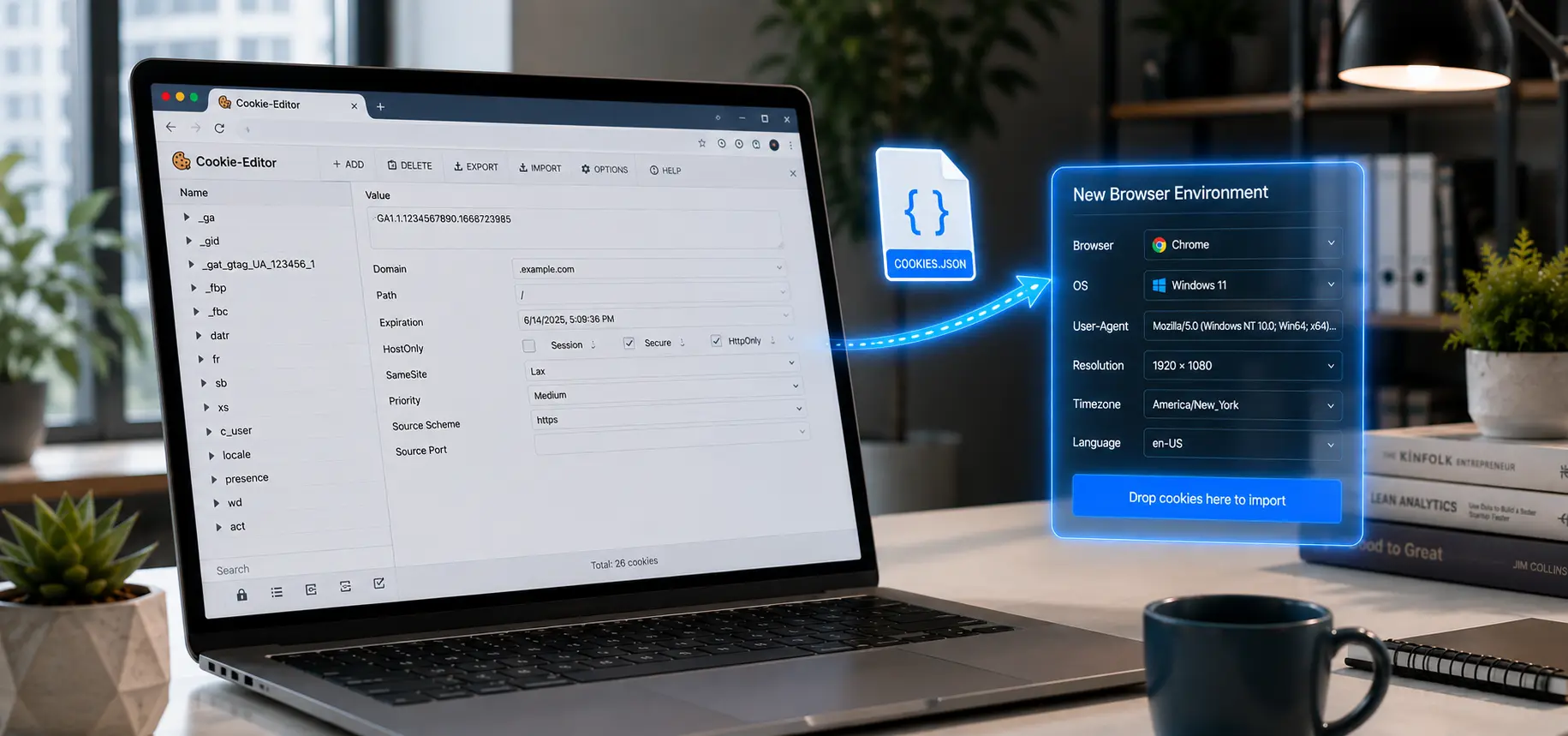
- In the browser on your VM or VPS, use a cookie editor plugin (such as EditThisCookie) to export the current account's cookies.
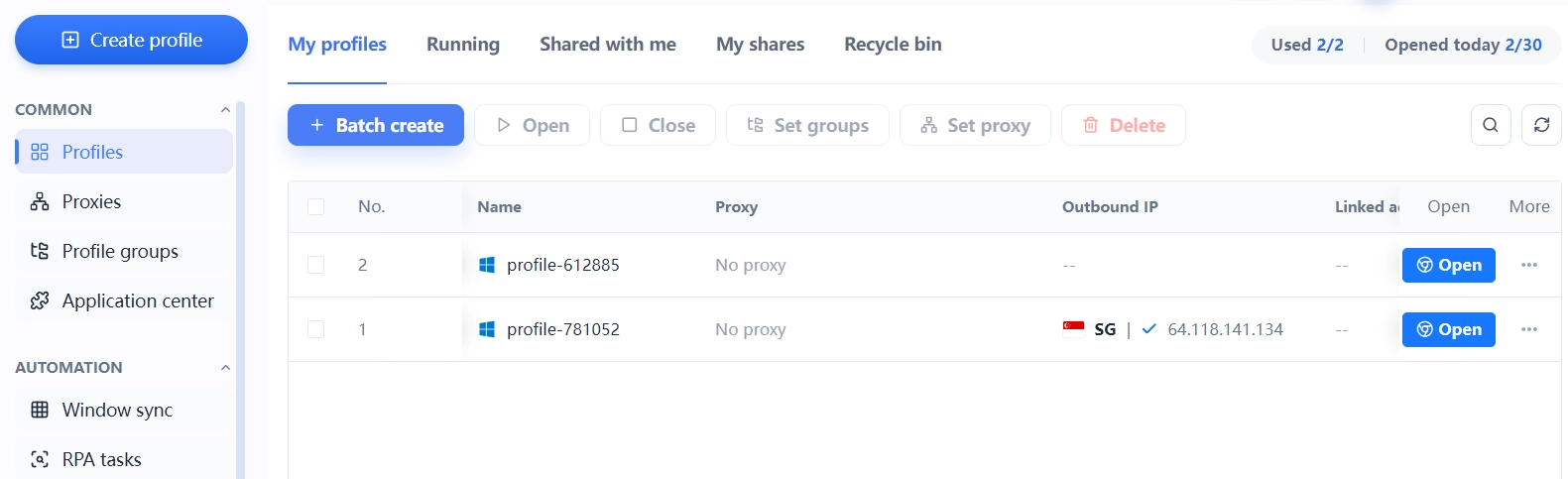
- Create a new environment in MasBrowser, paste the cookies in, configure the fingerprint parameters according to the target region, and bind the corresponding proxy.
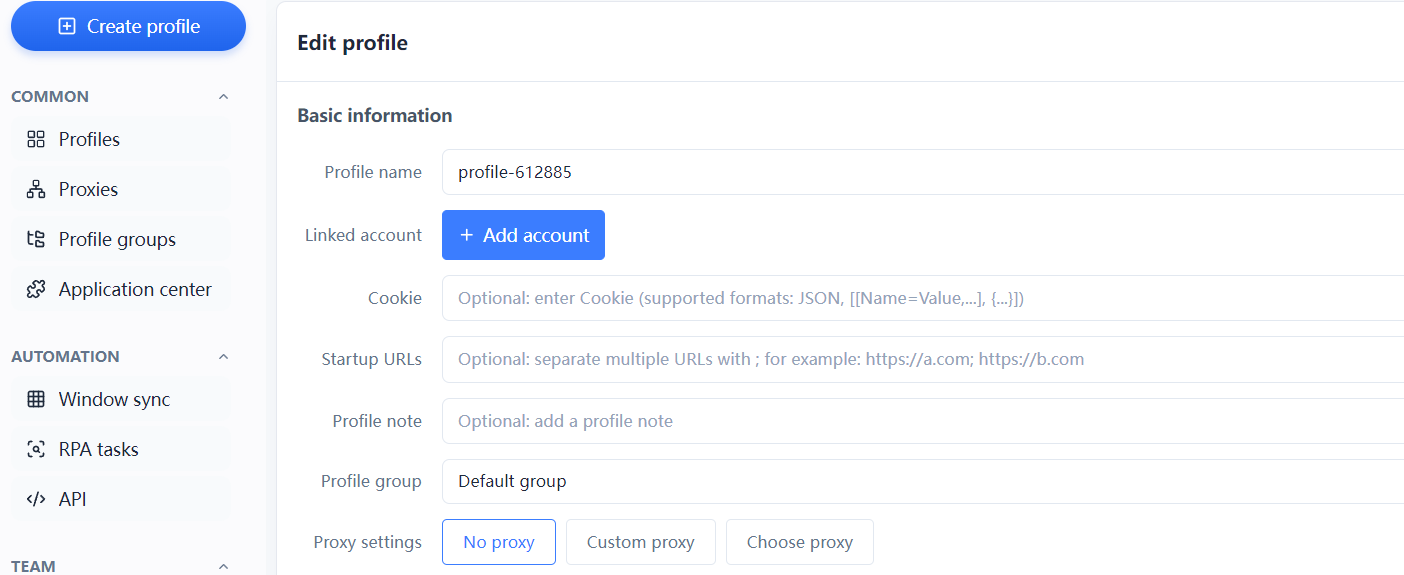
- Launch the environment to verify the login state, and the account has been "moved over" — no need to go through verification again.
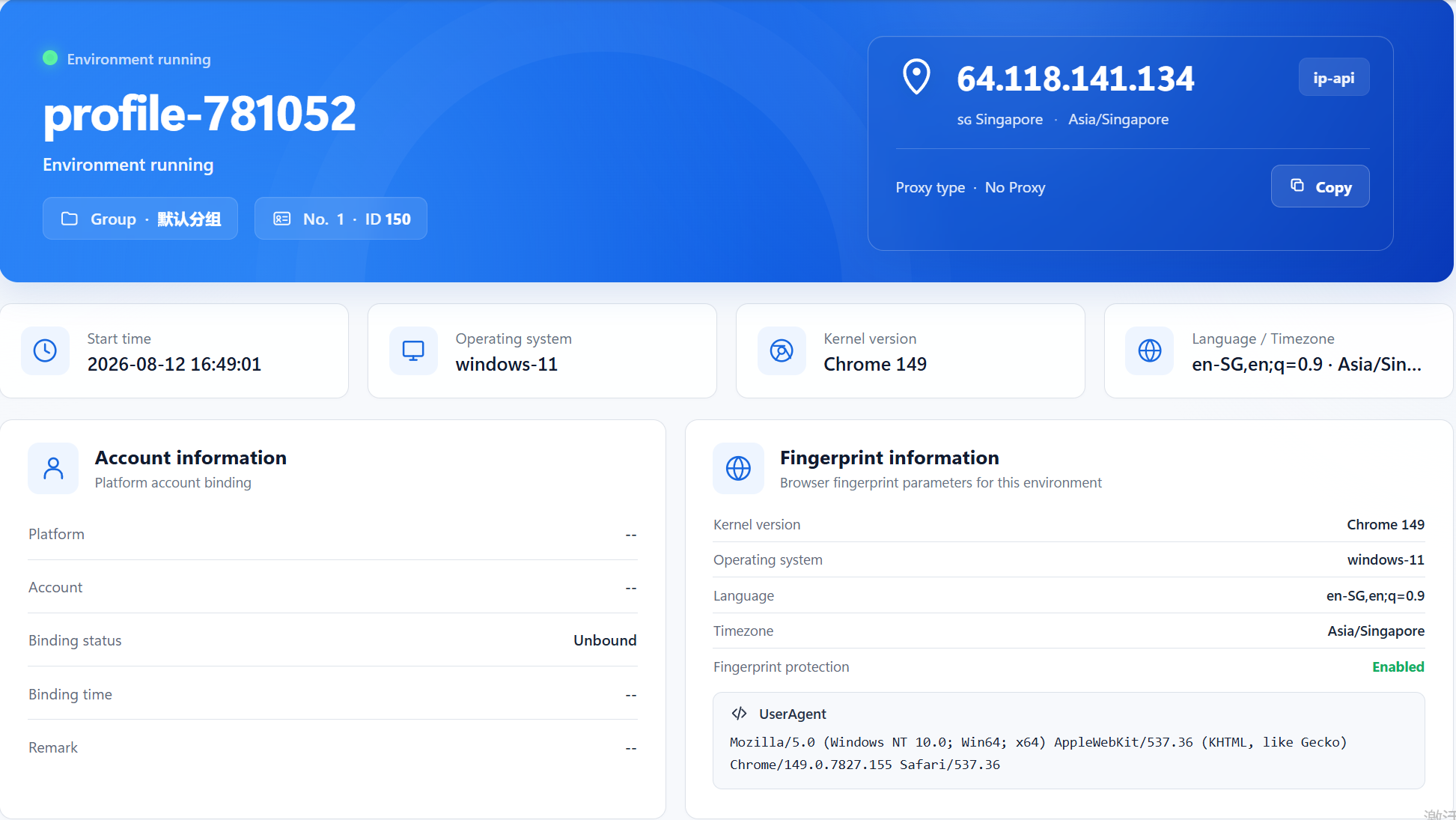 The essence of migration is replacing a "system" with an "environment" — what you save is not just the money for the OS, but also the energy spent maintaining those systems every day. Accounts, environments, proxies, and owners all settle into one management interface, making handovers and troubleshooting much clearer. You can see the specific capabilities on the MasBrowser multi-account security management page.
Frequently Asked Questions
Will accounts in a virtual machine be detected by platforms?
Possibly. Virtual machines created by the same virtualization software have highly similar virtual hardware models. Platforms can discover "these systems come from the same physical machine" by comparing hardware fingerprints — this is the most typical exposure point of the VM approach.
Why are VPS IPs easily blocked?
A VPS defaults to a datacenter IP, which is not in the residential IP range, and the behavioral characteristics of batch operations are obvious, so platform risk control is more sensitive to this type of IP. This is also why cross-border e-commerce sellers are willing to spend money on residential proxies.
Can a fingerprint browser completely replace a virtual machine?
It depends on the scenario. If you only manage web accounts and operate platform backends, a fingerprint browser is fully sufficient; but if you need to run special software that requires a native Windows environment, VMs or VPS still have value. The vast majority of multi-account operation scenarios fall into the former category.
Will my accounts be lost when migrating from a VM to a fingerprint browser?
No. Migrating with cookie import preserves the complete login state — accounts will not be lost and no re-verification is needed. After migration, it is recommended to log out on the original environment first to avoid the new and old environments being online at the same time and triggering anomalies.
Conclusion
There is no absolute right or wrong in multi-account solutions — only what fits your scale. VMs give heavy isolation but cost money and energy, VPS is completely independent but high in both cost and risk, and fingerprint browsers are lightweight and efficient but require a well-configured proxy.
For most cross-border sellers, in the 3-50 account range, a fingerprint browser + proxy is the most cost-effective combination. The free version already includes a quota of 2 environments, so you can create two environments and try it out first. When the accounts grow, upgrade your plan (view MasBrowser plans), download MasBrowser to build your first environment, then decide whether to move your whole account system over.