How to Test Proxy IP Quality? Speed, Purity, Leak and Stability Checks
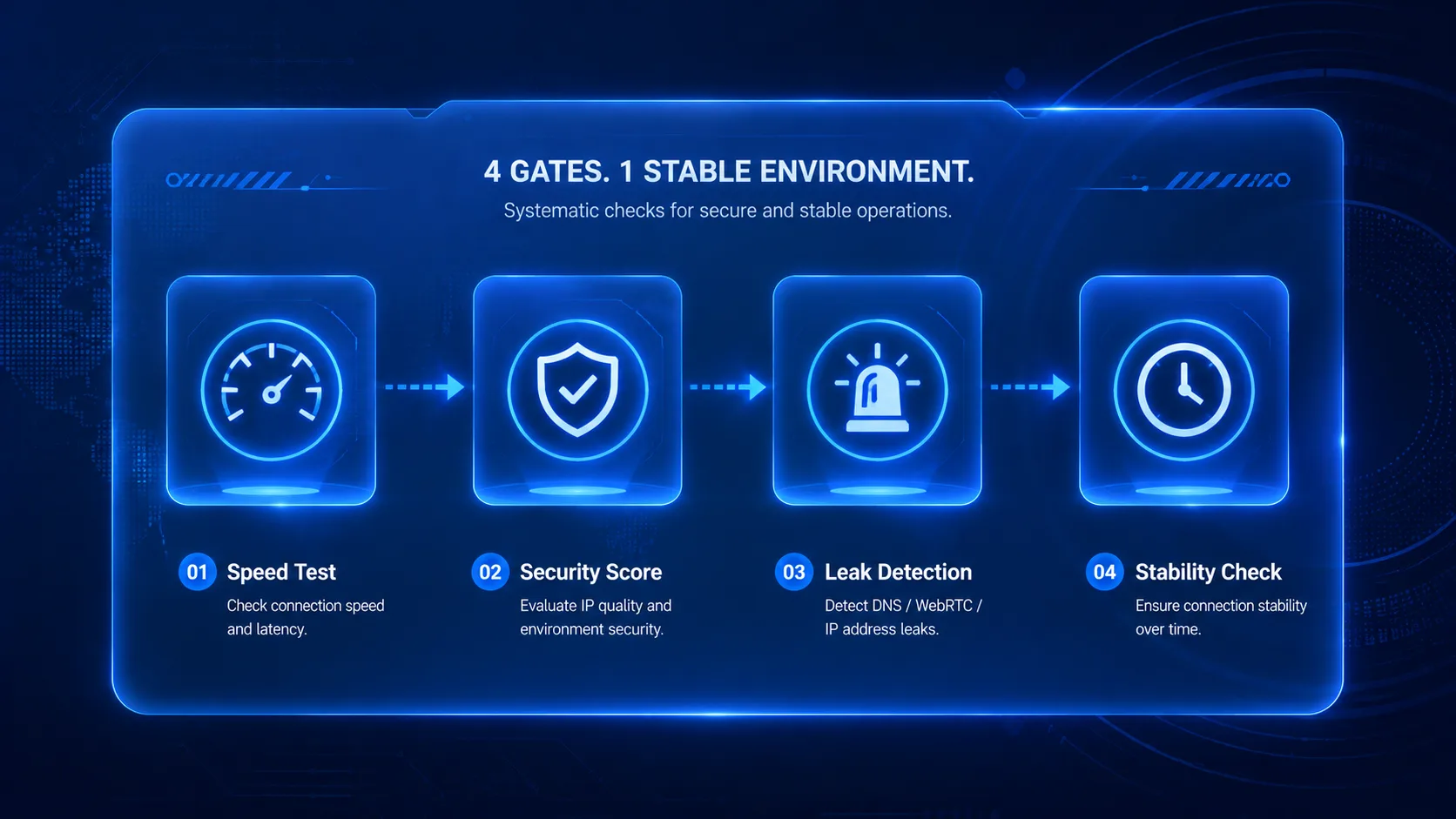
You clicked "Check proxy" in the dashboard, it showed the connection works and the region looks right — and the next day your account started throwing captchas. This is the real experience of many sellers after buying a proxy: treating "it connects" as "it passes." Connectivity is only the lowest bar for a proxy, just like a car inspection can't stop at whether the engine starts. Key takeaway: Judging proxy IP quality means passing four gates — speed (latency and packet loss), purity (fraud score and risk value), anonymity (DNS/WebRTC leaks), and stability (long sessions that don't drop or drift). Every gate has free tools to test it. This article walks the four gates in the order of "screen before buying → inspect after buying → recheck before going live," with steps you can follow directly.
Connected doesn't mean usable: two concepts to separate first
A "connectivity test" only answers whether the proxy is reachable; IP quality answers what is behind that proxy. The two are often conflated, and the price is account risk.
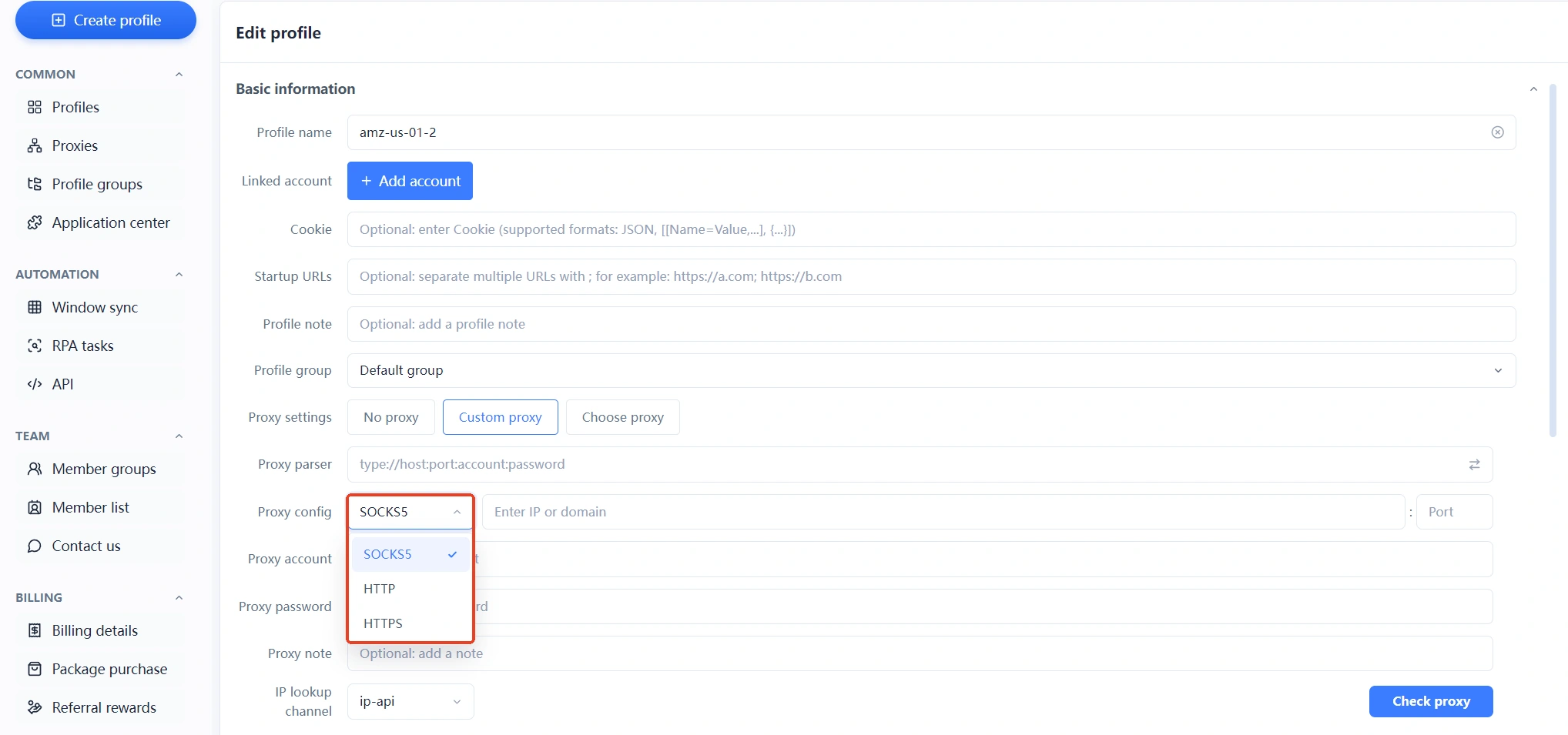
The proxy test button in an anti-detect browser (like MasBrowser's Check proxy) verifies three things: whether the proxy server connects, whether the credentials are correct, and whether the exit region is the one you want. It cannot detect these hidden problems:
- This IP has been used by hundreds of people and carries a record of abuse (a purity problem)
- 400ms latency with 30% packet loss at peak hours, and every backend click takes forever (a speed problem)
- The request headers expose "this is a proxy," or DNS goes out through your local network (an anonymity problem)
- The IP quietly changes mid-session, or goes silent the next day (a stability problem)
Platform risk control sees all four problems, while a connectivity test sees none. So buying a proxy can't be a one-question exam — pass the four gates below one by one (if you're new to proxies, the anti-detect browser proxy setup guide covers selection through integration; take that lesson first, then come back to inspect).
Gate 1 · Speed: how to test latency, packet loss, and routing detours
The core of a speed test isn't "is it fast" but "is it steady" — average latency is only the entry ticket; packet loss and jitter are what decide the experience.
To test proxy speed, pair two free tools (third-party tool links carry nofollow, same below):
- itdog.cn: enter the proxy IP and simulate simultaneous access from provinces across China and the three major carriers (China Telecom/Unicom/Mobile). Focus on the latency values for the regions where you actually operate — a good national average doesn't mean your route is good. If you work as a team, screenshot the values for every member's province and compare.
- ping.pe: pings your proxy IP from dozens of global nodes at once; green means clear, red means packet loss. Dense red blocks = an unstable route; scroll down to the MTR routing data, and if a US-bound server detours through Europe, skip that "detour route" no matter how low the latency looks.
Reference values (based on everyday backend work): below 200ms feels smooth, 200-300ms is acceptable, and above 400ms with packet loss the lag is obvious; an IP with long-term packet loss above 3% will break both page loads and account operations. For batch operations (multiple environments running at once), hold packet loss to an even stricter standard than a single store.
Gate 2 · Purity: how to read fraud scores and risk values
What an IP has been used for in the past decides how platforms treat it now — that's where "dirty IPs" come from, and it's the whole point of purity checks.
Two tools, each with its own job:
- Scamalytics: enter the IP and get a 0-100 fraud score; the lower, the cleaner. The community generally treats 0-14 as low risk, and above 25 you should switch IPs. It also flags whether the IP is identified as a proxy, VPN, Tor node, or datacenter — if you bought a "residential IP" but it shows proxy traits, the goods don't match the label.
- ping0.cc: a popular "IP checkup" site in the cross-border scene, showing three values: risk value (0-25 counts as clean, 70+ will basically get you blacklisted or face hard captchas), IP type (residential or datacenter IDC), and native IP judgment (whether the registration location matches the actual location). Be wary of IPs with many simultaneous users — an IP everyone takes turns using inevitably has a complicated history.
Here is a trap almost no tutorial will tell you: the checkup sites are watching you too. ping0.cc was caught in packet captures by the technical community: when you visit the page it uses WebRTC to grab the real IP behind your proxy, and even pairs your IPv4 and IPv6 records. In other words, if you check "is this proxy clean" with a bare browser, your own real network information gets taken instead.
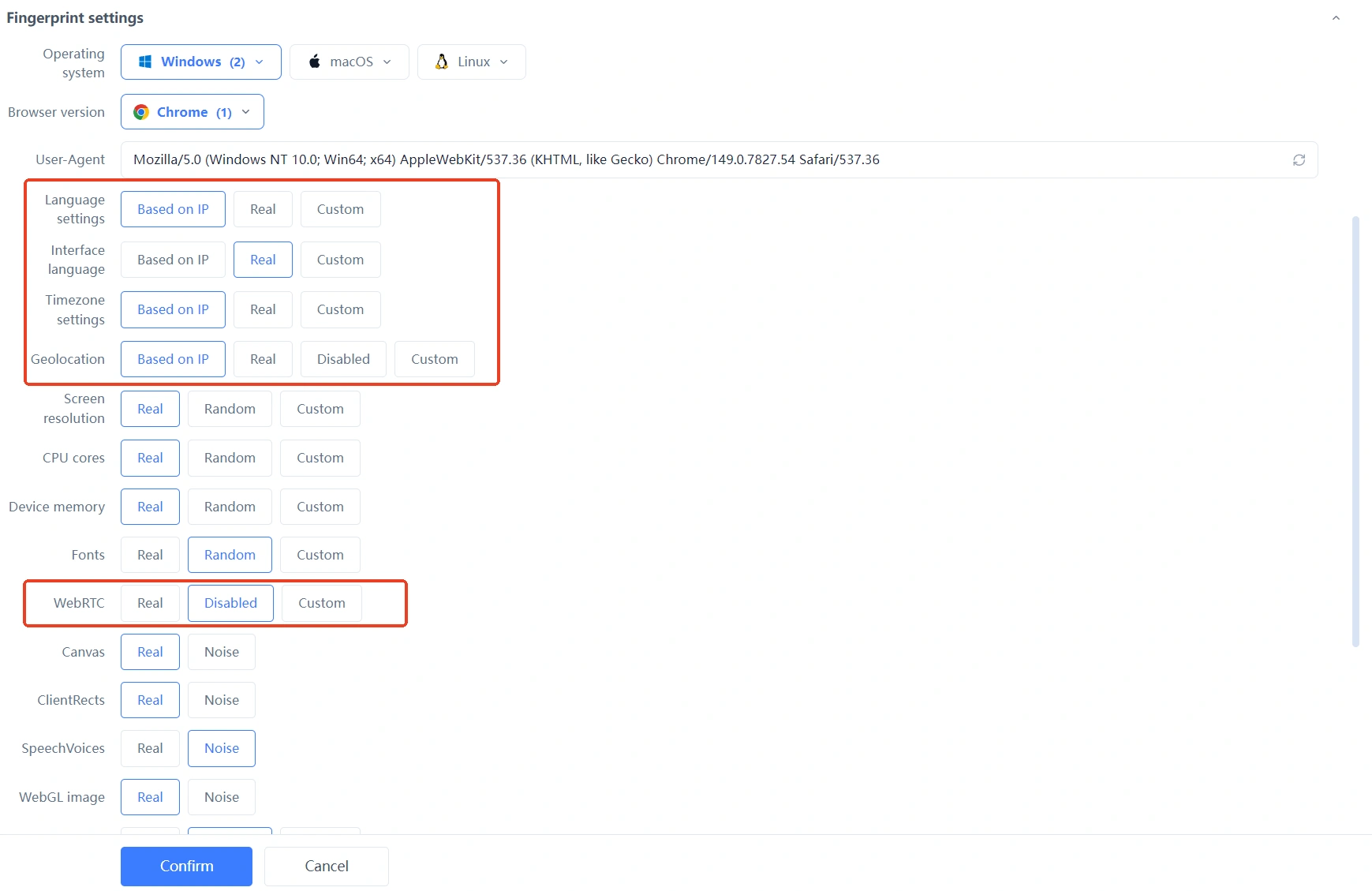
The right way is to test from an isolated environment: create a dedicated checking environment in an anti-detect browser, bind any cheap proxy line to it, and set WebRTC to disabled — then the checkup site receives the environment's information, not your real exit. This is itself a live drill of "guard against the testing tool too."
Gate 3 · Anonymity: how to run leak tests
The standard for anonymity is concrete: does the "you" that platforms see expose anything beyond the proxy. Leak tests are how you find those cracks.
Ranked by how often they appear, the three most common leak points:
- DNS leaks: you're on a Moscow IP, but DNS resolution requests go through your local carrier's servers — the website can't see your proxy IP, but it sees where your DNS came from, which is announcing yourself. Use ip-api or any tool with DNS detection to check DNS server ownership; if it doesn't match the proxy region, it's a leak.
- WebRTC leaks: the channel browsers open for video calls can bypass the proxy and expose your real IP. If a test shows a leak, either fix the environment configuration or disable WebRTC directly in fingerprint settings.
- Header transparency: a transparent proxy writes your real IP into the request headers and forwards them — the proxy is worthless. How to verify: visit an IP checking site through the proxy; if the shown region doesn't match the proxy or you see "Via/X-Forwarded" markers, it's a transparent proxy — return it.
This testing is a different thing from fingerprint checking: fingerprint checks look at whether browser parameters are self-consistent; leak tests look at whether the network layer bypasses the proxy. Only when both are clean is the environment truly clean — for fingerprint consistency, see the workflow in verifying environment isolation with ip-api and BrowserScan; this article won't repeat it.
Gate 4 · Stability: the last test before going live
The first three gates are a static checkup; stability is dynamic observation — many proxies ace every static metric and show their true colors after 24 hours online.
Stability testing needs no special tools, only time:
- Long-session test: bind the proxy to one environment and keep it running for 24-48 hours, watching two things — whether it drops, and whether the exit IP changes. If you bought a static proxy and the IP drifts mid-way, the goods don't match the label; go back to the provider.
- Time-of-day comparison: retest latency and packet loss during evening peak (8-11 PM Beijing time) and compare with daytime. Fast by day, collapsing by night means the provider is heavily oversold.
- Parallel environments: if the plan is one store, one IP, run several environments simultaneously for a day at real usage levels. Single-threaded stability doesn't guarantee concurrent stability — oversold proxies fail first under concurrency.
With this, the four gates close the loop. The whole acceptance process strings into five steps: screen out lossy and detouring routes with ping.pe before buying → check purity with Scamalytics/ping0 after buying → check DNS/WebRTC leaks in the environment → run a 24-hour stability test → only after everything passes let the real accounts go live. The first four steps take under an hour in total, yet they avoid roughly ninety percent of network-layer accidents after launch — never skimp on the proxy fee, and never skimp on testing.
FAQ
What proxy latency counts as acceptable?
Rule of thumb: below 200ms is smooth, 200-300ms is acceptable, above 400ms replace it. But packet loss matters more than the absolute number — never use an IP with long-term loss above 3% no matter how low the latency, and an evening-peak retest exposes problems best.
What fraud score allows an IP to run accounts?
Community reference points: Scamalytics 0-14 is low risk, above 25 replace it; ping0 risk value 0-25 counts as clean, 70+ will basically be blocked by platforms. Remember a score is a "reference tool," not a "verdict" — for important accounts, cross-check with multiple tools.
Why does the same IP show different results on different checking sites?
That's normal. Each site has different data sources, update frequency, and focus — some look at ASN ownership, some infer from routing traits. When results disagree, go with the majority, and trust the dimension most relevant to your target platform first.
Can free proxies pass these tests?
You can test them, but it hardly matters — the problem with free proxies isn't "can you detect they're dirty," it's "they're dirty the moment you detect them": IPs from public lists have been used by countless people and are wiped out at the purity gate. The test workflow is better suited to accepting paid proxies; the risk boundaries of free proxies are analyzed in the risks and right choices of free proxy IPs.
Conclusion
Proxy IP quality acceptance is essentially turning "hope it's fine" into "confirmed it's fine." Speed, purity, anonymity, stability — four gates, all free tools, a one-hour process, in exchange for not having to watch captchas with your heart in your mouth after launch.
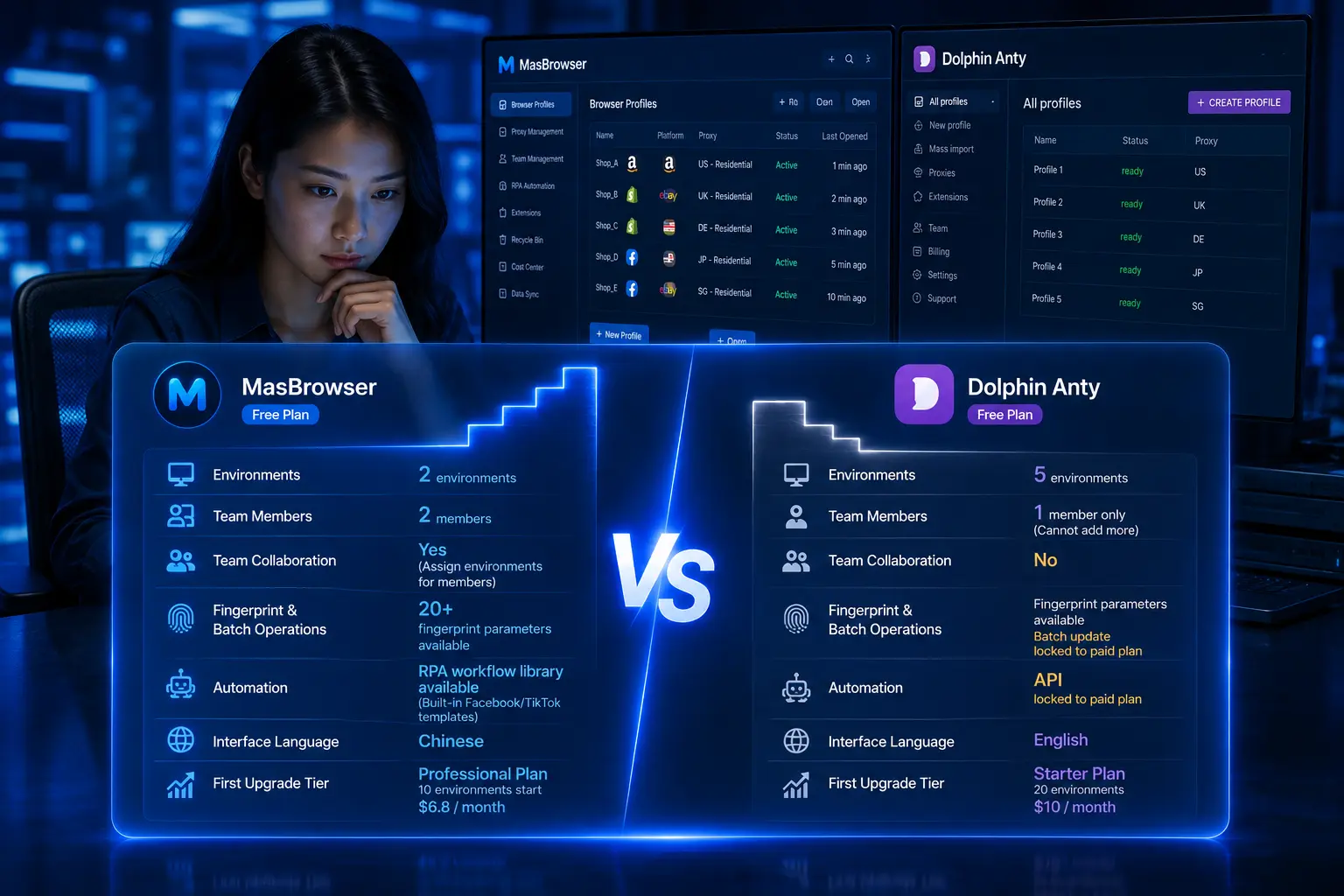
If you're about to roll out proxies in bulk, first create a dedicated checking environment in MasBrowser (official site) — WebRTC disabled, fingerprint based on IP — and run this article's test flow with it; it's both safe and handy. The free plan includes 2 environment slots — download MasBrowser, vet the next proxy before it goes on duty.