
MasBrowser
Customer supportLoading messages…
Loading messages…
You are viewing a previous conversation.
Enter to send · Shift + Enter for a new line
Loading messages…
You are viewing a previous conversation.
Enter to send · Shift + Enter for a new line
Lao Zhou, who sells on Amazon, spent nearly a thousand yuan on a residential proxy, and everything looked normal in his client. Then one day he took a look at an IP detection website and found two IPs on the page at the same time: one in the US, one in China. The US one was the proxy he bought; the Chinese one was his own home broadband.
He did not think much of it at the time. It was not until his third store was frozen for "association" that he remembered that strange page.
This is not an isolated case. When I help clients troubleshoot account issues, I find that in most "changed the proxy but still got banned" cases, the problem is not the proxy quality, but a backdoor in the browser itself — WebRTC. This article explains it thoroughly: how it bypasses the proxy, what happens when it leaks, how to check yourself, and how to seal it.
Imagine the proxy as the doorman of the neighborhood, and WebRTC as the fire escape — the doorman controls the front gate, but cannot control the hidden door in the fire escape that leads straight to your home.
At the technical level, the two routes do completely different jobs:
That is the truth behind Lao Zhou's "two IPs at the same time": web requests went through the US proxy, while WebRTC quietly reported the home broadband address.
Which scenarios are most likely to trip you up? Real-time communication features like video calls, voice social apps, and online collaboration are the worst offenders; e-commerce and social media platforms may not trigger it in daily use, but they silently probe at critical moments like login and payment — hard to guard against.
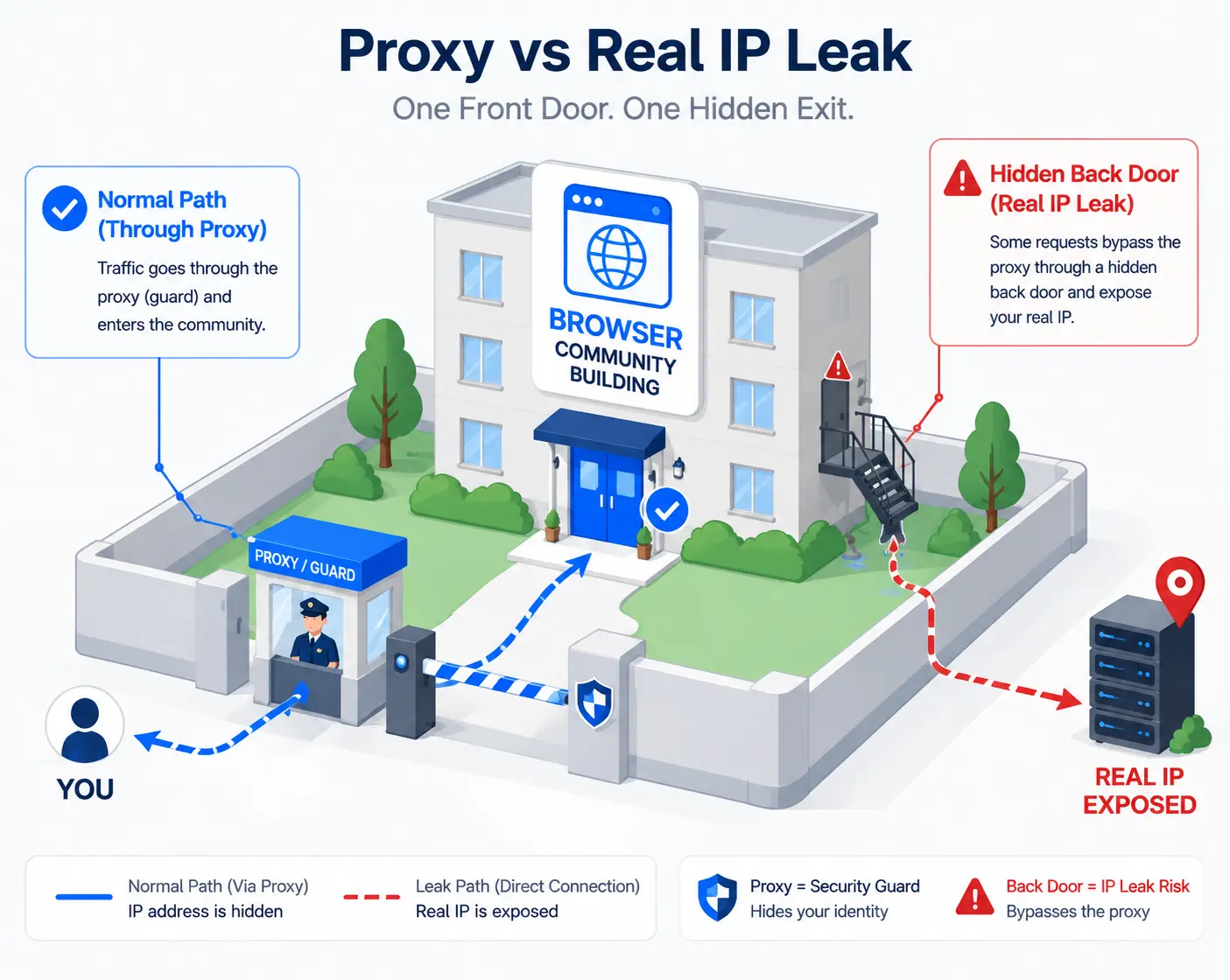
Lao Zhou's case is the best illustration:
Many sellers treat "changing the proxy" as a cure-all, ignoring exactly this: the proxy can change your "network identity," but it cannot change the "real address" that the browser reports on its own.
No need to disassemble the browser or install software — open any IP detection website (ipleak.net, BrowserScan will do) and see clearly in three steps:
Here is a blind spot most people hit: detection pages often show several columns at once (IP, DNS, WebRTC), and many people only stare at the most prominent "IP column" — seeing it change to the US puts them at ease — while the DNS and WebRTC columns that actually hide the landmines are ignored.
First, why three "obvious" attempts all fail:
The real fix is handled at the browser kernel level: a fingerprint browser directly modifies the behavior of WebRTC-related APIs so that web scripts cannot obtain your real address. Taking MasBrowser as an example, when creating an environment, select "disabled" for WebRTC in the fingerprint settings, and the browser will no longer probe the local network interfaces through WebRTC. For the full independent environment and fingerprint isolation configuration, see the MasBrowser multi-account security management page.
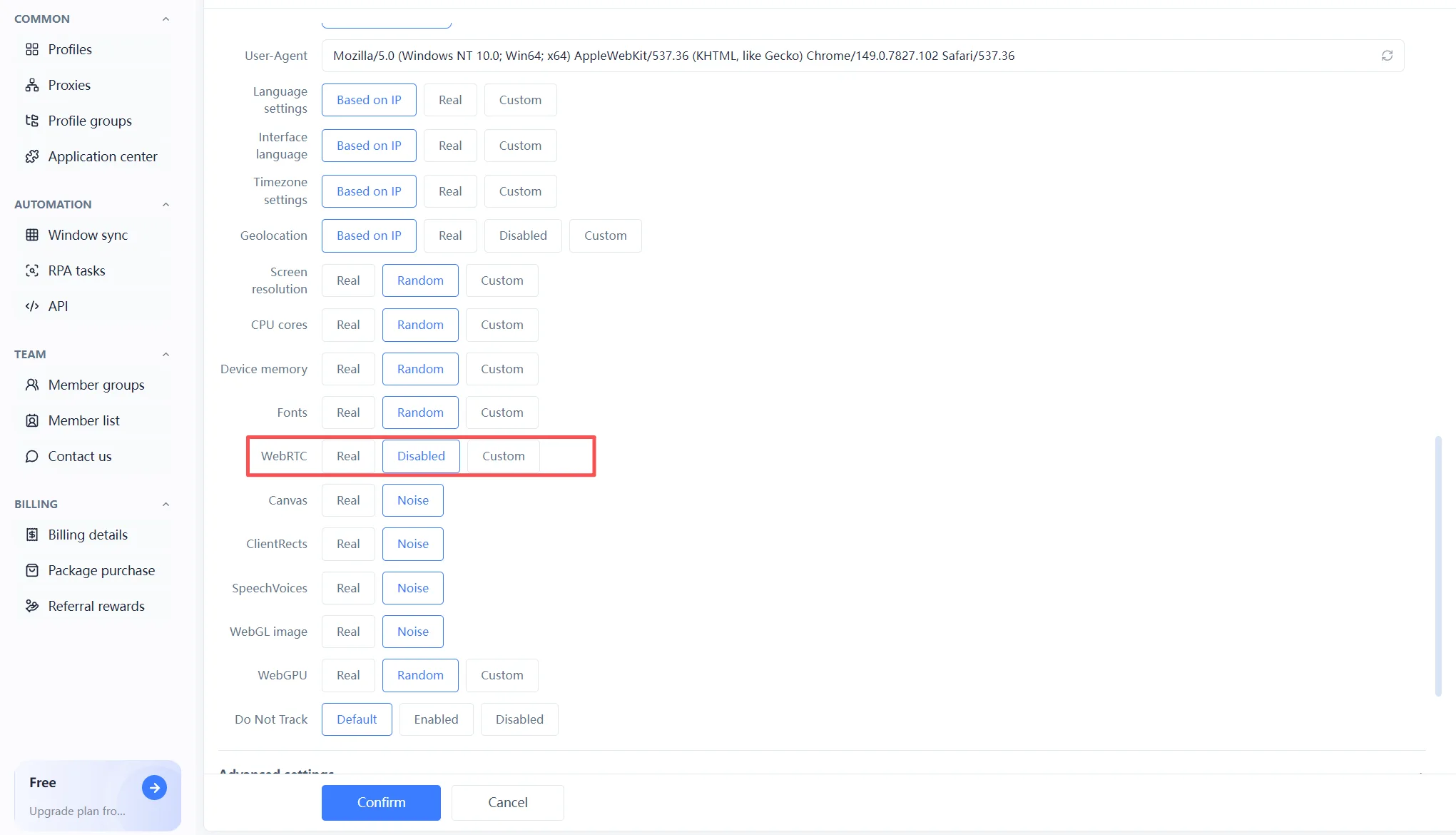
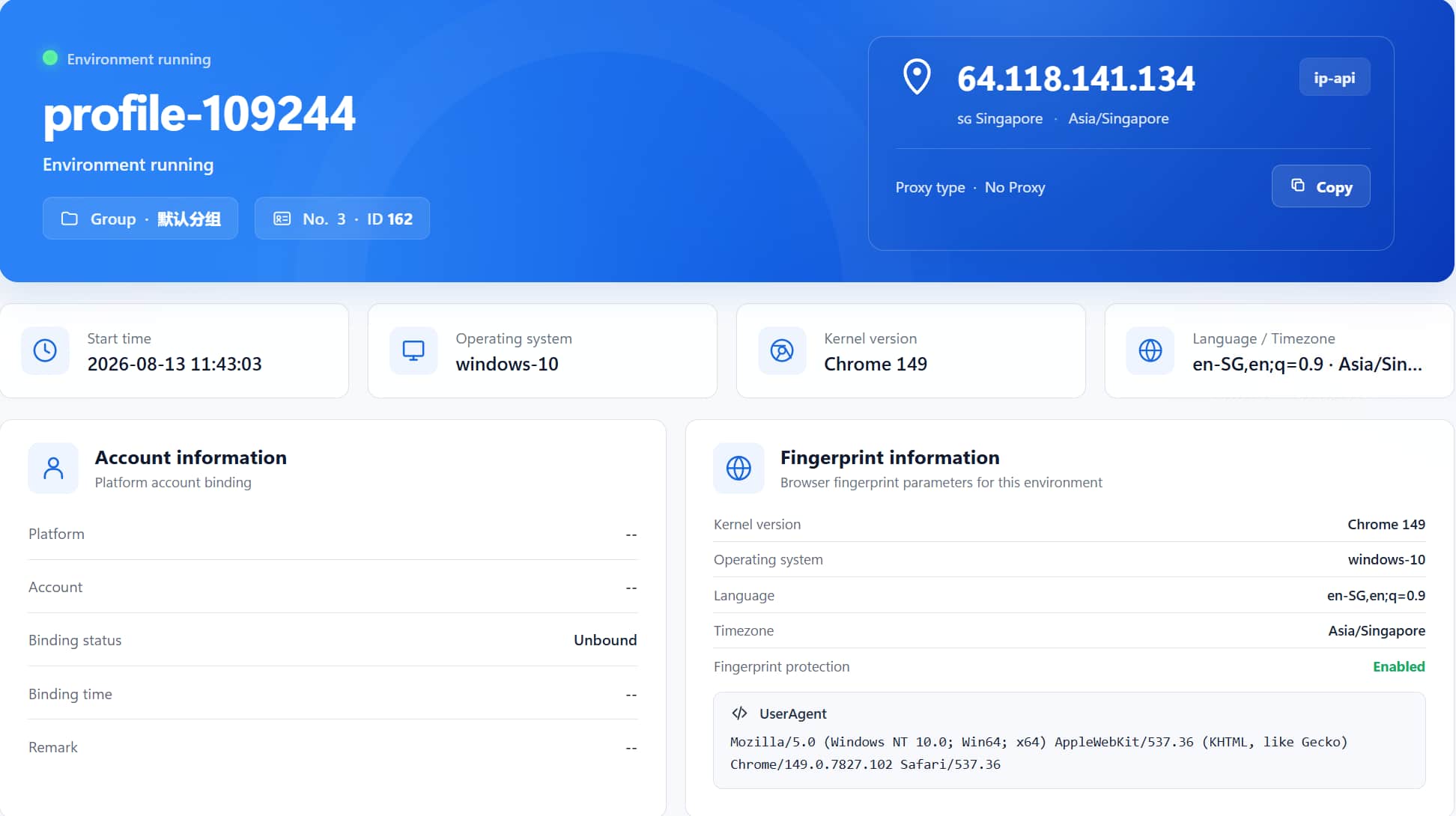
After configuring, check the detection page again. Confirm that your real IP no longer appears in the WebRTC column — only then is this backdoor truly sealed.
No. DNS leaks happen when the proxy handles DNS queries incompletely and the requests go through the local ISP; WebRTC leaks happen when the browser's native feature bypasses the proxy and reports the IP directly. Both expose your real network environment, but the paths differ, and detection pages display them separately.
Yes. The leak has nothing to do with the proxy type — as long as the browser's WebRTC feature is not handled correctly, whether it is a residential or datacenter proxy, it can bypass the tunnel and report the real IP. The key is sealing WebRTC, not buying a more expensive proxy.
Basically not. The vast majority of web applications (e-commerce, social media, office work) do not use WebRTC; only video calls, online meetings, and P2P transfer features are affected, and for those scenarios you can simply create a separate environment where WebRTC is not disabled.
It means this layer of protection is in place. But multi-account security is a "combined punch": WebRTC is just one link in the network layer — it must be combined with fingerprint isolation, proxy binding, and behavioral consistency. A single green light does not mean overall safety.
If you changed the proxy and still got banned, nine times out of ten it is not the proxy's fault, but the browser's "fire escape" that was left open — it bypasses the proxy and reports your real address directly to the platform.
The good news is that the solution is not complicated: handle WebRTC at the browser kernel level, then run a detection test to confirm after configuring. The free plan already includes 2 environment slots — download MasBrowser, create an environment, set WebRTC to "disabled," and test whether your real IP still shows. This step is worth doing on every account.


