
MasBrowser
Customer supportLoading messages…
Loading messages…
You are viewing a previous conversation.
Enter to send · Shift + Enter for a new line
Loading messages…
You are viewing a previous conversation.
Enter to send · Shift + Enter for a new line
Anyone doing affiliate marketing has probably experienced this "commission accident": you promote several affiliate programs at once — Amazon Associates, CJ, ClickBank — and a visitor clicks an A-program link and then a B-program link in the same browser, the cookies overwrite each other, and it becomes unclear which account should get the commission. Or several promotion accounts collect commissions into the same payout account, and the affiliate network judges them as "the same entity" — when they audit, it's a whole batch.
Affiliate marketing differs from selling products on e-commerce: selling depends on stores, promotion depends on accounts — your "assets" are the promotion accounts on each affiliate network, the traffic channels, and the commission payouts. This article covers the operation strategy for running multiple affiliate accounts — where the pain points of affiliate multi-accounts are, how affiliate networks detect association, how to structure the matrix, and which red lines exist in the operations.
First, the essential difference between affiliate multi-accounts and e-commerce multi-stores. The asset of e-commerce selling is the store; the assets of affiliate are promotion accounts + traffic channels + commission payouts, and the pain points are completely different:
Affiliate marketers running multi-account matrices almost all use anti-detect browsers like MasBrowser to manage multiple independent environments — these tools essentially reverse browser fingerprinting, giving each promotion account a different device profile so cookies stay separate.
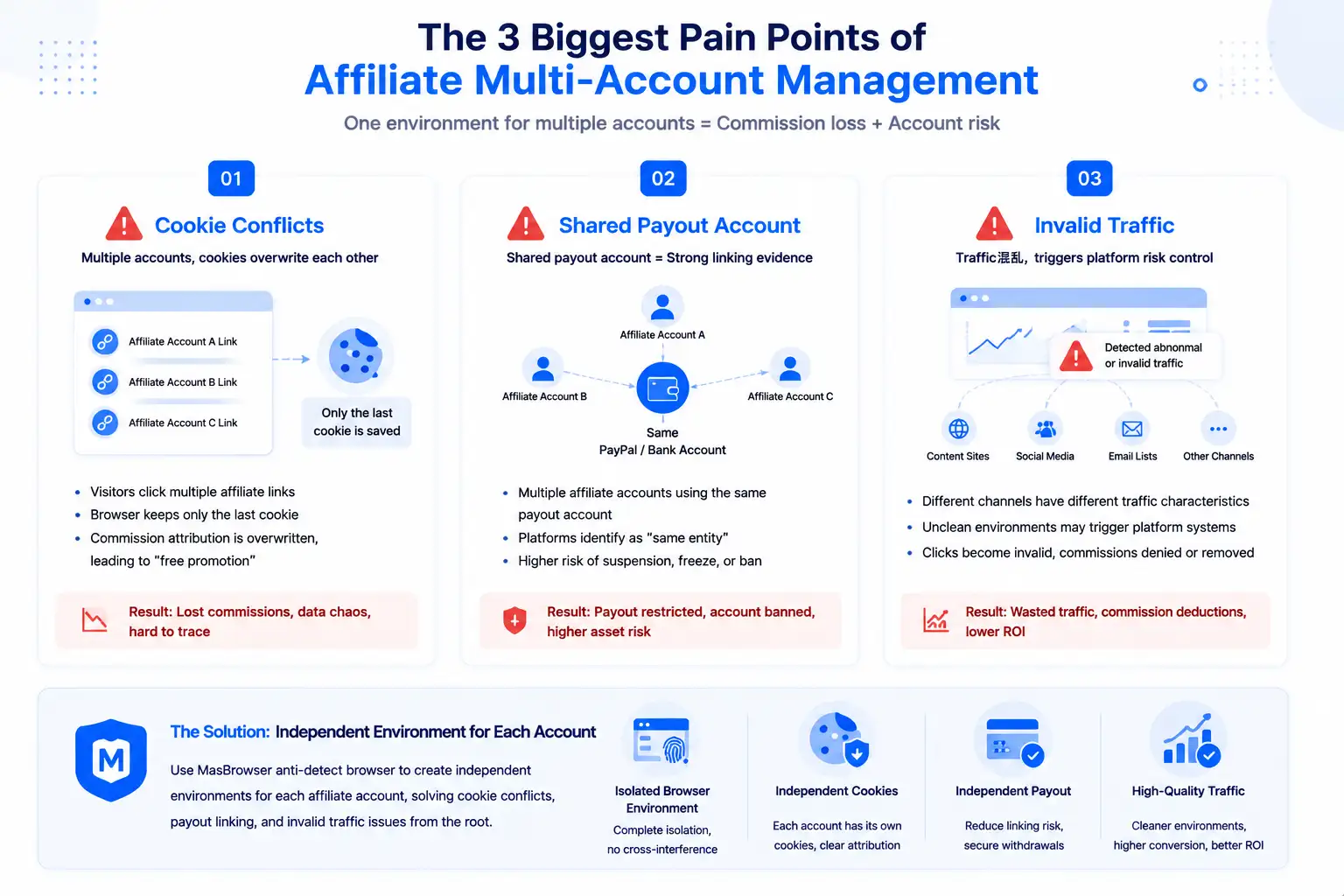
Affiliate network association detection works on dimensions similar to e-commerce platforms, but with two affiliate-specific emphases:
Before launching affiliate campaigns, running a fingerprint check to see whether the current environment is clean has become a standard habit for many promoters — with a clean environment, false positives for "unusual login" and "invalid traffic" drop noticeably. This is also the core value of anti-detect browsers like MasBrowser in the affiliate scenario: giving each promotion account an independent environment, cutting device- and IP-level association off at the source.
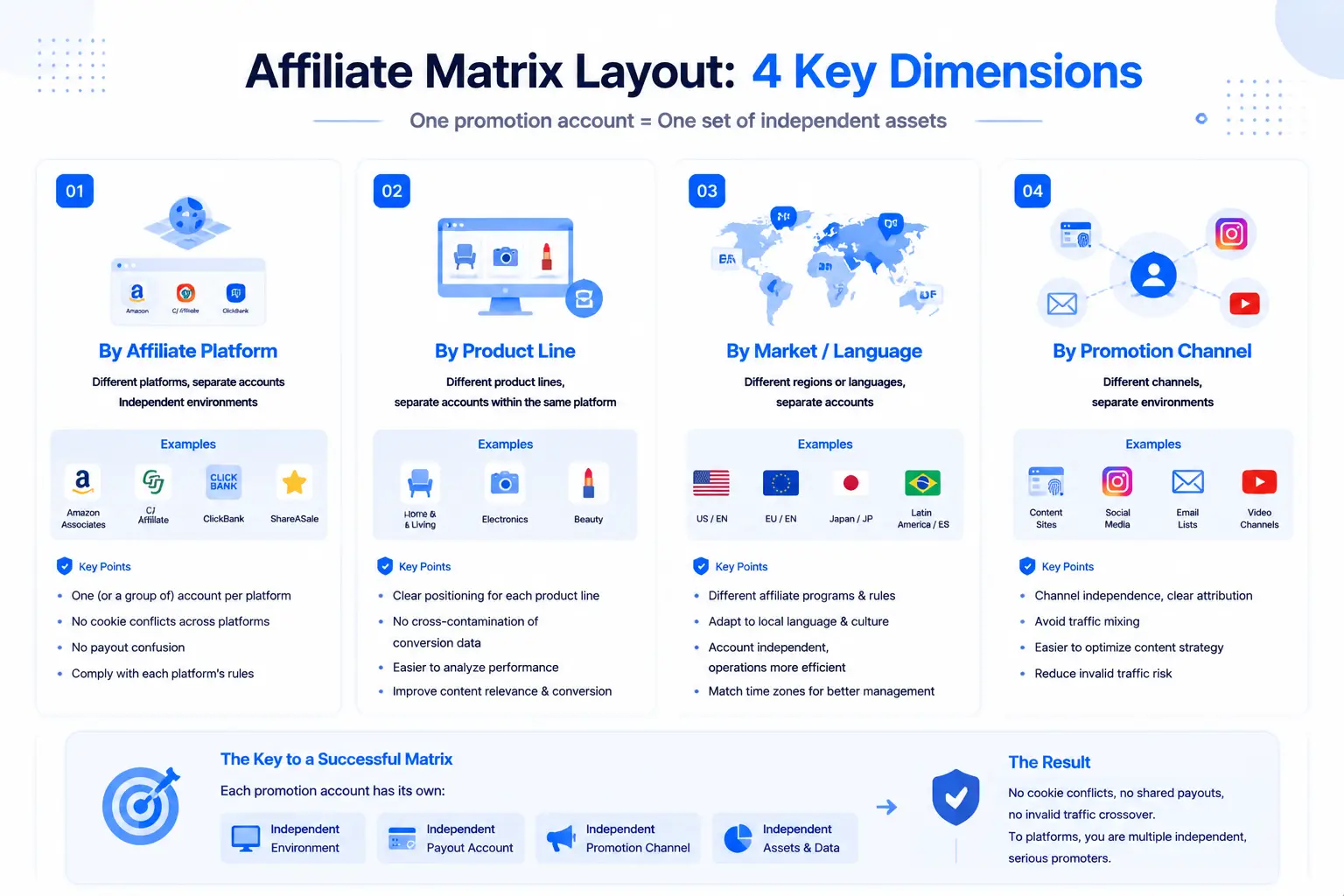
The core of structuring multiple affiliate accounts is "one promotion account, one independent asset set":
The key to getting the structure right is making "each promotion account an independent environment, an independent payout, and an independent channel" — no cookie conflicts between accounts, no shared payouts, no invalid-traffic crossovers, and the affiliate networks see "several independent promoters each genuinely driving traffic."
In multi-account operations, affiliate marketing has several specific red lines that mean account termination if crossed:
Behind the four red lines is one logic: affiliate marketing is an ecosystem of "trust + genuine traffic" — platforms want "real promoters recommending real products," not "one person opening a bunch of accounts to farm traffic."
The core of environment management for affiliate multi-accounts is "one independent environment per promotion account, cookies managed separately." Take MasBrowser as an example:
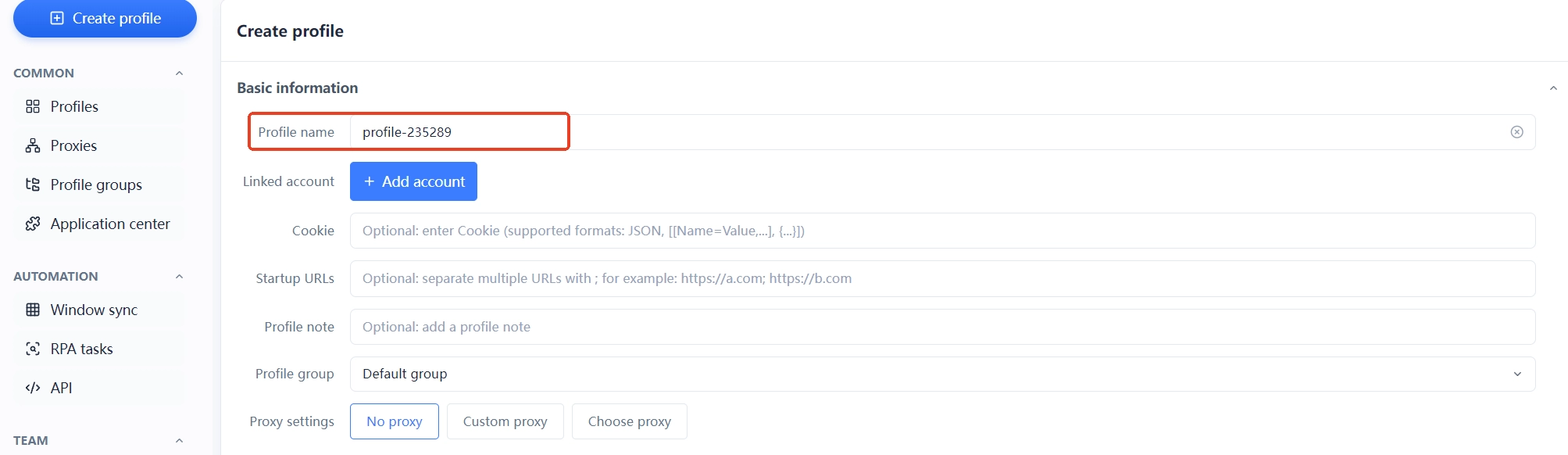

The moat of affiliate multi-accounts is doing cookie isolation + payout independence + genuine traffic all at once. The free plan already includes 2 environment slots — set up the environment for your first promotion account, run the flow through, then replicate step by step.
Yes. Affiliate network association detection mainly looks at "payout accounts, device IP, and traffic sources" — multiple accounts sharing a payout account, logging in from the same device, or driving traffic to each other are all association evidence. Independent payouts, independent environments, and independent channels per account are the basic configuration for association prevention.
Absolutely not. The flow of commissions is the most direct evidence an affiliate network uses to judge "same entity" — multiple accounts withdrawing to the same PayPal or bank account is equivalent to handing in association evidence. Each affiliate account needs its own payout account.
It's attributed by cookie — the browser only keeps the cookie of the last click (validity differs by network: Amazon 24 hours, CJ 30 days). This is also why affiliate must do environment isolation: promotion links from different accounts are distributed in independent environments, cookies don't overwrite each other, and commission attribution stays clear.
Three-step self-check: first, the environment dimension — run a fingerprint check / browser fingerprint test on each account and verify that each "machine's" UA, Canvas, WebGL, time zone, and IP are fully independent; second, the account dimension — check my browser fingerprint to confirm each account sits behind an independent browser profile; third, the affiliate business dimension — confirm that payout accounts, traffic channels, and traffic sources are all isolated as described above. If all three pass, association risk is basically under control.
Affiliate networks identify invalid traffic through IP, device, and behavior patterns — repeated clicks from the same IP, self-clicks, volume farming, and mutual clicks between accounts are all judged as invalid traffic. Genuine, natural traffic from real users is the premise for doing affiliate marketing long-term.
Multiple affiliate accounts are the most direct way to scale affiliate income, but the ecosystem decides that "cookie isolation + payout independence + genuine traffic" must be done right from day one: one promotion account, one independent environment, one independent payout account, genuine and natural traffic — do all three right, and multi-accounts become a revenue growth engine instead of a termination risk.
One reminder: affiliate networks are famously heavy on "invalid traffic," and multiple accounts clicking each other's promotion links is the most dangerous operation — genuine traffic, genuine content, and independent environments matter more than any trick. Start with your first promotion account: think through the network rules and payout account first, then give it an independent environment — the free plan's 2 environment slots are enough to get started. Download MasBrowser and set up the first environment.


