
MasBrowser
Customer supportLoading messages…
Loading messages…
You are viewing a previous conversation.
Enter to send · Shift + Enter for a new line
Loading messages…
You are viewing a previous conversation.
Enter to send · Shift + Enter for a new line
Have you ever had this experience: you clear your cache, turn on incognito mode, even reinstall your browser, open some website, and it still knows it is "you"? Or more practically — you log into two store accounts on the same computer, one in Chrome and one in Edge, and the platform still determines that the two accounts are associated.
The answer very likely lies in the Canvas fingerprint.
The Canvas fingerprint is the hardest-to-spoof and most distinctive fingerprint parameter — the website makes the browser "draw a picture," then reads the pixel data of the drawing to generate a unique identifier. Any difference in your GPU, graphics driver, font rendering, or anti-aliasing algorithm makes the drawing differ in subtle ways that are invisible to the human eye but precisely detectable by machines.
Browser fingerprinting itself is a combination of dozens of parameters such as operating system, resolution, fonts, and time zone (the full breakdown is in this explainer onwhat is browser fingerprinting), and Canvas is the hardest one to fake: UA can be changed freely, language and time zone can be set freely, but "what the drawing looks like" is determined by your real hardware and rendering engine, so changing it requires touching the underlying layer.
This is also why, when platforms detect account association, Canvas is almost always on the "key reference indicators" list.
The whole process is not mysterious at all — four steps can explain it:
toDataURL() or getImageData() to convert the canvas content into a string of pixel data.The first time I saw my own Canvas hash on a detection website, I was surprised: a string of characters with no visible meaning could precisely represent my computer's GPU and rendering engine. More importantly, this process is completely imperceptible — no pop-ups, no prompts; by the time the page finishes loading, it has already gotten it.
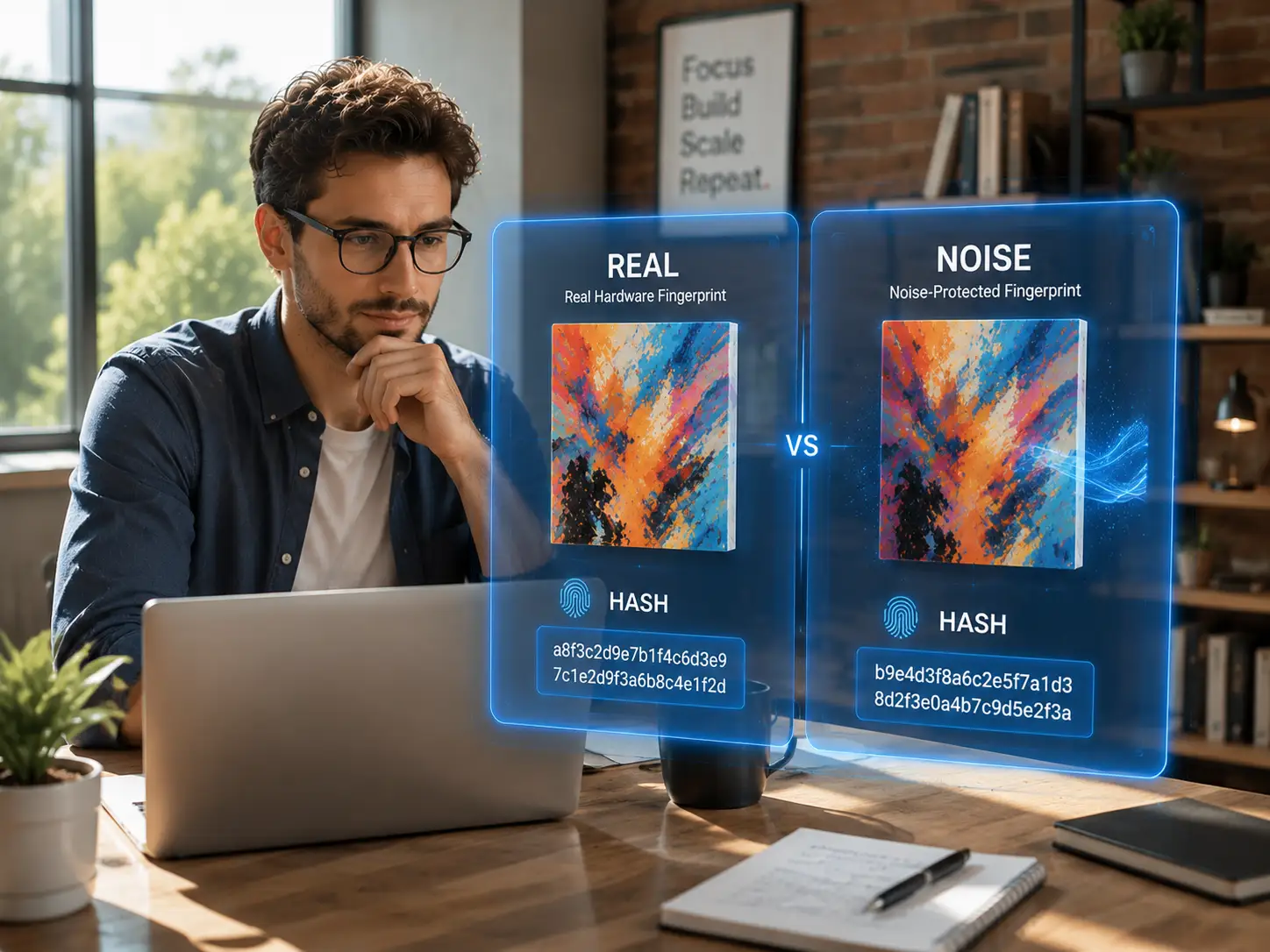
Canvas is not the only fingerprint — why is it used the most? Compared with UA, fonts, and WebGL, Canvas has several unique advantages:
By comparison, WebGL fingerprinting also comes from GPU rendering (focusing on 3D capabilities), but some older devices do not support it, so its coverage is not as broad as Canvas; font lists and resolution are not distinctive enough. So platform risk control usually treats Canvas as "primary evidence" and uses UA, time zone, and IP as "auxiliary clues" for cross-validation.
If you want to see what your Canvas hash looks like, open any online detection tool (such as Browserscan), and the page will automatically run the four-step process above, displaying the generated Canvas hash and the drawn graphic.
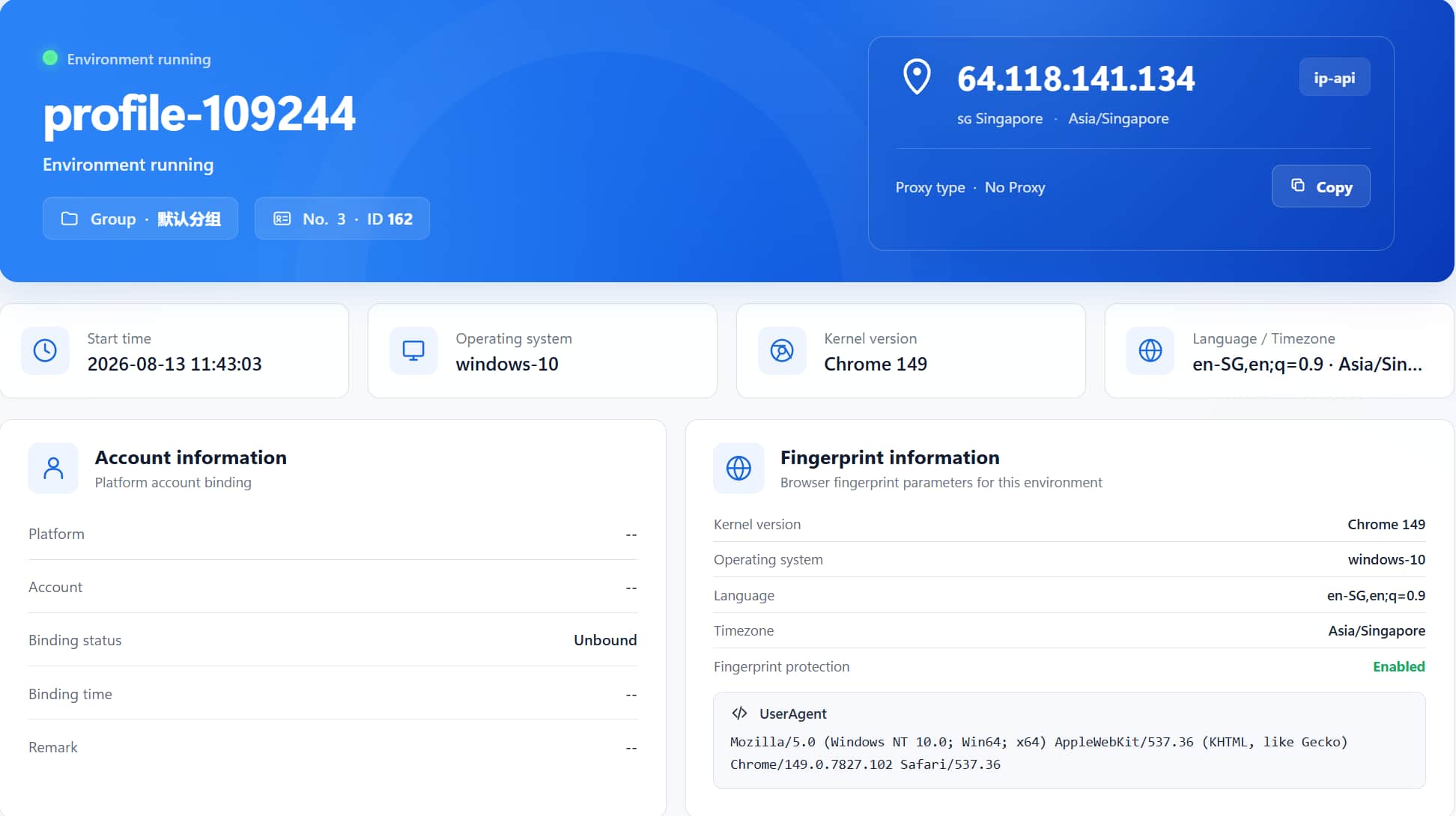
Looking at the hash is not the goal — verifying "environment isolation" is: create two environments in MasBrowser, launch them and visit a detection site in each environment; the Canvas hashes shown in the two environments should be different. If they are exactly the same, it means the Canvas parameter has not been differentiated and you need to check the fingerprint settings. After the environment launches, there will be a green "Fingerprint protection: Enabled" status on the right; when this status is lit, the fingerprint protection of the current environment is active. For the specific setup of multi-account environments, see thefingerprint browser getting started tutorial.
First, rule out a few methods that "look useful but actually are not":
What really works is toadd "noise" to the Canvas rendering result: let the browser apply a tiny perturbation to the pixel data during drawing, so each detected hash differs from the real hardware result, and platforms can no longer treat it as credible evidence of association.
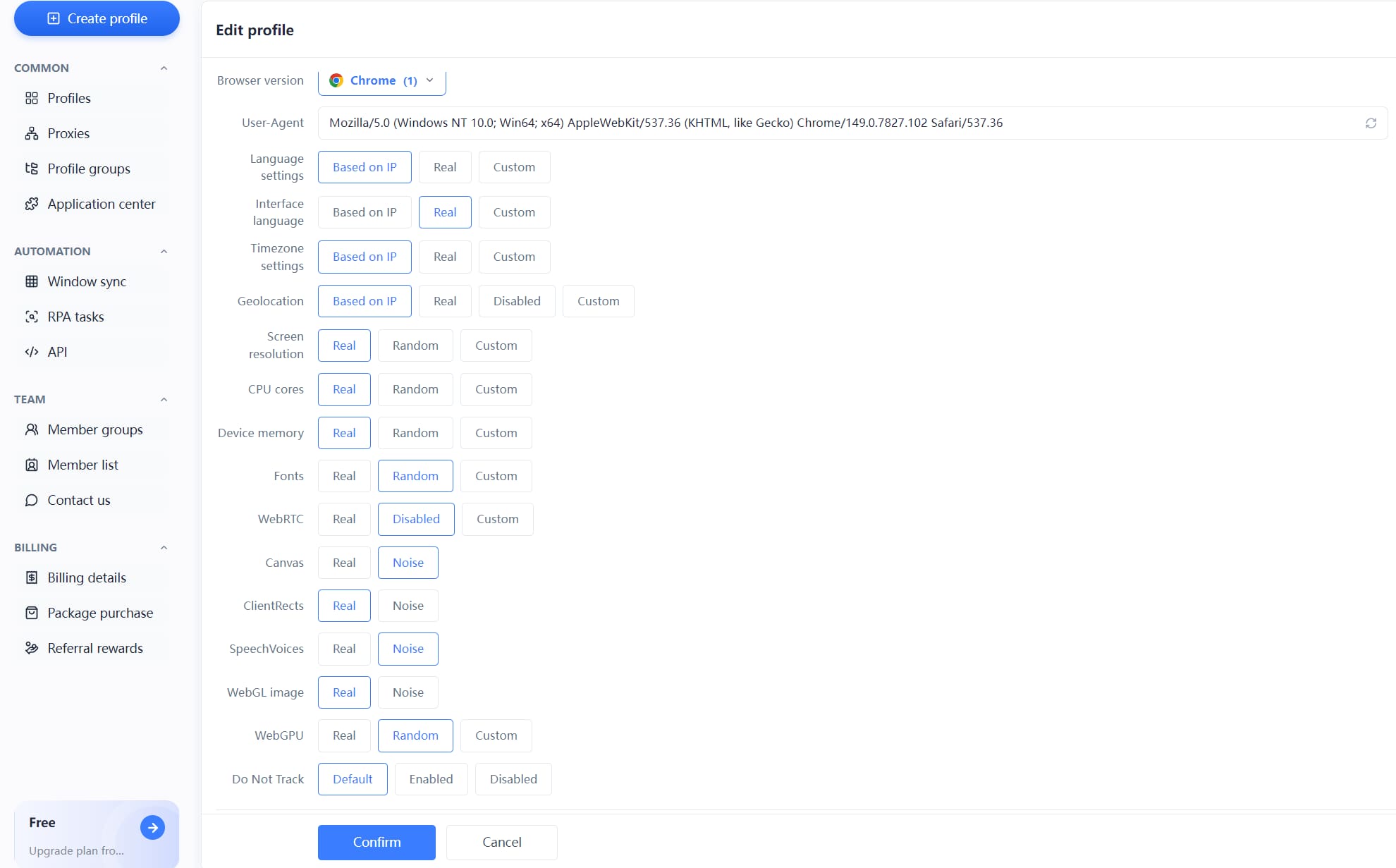
Fingerprint browsers have turned this into a switch. TakeMasBrowser as an example: when creating an environment, find the Canvas option in the fingerprint settings and select "noise" mode. Once enabled, the Canvas hash of each environment is randomly perturbed, and accounts no longer share the same Canvas characteristic; combined with WebRTC disabled and language/time zone synced with the proxy IP, the evidence chain for multi-account association is basically broken. The complete independent environment and fingerprint isolation configuration can be found on theMasBrowser multi-account security management page.
In actual operation, one detail is worth noting:adding noise does not mean the "messier the better." If the Canvas result changes dramatically every time you open it, it instead looks like a "machine deliberately dodging," which can easily be flagged as abnormal by risk control. The right approach is to keep the noise stable — the hash is fixed after the environment is created, just different from the real hardware. In MasBrowser, fingerprint parameters are solidified after the environment is saved, so there is no need to worry about this.
Yes, but not often. The Canvas hash may change when the GPU driver has a major update, the system is reinstalled, or the browser engine is changed; in daily use it is basically stable. This is also why platforms dare to track it long-term.
No. Cookies are files stored locally, while the Canvas fingerprint is a measurement value from real-time rendering — the two mechanisms are completely different. Clearing the cache has no effect on the Canvas fingerprint.
It does not affect page functionality, only the detected hash value. Websites load, log in, and check out normally; only "the picture you draw" differs slightly from the real hardware.
Canvas focuses on 2D graphics rendering (fonts, gradients, geometric shapes), while WebGL focuses on 3D GPU rendering (shaders, GPU model). Both come from real hardware rendering and are often used together to cross-validate each other.
The Canvas fingerprint is the most "honest" item in browser fingerprinting — it does not rely on what you declare, but on measuring your real hardware. For ordinary users, it is only a source of privacy anxiety; for multi-account operators, it is the "primary evidence" platforms use to determine association, and if not handled well, one account falls and all fall together.
Fortunately, this capability can be managed through "rendering noise." The free plan already includes 2 environment slots.Download MasBrowser, create an environment and turn on the Canvas noise configuration. After launching, you will see the green "Fingerprint protection: Enabled" on the right — this means all fingerprint parameters including Canvas noise, UA, time zone, and WebGL are ready.


