
MasBrowser
Customer supportLoading messages…
Loading messages…
You are viewing a previous conversation.
Enter to send · Shift + Enter for a new line
Loading messages…
You are viewing a previous conversation.
Enter to send · Shift + Enter for a new line
Anyone running multiple accounts has probably experienced this "supernatural" moment: the environment is configured, the proxy is bound, and the account still gets banned; customer support can't find the reason, so it gets chalked up to "bad luck". The truth is, before your account gets banned, your environment had already written the answer into detection tools.
That is exactly what fingerprint detection tools do: open a page, click once, and within seconds they lay out "what information the platform can see about you" — like a "health check report" for your account environment. Where it leaks, where it contradicts, you can see at a glance, without waiting for the ban to guess.
There are many tools on the market, but each has different strengths. This article explains the three most common ones — Pixelscan, Whoer, and BrowserScan: who needs them, what each excels at, how to read the results, and how to combine them so your "mine-sweeping" is complete.
In one sentence: as long as your account security depends on "whether the environment is clean", you need detection tools — they don't directly solve security problems, but they let you see problems before things go wrong.
Match yourself by scenario:
People who don't use tools are flying blind with their accounts — configuration by feel, problems by guess. Detection tools are the "dashboard" that makes every configuration verifiable.
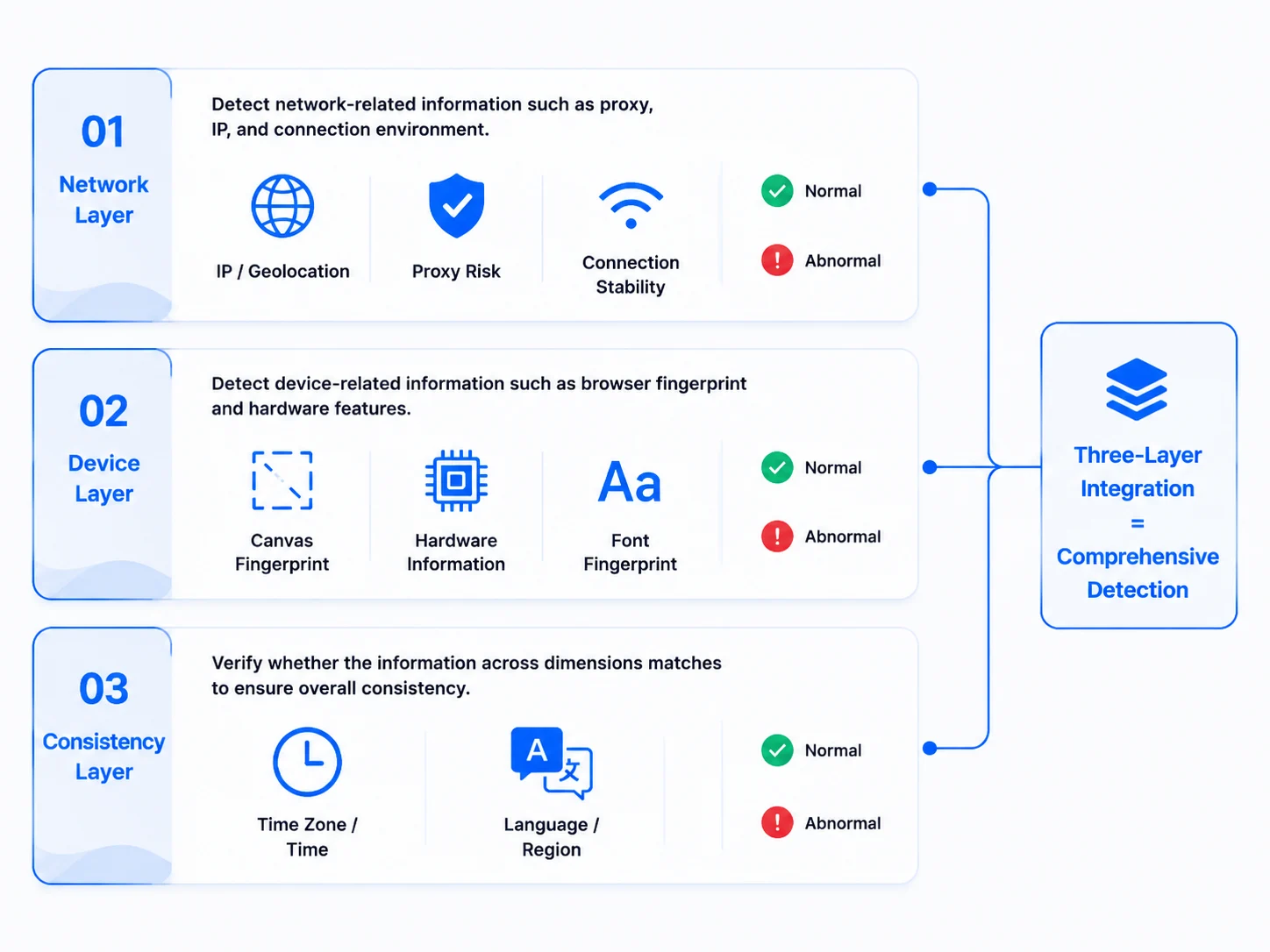
Detection tools quantify "what information the platform can see about you" — they measure three layers: network layer, device layer, and consistency.
Platform risk control makes association judgments by cross-comparing these three layers. The value of detection tools is letting you look at your environment from the "platform's perspective" before logging in — if any of the three layers has a problem, the tool lights up a red flag, and accounts usually get banned after the red flag has been lit for days without you looking.
Three-layer detection diagram — network layer / device layer / consistency; the three layers stack into a complete detection
All three tools can test fingerprints, but their strengths differ. From my hands-on testing: use Whoer for network checks, BrowserScan for fingerprint details, and Pixelscan for a quick overall check.
| Tool | Best at | Signature features | Best for |
|---|---|---|---|
| Pixelscan | One-click all-in-one quick check | Fingerprint, IP, proxy, DNS, WebRTC, Bot detection packaged together | "Scan first" after configuring an environment |
| Whoer | IP and network layer detection | IP details, leaks score, WebRTC/DNS, port scan, language/UA comparison | Checking "whether the network layer is clean" |
| BrowserScan | Deep fingerprint detection | Canvas/WebGL/Audio/ClientRects/WebGPU/fonts + fingerprint authenticity score | Checking "whether the device layer looks human" |
Pixelscan (pixelscan.net): specializes in "one-click all-in-one" health checks — fingerprint, IP, proxy quality, DNS leaks, WebRTC leaks, and bot detection are all packaged on one page, claiming results in seconds. Official data says 5 million+ scans completed with a claimed 99.95% accuracy — take the numbers with a grain of salt; the point is it fits quick scanning right after configuring, to see obvious "leak points" first.
Whoer (whoer.net): strongest at network-layer detection. Beyond IP details (region, ISP, ASN), it provides WebRTC leak, DNS leak, port scan, Evercookie and other specialized checks, and compares browser request headers (Headers) with JavaScript-read values side by side — if the two don't match, there are "disguise traces". For checking "whether the network is clean", it's the most thorough of the three.
BrowserScan (browserscan.net): the most complete fingerprint details. Canvas, WebGL (including GPU vendor and model), Audio, ClientRects, WebGPU, and font lists are all covered, plus a "browser fingerprint authenticity" overall score, and it directly flags contradictions like "timezone mismatch" and deducts points — it's the closest to the "platform perspective", and the one most worth checking daily.
Open a tool and you'll see dense parameters — don't panic; most don't matter. Focus on four signals:
Beginners most often ignore three things: only looking at the total score and not the individual items (a high total doesn't mean no single-point leak), ignoring the Headers vs JS comparison (Whoer specifically shows this — and it's exactly what most people skip), and thinking one test is enough forever (dynamic IPs can change every time). Remember: detection tools aren't "the higher the score, the better" — it's "whether there are contradictions". A low score with consistent items is safer than a high score with contradictions everywhere.
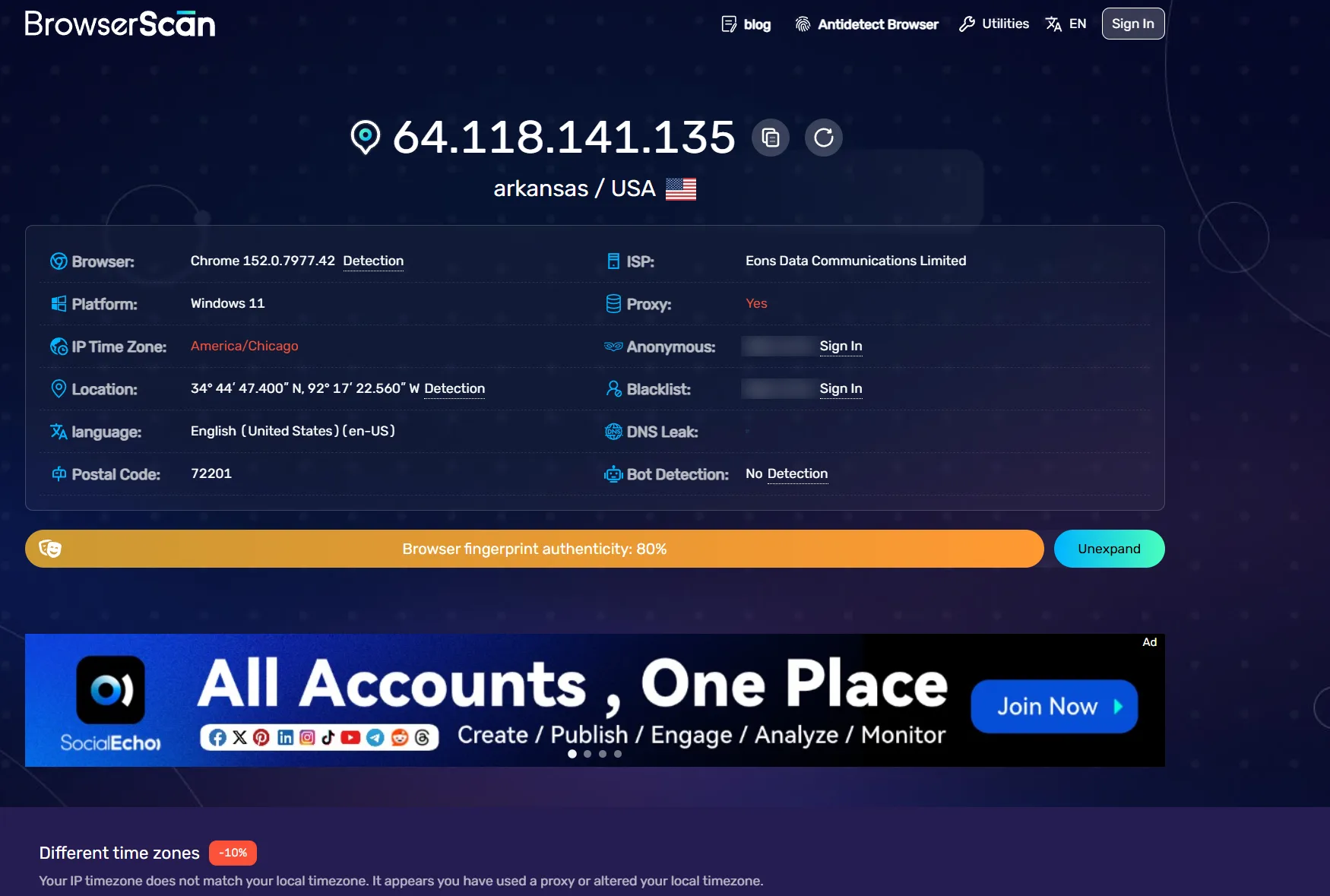
Using one tool is like doing a health check with only a thermometer — you can see a fever but not blood pressure. The three tools have different focuses; this combination is the least hassle:
Three-tool cross-validation flow diagram
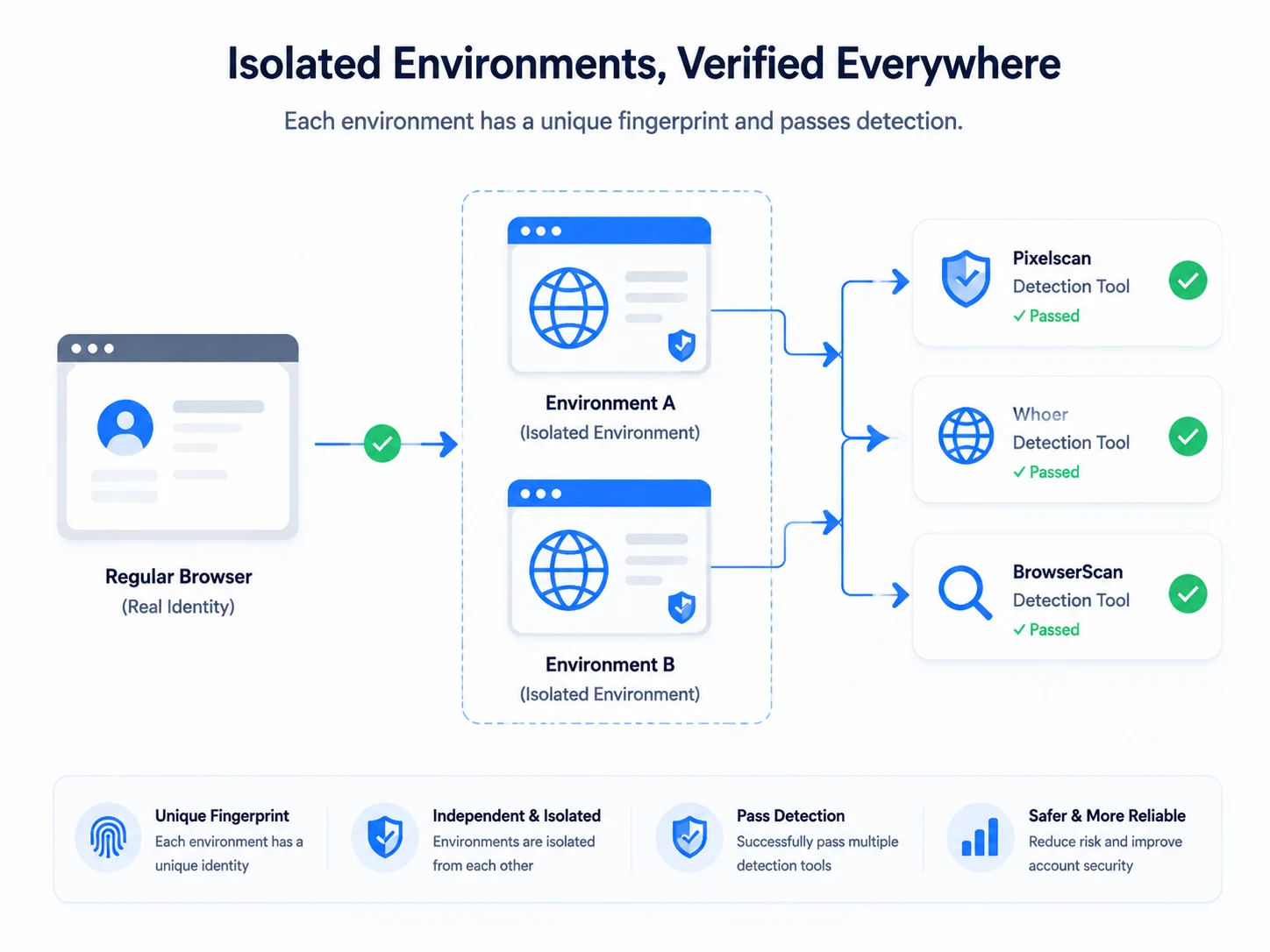
The complete verification flow has three steps: test once in a normal browser (note your "real identity") → create two independent environments in MasBrowser (bind proxies from different regions, fingerprints set to "configure based on IP") → open all three tools in both environments for cross-comparison. If the two environments have different IPs, different fingerprints, and matching timezone/language respectively, isolation is working; if the fingerprints are almost identical, go back to environment settings and check whether parameters were differentiated.
All three have free versions — open the page and test directly, no registration needed. The free versions are enough for daily verification; some advanced features (like bulk IP blacklist queries) require payment, but for daily fingerprint checks and leak checks, the free versions suffice.
No, they are different things. Detection tools are the "health check report" — they tell you what's wrong with the environment; a fingerprint browser is the "treatment plan" — it configures and isolates the environment properly. Take the medicine (fingerprint browser) first, then get the check-up (detection tool), to know how effective the medicine is.
Mostly yes. Detection tools and platforms get information from the same set of browser interfaces, covering most common dimensions. But platform risk control also layers behavior analysis (login times, operation rhythm) on top, which tools cannot measure.
Depends on the problem: "configuration problems" like WebRTC/DNS leaks or timezone/language mismatches can be fixed in environment settings; "foundation problems" like a flagged IP or contradictory fingerprint parameters may require changing the IP or rebuilding the environment.
First check whether the test timing differed (dynamic IPs change); after ruling that out, trust BrowserScan, which has the most details, and use Whoer to cross-check the network layer. If both flag the same problem, it's basically confirmed.
Fingerprint detection tools are the "dashboard" of account operations — they don't directly solve security problems, but they let you see your environment from the platform's perspective before the account gets banned. Whoer for the network layer, BrowserScan for the device layer, Pixelscan for overall checks — cross-validating with three tools is far more reliable than configuring by feel.
Don't wait until an account is in trouble to remember them. The free plan already includes 2 environment slots; download MasBrowser, configure an environment and run all three tools once — make "health checks" a regular part of operations. For complete independent environments and fingerprint isolation configuration, see the MasBrowser multi-account security management page.


