
MasBrowser
Customer supportLoading messages…
Loading messages…
You are viewing a previous conversation.
Enter to send · Shift + Enter for a new line
Loading messages…
You are viewing a previous conversation.
Enter to send · Shift + Enter for a new line
Anyone running multiple accounts has wrestled with this at the "buy proxy" step: cheap datacenter IPs cost a few dozen dollars each, while residential IPs cost an order of magnitude more — cheap ones fear being banned, expensive ones fear wasted money.
The root of the hesitation is not understanding the essential difference between the two types of IP. This article explains residential IPs and datacenter IPs thoroughly: how they differ, how platform risk control views them, which businesses each fits, and how to verify quality after purchase.
In one sentence: residential IPs come from the address ranges of ordinary home broadband, while datacenter IPs come from server rooms — the former is "born" in residential areas, the latter is "born" in a data center.
The two concepts have completely different origins:
| Comparison | Residential IP | Datacenter IP |
|---|---|---|
| Origin | ISP home broadband ranges | Data center / cloud provider ranges |
| Camouflage | High (looks like a real home user) | Low (obviously a server at first glance) |
| Cost | High (an order of magnitude more) | Low (cheap per unit) |
| Speed | Relatively slower | Fast (ample data center bandwidth) |
| Stability | May drop or switch (especially dynamic) | Stable |
There is no absolute good or bad between the two types — only "fit". The key is your business scenario.
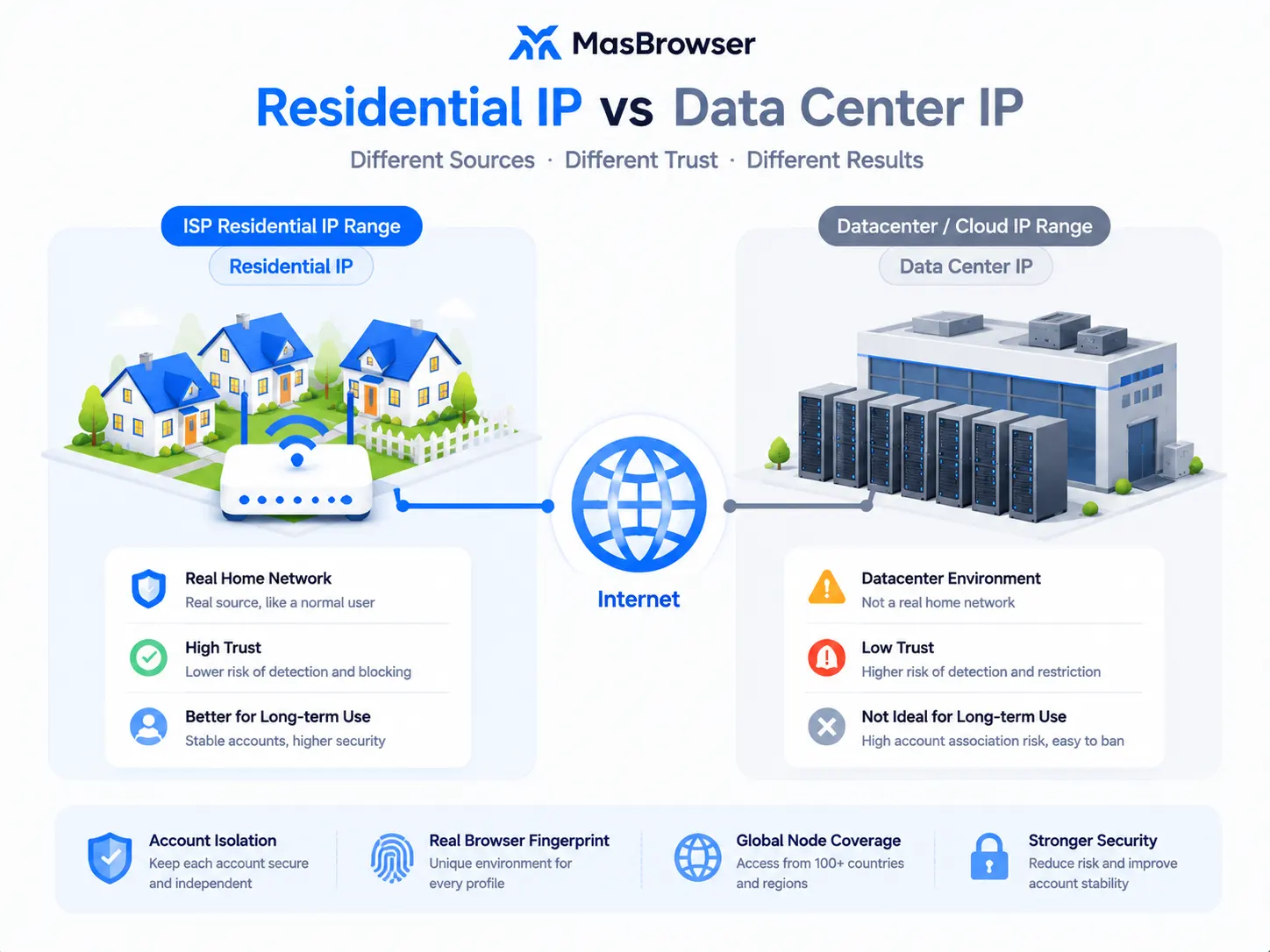
Very far: risk control systems make a natural judgment about the "origin" of an IP — residential IPs earn high trust, while datacenter IP ranges are under focused monitoring.
Platforms judge IP quality mainly on three points:
So the same operation may pass safely on a residential IP but trigger verification on a datacenter IP — it is not the operation, it is the IP's "origin" that decides risk control's initial attitude (a complete overview of the three IP types is covered in Fingerprint Browser vs VPN).
Don't just stare at the price — put "cost + risk + business value" together, and you'll know how much you should spend.
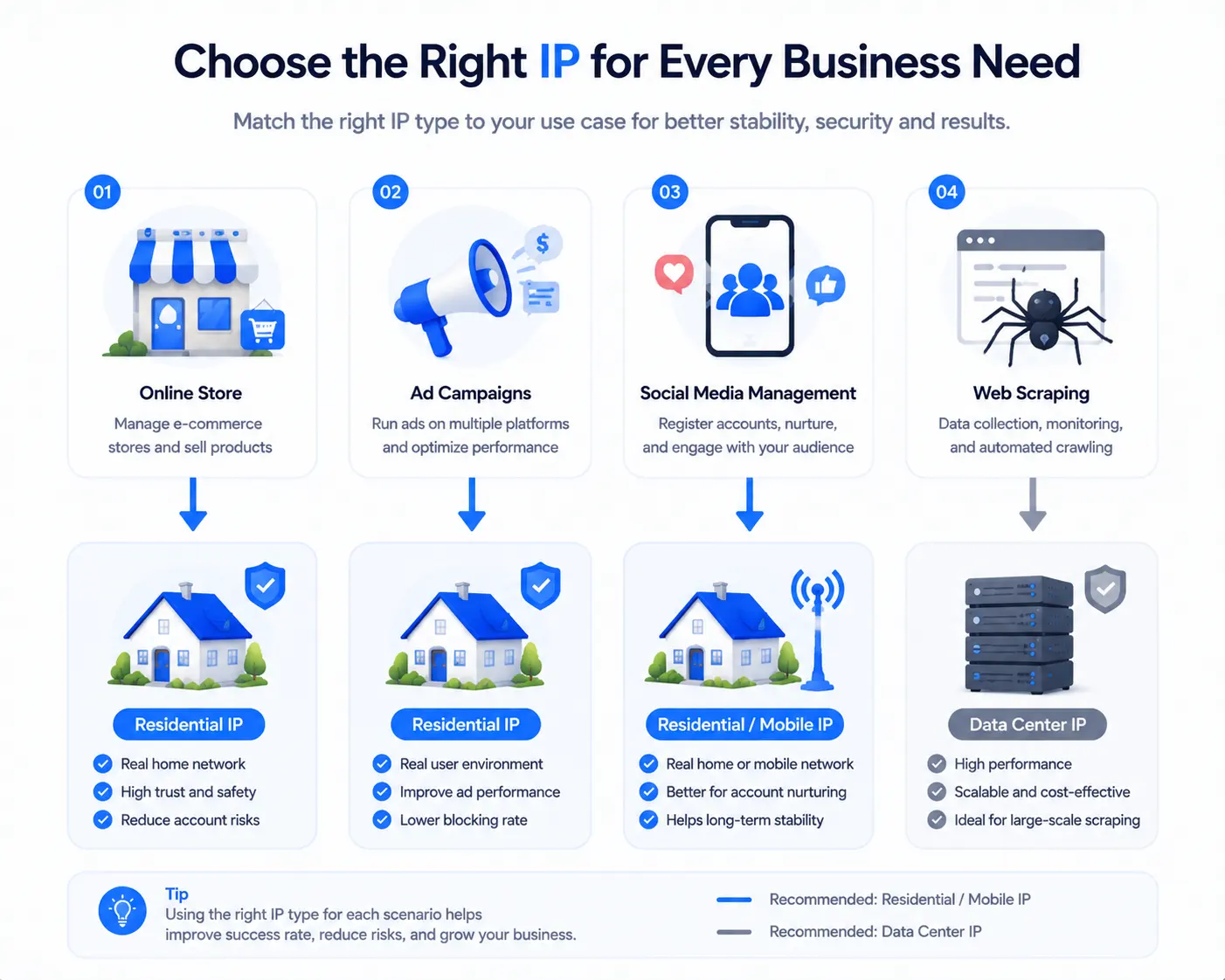
For example: an Amazon store may generate a few hundred yuan of daily order profit, and its account is worth several thousand yuan. If a cheap datacenter IP gets the account banned, the loss far exceeds the money saved on IPs — in this case, the "expensive" residential IP is actually the bargain.
Conversely, for "low-price, high-volume" businesses like scraping public data, bulk-registering test accounts, or driving web traffic, datacenter IPs offer far better value — the business itself has low value per request, so there is no need to pay residential IP prices for every request.
The formula is simple: IP cost vs account/business value. If the account is valuable, use residential IP; if the volume is large but per-unit value is low, datacenter IP makes more sense.
A relatively universal decision checklist:
Remember: stores and ad accounts are "valuable" — use residential IPs; high-volume, low-value businesses — use datacenter IPs. Don't assume "expensive is always better", and don't gamble store accounts on datacenter IPs just to save money.
One easily confusing point when choosing IPs: IP pools (rotation) vs dedicated IPs.
Remember: use dedicated IPs for account login, rotation for data collection. Don't put rotating IPs on accounts that need stability — frequent IP changes and an unsuitable IP type are two different problems.
Whichever type you buy, verify it first — don't log into accounts directly:
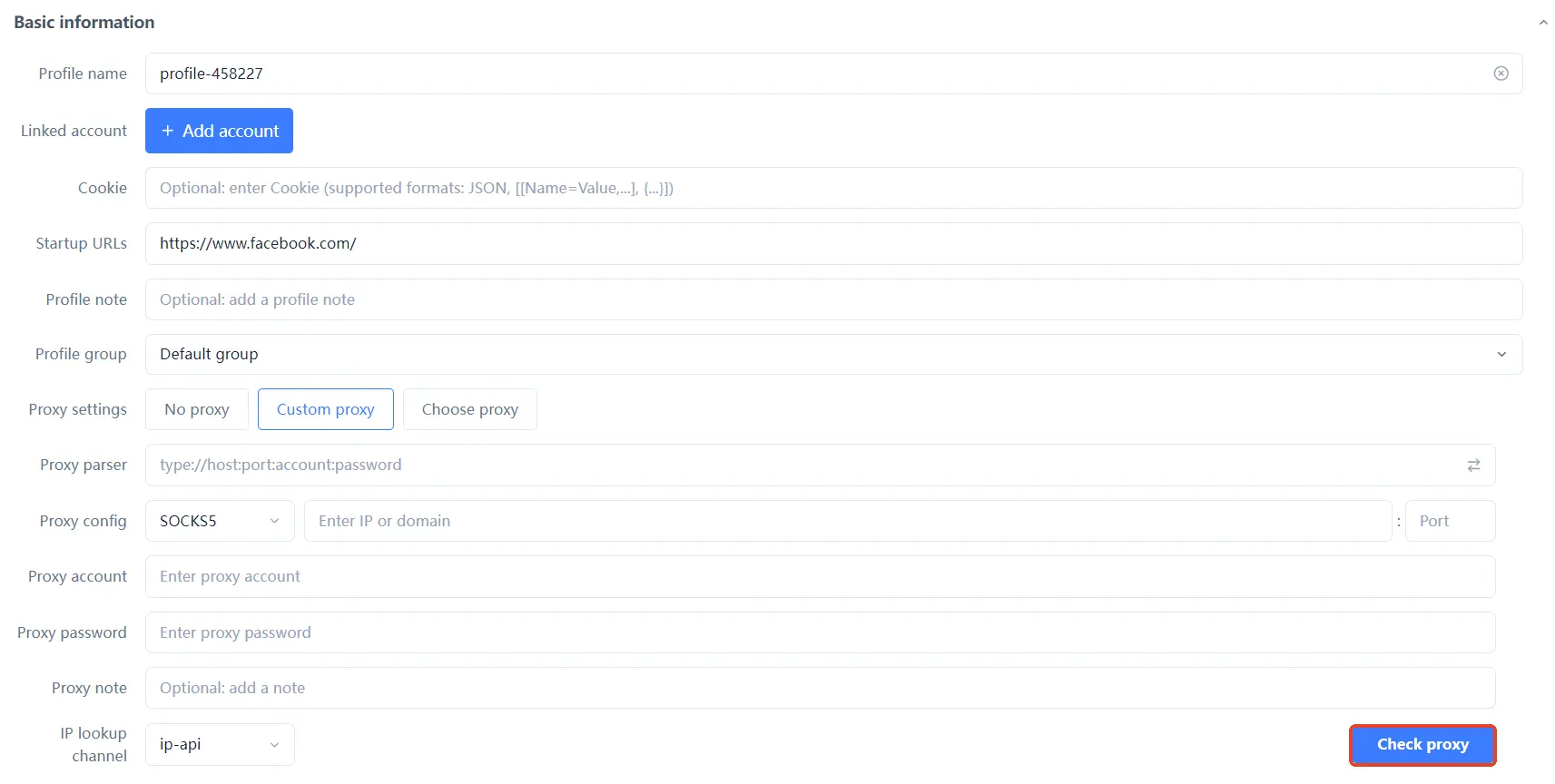
Buying an IP without verifying is like not buying at all — especially the two pitfalls of "residential" IPs being faked and IPs with a bad history; a single check can avoid both.
For a first proxy purchase, start with a small trial batch: buy 2-3 IPs from your target regions, run the four verification steps above (connectivity, region, type, stability), and only scale up once the process works — don't buy large volumes of unverified IPs at once; the cost of a mistake is too high.
When choosing a proxy provider, look at four things: ① pool size (enough IPs and region coverage); ② stability (drop rate, service guarantees); ③ billing (by traffic or per IP, any hidden fees); ④ support (documentation, customer service, test allowance). Don't look only at price — prices too cheap to be true usually have traps.
No. Residential IPs are better at "camouflage" but cost more and are relatively slower; datacenter IPs are cheap and fast but carry lower risk-control trust. The key is the business: stores/ad accounts use residential, scraping/bulk use datacenter.
Store-type accounts should use static residential IPs (fixed address, long-term stability); nurturing and browsing scenarios can use dynamic, but frequent IP changes on an account are themselves an anomaly signal — keep it as fixed as possible.
Possible causes: the IP itself has a bad history (used and banned by someone else), the IP doesn't match the account's region, or other account dimensions (fingerprint, payment) have issues. IP is only one dimension of association judgment, not everything — fingerprint, device, and payment dimensions matter just as much (the full breakdown of browser fingerprints is in What Is Browser Fingerprinting).
Yes, but it depends on the scenario. For scraping, collection, and testing, datacenter IPs are perfectly sufficient and cost-effective; but for logging into high-value store/ad accounts, datacenter IPs carry significantly higher risk than residential IPs.
Not recommended for formal operations. Most free proxies are shared by many users, may expire at any time, or are already flagged IPs — using one to log into high-value accounts is like going "naked". Fine for testing, but don't use them for formal operations; the money saved is not worth a single ban.
The difference between residential IPs and datacenter IPs is essentially a difference of "origin": one looks like a real person, the other looks like a server. Platform risk control has entirely different initial attitudes toward the two types; choosing the wrong type makes even the best environment configuration useless.
The principle for choosing an IP comes down to one sentence: look at how much your accounts and business are worth — use residential for valuable accounts, datacenter for high volume, and verify before using anything you buy. The free plan already includes 2 environment slots; download MasBrowser, bind one IP to test the verification process, and scale up once it works.


