
MasBrowser
Customer supportLoading messages…
Loading messages…
You are viewing a previous conversation.
Enter to send · Shift + Enter for a new line
Loading messages…
You are viewing a previous conversation.
Enter to send · Shift + Enter for a new line
Have you ever run into this: you connect to a US proxy, the exit IP is clearly American, but when you open Google the interface is still in Chinese, and the ads still follow your domestic habits.
Even stranger, a newly registered US-region account works fine for the first few days, then one day it suddenly asks you to verify your identity, citing "abnormal login environment."
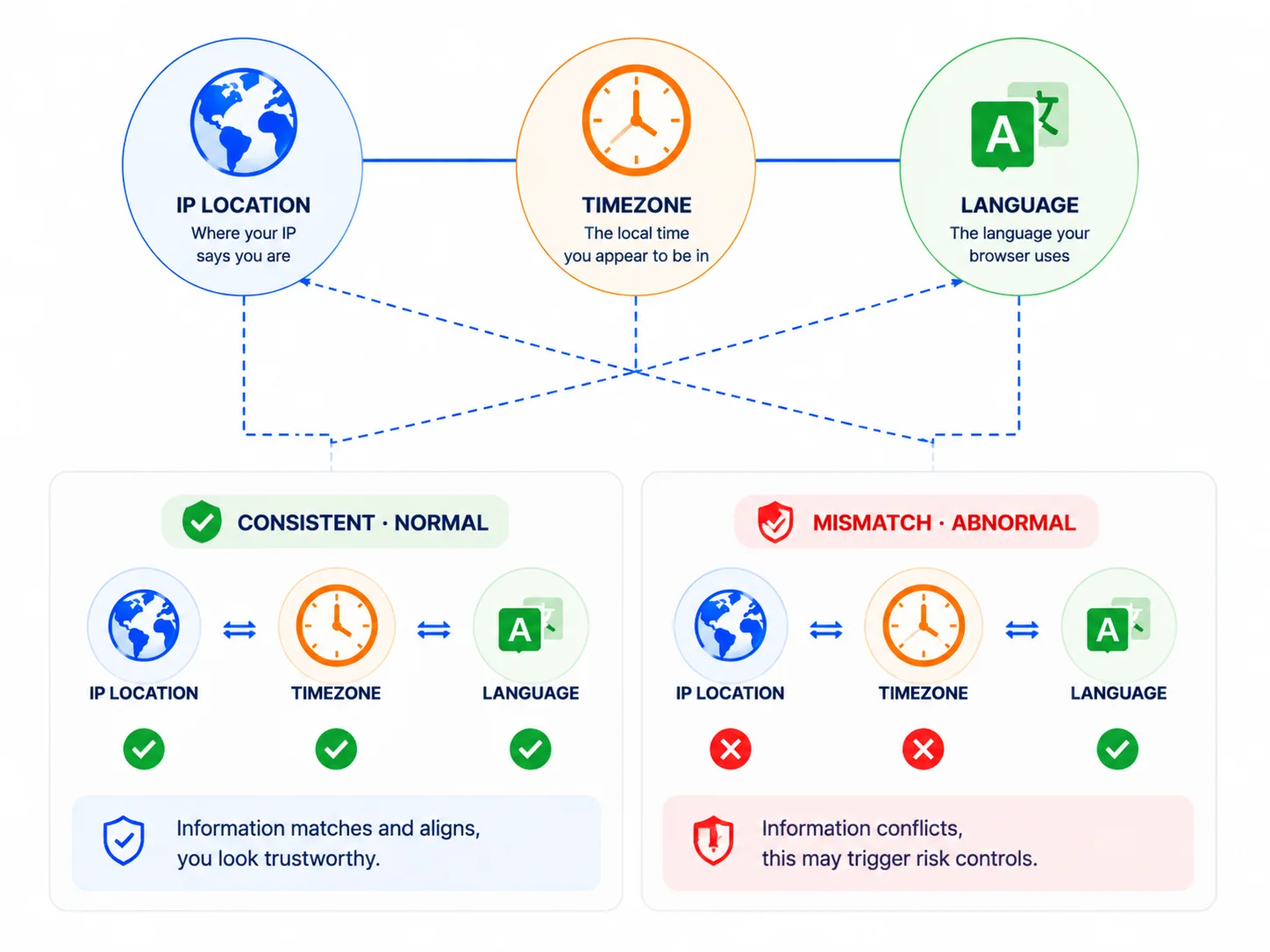
The problem is very likely in one word: consistency. Your IP says you are American, but your time zone, language, and browser environment all say "I am Chinese" — platforms collect this set of "language environment" signals and cross-check them, and that is where the flaw hides.
Browsers automatically expose time zone and language — no website needs to install anything; a few lines of JavaScript can read them, completely without your awareness.
Specifically, there are three sources:
Date.getTimezoneOffset() or Intl.DateTimeFormat().resolvedOptions().timeZone, such as "Asia/Shanghai" or "America/New_York". This is derived from the operating system clock, so changing the system time zone changes it.navigator.language, while sending a language priority list to the server through the accept-language request header — for example, "Chinese first, English second."The key is that these three sources are independent yet mutually confirming: time zone comes from the system clock, language comes from browser settings, IP comes from the network exit — if any one does not match the other two, it is an abnormal signal.
Because platforms run a "triple check": the IP region, time zone, and language must all point to the same place — missing any link loses points.
Here are real-world flaws:
Individually, each signal "means nothing" — platform risk control accumulates these contradictions into a score: IP right but time zone wrong loses a point, language wrong loses another point, and crossing the threshold triggers verification. This is also why "just changing the IP" multi-account setups never last (this logic was also mentioned in the Fingerprint Browser vs VPN article).
IP / time zone / language "triple check" diagram
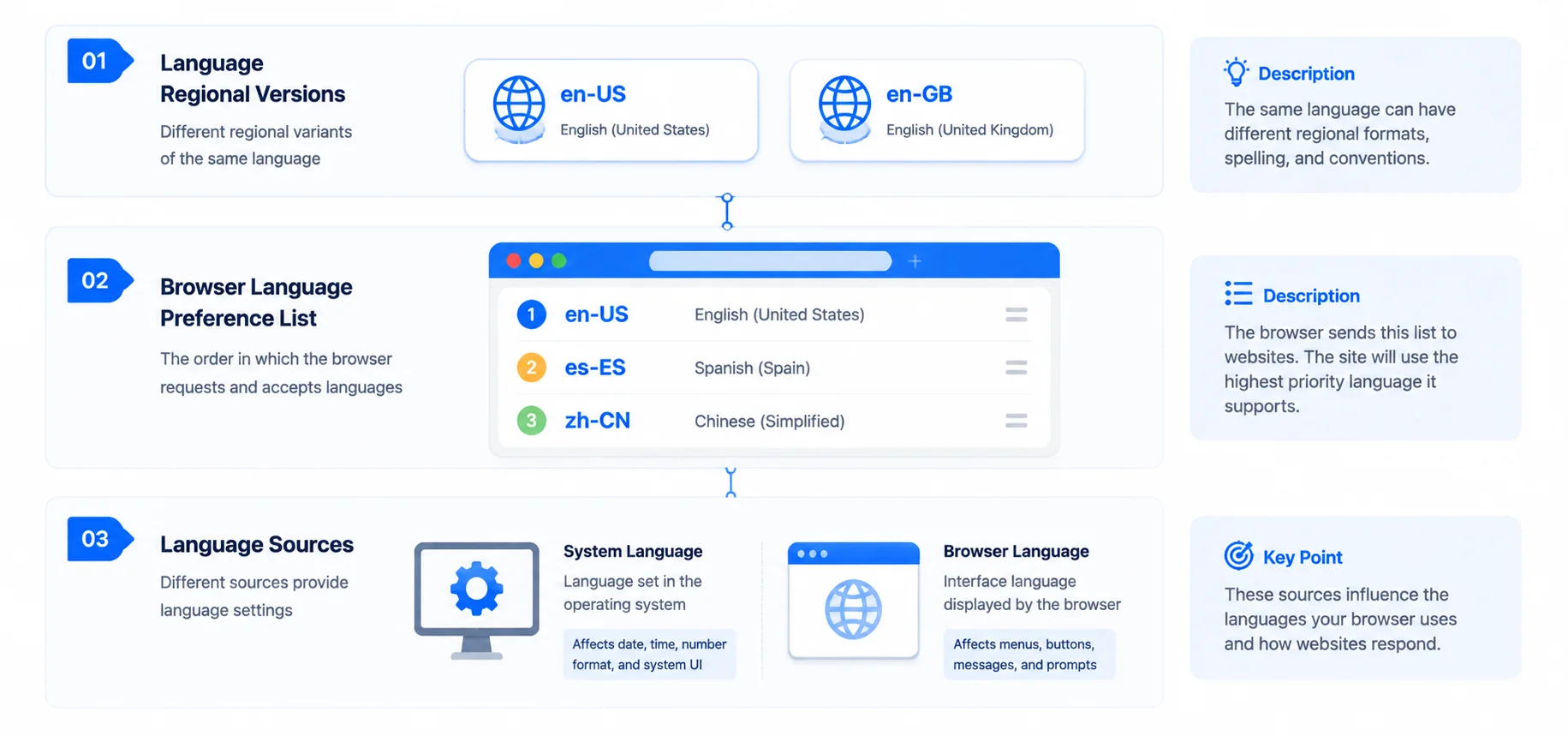
Language is not as simple as "Chinese or English" — look closely, there are three levels:
accept-language header is the primary language, followed by the rest in priority order. A "US-region user's" list usually starts with en-US; if Chinese is first and English second, it basically reveals where the user's native language environment is.Many people only change the "interface language" when setting up an environment, missing the system language and the language list, and end up creating new contradictions. The language environment is a "package deal" — changing only one item is as good as changing nothing.
Language fingerprint three-level diagram
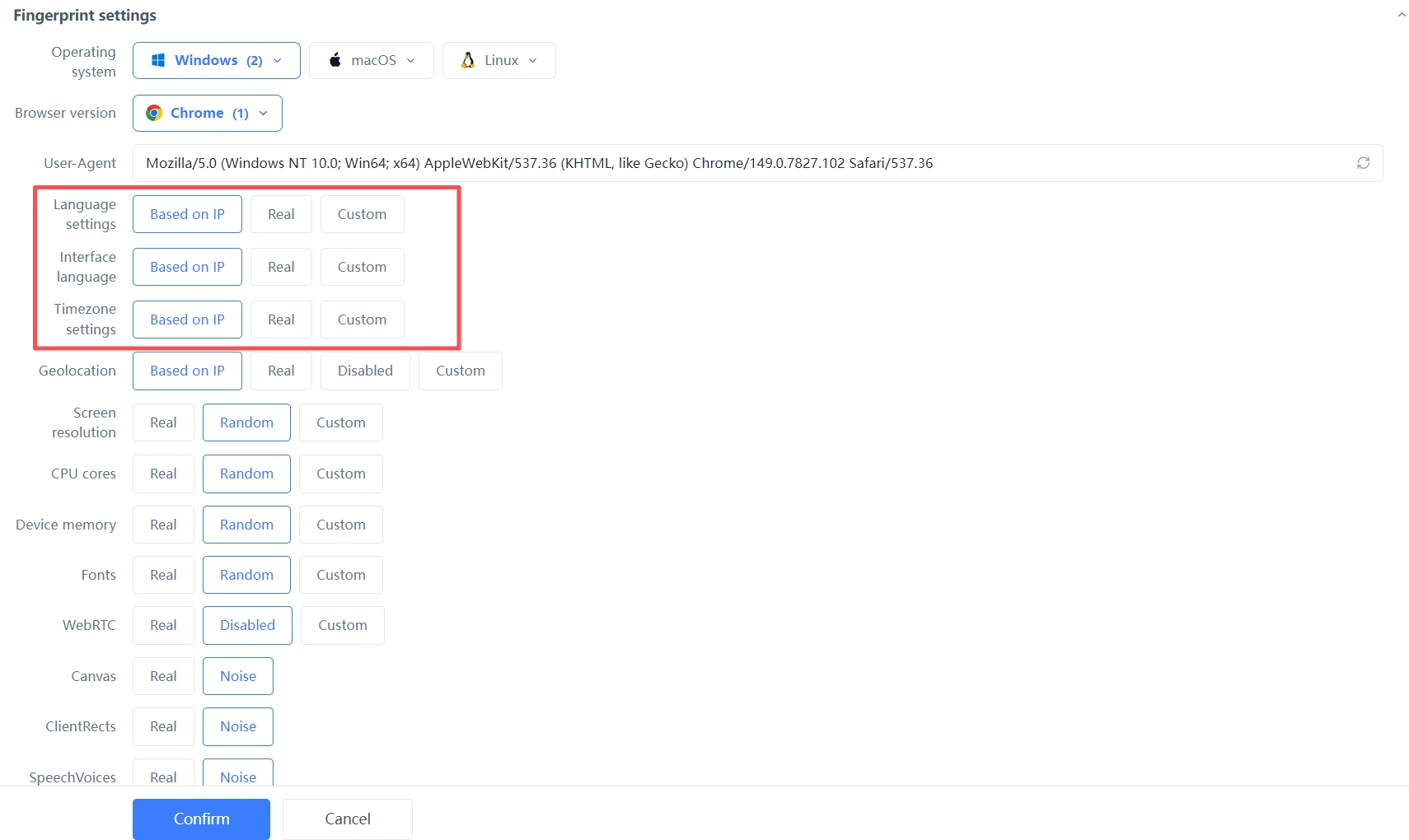
The right approach is to make the IP, time zone, language, and geolocation move as a whole, rather than assembling them one by one manually. Taking MasBrowser as an example, when creating an environment, select "based on IP" for all four items — language, interface language, time zone, and geolocation — in the fingerprint settings, and the system will automatically generate matching language and time zone from the proxy IP's region. That way, a US IP gets US time zone, English language, and US geolocation — from the platform's perspective, the whole environment is a "normal American user." For the full independent environment and fingerprint isolation configuration, see the MasBrowser multi-account security management page.
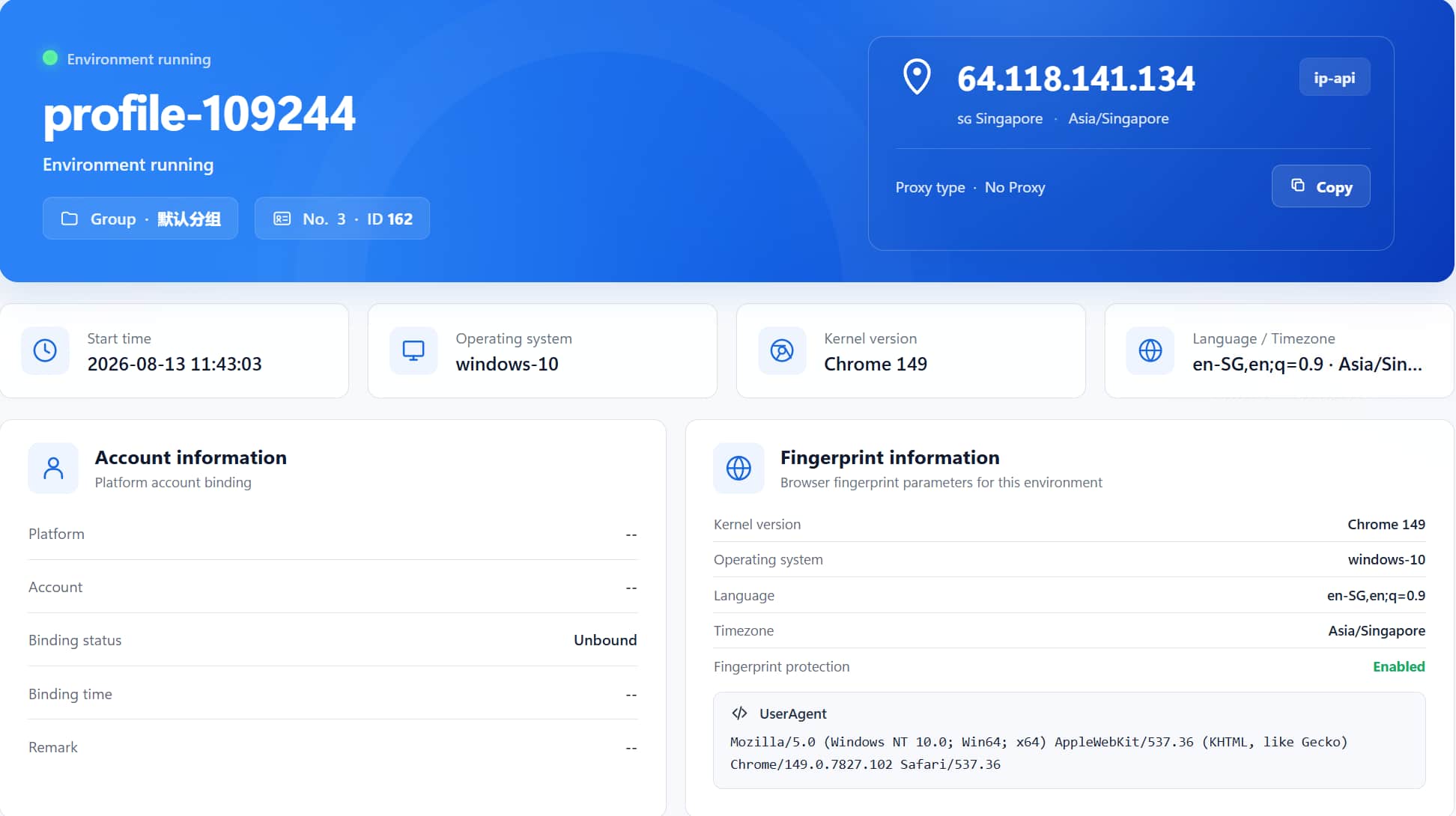
How do you verify after configuring? After launching the environment, check the Language·Timezone card in the environment info, then open a fingerprint detection website to cross-check — the language, time zone, and geolocation should match the proxy IP's region. This is the same principle as making the whole environment consistent when changing the UA — "consistency" is the core of a multi-account environment.
Even with "based on IP" configuration, these details are still often missed:
accept-language often carries 2-3 items (primary language + fallback languages). A "pure list" with only one item is itself an abnormal trait.No. Platforms cross-verify: time zone right but language still Chinese still loses points. All three must point to the same region to be consistent.
The browser may have cached the old time zone information, or it may use its own time zone setting rather than the system one. After changing, restart the browser/environment and verify again — do not trust the result of a single check.
Yes, and they are very cheap fingerprints — the browser exposes them automatically, users are unaware, and they are hard to disguise alone. Individually they are not very discriminating, but as "cross-verification" signals their value is high, making them the most commonly used supporting evidence in platform risk control.
No. A proxy only changes the IP, not the system time zone — which is exactly why the "US IP + Beijing time" contradiction happens. You need tools like fingerprint browsers to link the time zone, language, and proxy IP together.
Time zone and language are the "self-introduction" the browser quietly reports every day — unremarkable on their own, but combined they can precisely reveal "where you come from." Platforms do not catch people with them alone, but they use them for cross-verification — accounts where the IP, time zone, and language do not match will eventually be flagged.
The homework for multi-account operators is to make every item in the environment that of "a person from the same place." The free plan already includes 2 environment slots — download MasBrowser, create an environment, set language, time zone, and geolocation to "based on IP," and you will see the whole environment become "consistent" instantly — this step is the starting point for safely operating every account.


