Anyone searching "BitBrowser vs MasBrowser" tends to hit the same sticking points: both are Chinese-made, both have Chinese interfaces, and neither is expensive — the spec sheets each look strong in places, and community opinions are split on both sides. The more you dig, the more confused you get, and it often ends as "whichever has the bigger free tier wins" — only after environments pile up do you realize the choice went the wrong way.
This article skips the parameter-table pileup and puts the two tools' real positioning, five core capabilities, and price math side by side, plus a decision checklist for "who should pick which" — ending with an even more important suggestion: rather than comparing spec sheets, run the same hands-on test on both and let the results speak.
Two Origins, Two Paths
Both are Chinese fingerprint browsers, but their product philosophies differ (for each tool's horizontal position among competitors, see our 2026 anti-detect browser ranking):
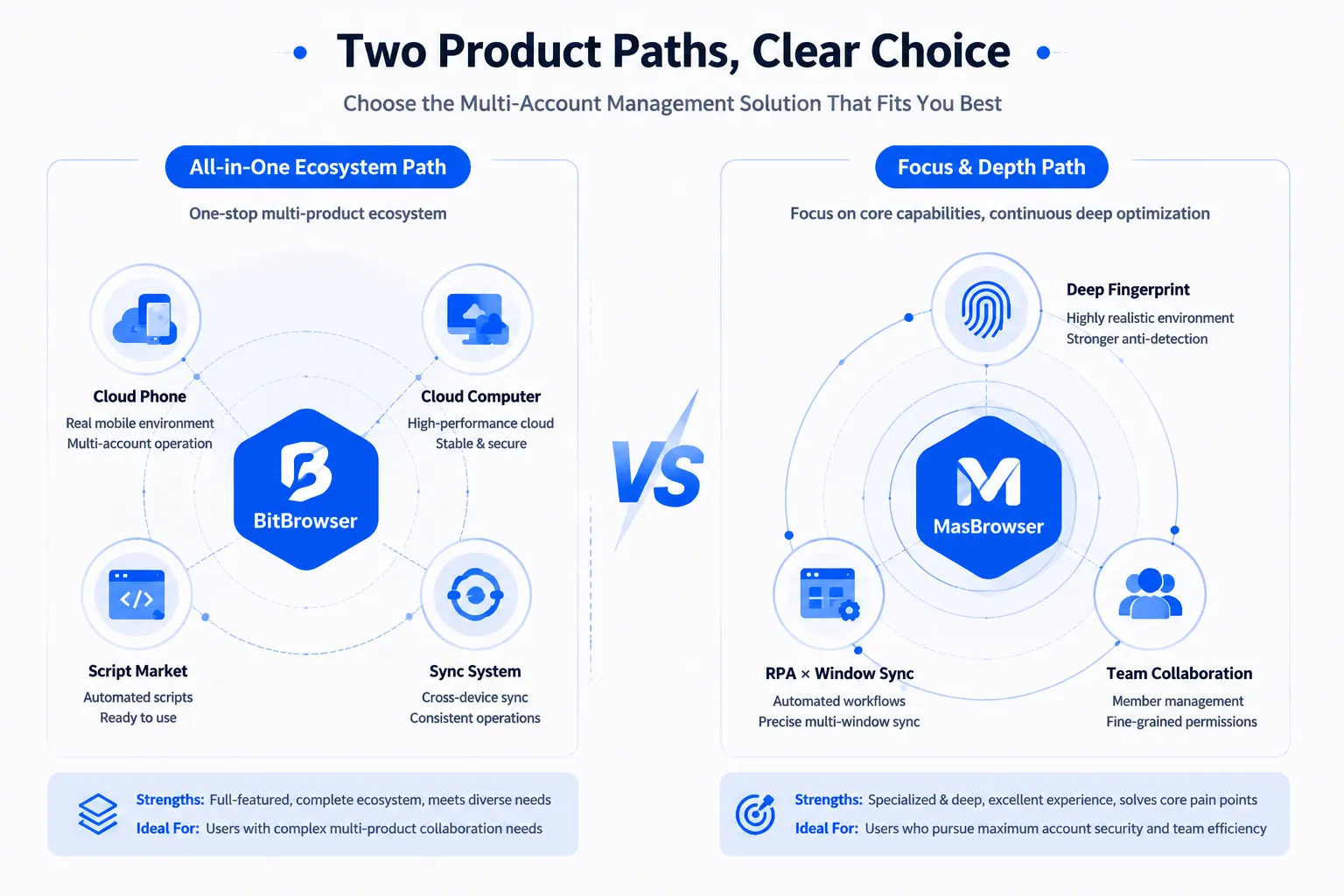
- BitBrowser: the industry "veteran player" pursuing a big-and-broad ecosystem route — beyond the browser itself, it extends into cloud phones (BitCloudPhone, Android/iOS mobile), cloud PCs (BitCloudPC), a script marketplace, and a proxy IP recommendation platform. A very wide functional map. Selling points: large free tier (10 profiles free forever), full ecosystem, low monthly cost.
- MasBrowser: positioned as an enterprise-grade multi-account security operation and anti-association specialist, going deep instead of broad — private Chromium kernel, 20+ independently configurable fingerprint parameters, automatic fingerprint matching based on proxy IP, RPA and window-sync automation, bilingual Chinese-English interface and documentation (English docs updated in sync with Chinese). Selling points: anti-association depth, team collaboration, bilingual support.
One sentence sums up the two paths: BitBrowser builds the "everything bundle," MasBrowser goes "specialized and deep" — which also decides who each one fits.
Five Core Capabilities Compared: Whose Home Court?
A dimension-by-dimension comparison on the five things multi-account operators care about most:
- Free tier: BitBrowser's 10 profiles free forever leads; MasBrowser's free plan covers 2 members + 2 profiles — enough to validate your workflow, but not more. Purely on starting cost, BitBrowser has the edge.
- Fingerprint configuration: both cover mainstream parameters (UA, Canvas, WebGL, timezone, etc.). The difference is in the details: MasBrowser supports auto-generating matched fingerprints from proxy IP (account region = proxy = fingerprint all consistent), and its fingerprint config page offers real-time preview — this "anti-association-first" design is its signature depth.
- Automation: both have RPA and batch capabilities, in different forms — BitBrowser's sync system focuses on cross-computer mouse-and-keyboard window synchronization, plus a script marketplace ecosystem; MasBrowser's RPA ships built-in Facebook/TikTok flow templates + window sync (uniform size / one-click arrangement), leaning more toward out-of-the-box flow libraries.
- Team collaboration: both support member and profile management. The ceilings differ: BitBrowser's paid tier starts at 2 sub-accounts (the ~50 RMB/month band); MasBrowser's free plan already includes 2 member seats, expanding to larger teams on Professional (discounted from $40.80/year).
- Mobile coverage: this is an explicit difference — BitBrowser has its cloud phone BitCloudPhone (App-layer businesses can go mobile); MasBrowser currently has no mobile app, covering desktop workloads only. If your business depends heavily on App operations (TikTok posting etc.), this factor gets amplified.
How the Pricing Works: Keep Two Separate Ledgers
Price isn't about "who's cheaper" — it's about which billing model fits your usage:
- BitBrowser: free forever within 10 profiles; beyond that, roughly 50 RMB/month per 50 profiles (sub-accounts included, see official site) — a monthly-per-profile-pack model with extremely low unit cost, suited to scenarios with many profiles of modest individual value.
- MasBrowser: free plan with 2 profiles; Professional at $40.80/year discounted (10+ profiles), Advanced at $165/year discounted (100+ profiles) — an annual subscription model. Monthly cost works out slightly higher than BitBrowser, but includes team seats and official support.
- A simple calculation: if you just need 5-10 profiles to test the waters, BitBrowser's free tier is enough; if you start at 30 profiles and need team collaboration, MasBrowser Professional's annual price (tens of RMB per month equivalent) + member seats is the better value.
Don't stare at a single number — look at your three variables: profile count × years of use × collaboration needs — at the same team size, the two options' real annual costs can differ by several times, and vice versa.
Who Should Pick BitBrowser? Who Should Pick MasBrowser?
Decision checklist (matching yourself beats agonizing over specs):
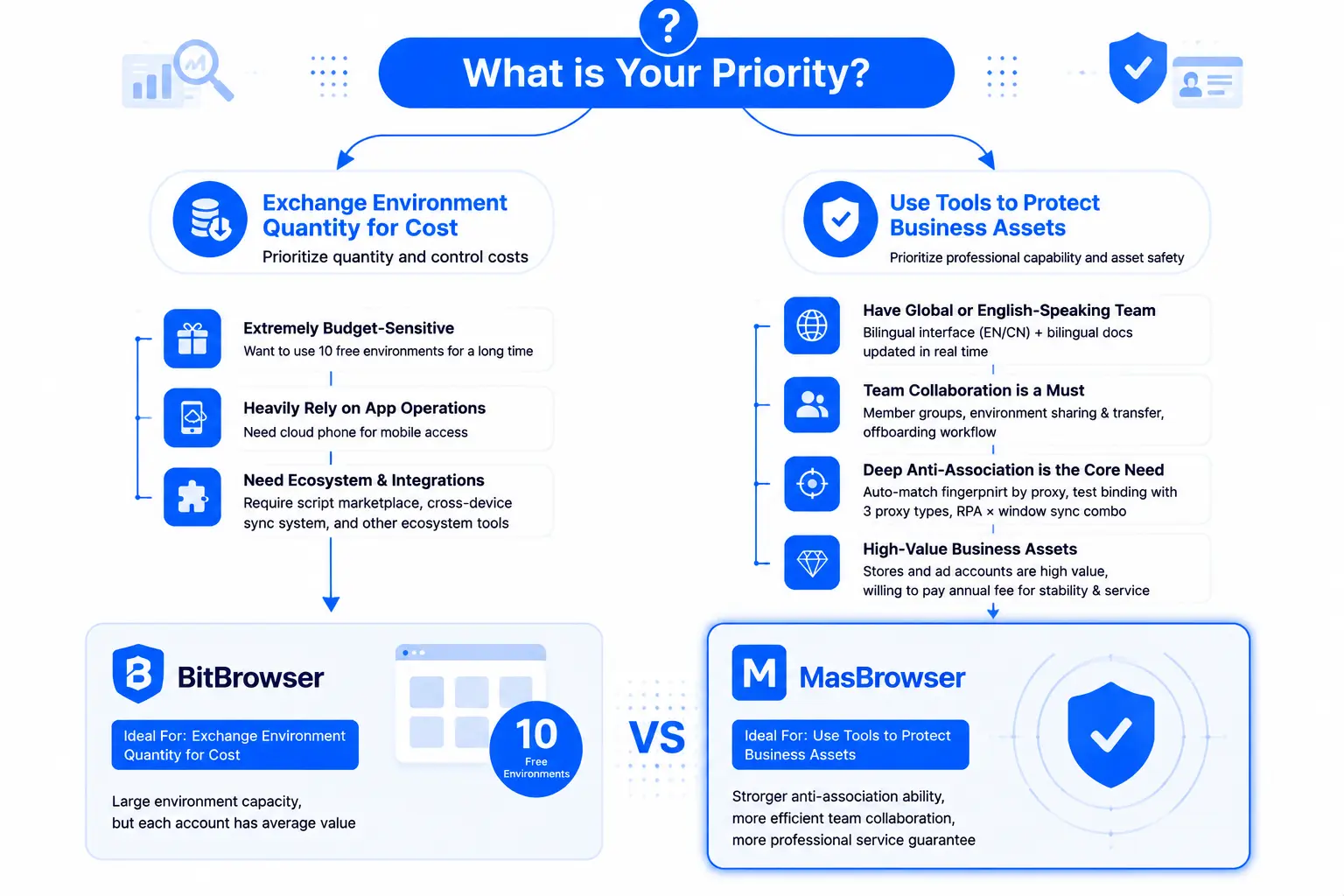
- Pick BitBrowser if:
- Budget is extremely tight and you want to ride 10 free profiles for a long time;
- Your business heavily depends on App-side operations and needs a cloud phone for mobile;
- You need ecosystem add-ons like the script marketplace or cross-machine sync;
- Profile count is huge but each account is individually low-value.
- Pick MasBrowser if:
- You have overseas or English-speaking team members (bilingual interface + documentation updated in sync);
- Team collaboration is a hard requirement (member grouping, profile sharing & transfer, structured offboarding);
- Your core need is anti-association depth (proxy-matched fingerprints, three proxy-type bindings with testing, RPA × window sync combos);
- Stores and ad accounts are high-value assets worth paying annually for stability and service.
A simple rule of thumb: trade profile count for cost, choose BitBrowser; use the tool to protect business assets, choose MasBrowser — flip them around and everything feels off.
Testing Beats Specs: Let a Two-Layer Funnel Decide
If the spec sheets still leave you undecided, there's one last move — head-to-head testing. It isn't complicated and uses the three-layer verification funnel we've covered before (full workflow in CreepJS fingerprint detection explained and isolation double-tool field test):
- Install both tools on the same computer, create one profile each bound to the same proxy region;
- First run ip-api + BrowserScan to check the network and parameter layers (IP match, any leak warnings);
- Then run CreepJS and compare Lies counts — whose disguise has fewer flaws becomes obvious;
- Finally run a real-business day (logins, posting, backend operations) — felt stability counts as decision evidence too.
The test costs you half an hour and returns "measured data from your own business" instead of someone else's ad copy — both products' community reputations are genuinely divided (people argue about which is better), so test results will always beat word of mouth.
FAQ
Which has the bigger free tier, BitBrowser or MasBrowser?
BitBrowser: 10 profiles free forever; MasBrowser: free plan with 2 profiles + 2 members ($0 on annual billing). Purely on free quantity, BitBrowser gives more — but if your team collaborates, don't overlook MasBrowser's free 2-member seats.
Is the price gap between the two big?
Volume-first direction: BitBrowser starts at 50 RMB/month per 50 profiles, cheaper per-profile on monthly billing; quality-first direction: MasBrowser Professional at $40.80/year discounted (10+ profiles), Advanced at $165/year (100+ profiles), including collaboration and support. High volume favors the former; heavy collaboration makes the latter reasonable — check both official sites for live pricing.
I already have BitBrowser profiles — can I migrate to MasBrowser?
Cross-product migration usually means rebuilding environments (reconfiguring fingerprint parameters, re-importing Cookies, rebinding proxies) — environment formats aren't interoperable and there's no one-click mover. This is exactly why you should settle tool selection before building environments: the more environments you have, the higher the later switching cost.
Do both offer Chinese-language support?
Yes. BitBrowser has served domestic users longer with richer Chinese community resources; MasBrowser provides bilingual Chinese-English support and documentation (English docs update in sync with Chinese) — if your team has overseas members, bilingual support is a plus.
Can we use both together?
Yes. Many teams combine them: primary assets on one tool (centralized environment management), long-tail minor accounts or special tasks on the other — running multiple tools diversifies single-vendor risk. Just keep logins unmixed (an account stays fixed to one profile in one tool), otherwise isolation value shrinks.
Conclusion
BitBrowser vs MasBrowser is ultimately a choice between two routes: "cheap big ecosystem" and "specialized anti-association depth":
- Big free tier, cloud phone, abundant ecosystem add-ons are BitBrowser's strengths — fitting budget-sensitive users, mobile-dependent workflows, and huge profile counts;
- Anti-association depth, team collaboration, bilingual service are MasBrowser's home court — for teams treating stores and ad accounts as core assets with multi-person division of labor.
Before deciding, run the three-layer detection funnel once (ip-api → BrowserScan → CreepJS), letting both products hand in measured answers inside your own business scenario — data doesn't lie, reputation does.
If you've decided to start with MasBrowser: the free plan's 2 members + 2 profiles are enough to validate the whole workflow. Download MasBrowser, set up your first profile — expand when it proves itself, and a failed trial costs you only half an hour.



