Facebook Ad Account Ban Prevention: Isolate Ad Environments with MasBrowser
Anyone running Facebook ads has probably experienced this "cleared overnight": ads were running fine, then suddenly the account gets restricted — not because of creative violations or landing page issues, just "unusual login environment detected". Worse still, when one ad account goes down, the Business Manager (BM), pixel, and Page attached to it get dragged down together, and the whole ad system has to be rebuilt. If you run multiple accounts, using the same environment across accounts can get you flagged for association — and the whole batch gets restricted at once.
Facebook ad accounts are different from personal accounts: they are business assets, and one move affects the whole system — personal account, BM, ad account, pixel, Page, and payment method, each layer can be a breakthrough point for association judgment. This article is about Facebook ad account ban prevention — how the asset hierarchy affects association, how to structure multi-account ad campaigns, and how to isolate ad environments without tripping risk control.
Why Are Facebook Ad Accounts Easy to Restrict? Understand the Business Asset Hierarchy First
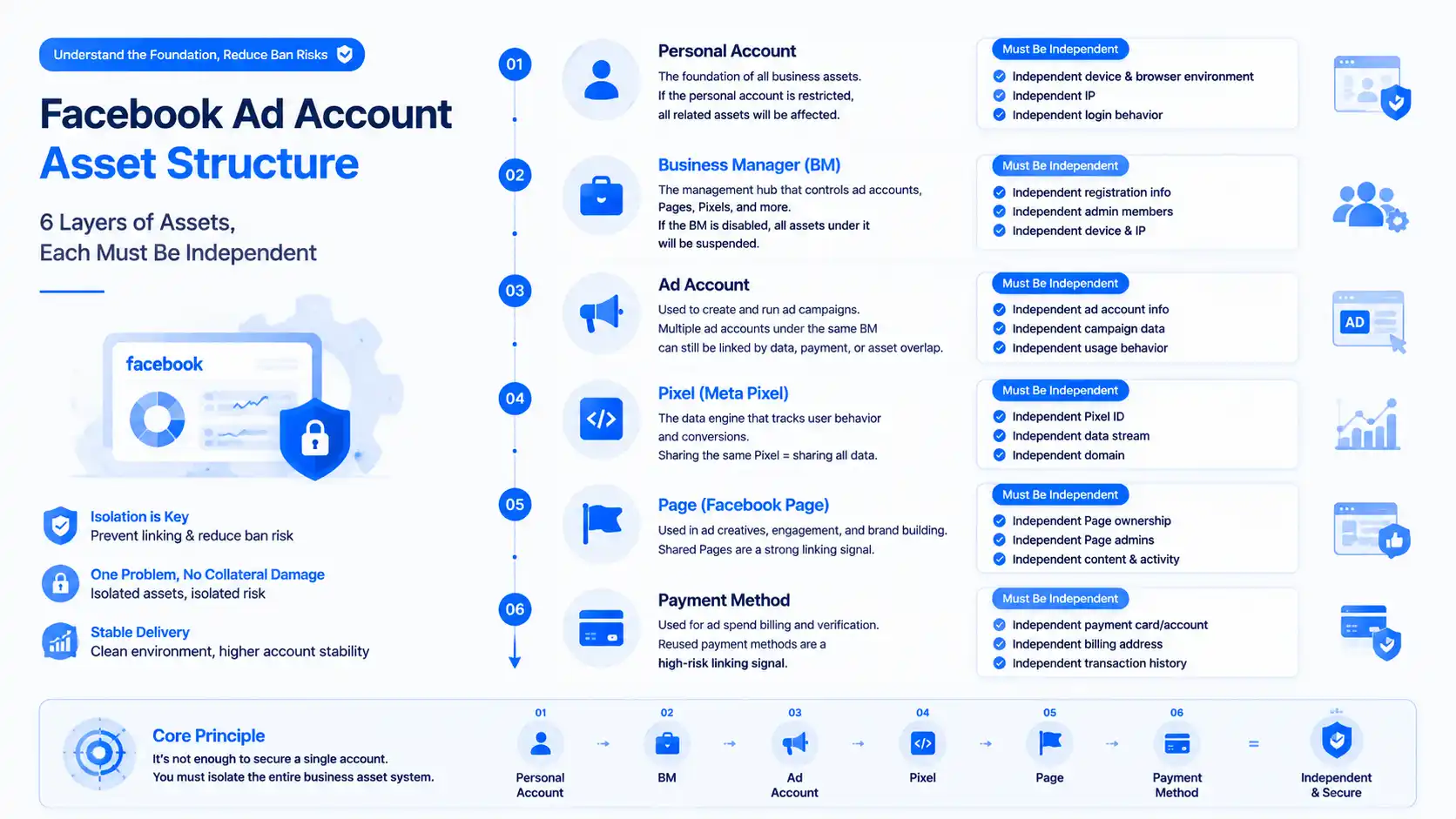
First, the hierarchy of Facebook ad accounts — this is the premise for understanding ban prevention (the nurturing logic for personal accounts is fully covered in Facebook Account Nurturing; here we focus on business assets):
- Personal account is the foundation: ad accounts hang under a personal account; if the personal account is banned, the ad accounts are directly affected — account nurturing is the premise of ad running.
- Business Manager (BM) is the control center: one BM can manage multiple ad accounts, Pages, and pixels — but if the BM is banned, all ad accounts under it stop together. This is the most critical layer in ad account ban prevention.
- Pixel (Meta Pixel) is the data heart: the pixel collects ad data; multiple ad accounts sharing one pixel means sharing all conversion data — Facebook can see the data and know "these accounts are run by the same team".
- Page and payment method are association points: ad accounts bind a Page for delivery and a payment method for billing — a Page repeatedly banned and a payment method repeatedly used are both association signals.
So the core of Facebook ad account ban prevention is not "a single account being safe" but environment isolation of the entire business asset system — personal account, BM, ad account, pixel, and payment method each independent, and only then can you say "one account down doesn't cascade".
Facebook Ad Account Association Judgment: Pixel, Page, and Payment Are Three Hard Gates
Facebook's association judgment for ad accounts has several more business dimensions than personal accounts (the principle of environment isolation is fully explained in MasBrowser fingerprint browser; in short, it is the reverse operation of browser fingerprinting, giving each set of assets its own independent environment profile):
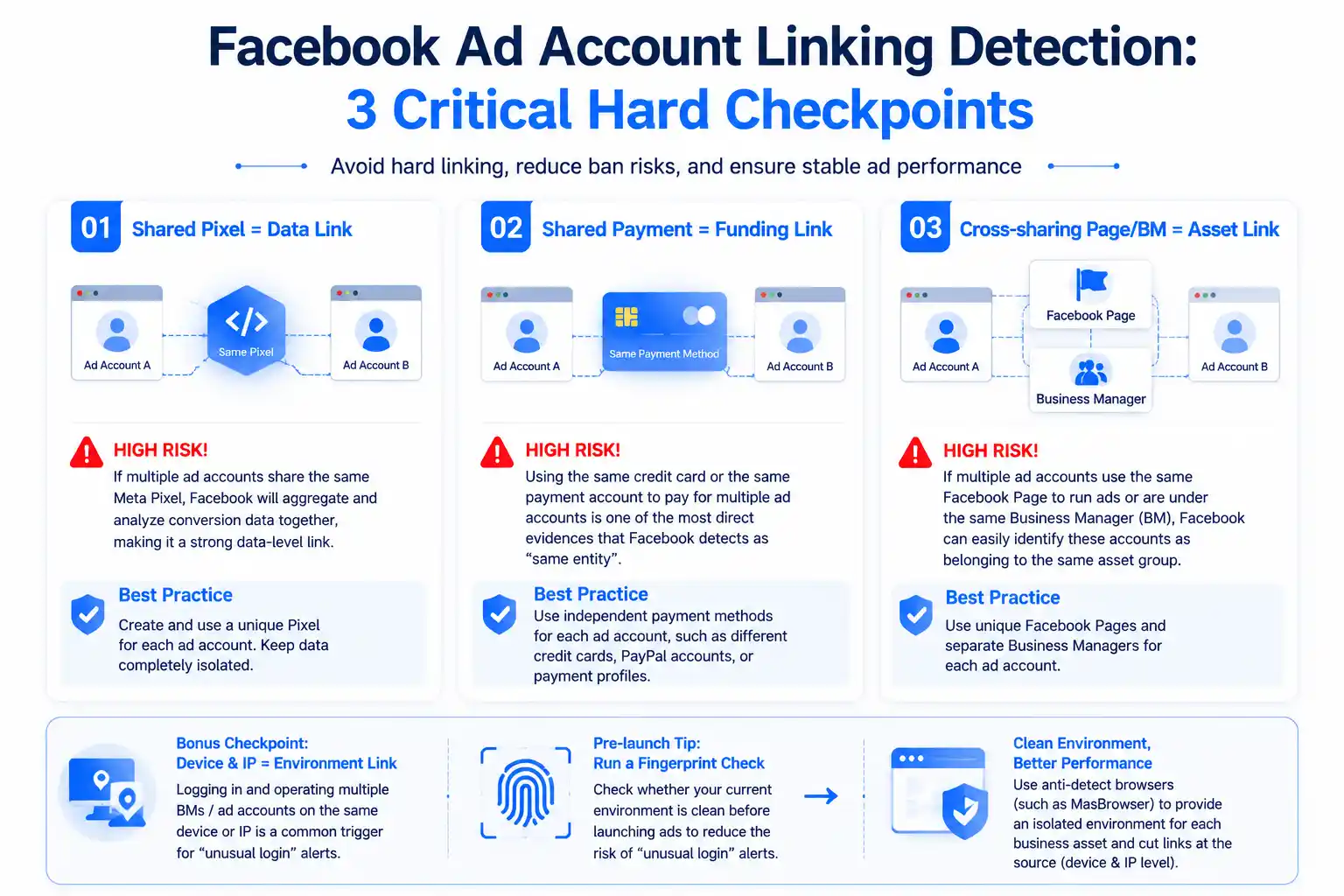
- Shared pixel = data association: multiple ad accounts sharing one Meta Pixel means Facebook merges and analyzes their conversion data — data-level association is harder to bypass than device-level.
- Shared payment method = financial association: using the same credit card or payment account to fund multiple ad accounts is one of the most solid pieces of evidence Facebook has for judging "same entity".
- Page and BM overlap = asset association: multiple ad accounts sharing one Page for delivery, or hanging under the same BM, lets Facebook see at a glance that "these accounts are one set of assets".
- Device and IP = environment association: logging into multiple BMs / ad accounts from the same device and IP is a frequent trigger of "unusual login" warnings — and this is the layer most easily overlooked.
Before launching ads, running a fingerprint check to see whether the current environment is clean is already a standard move for many advertisers — a clean environment visibly reduces the trigger rate of "unusual login" on ad accounts. This is also the core value of tools like MasBrowser — an anti-detect browser / fingerprint browser — in ad scenarios: giving each business asset its own independent environment cuts off device- and IP-level association at the source.
How to Structure Multi-Account Ad Campaigns: One Account, One Pixel, One Page
For multi-account ad campaigns, the correct asset structure is "one account, one pixel, one Page" rather than "multiple accounts sharing one set of assets":
- One ad account, one pixel: each ad account gets an independent Meta Pixel so data is not shared — with independent pixels, Facebook cannot see "multiple accounts funneling conversions to each other".
- One ad account, one Page: each ad account binds an independent Page for delivery, so a banned Page does not affect other accounts — the binding between Page and ad account must be clear.
- BM isolated by business line: different business lines (different markets, different categories) are managed by different BMs, each BM managing its own group of ad accounts — BM-level isolation means one BM issue does not affect other business lines.
- Independent payment methods: each ad account (or each group) uses an independent payment method — don't pay for all accounts with one card. Financial independence matters as much as credential independence.
The key to getting the structure right is that "each account is a complete set of independent business assets": personal account, BM, ad account, pixel, Page, and payment method all independent — before going live, run a browser fingerprint test to confirm each environment's fingerprint profile differs, and Facebook sees "several unrelated companies each running their own ads".
Ad Red Lines: Creative, Landing Page, and Payment Methods
With the account structure right, the ads themselves have red lines too — cross them and you still get limited:
- Creative compliance is the premise: ad creative violations (exaggerated promises, sensitive content, infringing material) are the #1 reason for restriction — with multi-account campaigns, if one account's creative is flagged, other accounts in the same environment get reviewed together.
- Landing pages must be truthful and consistent: ad promises inconsistent with landing page content is a frequent cause of rejection and restriction — multiple accounts sharing one "borderline" landing page is like joining the risk list together.
- Don't "reuse" payment methods casually: new accounts binding an old account's card for convenience — this is the most overlooked and most fatal association point. Each account gets an independent payment method.
- Don't blast new accounts: a new ad account starting with a huge budget is easily judged "suspicious ad behavior" — start new accounts small, scale gradually, the same logic as account nurturing.
Behind the four red lines is one logic: Facebook double-checks "ad quality" and "account behavior" — creative and landing page decide "can it run", environment and behavior decide "will it be associated".
Manage Ad Environments with MasBrowser
Environment management for multi-account ads is all about "one independent environment per business asset". Take MasBrowser as an example:
- Environment naming = business line-account-index: name environments like "ADS-market-account" (e.g.,
ads-us-01,ads-eu-02); the environment list shows at a glance which market each account runs, and the BM, pixel, and Page mapping stays crystal clear.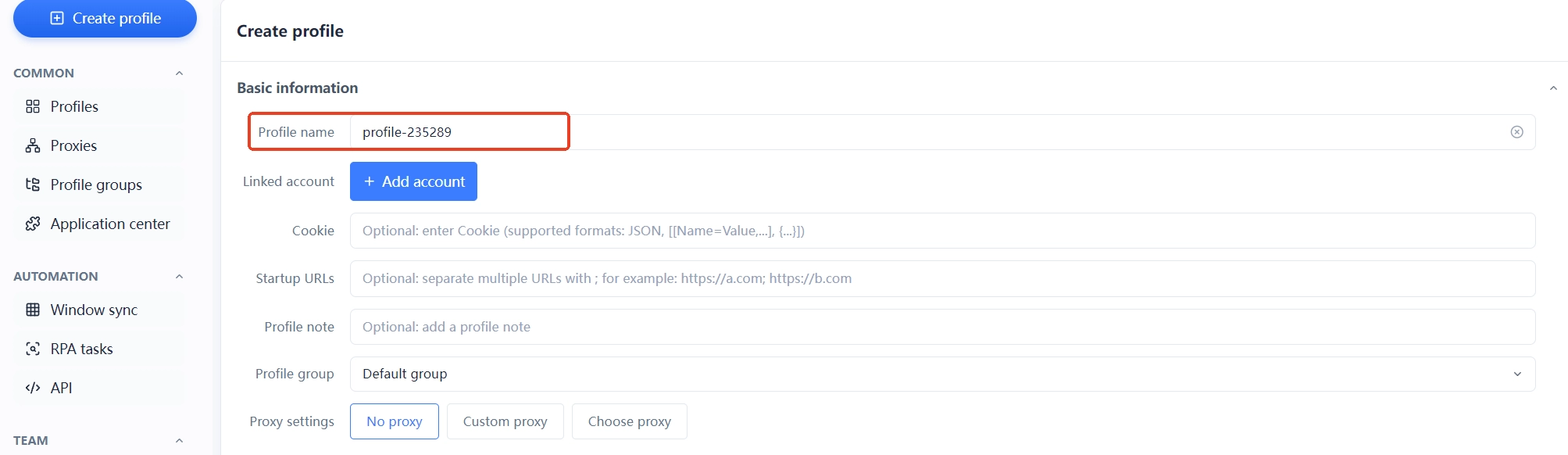
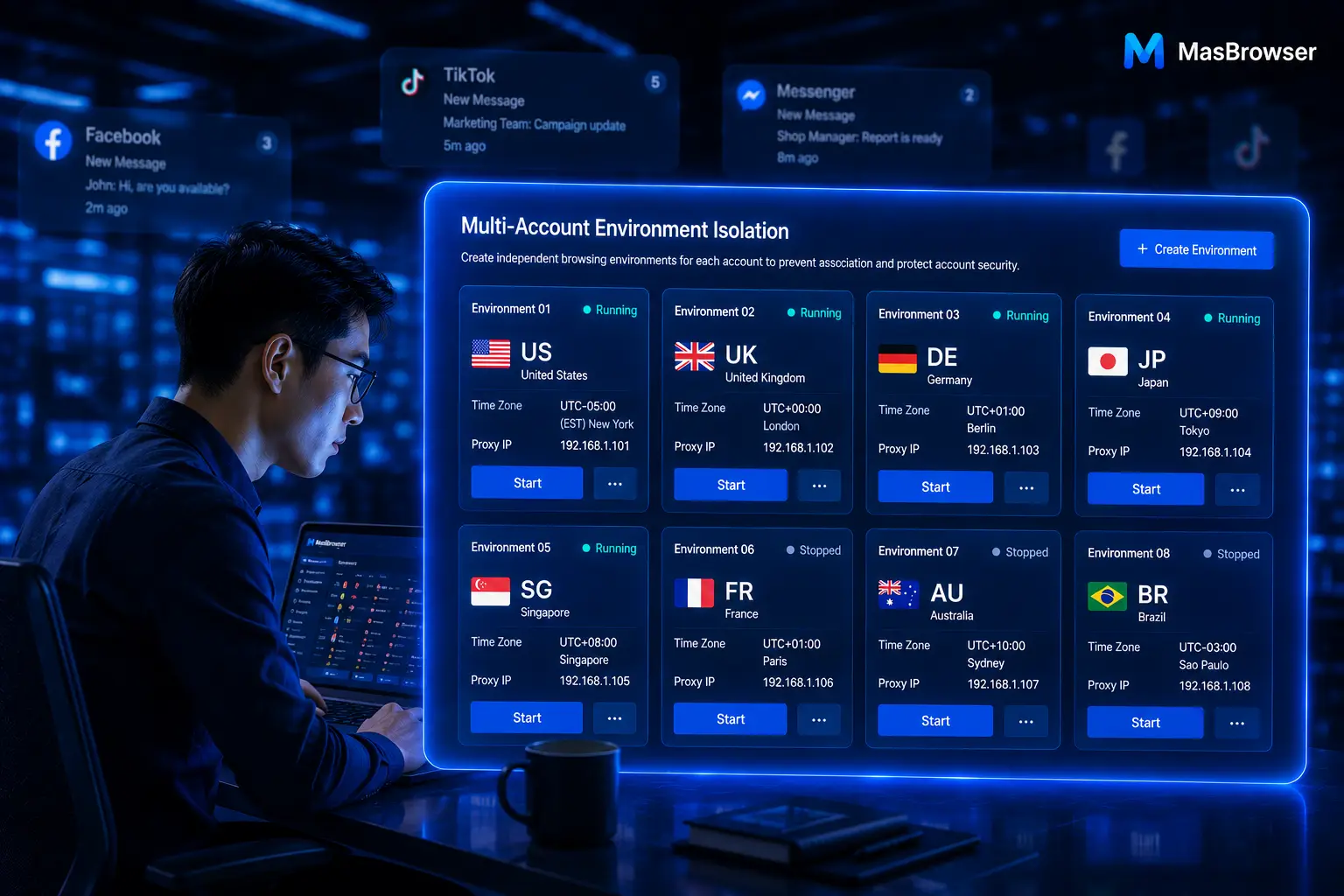
- One asset, one environment, one proxy: each ad account gets an independent environment and proxy (delivery region matches the target market); BM login, ad management, and pixel setup all happen in their own environments — device- and IP-level association is cut off at the tool level.
- Record asset bindings in notes: write each account's BM, pixel ID, Page, and payment method in the environment notes; when self-checking association, review this table first (team collaboration and sharing are explained on the environment management page).
- Zone environments by platform: if you run Facebook + Google Ads together, name and manage each platform's environments separately — platform dimensions won't mix when investigating association.
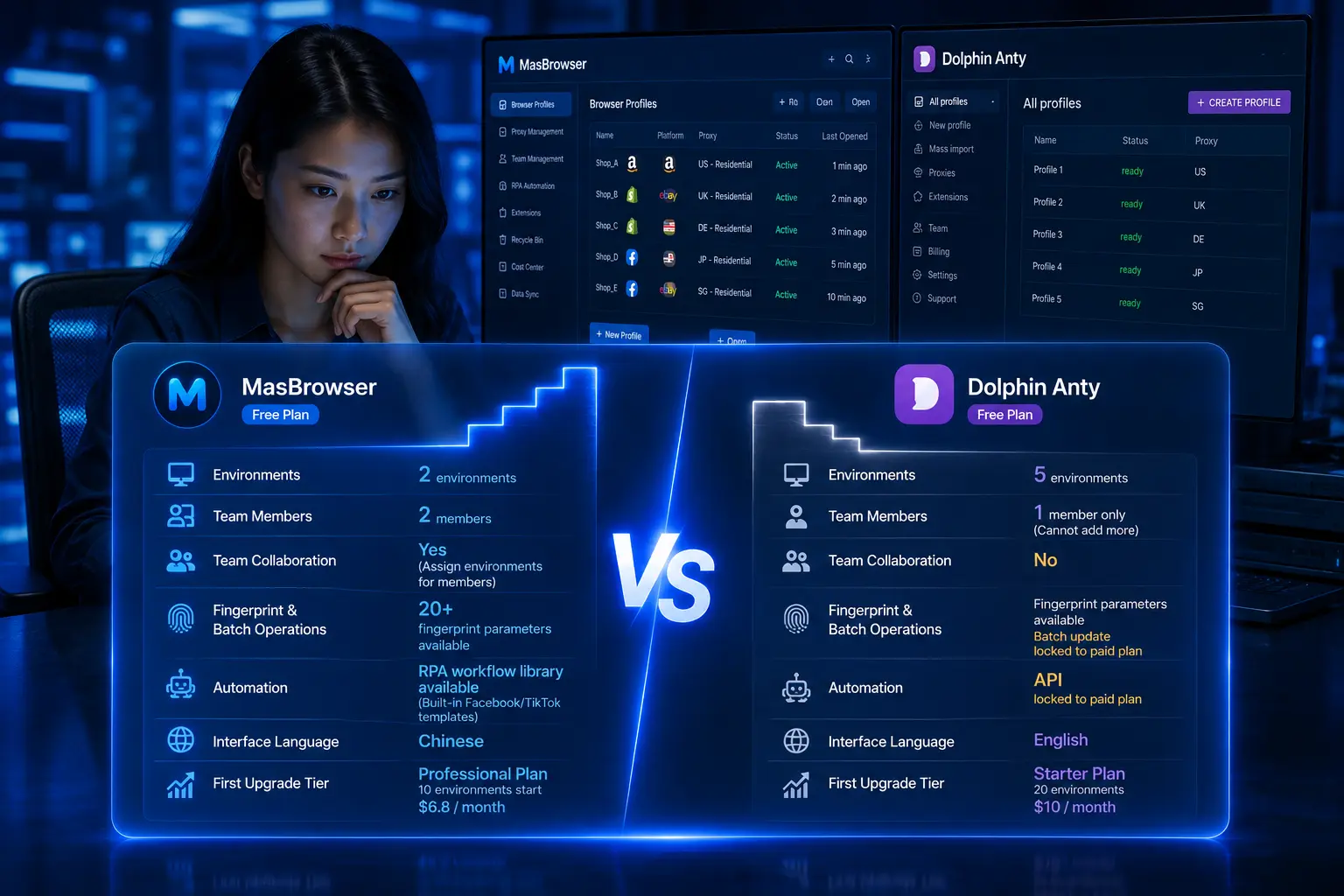
The moat of ad running is asset independence + environment independence + creative compliance all done right at the same time. The free plan already includes 2 environment slots — build the first ad account environment, get the process running, then replicate it step by step.
FAQ
What should I do when a Facebook ad account is restricted?
First check the reason: if it is creative/landing page violation, fix it and appeal; if it is "unusual login environment", self-check the environment first (whether the IP changed, whether multiple accounts are on one device), confirm it is clean, then appeal. Don't log in repeatedly or appeal repeatedly during a restriction — it can make things worse.
Can multiple ad accounts share the same pixel?
Not recommended. Sharing a pixel means data sharing — Facebook merges the conversion data of multiple accounts, and data-level association is harder to bypass than device-level. An independent pixel per ad account is the basic anti-association configuration.
Can one BM manage multiple ad accounts?
Yes, but it concentrates risk: if the BM is banned, all ad accounts under it stop together. For multi-business-line campaigns, split BMs by business line — each BM manages its own group of accounts, so one BM issue does not affect other business lines.
Can ad accounts be paid with the same credit card?
Not recommended — you could even say "absolutely not". Paying for multiple ad accounts with one card is one of the most solid pieces of evidence Facebook has for judging "same entity". Each ad account (or each group) needs an independent payment method.
How can a new ad account avoid being judged "suspicious"?
Run small budgets first (a few days of small-budget testing validates creative and data), then scale gradually; keep the environment clean — run a fingerprint test to check each environment's fingerprint profile is independent (also the fastest way to investigate "unusual login") — plus truthful, compliant creative and landing pages; "slow start + clean environment" is the safest way to open a new account.
Conclusion
The core of Facebook ad account ban prevention is not "a single account being safe" but environment isolation of the entire business asset system: personal account, BM, ad account, pixel, Page, and payment method each independent, and only then can you say "one account down doesn't cascade". First structure assets as "one account, one pixel, one Page", then give each account an independent environment, and finally manage creative and landing pages — do these three things right and the ad system can run long term.
One reminder: Facebook's review of ad accounts is famously strict — the clearer the asset structure and the cleaner the environment, the lower the chance of being "caught in the crossfire". Starting with the first ad account, think the asset structure through first (independent pixel, independent Page, independent payment), then give it an independent environment — the free plan's 2 environment slots are enough to start; download MasBrowser and build the first environment.