Google Ads Multi-Account Management: Prevent Account Linking with MasBrowser
Anyone managing Google Ads knows this "account linking" accident: you run several ad accounts for clients while logging in with the same Google account, and one account gets paused for a creative policy violation — the others immediately receive "review notices" too, because they all sit under the same Google account. One moves, all move. Worse, if multi-account ad serving is flagged as "circumventing systems," your entire account ecosystem can be blacklisted, and even an appeal is unlikely to help.
Google Ads differs from Facebook Ads here: Google offers an official multi-account management tool (MCC, My Client Center), so running multiple accounts is a compliant play — but between "compliant multi-accounts" and "accounts flagged as linked" stands an entire account architecture. This article explains the anti-association strategy for Google Ads multi-account operations — how the Google account system affects association, how to use MCC compliantly, how to structure multiple accounts, and which Google-specific red lines exist in ad delivery.
Why Do Google Ads Multi-Accounts Get "Linked"? Understand the Google Account System First
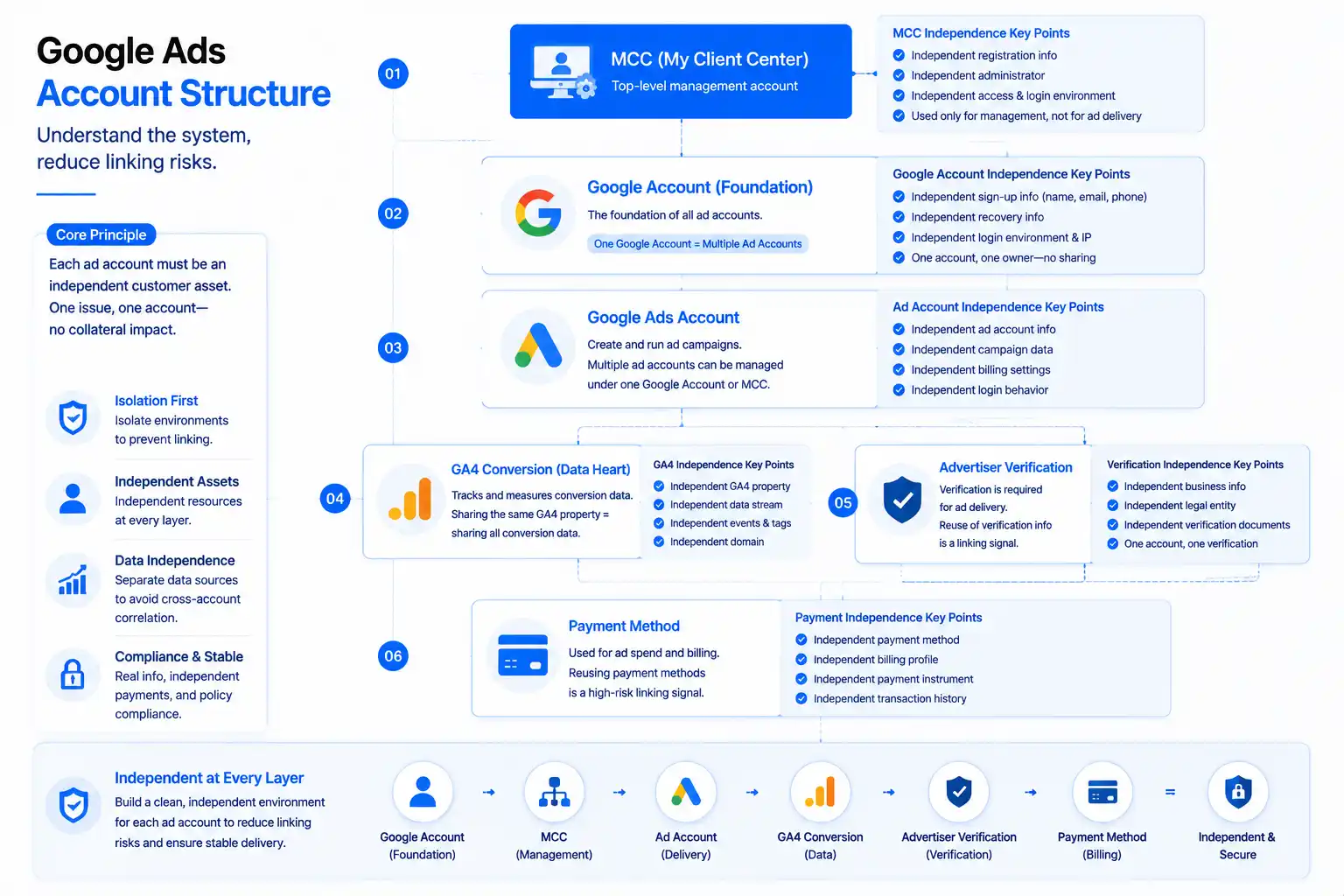
Let me start with the Google Ads account system, because it is the prerequisite for understanding association (for Facebook ad account protection logic, see Facebook Ad Account Ban Prevention — Google works completely differently):
- The Google account is the foundation: ad accounts sit under a Google account, and one Google account can hold multiple ad accounts — but if the Google account is banned, all ad accounts under it stop together. This is the root cause of Google Ads "linking."
- MCC is the official multi-account tool: Google provides manager accounts (MCC), and one MCC can manage multiple ad accounts — this is Google's recognized compliant way to run multiple accounts, used by agencies everywhere.
- Advertiser verification is the gate: Google requires "advertiser verification" (business verification, legal entity info) for ad serving, and the verification materials for multi-account campaigns must match each account — reusing verification materials is an association signal.
- GA4 conversion is the data heart: when multiple ad accounts share the same GA4 conversion events, they effectively share all conversion data — Google can tell from the data that "these accounts are run by the same people."
So the core of Google Ads multi-account anti-association is not "avoiding multiple accounts" (MCC itself is a multi-account tool), but making each ad account an independent "client asset" — independent Google account, independent verification materials, independent GA4 conversions, independent payment method.
Google Ads Association Detection: Three Differences from Facebook Ads
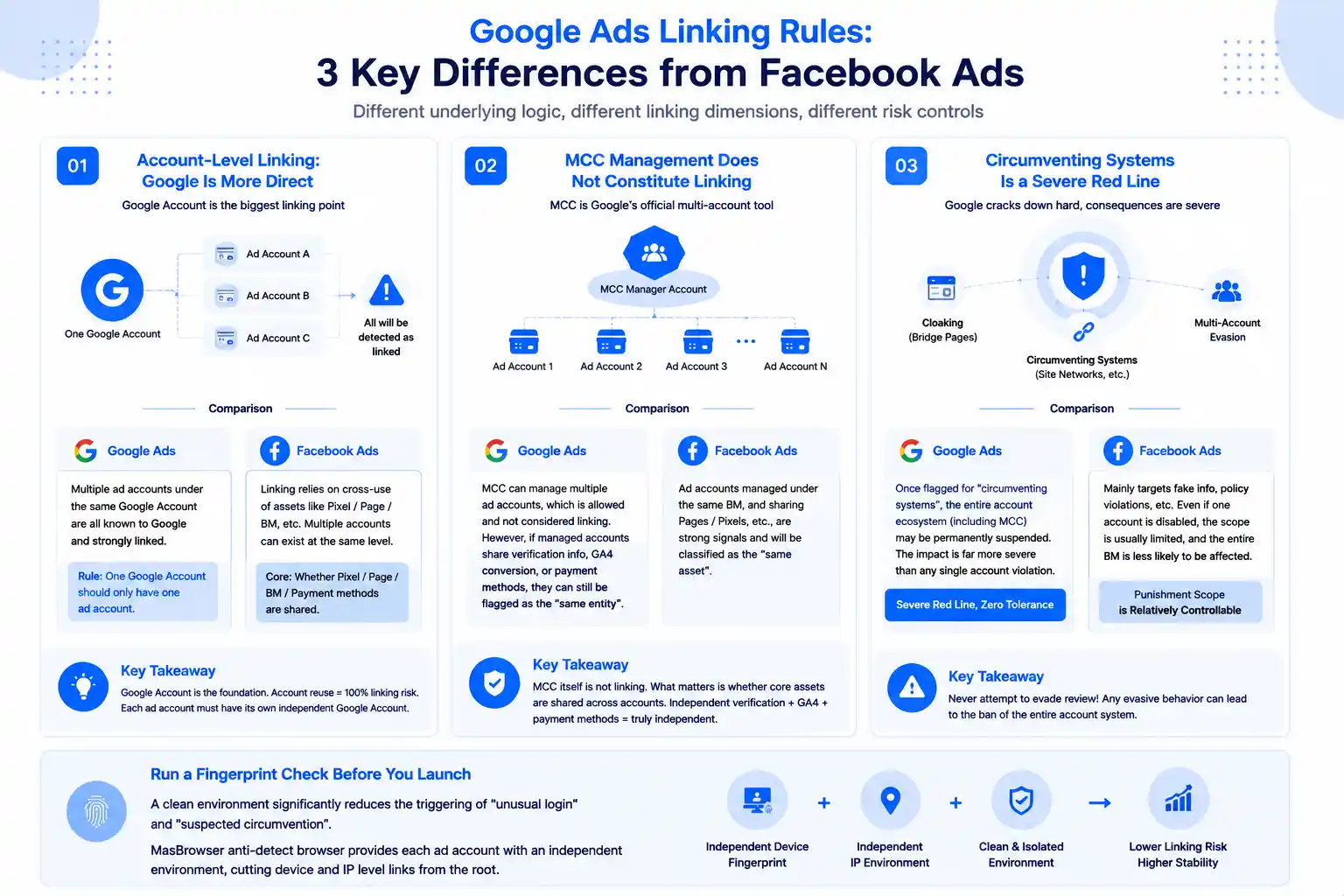
Google Ads association detection differs fundamentally from Facebook Ads (the principles of environment isolation are fully explained in the MasBrowser fingerprint browser article; here I focus on Google-specific dimensions):
- The Google account layer is the biggest association point: Facebook relies on "pixel/Page/BM" asset cross-references, while Google is simpler and more direct — when one Google account holds multiple ad accounts, Google knows all of them. The first principle of multi-account serving: one Google account should only hold one ad account.
- MCC management does not constitute association: Google officially allows MCC to manage multiple ad accounts, and management at the MCC level does not trigger association — but if the managed accounts share verification materials, GA4 conversions, or payment methods, they will still be judged as "the same entity."
- "Circumventing systems" is a felony-level red line: Google cracks down hard on "circumventing systems" (PBNs, bridge pages, using multiple accounts to evade review) — once flagged, the entire account ecosystem (including MCC) can be permanently banned, which is more severe than any single-account violation.
Before launching Google Ads campaigns, running a fingerprint check to see whether the current environment is clean has already become a standard habit for many media buyers — with a clean environment, the trigger rate for "unusual logins" and "suspected circumvention" drops noticeably. This is also the core value of anti-detect browsers like MasBrowser in Google Ads scenarios: giving each ad account an independent environment so that device- and IP-level association is cut off at the source.
How to Structure Multi-Accounts: MCC Hierarchy + One Account per Google Account
A compliant multi-account structure for Google Ads resembles Facebook's "one account, one pixel, one Page," but adds an MCC layer:
- One Google account, one ad account: log in to each ad account with an independent Google account, so the accounts are not associated with each other — this is the baseline for preventing "linking" (account-level independence matters as much as the asset layer).
- MCC hierarchy by business line: use multiple MCCs for different business lines (different clients, markets, or categories), with each MCC managing its own set of accounts — with MCC segmentation, a problem in one business line does not affect the others.
- Independent verification materials and conversions: each ad account's advertiser verification materials (business name, legal entity, address) are independent, and GA4 conversion events are independent — asset-level independence is just as critical as the account layer.
- Independent payment methods: each ad account has its own payment method (credit card / billing account) — don't pay for all accounts with one card — Google checks funding-level independence too.
The key to getting the structure right is making "each ad account an independent client asset": independent Google account, independent verification, independent GA4, independent payment — MCC is only for management, not asset sharing. Before accounts go live, run a browser fingerprint test to confirm each environment's fingerprint profile is distinct, and Google will see "several unrelated companies running ads separately."
Advertising Red Lines: Verification, Circumventing Systems and Creatives
With the account structure right, ad serving itself has Google-specific red lines:
- Advertiser verification must be real: Google's advertiser verification checks business name, legal entity, address, and website — fake or reused verification materials can fail verification at best and get flagged as "circumventing systems" at worst. Each account's verification materials must be genuine and independent.
- Never touch the circumventing-systems red line: PBNs, bridge pages, and using multiple accounts to evade review are high-risk behaviors that trigger Google's "circumventing systems" flag — once flagged, the entire MCC ecosystem can be banned. Multi-account serving must follow the compliant path of "real business, real creatives."
- Creatives and landing pages must match: Google is sensitive to Quality Score, and unrelated creatives and landing pages drag the score down and raise costs — don't share "edge-case" landing pages across multiple accounts.
- Don't rush new accounts: dumping a large budget on a new ad account can trigger "suspicious payment activity" — new accounts should start with a small budget, test, and scale gradually, following the same logic as account warming.
Behind these four red lines is one logic: Google's review of "compliant advertising" is systematic — MCC allows multiple accounts, but every account must be a "real business"; once you touch "circumventing systems," the whole ecosystem is at risk.
Managing Google Ads Environments with MasBrowser
The core of Google Ads multi-account environment management is "one independent environment per ad account." Take MasBrowser as an example:
- Environment naming = business line-account-sequence: name environments like "GADS-market-account" (e.g.
gads-us-01,gads-eu-02), so the environment list instantly shows which market each account runs in, and the mapping to MCC, GA4, and verification materials stays clear.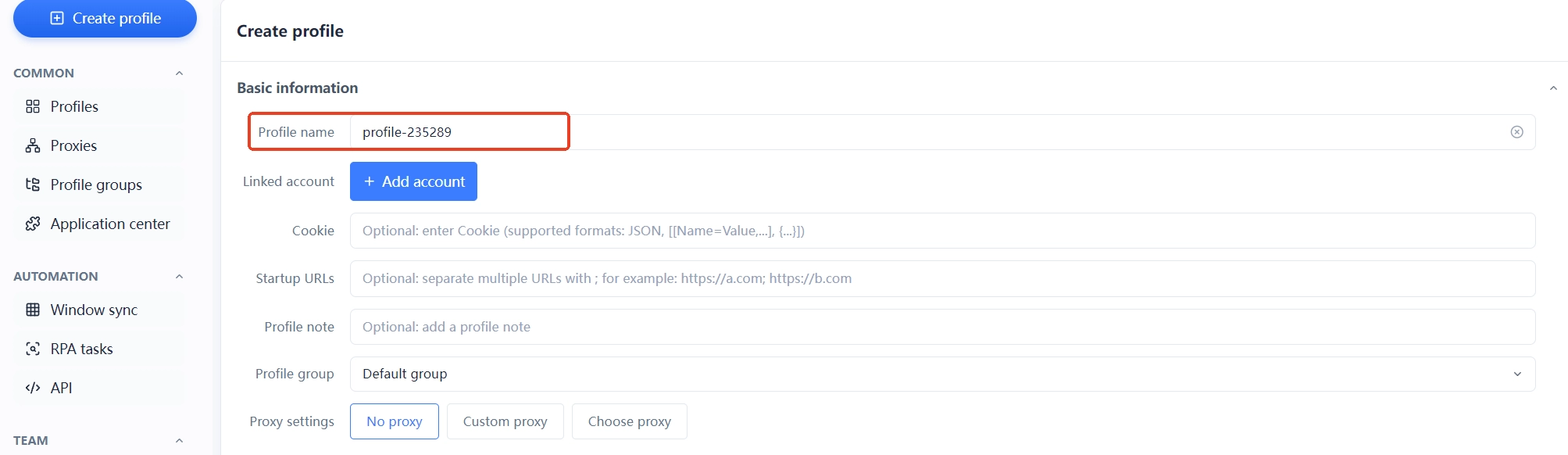
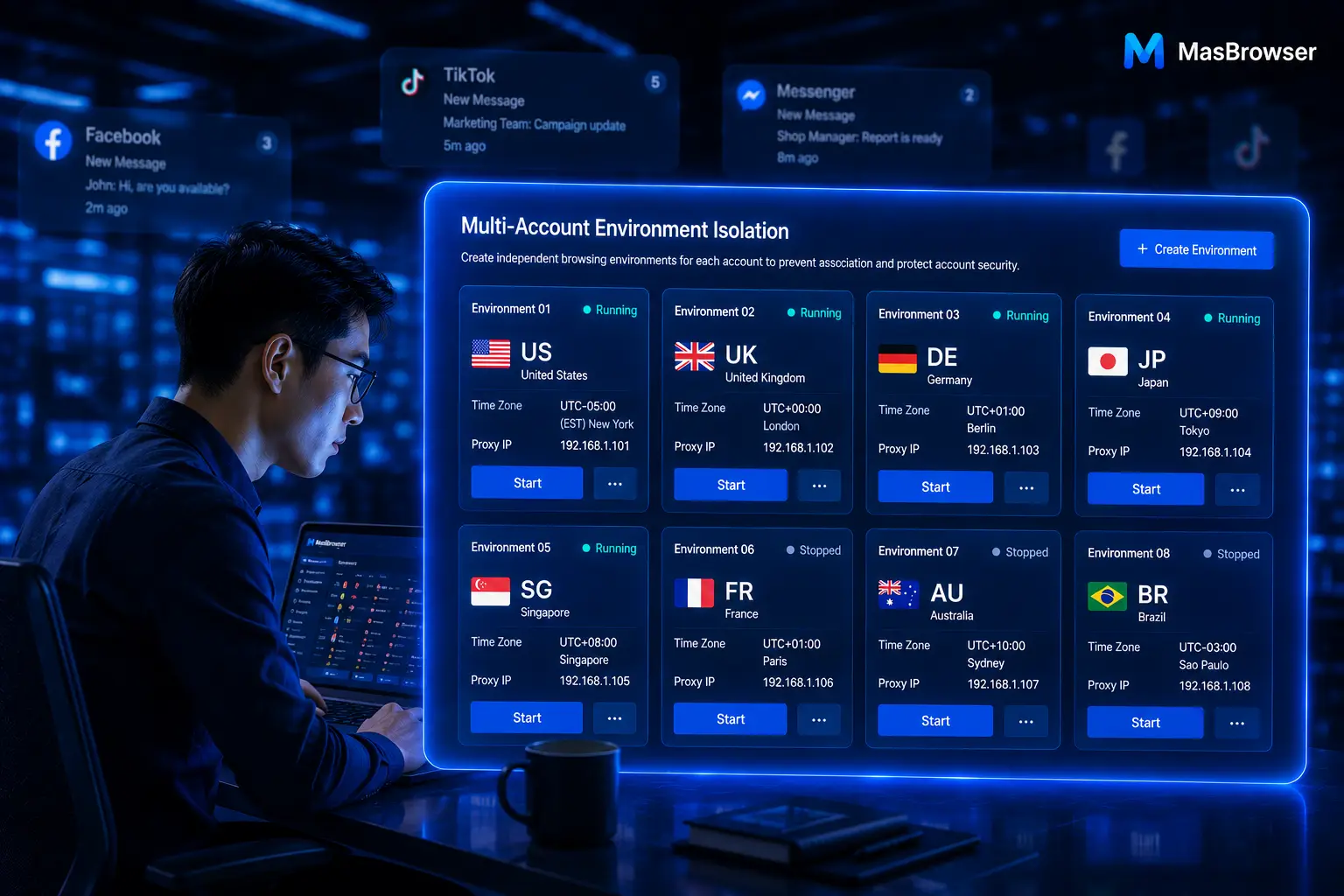
- One account, one environment, one proxy: each ad account gets an independent environment and an independent proxy (proxy region matching the target market); Google account login, ad management, and GA4 setup all happen inside their own environment — device- and IP-level association is cut off at the tool layer.

- Record asset bindings in notes: write down in the environment notes which MCC, GA4 resource, verification materials, and payment method belong to each account, so you can check this table first when auditing association (team collaboration and sharing usage is described on the multi-account management page).
- Separate multi-platform environments: if you run Google Ads and Facebook Ads at the same time, keep each platform's environments separately named and managed — so platform dimensions never mix when troubleshooting association.
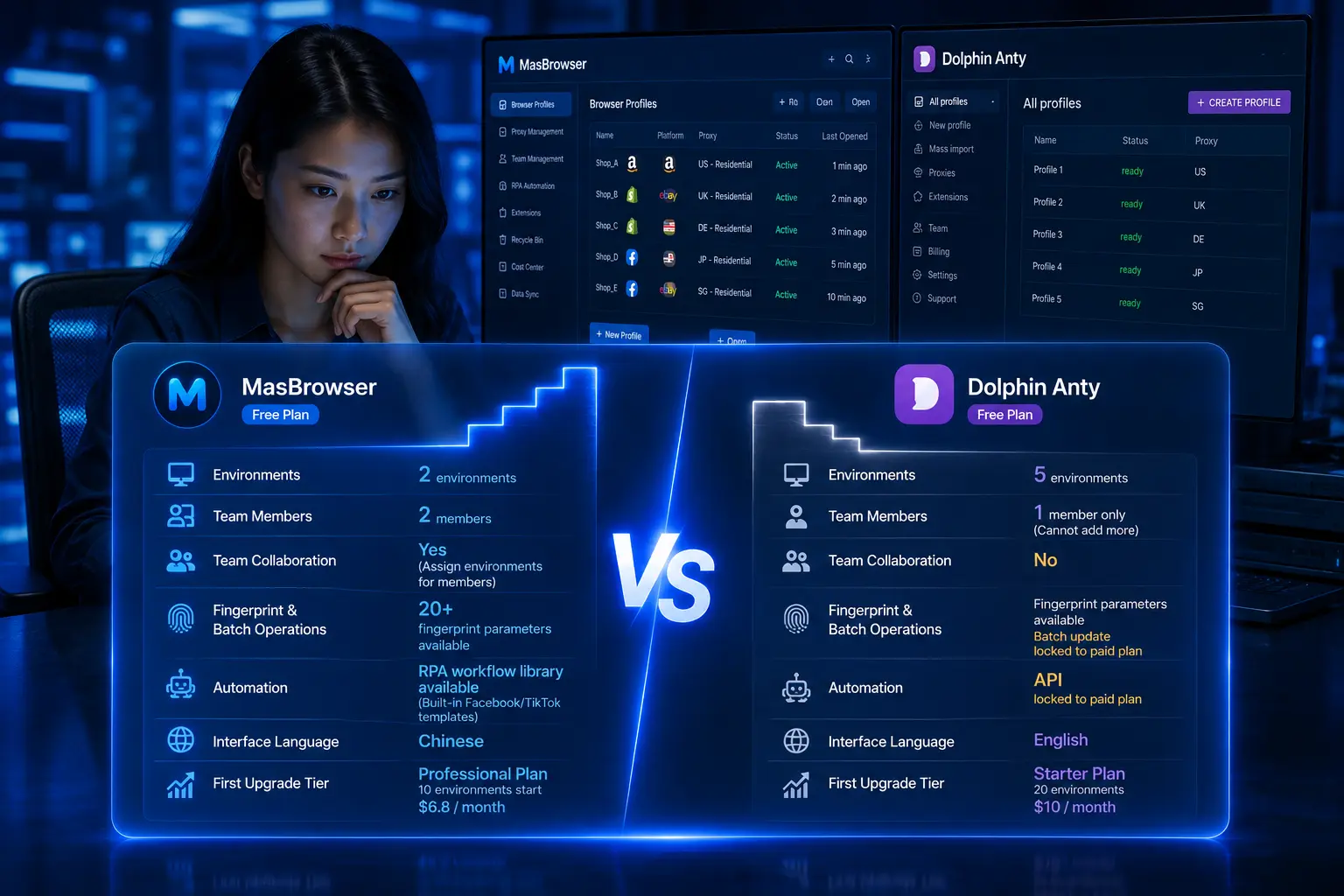
The moat of Google Ads ad serving is doing account independence + asset independence + compliant advertising all at once. The free plan already includes 2 environment slots — set up the environment for your first ad account, run the flow through, then replicate it step by step.
FAQ
Will Google Ads multi-accounts be flagged as associated?
Yes, but differently from Facebook: Google officially allows MCC to manage multiple accounts (this is the compliant path), and association mainly looks at whether the managed accounts share verification materials, GA4 conversions, or payment methods — shared assets are the key to Google judging "same entity."
How many ad accounts can an MCC manage?
An MCC can manage multiple ad accounts (the limit is very high), but I recommend splitting MCCs by business line — each MCC manages its own group of accounts, so a problem in one business line doesn't affect others, and you avoid "one big MCC getting caught in the crossfire."
Can multiple ad accounts share the same GA4 conversion events?
Not recommended. Sharing GA4 conversions means sharing data — Google merges conversion data across accounts for analysis, and data-level association is harder to bypass than devices. Give each ad account its own conversion tracking (GA4 or conversion events).
What if a Google Ads account is flagged for "circumventing systems"?
It's very serious. Circumventing systems is one of Google's heaviest violations — once flagged, the entire account ecosystem (including MCC) can be permanently banned, and appeal success rates are extremely low. Prevention first: real business, real creatives, real verification materials for every account, and never touch PBNs, bridge pages, or review-evasion tactics.
How can a new ad account avoid being flagged as "suspicious"?
Start with a small budget (run a few days to validate keywords and creatives) and scale gradually; keep the environment clean at the same time — run a fingerprint test to self-check that each environment's fingerprint profile is independent — plus real verification materials and consistent creatives and landing pages. "Slow start + clean environment" is the safest way to open a new account.
Conclusion
Google Ads multi-account operations differ from Facebook Ads most in the account system: Google officially supports multiple accounts (MCC), but every account must be an "independent real business." First structure "one Google account, one ad account + MCC hierarchy," then give each account independent environments, verification, GA4, and payment, and finally hold the "circumventing systems" red line — do all three right, and multi-accounts become a growth engine instead of a risk source.
One more reminder: Google's crackdown on "circumventing systems" is famously heavy, so multi-account serving must stay on the compliant path — real business, real creatives, real verification, which matter more than any trick. Start with your first ad account: think through the account and asset structure first (independent Google account, independent verification, independent GA4), then give it an independent environment — the free plan's 2 environment slots are enough to get started. Download MasBrowser and set up the first environment.