How to Manage Multiple LinkedIn Accounts? Environment Plan for B2B Outreach Matrices
Anyone in foreign trade, SaaS or headhunting knows this scene well: salespeople add target customers, send connection requests and chat about potential orders on LinkedIn every day, yet accounts keep getting "temporarily restricted" — connection requests stop going out, a "unusual activity detected" prompt appears, and the restriction lasts one or two weeks, completely disrupting the outreach rhythm. When the team works together it's worse: several people share one computer to log into accounts — today you log in, tomorrow I log in, nobody knows who logged into the wrong account.
LinkedIn has an essential difference from other social platforms: it's a professional social network, accounts represent real professional identities, and it manages "multiple accounts" the most strictly of all social media. This article is about a compliant environment plan for LinkedIn B2B outreach — what the platform's multi-account rules actually are, how to build a compliant outreach matrix, and how to manage environments in team collaboration without interfering with each other.
Why Is LinkedIn the Strictest? First Understand the Platform Rules
Let's state a fact first so the direction isn't wrong: LinkedIn's Terms of Service explicitly prohibit one person from creating multiple accounts — this is its biggest difference from Facebook and TikTok, where other platforms are "multi-account allowed by default, association monitored", while LinkedIn is "directly not allowed". Based on this premise, the correct understanding of LinkedIn multi-account operations is "multiple people, multiple accounts" in compliant scenarios:
- Personal account + Company Page is the official structure: LinkedIn supports a "personal account + Company Page" structure, and one Company Page can be managed by multiple employees — this is the officially recognized multi-account form and the main battleground for B2B outreach.
- One employee, one personal account: in team outreach, each salesperson registers a personal account with their own real identity (real name, real photo, real experience) — this is the compliance foundation; accounts are "colleague relationships", not "one person's sock puppets".
- Strict risk control is the norm: LinkedIn monitors personal account behavior extremely closely — new accounts adding people frequently, sending connection requests frequently, content that looks like ads all trigger restrictions. So the challenge of LinkedIn outreach isn't "opening multiple accounts" but "making every account operate like a real professional".
In one sentence: the correct posture for LinkedIn "multiple accounts" is "team multiple accounts + Company Page", not "one person batch-opening sock puppets" — the latter violates platform rules with an extremely high ban rate; don't touch it.
How to Build a B2B Outreach Matrix: The Company Page + Employee Account Division System
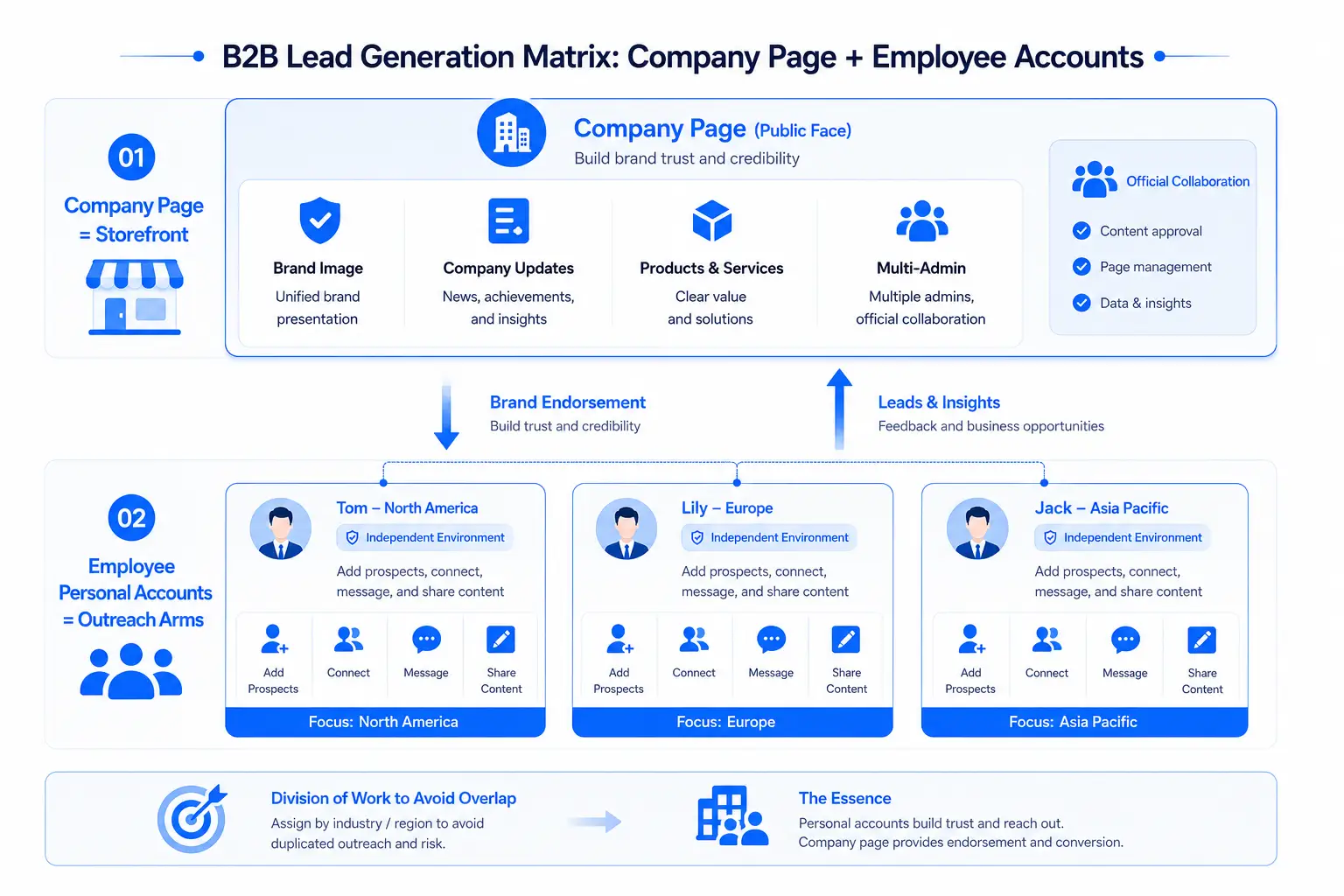
A compliant LinkedIn B2B outreach matrix is a "Company Page + employee personal account" division system, with each role handling its own segment:
- Company Page as the storefront: the Company Page handles brand image, company updates and product introductions — consistent content and messaging, serving as the outreach "trust endorsement". A Company Page can have multiple admins, and the official feature supports multi-person collaboration.
- Employee personal accounts as the tentacles: salespeople's personal accounts handle proactive outreach — adding target customers, sending connection requests, following up via messages, posting professional content. The "real professional identity" of personal accounts is the trust source that both LinkedIn's algorithm and customers recognize.
- Division to avoid collisions: for the same batch of target customers, the team should divide by industry/region — salesperson A handles North America, salesperson B handles Europe, avoiding multiple accounts adding the same customer simultaneously, which is both awkward and prone to triggering risk control.
The essence of the layout is "every salesperson is an independent professional, the Company Page is the shared brand" — personal accounts handle trust and reach, the Company Page handles endorsement and conversion, two layers working together is the right way to do LinkedIn outreach.
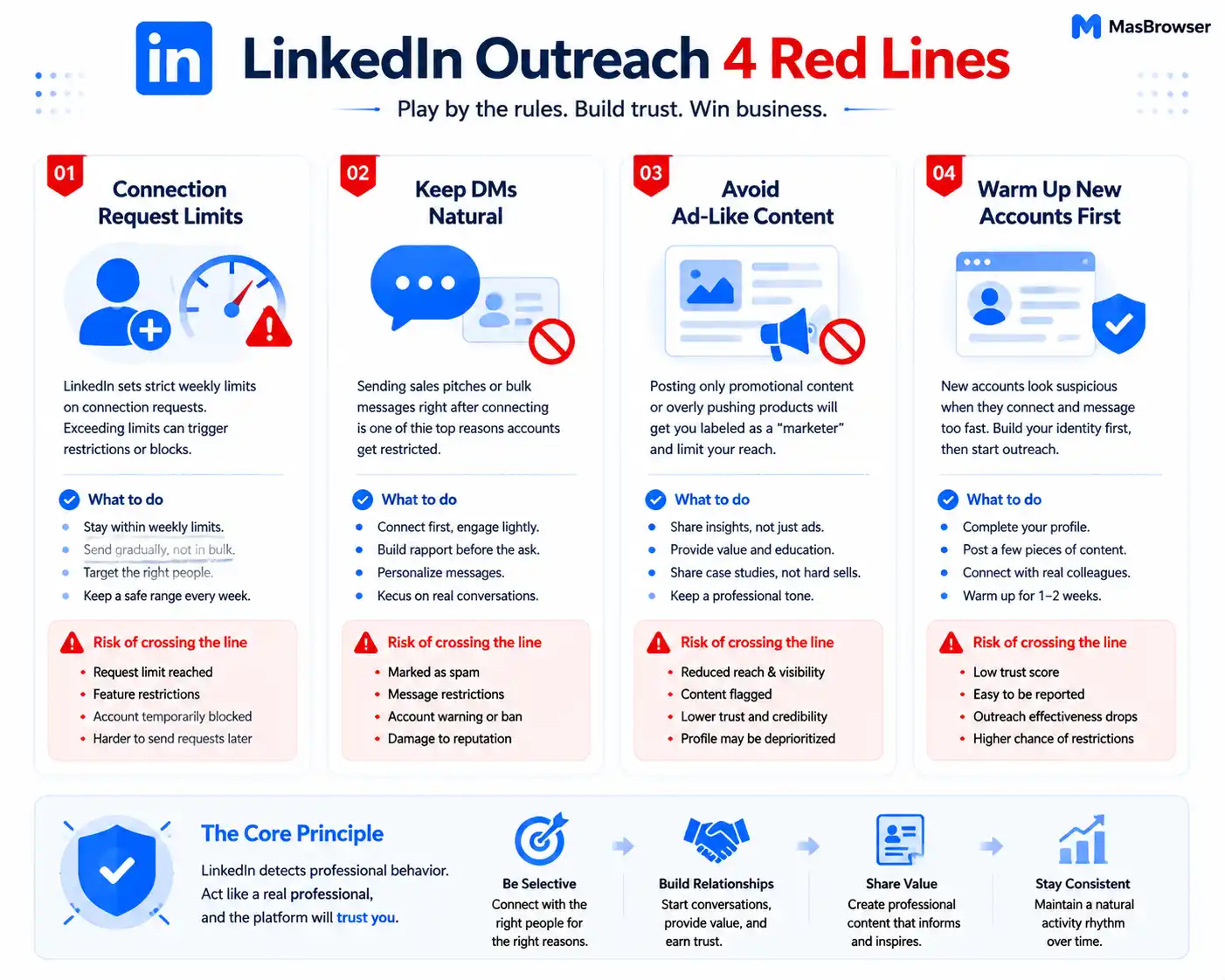
LinkedIn Outreach Red Lines: Connection Requests, Messages and Content Rhythm
The easiest place for LinkedIn outreach to flip over is the volume of connection requests and messages — the platform has hard limits here, cross them and it's temporary restriction or even a ban:
- Weekly caps on connection requests: LinkedIn restricts new accounts' connection requests heavily (a few dozen per week for new accounts, only one to two hundred for old accounts), exceeding triggers restrictions — many outreach accounts get restricted not for "violating rules" but simply "sending too fast".
- Restrain messages (InMail/messaging): sending ad messages to new connections immediately is a high-frequency cause of LinkedIn bans — establish the connection first, have interaction, then talk business; the rhythm should be like real business correspondence.
- Don't make content look like ads: content on personal accounts should have a "professional feel" — industry opinions, case studies, professional output, not all product ads; frequent hard ads get judged "marketing accounts", throttled and demoted.
- New accounts shouldn't rush outreach: newly registered personal accounts should nurture identity first (complete the profile, post some professional content, add some real colleagues), then start adding customers once the account "looks like a real professional" (personal account nurturing rhythm is like Facebook — small steps, slow pace; the specific method is in the Facebook account nurturing anti-ban article).
All four red lines share one logic: LinkedIn judges real people by "professional behavior". Real business people add people "selectively, with a reason"; if outreach accounts treat "batch add, mass message" as a pipeline, they're telling the platform "this is a marketing account".
How to Manage Team Outreach Environments: One Person, One Account, One Environment
In compliant scenarios, LinkedIn's "multiple accounts" are actually "multiple people, multiple accounts"; the core of environment management isn't "preventing one person from opening multiple accounts being associated" but preventing misoperations and account mix-ups in team collaboration (the full breakdown of environment isolation is in What Is a Fingerprint Browser):
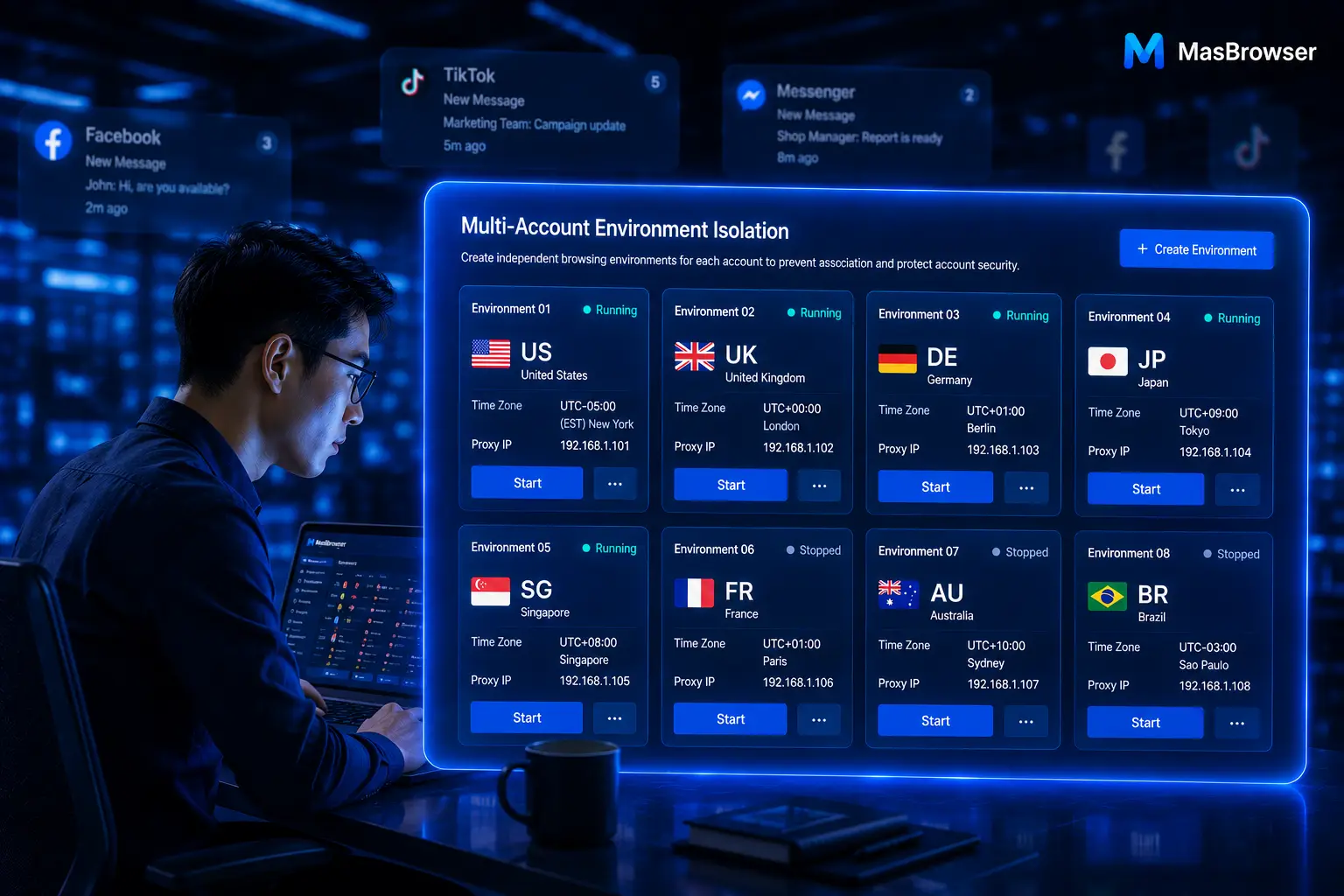
- One person, one account, one environment: every salesperson's personal account uses an independent browser environment and independent proxy — salespeople don't interfere with each other, nobody logs into the wrong account, and if one person's account has a problem it doesn't drag down others.
- Avoid shared-device logins: a team sharing one computer and switching accounts back and forth to log into LinkedIn is the most accident-prone operation — device-level login traces pollute each other, and you might "slip" and log into B's account inside A's environment.
- Company Page multi-person management uses official features: multi-person management of the Company Page goes through LinkedIn's official "admin" feature — there's no need and no justification for "shared account passwords"; account passwords stay only in the hands of the personal account owner.
In one sentence: the environment principle for LinkedIn team outreach is "each person gets an independent environment, accounts stay only with their owners" — independent environments solve misoperations and mix-ups, official features solve collaboration, both without conflict.
Managing a B2B Outreach Team Environment with MasBrowser
The hardest thing to manage in team outreach is "which environment corresponds to which salesperson, how environments get handed to newcomers" — relying on word of mouth will go wrong sooner or later. Taking MasBrowser as an example, here's how I manage a B2B outreach team:
- Environment naming = employee-market-number: name environments "LI-name-market" (e.g.
li-tom-us,li-lily-eu), so the environment list shows at a glance which salesperson handles which market — who owns what, crystal clear.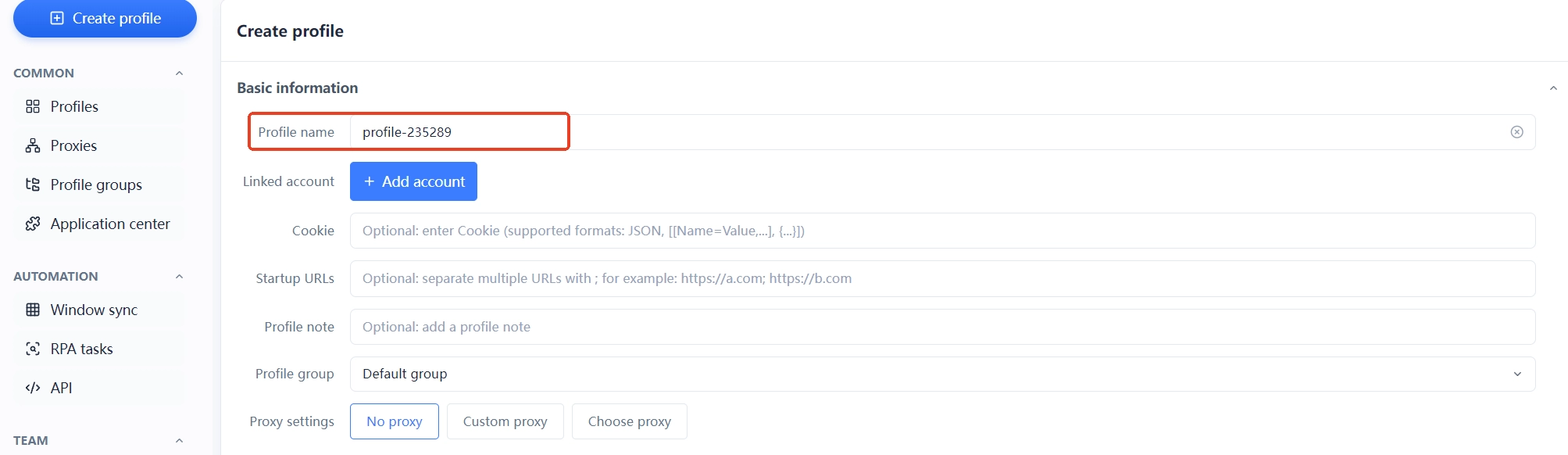
- One person, one environment, one proxy: every salesperson gets an independent environment and independent proxy (proxy region matches the target market), accounts never cross — mis-logins and mix-ups are prevented at the tool level.
- Handovers use environment sharing: when a salesperson leaves or changes roles, the environment is directly shared/transferred to the newcomer, with fingerprint, proxy and login state preserved as-is, no need to rebuild — newcomers get up to speed fast and business isn't interrupted (team collaboration and sharing usage is documented on the environment management page).
- Separate environments by platform: when salespeople run LinkedIn plus other social media, name and manage environments per platform separately, avoiding "mixed use in one environment".
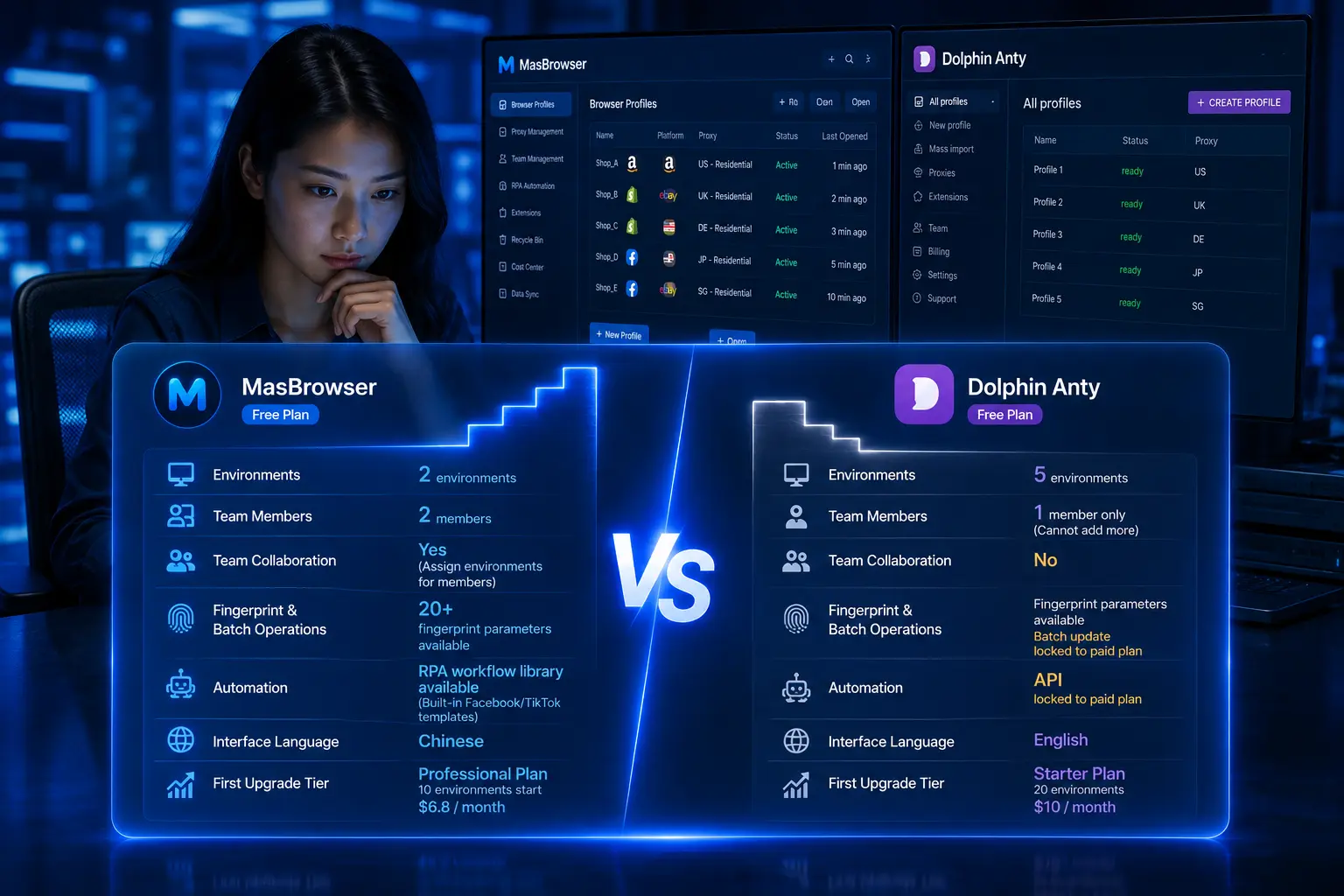
The moat of a B2B outreach team is doing one person one account + environment independence + restrained rhythm right at the same time. The free plan already includes 2 environment slots — build the first salesperson's environment, get the flow working, then replicate across the team step by step.
FAQ
Can one person register multiple LinkedIn accounts?
No. LinkedIn's Terms of Service explicitly prohibit one person from creating multiple accounts — the strictest of all social media. The compliant approach is "team multiple accounts" — each employee registers one personal account with their real identity, plus a Company Page for the brand.
What should I do if a LinkedIn account gets "temporarily restricted"?
Usually connection requests or messages were sent too fast. Handling: stop adding people and messaging for 7-14 days (the restriction lifts automatically), browse and post content normally during the period to nurture; after recovery, lower the connection request pace below the limit line. Don't repeatedly appeal or switch to a new account during the restriction — it makes things worse.
Can one Company Page be managed by multiple employees?
Yes, and it's the officially recommended approach. A Company Page supports configuring multiple admins, each admin logs in and manages with their own account — this is LinkedIn's officially recognized multi-person collaboration method, no shared account passwords needed.
How does team outreach avoid "account mix-ups"?
One person, one account, one environment: every salesperson's account only logs in within their own independent environment — no shared computers, no switching back and forth. Use a fingerprint browser to assign each salesperson an independent environment, accounts and devices are isolated at the tool level, and mis-login problems are solved.
How many connection requests per week is safe?
There's no universal number; LinkedIn adjusts dynamically by account age and reputation, and a few dozen per week for new accounts is relatively safe. The judgment standard is platform feedback — a "limit reached" prompt means you've exceeded it; lower the pace and nurture for a few days before continuing.
Conclusion
LinkedIn B2B outreach differs most from other platforms in platform rules: personal multi-accounts are a red line; team multiple accounts + Company Page is the compliant direction. First build the matrix in the compliant structure (one employee one account + Company Page endorsement), then manage the rhythm of connection requests, messages and content, finally use independent environments to control team collaboration — get all three right and outreach runs long-term.
One reminder too: LinkedIn's risk control is famously "uncompromising" — when temporary restrictions come, lower the frequency and nurture; don't push back hard or touch the gray-area operation of batch-account violations — on LinkedIn, compliance itself is efficiency. Start from the first salesperson's environment: set up the one-person-one-account independent environment, then roll out across the team step by step — the free plan's 2 environment slots are enough to start, download MasBrowser and build the first environment.