AdsPower vs MasBrowser: How to Choose Multi-Account Tools for Cross-Border E-commerce
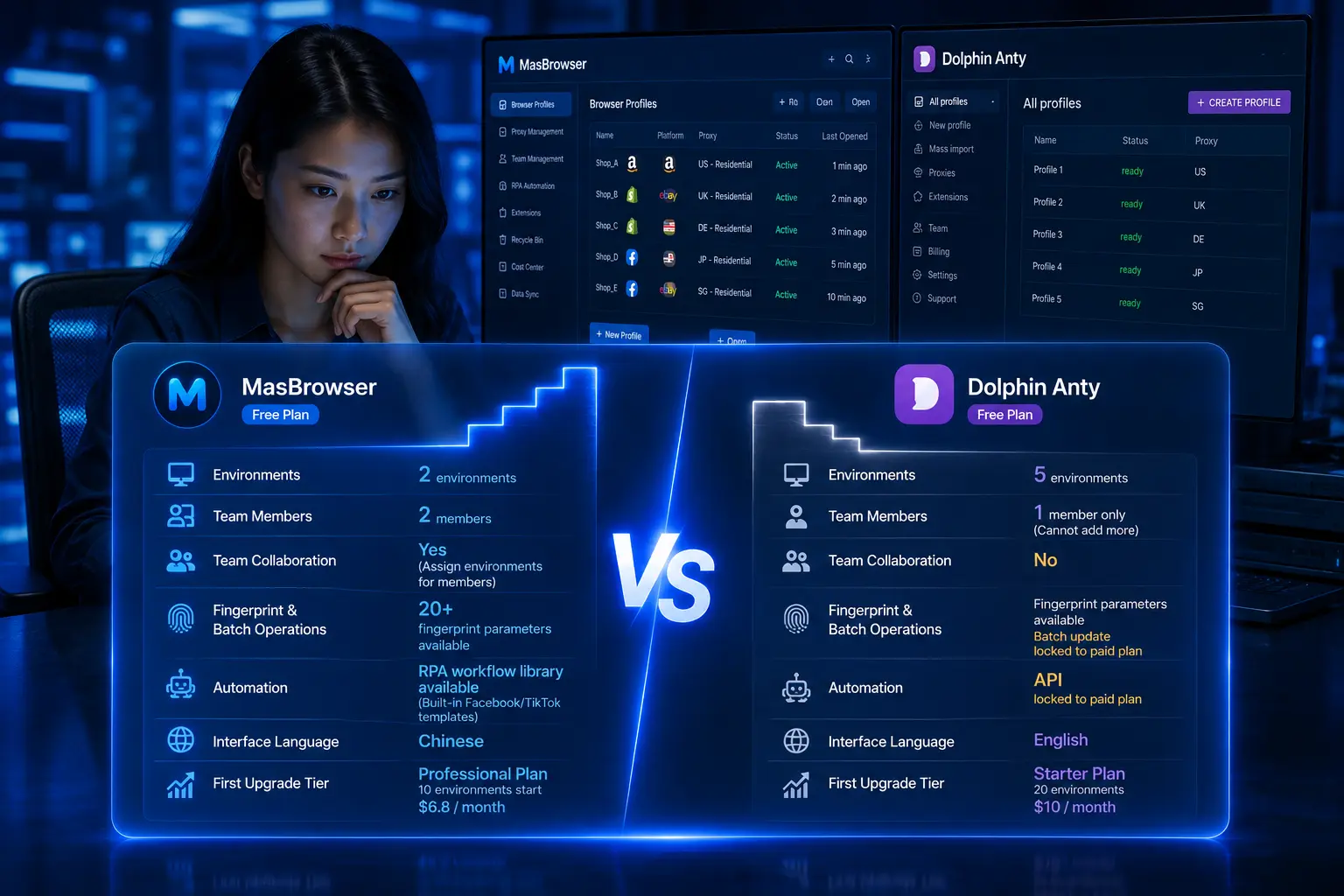
AdsPower is a long-established fingerprint browser with comprehensive features and a large user base; MasBrowser is an up-and-coming player focused on enterprise-grade multi-account security operations at a friendlier price. The two products are positioned differently, and many cross-border sellers hesitate between them.
Conclusion first: neither one "completely crushes" the other — it's about which one matches your team size and budget — AdsPower wins on comprehensive features and a mature ecosystem but costs more; MasBrowser wins on value for money and the "configure once, isolated forever" security approach, ideal for small and mid-sized teams.
This article follows a "decision path": first look at how two sellers' days differ, then break down the real differences across 6 core dimensions, then decision cards, and finally the cost and steps of migrating from AdsPower to MasBrowser.
A Day in the Life: AdsPower User vs MasBrowser User
First, two real daily scenarios to understand the positioning difference between the two tools.
Seller A (AdsPower user): In the morning, opens the client and team members each log into their own accounts — three people managing 20 stores. In the afternoon, needs to batch-check ad account status, opens window sync, clicks a few times on the main window, and 10 ad account environments sync operations. In the evening, finds a platform reporting "unusual environment", pulls up member operation logs to see who, when, and what was done. His use case: multi-member collaboration + operation logs + permission management.
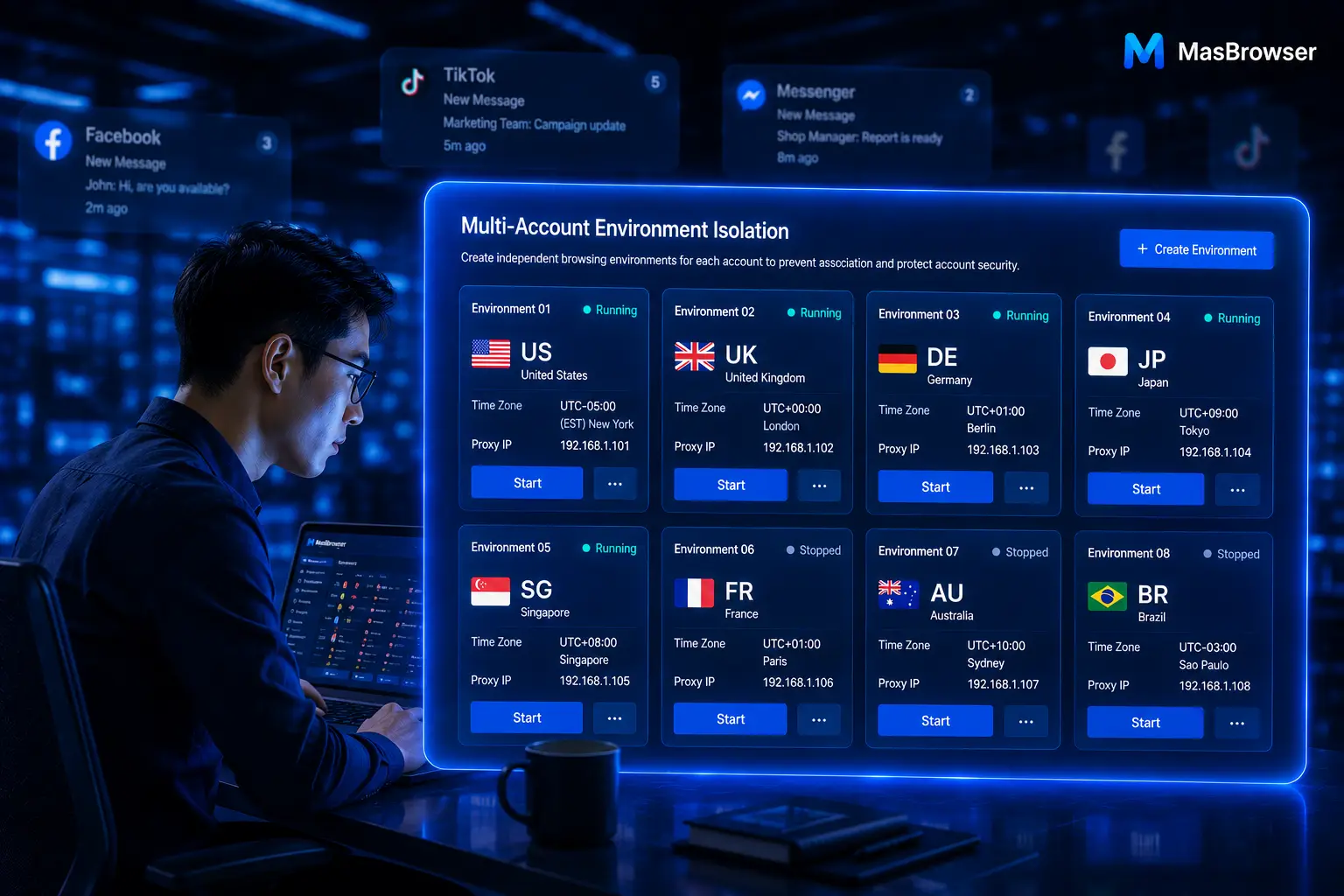
Seller B (MasBrowser user): In the morning, opens 8 independent environments on one computer, binding residential IPs from the US, UK and Japan respectively, checks each environment's Whoer anonymity score (keeping it at 90%+), and only logs into stores after confirming clean. In the afternoon, needs to open a new market, opens the create-environment window, picks a platform template (Amazon/TikTok etc.), fingerprint parameters auto-adjust based on "configure by IP", and an environment is ready in minutes. In the evening, uses Whoer + BrowserScan to verify whether two environments are truly isolated. His use case: environment verification + template-based creation + solo efficiency.
Both sellers use their tools normally — their needs just differ — AdsPower supports multi-member collaboration more completely, while MasBrowser is smoother for the "configure once, isolated" + verification workflow. Which to choose depends on which workflow looks more like yours.
6 Core Dimensions: How the Two Tools Differ
Both have fingerprint isolation, automation and team collaboration, but focus and pricing differ. Not about who has more parameters — about who matches your needs.
| Dimension | AdsPower | MasBrowser |
|---|---|---|
| Product stage | Established product, large user base, rich community resources | Up-and-coming, focused on multi-account security operations |
| Feature coverage | Comprehensive (fingerprint/automation/team/proxy/API all modules) | Core features complete, emphasis on environment isolation and security verification |
| Browser engine | Chrome + Firefox dual engine, built-in proxy resources | Chromium private engine, environment virtualization |
| Automation | RPA + window sync + Local API + MCP (AI tool integration) | RPA + window sync + API (incl. TikTok/Facebook workflow templates) |
| Team collaboration | Member permission tiers + operation logs + ISO/SOC 2 certification | Member groups + permission config + environment sharing access |
| Pricing | Comprehensive features, overall higher pricing (see official site) | Value-for-money route, friendlier pricing (see official site) |
Key signals:
- Comprehensive features are AdsPower's strength and the basis of its pricing — team compliance (operation logs, ISO/SOC 2), AI automation (MCP integration) are rare capabilities in the industry, hence the higher price.
- MasBrowser's differentiator is "environment security" — "configure once, isolated" (configure by IP, virtualized environments), platform templates, environment verification workflow, at a friendlier price for small/mid teams and budget-conscious users.
- Both have Chinese interfaces, no language barrier for local teams.
It's not "which is better" but "whose value fits the modules you need". Need the full suite and have budget? AdsPower is the mature option. Core need is environment isolation and value — MasBrowser matches better.
Decision Card: When to Choose Which?
Get clear on "when AdsPower fits" vs "when MasBrowser fits" to avoid detours.
Choose AdsPower when:
- Team of 5+, need member permission tiers + operation logs (compliance audit scenarios)
- Need ISO/SOC 2-style international security certifications (often required for enterprise clients, cross-border payments)
- Need MCP integration to dispatch browsers from AI tools like Claude, Cursor
- Budget sufficient, willing to pay for "comprehensive + mature ecosystem"
- Already an AdsPower user, migration cost exceeds benefit
Choose MasBrowser when:
- Solo or 2-3 person small team, limited budget, value-conscious
- Business driven by "environment count growth" (multi-market, multi-store), values platform templates and environment sharing
- Emphasis on "can the environment pass detection tools" (Whoer + BrowserScan post-config re-checks)
- Want to run the full flow on the free plan first before paying
- Later entrant brand, but core features (fingerprint isolation/RPA/window sync) already cover daily operations
When neither fits well:
- The need is "bulk scraping + multi-account + single-source IP" — not a fingerprint browser's strength; RPA + regular browser + proxy may be cheaper
- Business just starting with 1-2 accounts — use a regular browser + incognito window first, add tools when accounts grow
- Expect "never detected by any platform" — no tool guarantees that; environment management + behavior rhythm are the core
Migrating from AdsPower to MasBrowser: Cost and Steps
Many AdsPower users consider switching for price or feature fit — migration isn't complex, but it needs a method. A pragmatic migration guide follows.
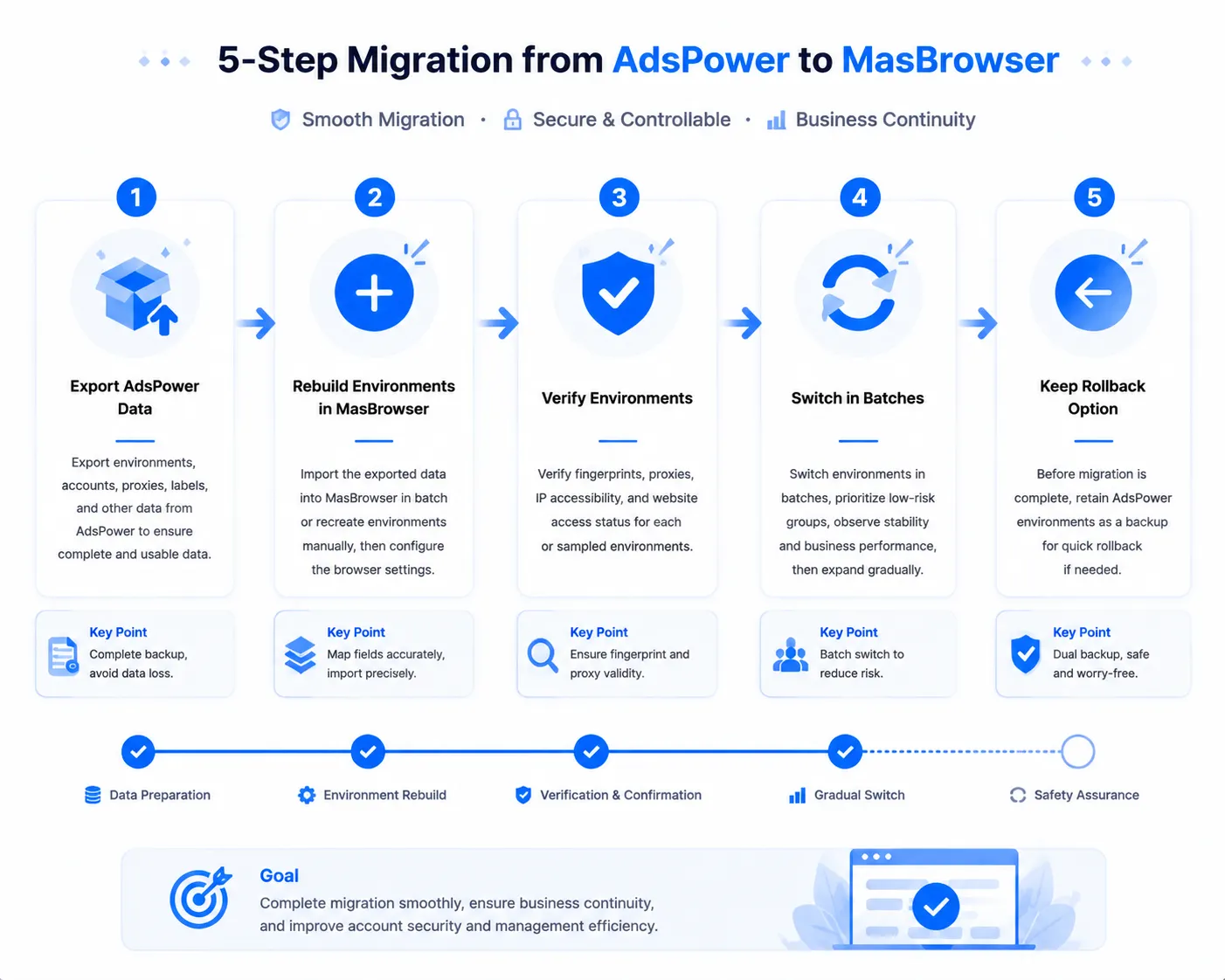
Step 1: Assess whether migration is necessary
Don't switch "just to switch". Self-test: do you use AdsPower's exclusive core capabilities (ISO certification/MCP integration/operation log audit)? If yes, migration loses those; if no, and MasBrowser's price and features fit better, migration pays off.
Step 2: Export AdsPower data
AdsPower supports environment export (Cookie, account info, proxy config), usually as an archive. Test-export 1-2 environments first, verify completeness before full export — don't do a full export right away; format issues would be a headache.
Step 3: Rebuild environments manually in MasBrowser
Note: MasBrowser currently does not support directly importing AdsPower export files — migration requires manual rebuild. Specifically: create environments one by one in MasBrowser based on the exported account info — environment name, proxy IP, fingerprint parameters — then fill in the exported Cookie (or log in again in the new environment). Platform templates (Amazon/TikTok etc.) preset fingerprints, and "configure by IP" auto-links timezone and language, saving a lot of manual config time. The manual rebuild workload is the bill to calculate before migrating: the more accounts, the longer this step takes.
Step 4: Verify environments
This is where it most often goes wrong. After creating each new environment, verify fingerprint authenticity and environment isolation with Whoer + BrowserScan (method in the ip-api + BrowserScan two-tool test). Log in only after verification passes — don't skip verification and log in directly; by the time you find a problem it's too late.
Step 5: Switch in batches, keep a fallback
Don't switch all accounts at once. Switch 5-10 non-core accounts first, verify a week of stability, then batch-switch the rest. Keep AdsPower around until old accounts are stable. Leave a rollback window.
Overall migration time: 5-10 accounts about 1-2 days (create + verify), 50+ accounts about 1-2 weeks (batch + verify + switch). Depends on account count and network conditions.
After Choosing: Two Things Not to Overlook
Choosing is just the start; two things beyond the tool determine account security.
- Verify with the free plan first, upgrade later. No tool selection can skip this — "hands-on testing" is the only credible selection standard (the fingerprint detection tools roundup has the full method). Build two environments, configure fingerprints, run detection tools once — more useful than reading ten comparison articles.
- Behavior rhythm matters more than the tool. Both tools solve the "environment dimension", but platforms also watch the "behavior dimension" — login time, operation rhythm, content behavior. No matter how clean the environment, mass adding friends at 3 a.m. still gets flagged. Tools solve the environment; behavior rhythm depends on operational habits (the anti-association browser vs regular browser article has the full framework).
FAQ
Which is better for beginners, AdsPower or MasBrowser?
Both fit, but onboarding paths differ. First-time fingerprint browser user unsure how to configure environments? MasBrowser's platform templates and "configure by IP" are friendlier for beginners (most parameters auto-selected when creating environments). Want tons of tutorials and community discussion? AdsPower's community resources are richer.
Can I migrate from AdsPower to MasBrowser?
Yes, but manual rebuild is required. MasBrowser currently doesn't support importing AdsPower export files directly — export Cookie and account info from AdsPower first, then manually create environments in MasBrowser, fill in the Cookie (or log in again), bind the matching proxy, verify, then use. Fine with few accounts; with many accounts, calculate the manual rebuild workload before migrating.
Why is AdsPower more expensive?
Comprehensive features are the pricing basis — dual engine, operation logs, ISO/SOC 2 certification, MCP integration cost a lot to develop and maintain, hence the higher price. If you don't use these premium modules, paying for them isn't worth it — that's exactly the space for value products like MasBrowser.
Which one for a 10+ person team?
10+ usually goes with AdsPower. Its multi-member permissions, operation logs and ISO/SOC 2 certification are compliance must-haves for teams; MasBrowser is at an earlier stage here. But if the team doesn't need those compliance features and just needs "multi-account collaboration", MasBrowser suffices — depends on how much the team needs "audit".
Conclusion
AdsPower and MasBrowser are two differently positioned products: the former is established, comprehensive and pricier; the latter is a newcomer focused on environment security at a friendlier price. Choosing isn't about "who's stronger" but "who matches your team size and budget".
Whatever you choose, remember two things: verify with the free plan first, then pay; tools solve the environment, behavior rhythm depends on operational habits. The free plan includes 2 environment slots: download MasBrowser, build two environments and run them through the method in this article — results speak loudest in tool selection. For complete independent environments and fingerprint isolation configuration, see the MasBrowser multi-account security management page.