Deploying a Fingerprint Browser to a Cloud Server: AWS / Alibaba Cloud / Tencent Cloud Guide
People running multiple accounts have almost certainly hit these pain points: close your local computer and automated tasks stop; several teammates need the same environment and can only queue up; you are on a business trip and want to log into an account, but the environment "runs" on the computer at home.
Deploying a fingerprint browser to a cloud server solves all of these at once — environments stay online 24/7, remote access is available anytime, and team collaboration no longer conflicts. This article explains clearly: why go cloud, how to choose among the three cloud providers, the concrete deployment steps, and the pitfalls most likely to trip you up.
Why Deploy a Fingerprint Browser to a Cloud Server?
In one sentence: a cloud server makes environments "always online" — whether your local computer is off, the network is down, or you are traveling, account environments keep running.
Three most typical values of deployment:
- Runs 24/7: automation tasks (RPA account nurturing, scheduled posting) don't depend on whether your computer is on — the server is always online, tasks run on schedule.
- Access from anywhere: through Remote Desktop, you can connect to the server and operate environments from any device, any place — no need to "tie" environments to a single computer.
- Team collaboration without conflict: teammates share environments on the server with clear division of work — no fighting over the same computer.
Cloud deployment architecture
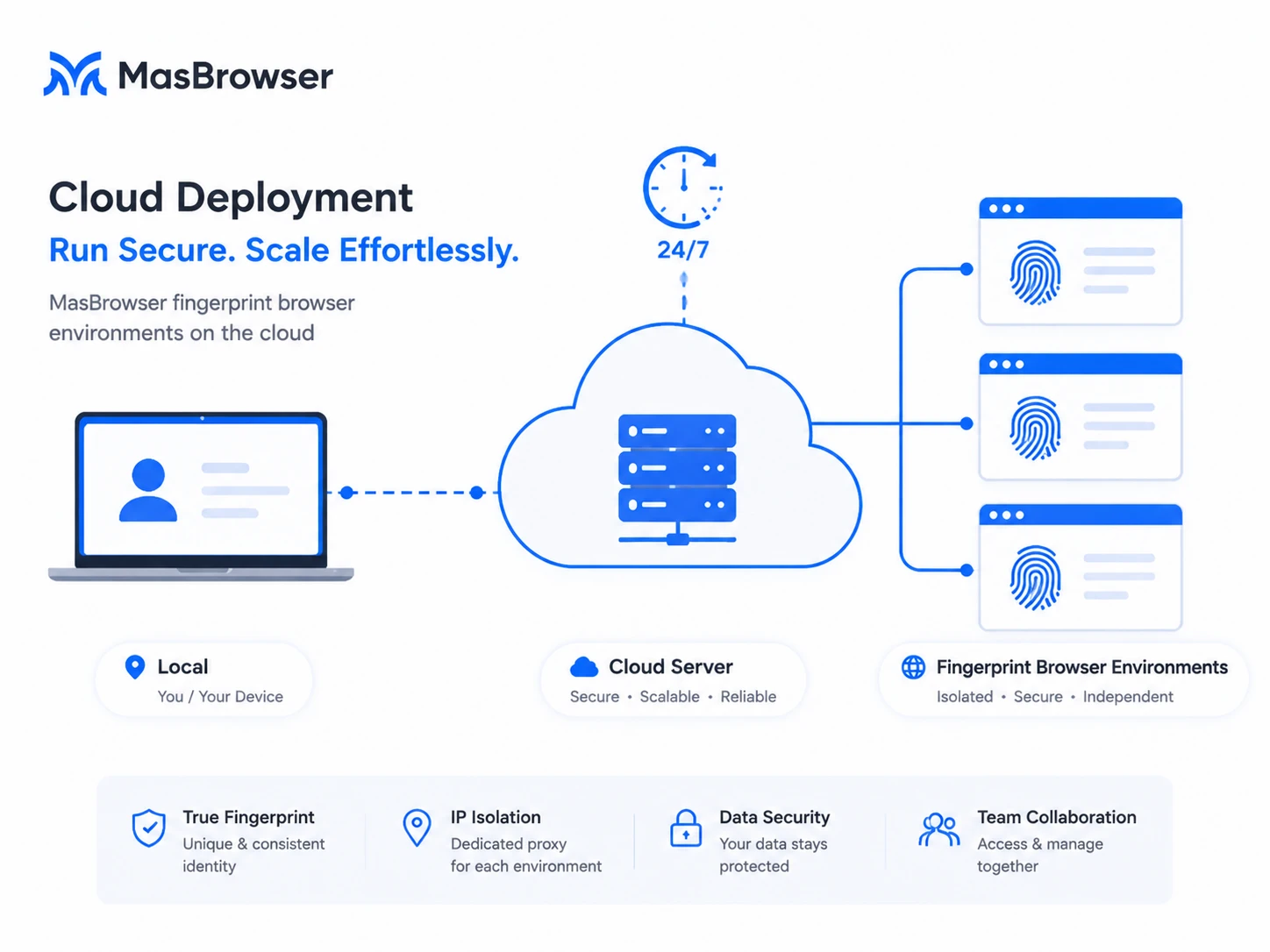
The essential difference between local deployment and cloud deployment follows the same logic as the "VM vs VPS" discussion we had before (the comparison is covered in Fingerprint Browser vs Virtual Machine vs VPS) — this article goes straight into how to deploy on the cloud.
How to Choose Among the Three Cloud Providers?
AWS (Amazon Web Services), Alibaba Cloud, and Tencent Cloud can all run Windows cloud servers, and the path to deploying a fingerprint browser is identical. The differences are mainly in a few points:
| Comparison | AWS | Alibaba Cloud | Tencent Cloud |
|---|---|---|---|
| Overseas node coverage | Widest (most global regions) | Wide (plenty of overseas nodes) | Medium (covers key regions) |
| Target market fit | Best for US/EU users (nearby nodes) | Friendly to Asian markets | Advantage in Southeast Asia and other regions |
| Windows instances | Supported | Supported | Supported |
| Chinese support/docs | Average | Good | Good |
Recommendation: if your target market is the US/EU → prioritize AWS (widest node coverage, low latency); for Asian markets or if you want convenience → Alibaba Cloud / Tencent Cloud (Chinese docs, convenient support, and enough overseas nodes). The key is not the vendor but "the server region should be close to your target market" — for a US site, open the server in the US West (e.g. AWS us-west); for a European site, open it on a European node.
Deployment Walkthrough: Complete Steps from Zero to Production
Using Alibaba Cloud as an example (the path is identical on AWS/Tencent Cloud), the complete flow has six steps:
- Buy a cloud server (ECS instance): choose Windows Server as the OS (e.g. Windows Server 2022 Chinese edition), pick the spec by business scale — if you run many environments or RPA, choose a configuration with more memory (start at 4G; raise to 8G/16G as environments grow); choose a region near the target market.
- Set up remote login: set the administrator password when creating the instance and note the public IP — this is the "address" for remotely connecting to your server.
- Connect via Remote Desktop: on your local computer, open "Remote Desktop Connection", enter the server public IP + administrator account/password, and connect to the server's Windows desktop.
- Install the fingerprint browser: download and install MasBrowser on the server, register and log in as usual.
- Create and configure environments: create environments on the server and configure fingerprint parameters; bind a proxy IP in proxy settings (deployment on a cloud server doesn't change proxy configuration at all — the steps are the same as local, see the proxy setup guide).
- Verify and go live: launch the environment, check that IP, timezone, and language are consistent before logging into accounts; once confirmed, the environment "lives" on the server.
Running through the whole flow takes about half an hour; afterwards, creating environments is just repetitive copy-paste.
Pitfalls Most Likely to Trip You Up When Deploying
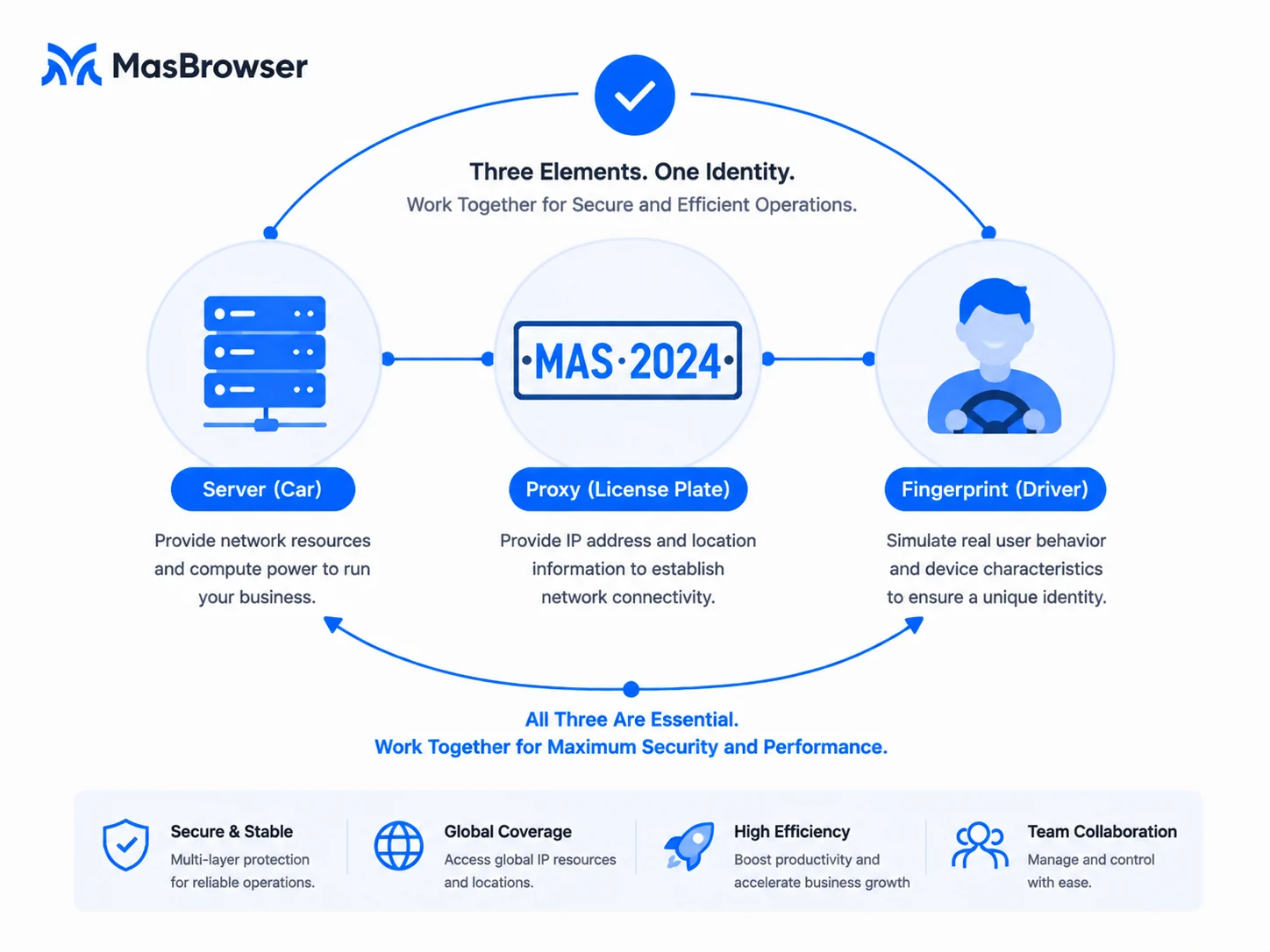
- The server IP is a datacenter IP: a cloud server's exit IP belongs to datacenter IPs, which risk control trusts less — high-value accounts must not log in directly with the server IP; you must bind a residential proxy to the environment (the risk of datacenter IPs is covered in Residential vs Datacenter IP). The server is responsible for "running environments"; the proxy is responsible for the "identity that goes out the door".
- Insufficient memory causes lag: each fingerprint browser environment takes a certain amount of memory; with many environments open, the server will lag. Choose the spec by the number of environments; don't buy the smallest configuration just to save money.
- Remote Desktop security: an administrator account exposed to the public internet is a target for hackers — set a strong password, enable two-factor verification, restrict remote login source IPs; don't cut corners on security configuration.
- Windows licensing: when buying a cloud server, confirm the image includes Windows licensing (cloud vendors generally include it); don't install a pirated system yourself — it tends to cause problems.
Remember: the cloud server is the "car", the proxy is the "license plate", the fingerprint is the "driver" — only when the three work together do you have a car that can legally hit the road.
How to Use It After Deployment?
Once the environments are live, daily use comes down to three things:
- Remote management: connect to the server via Remote Desktop anytime to operate environments and check account status — works when traveling or at home.
- Run automation: keep RPA tasks running 24/7 on the server — nurturing, posting, and engagement execute automatically on schedule, no need to watch the computer.
- Team sharing: teammates each connect to the server remotely to operate the environments assigned to them; with member permission management, the division of work stays clear.
The value of going cloud is not "running software in another place" but freeing multi-account operations from being limited by "where you are and whether the computer is on".
FAQ
How much cloud server configuration is enough?
It depends on environments and task volume: a few environments with occasional logins — 4G memory is enough; many environments or RPA automation — start at 8G; dozens of environments or heavy automation — scale to 16G+ as needed. Start small, get it working, then upgrade.
Does deploying on a cloud server make accounts safer?
No, not automatically — the server only solves "online and access" problems. Security depends on: whether a suitable proxy is bound (residential vs datacenter), whether the fingerprint is consistent, and whether behavior is normal. Server + proxy + fingerprint working together is what makes it safe.
If the server is abroad, will logging into local software lag?
Yes. The closer the server region is to the target software/site, the lower the latency and the better the experience. So the region principle is "close to the target market" — for a US site, open a US node, don't open one in your home country.
Can one server run environments for multiple accounts?
Yes, but environments must be independent: each environment has its own fingerprint and its own proxy IP — no sharing. Running multiple environments on one server is fine; the key is that each environment's "outbound" proxy must be separate.
Conclusion
Deploying a fingerprint browser to a cloud server essentially moves "environments" from a local computer to an always-online machine — running 24/7, accessible anytime, team collaboration — freeing multi-account operations from physical devices.
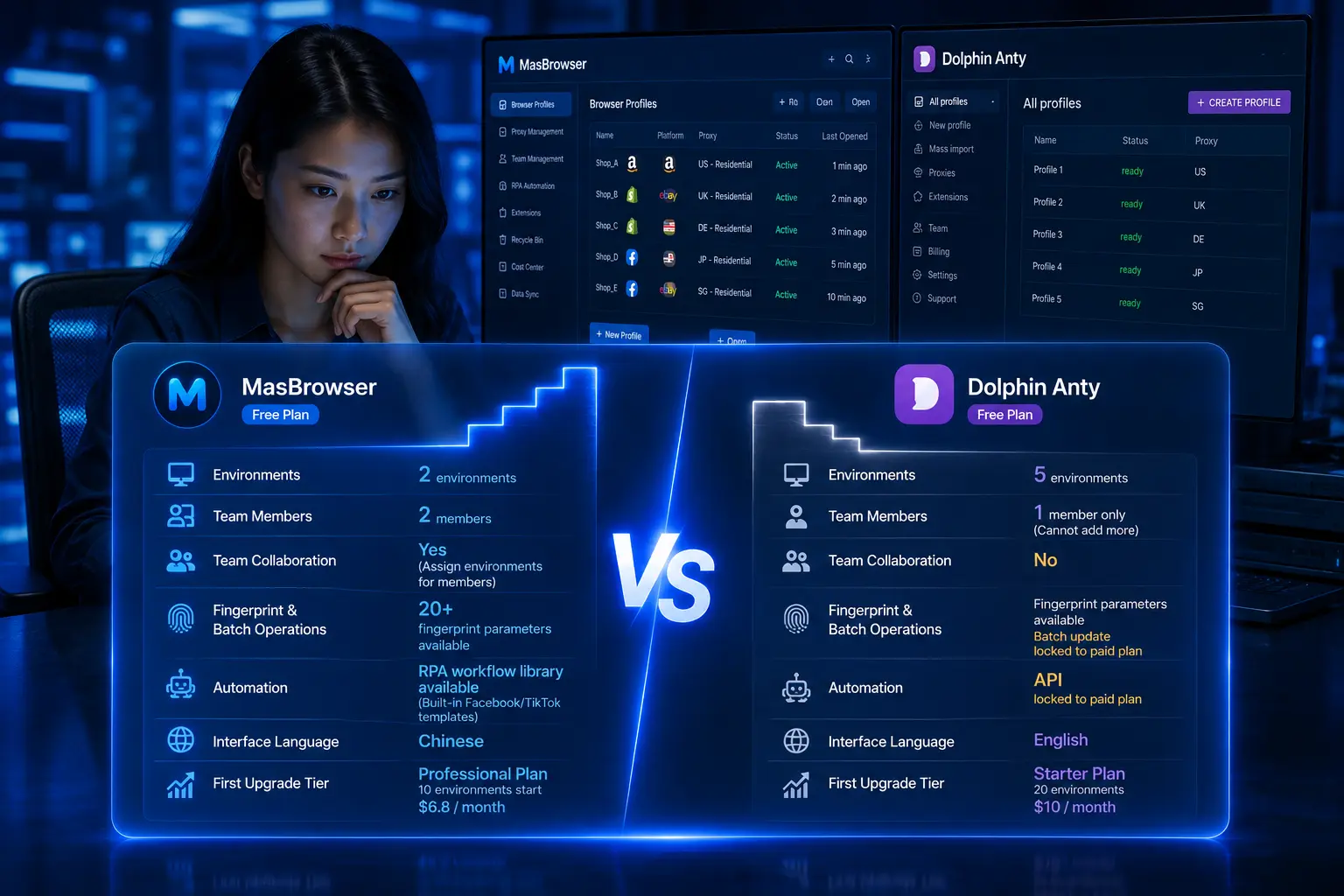
Deployment itself is not hard; the hard part is "the matching": choose the right server region, bind the right proxy to environments, and don't cut corners on security. The free plan already includes 2 environment slots; download MasBrowser, configure environments and proxies locally first, then "move" environments to the cloud following this guide.