
MasBrowser
Customer supportLoading messages…
Loading messages…
You are viewing a previous conversation.
Enter to send · Shift + Enter for a new line
Loading messages…
You are viewing a previous conversation.
Enter to send · Shift + Enter for a new line
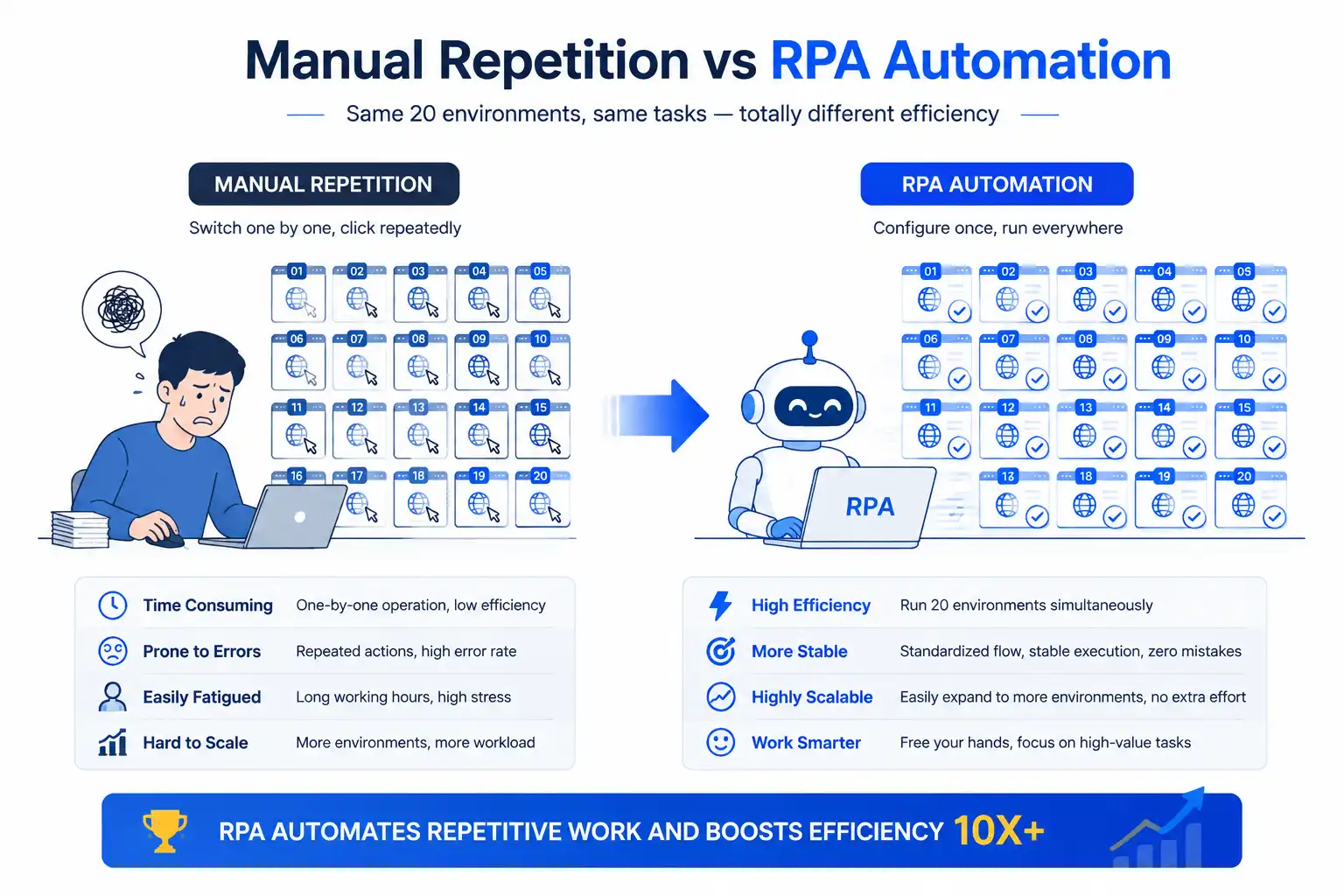
People running account matrices are mostly tormented by repetitive labor: every day you post, like, add friends, and fill forms for a dozen accounts one by one — one account means one set of actions, twenty accounts means twenty sets of repetition, clicking until your hand aches; not to mention synced product uploads across e-commerce stores, where the same title, price, and inventory have to be re-entered in every dashboard. Manual repetition is inefficient and prone to omissions and errors.
This set of problems has a dedicated solution: RPA automation (Robotic Process Automation) — recording "repetitive browser operations" into a flow and letting machines execute them in batch. This article is about RPA automation in a fingerprint browser — what problems it solves, which scenarios fit, how to do batch operations, and the pitfalls to avoid.
First, let's position RPA in multi-account operations (a fingerprint browser solves "environment isolation"; the principle is fully covered in MasBrowser fingerprint browser; this article focuses on "action automation"):
RPA's core value is one line: record once, run N times, freeing people from repetitive labor — save time for things that truly need judgment (product selection, content, ad strategy).
RPA isn't a cure-all, but these 4 scenarios are widely recognized as "highest automation returns":
The common thread across the four scenarios: fixed actions + high repetition volume + no complex judgment needed — if these three hold, it's worth automating.
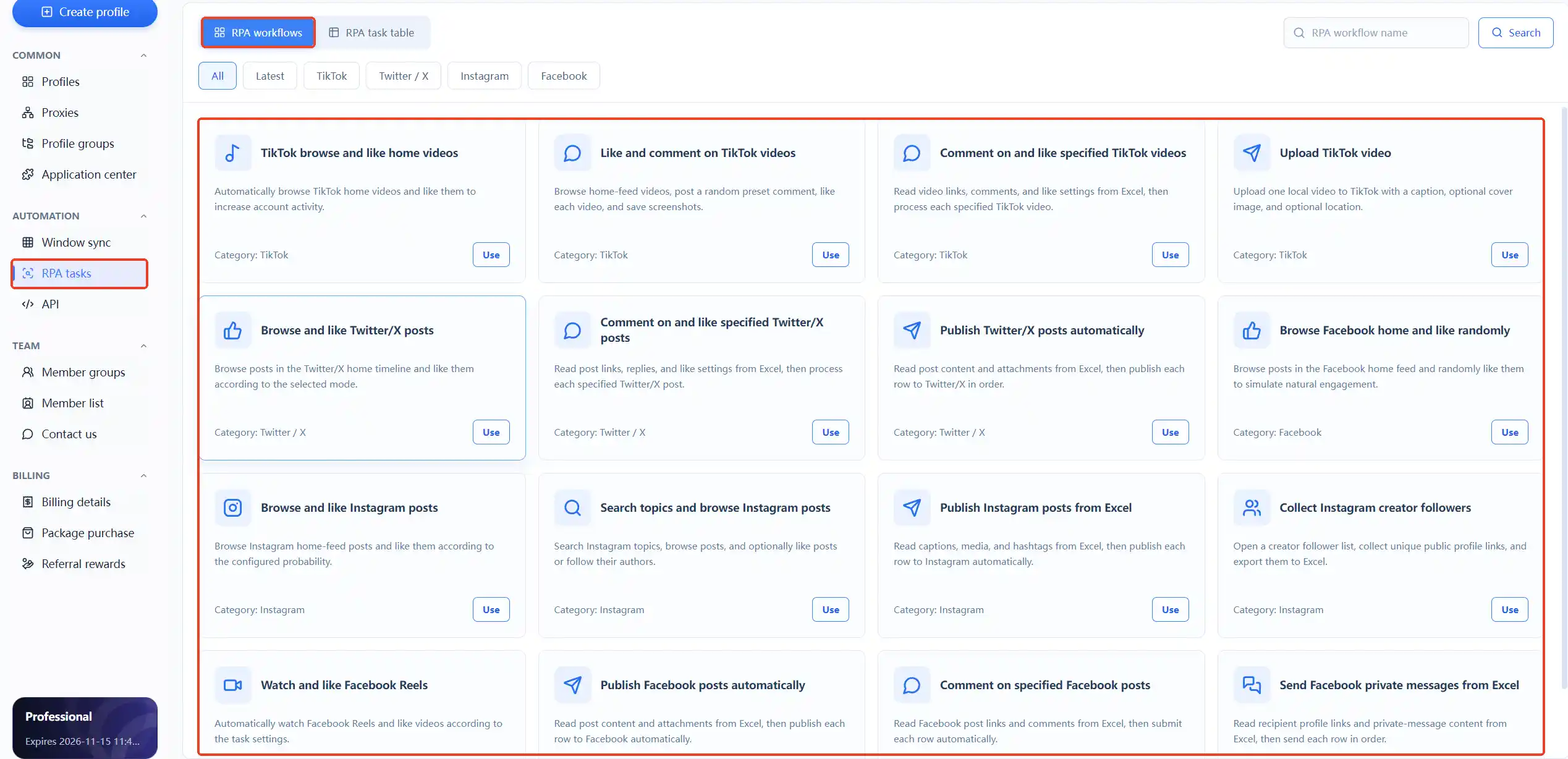
Using MasBrowser as an example, RPA batch operations follow the product's built-in four-step flow (entry: left menu "Automation" → "RPA Tasks", top step bar: Run Environments → Task Settings → Live Run → Run Records):
Prerequisite: pick a template or record a flow. MasBrowser's flow library has built-in common operation templates for Facebook, TikTok, and other platforms (posting, liking, adding friends, etc.) — select the corresponding template directly.
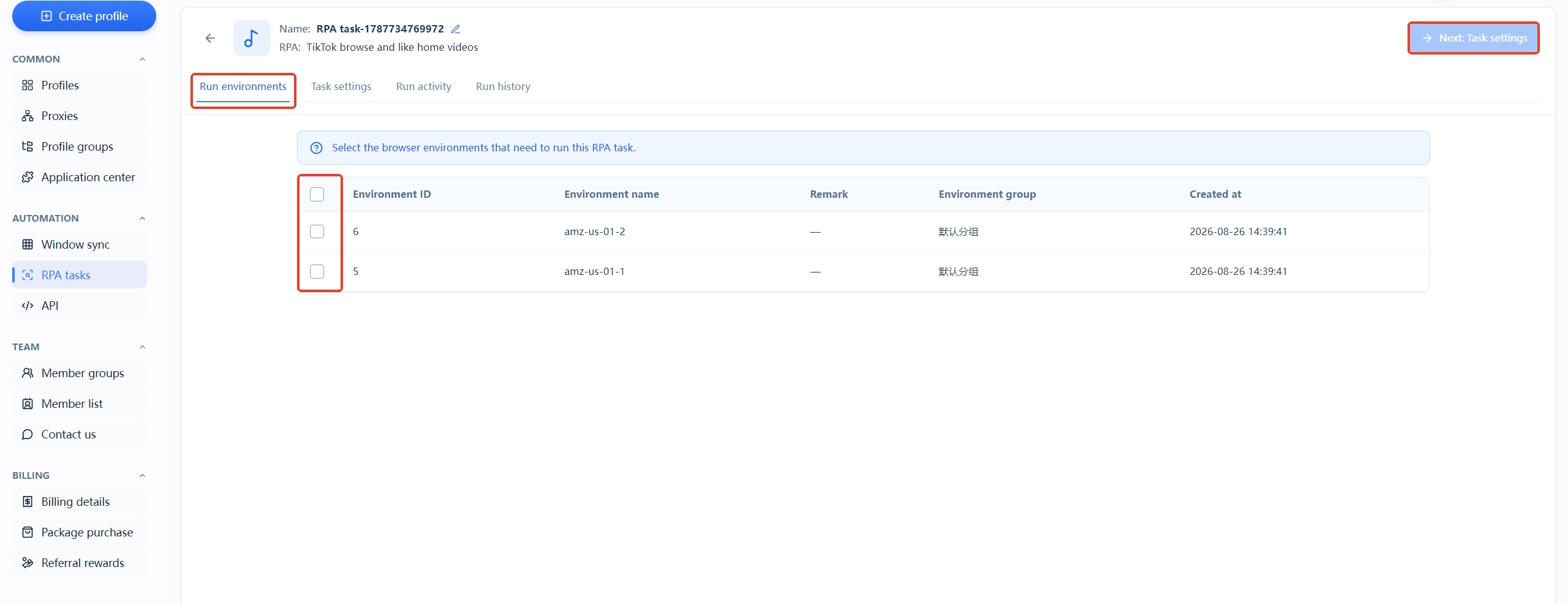
Step 1: select run environments. In the "Run Environments" step, check the environments to execute in batch (which accounts run this flow), and confirm each environment's login state and proxy are normal — mismatched environments cause flow failures.
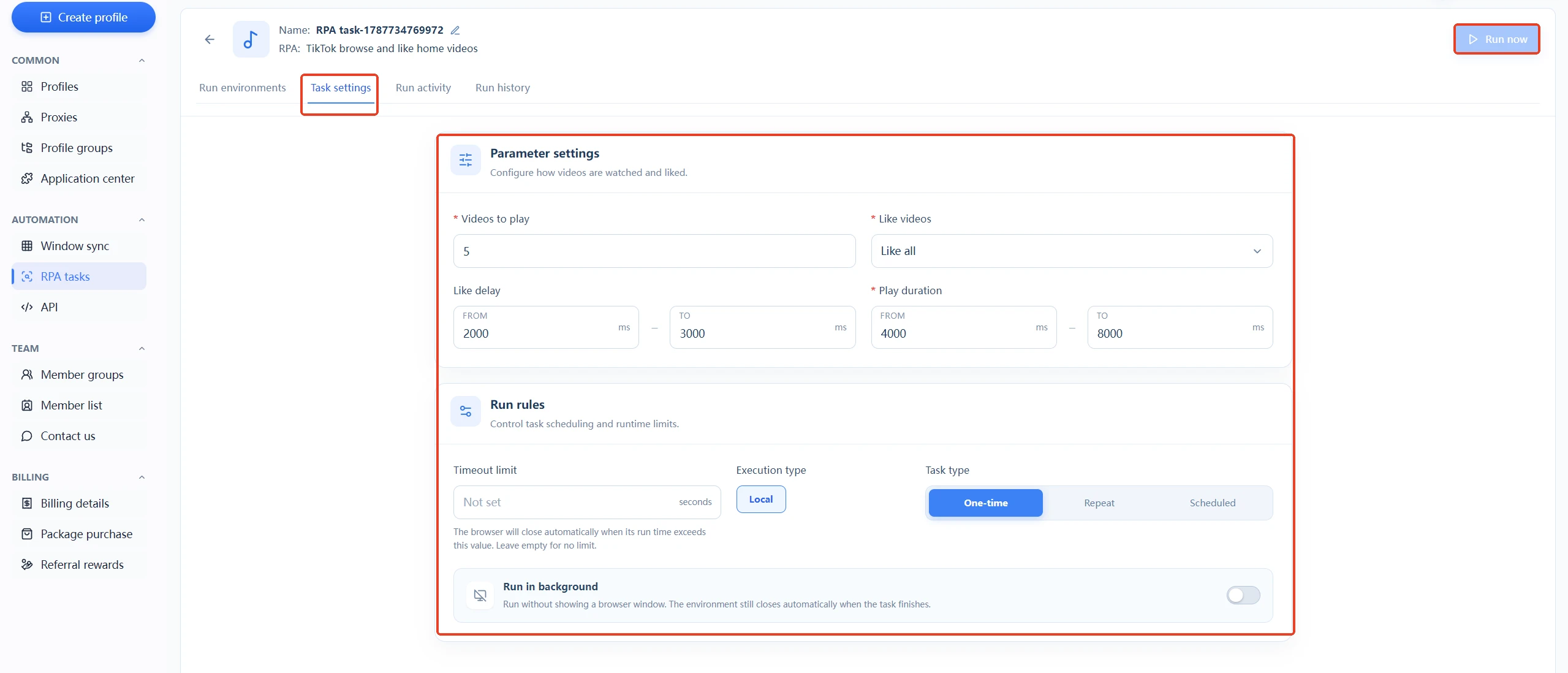
 Step 2: task settings — the core configuration step of RPA, split into two parts:
Step 3: test-run on 1 environment first. Don't skip this step: enter the "Live Run" step, pick 1 environment for a trial run first, confirm every step of the flow is normal (clicks correct, fills correct, submission succeeds), then release it for batch.
Step 4: monitor via Live Run + Run Records. During batch execution, check real-time progress in "Live Run"; after it ends, check historical results in "Run Records" — handle abnormal environments separately; don't just "run it all and walk away."
The core of the four steps is "record the flow → configure environments → configure task parameters (delay ranges) → test-run → batch run + monitoring" — especially the delay ranges in "Task Settings," the concrete configuration point for simulating human rhythm and avoiding being recognized as machine actions.
RPA looks convenient, but the pitfalls are in the details:
The first three pitfalls affect "whether it runs safely"; the fourth affects "whether it runs correctly" — RPA is an efficiency tool, not a "hands-off tool"; using it well requires "correct flow + correct environment + someone watching."
RPA automation running in a fingerprint browser differs from ordinary script automation in that every flow runs in an independent environment. Take MasBrowser as an example:
The moat for multi-account operations is getting environment isolation (security) + automation (efficiency) right at the same time. The free version includes 2 environment slots — record a simple flow first (e.g. batch posting) and test it on two environments; once the "record → test → run" flow works, scale up step by step.
RPA itself doesn't, but "mechanical operation rhythm" does. Platform risk control looks at behavior patterns: clicking at the same second, zero delays, uniform paths — these are machine traits. Add random delays and simulate human rhythm (varied intervals, dwell times), combined with independent environments + independent proxies, and risk-control risk stays manageable.
Yes. RPA is built on "record + configure," not programming: record an operation once and the flow is generated; tweak the execution environments, add random delays, and it's ready. Only scenarios needing complex judgment (e.g. "decide what to post based on data") require scripts; purely repetitive actions need no code at all.
Not completely. RPA excels at repetitive, fixed, judgment-free actions (posting, liking, filling, data extraction); things requiring judgment (content quality, ad strategy, anomaly handling) still need humans. RPA saves "hands," not "brains" — it's an efficiency tool, not a replacement.
Three checks: ①check the flow — test-run on 1 environment and confirm every step works; ②check environments — are each environment's fingerprint, proxy, and login state normal (run a fingerprint detection tool for self-checks); ③check rhythm — is the delay setting reasonable and within platform operation frequency. Release for batch only after all three pass.
Different divisions of labor: RPA handles "actions" (automatic clicks, fills, publishing), window sync handles "windows" (uniform size, arrangement, display). The complete pipeline for matrix operations is both working together — arrange environments with window sync first, then RPA executes in batch, with window states visible during execution.
RPA automation in a fingerprint browser solves the most grinding "repetitive labor" problem in matrix operations: record once, run N times, freeing people from mechanical actions to do what truly needs judgment.
But remember three principles: test the flow (validate on 1 environment before batch), make the rhythm human (add random delays to avoid risk control), and keep someone watching (monitor logs, don't walk away). Automation is an efficiency engine, not "self-driving" — environment isolation secures, automation improves efficiency, and together they form the complete moat of matrix operations.
Start with the first flow: the free version's 2 environment slots — record a batch posting flow and test it on two environments; once "record → test → run" works, scale up step by step. Download MasBrowser and set up your first automation flow.


