
MasBrowser
Customer supportLoading messages…
Loading messages…
You are viewing a previous conversation.
Enter to send · Shift + Enter for a new line
Loading messages…
You are viewing a previous conversation.
Enter to send · Shift + Enter for a new line
Core takeaway: what a fingerprint browser like MasBrowser does, at its essence, is give every type of multi-account business a set of isolated environments where the "fingerprint + IP + organization" all fit — cross-border multi-store, social media matrices, ad campaigns, affiliate marketing, Web3 airdrops, cross-border product testing, data scraping, and team-based operations are all in range. But the same tool that runs an Amazon store runs an airdrop campaign with a completely different setup: this article skips the feature list, groups eight use cases by risk-control intensity, and gives each a configuration reference you can follow to build environments directly.
Many people searching what a fingerprint browser can do want a feature list. Lists aren't much use — the MasBrowser fingerprint browser features are what they are (isolated environments, fingerprint configuration, proxy binding, RPA, window sync); the real difference is in how different businesses combine these features. The same environment isolation with the wrong proxy type still links accounts, and the right setup for the scene multiplies efficiency several times over. Below, from high risk-control intensity to low.
The scene decides the configuration, not the feature list. Before building environments, pin down your business with three questions:
Three answers in, and it's clear which group below your scene falls into.
This group's common trait: the account itself is an asset — losing one costs thousands, so configuration goes all the way to the top.
1. Cross-border e-commerce multi-store (Amazon / eBay / Shopify)
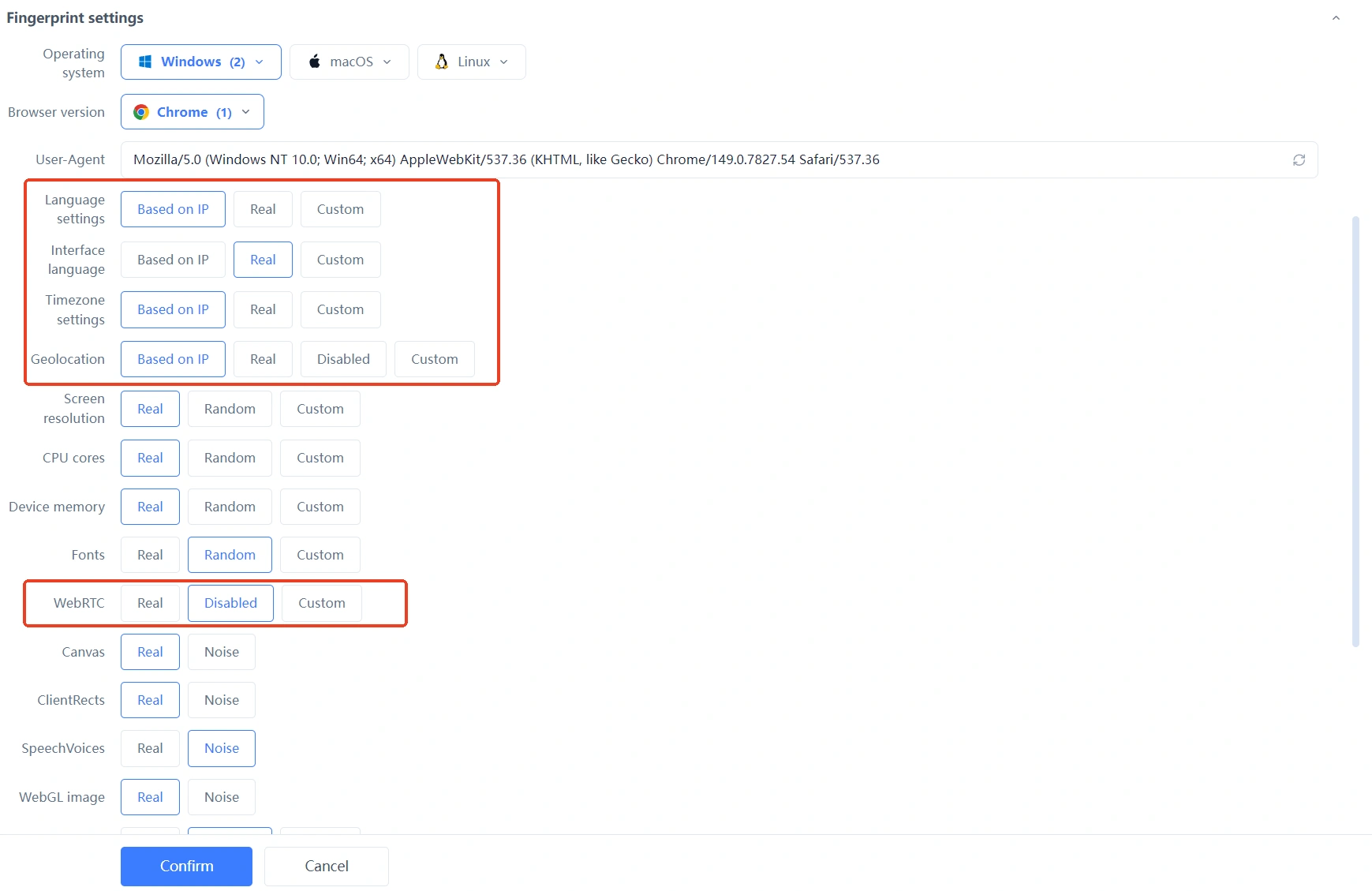
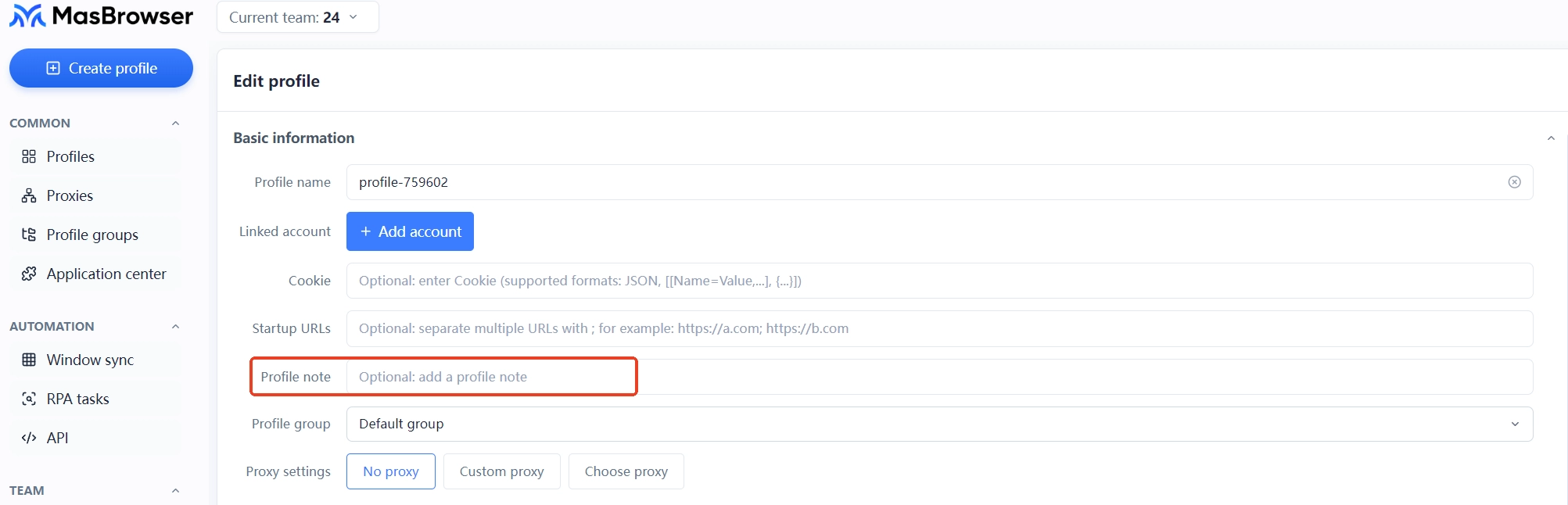
The official Amazon policy states one entity may not hold multiple seller accounts without permission, and association detection is routine — the full layout logic lives in the Amazon multi-store anti-association article; the configuration layer is the three lines above.
2. Ad campaign matrix (Meta / Google Ads account groups)
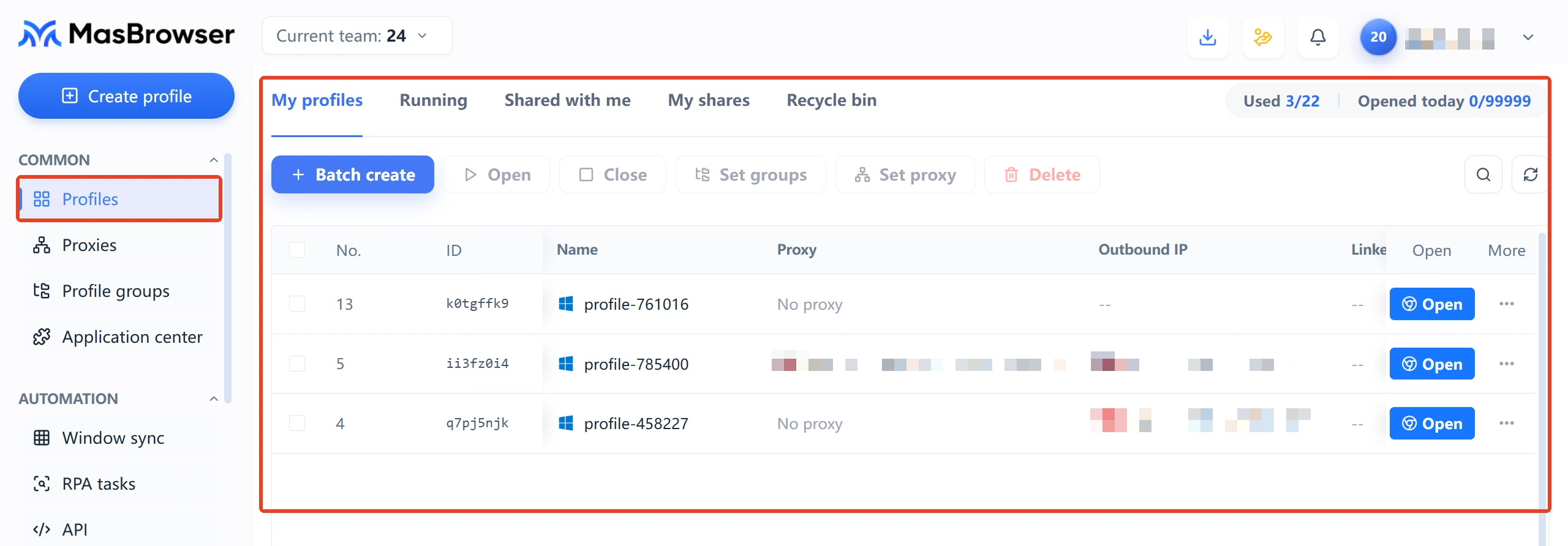
3. Multi-platform payment and fund accounts
The consequence of linked payment accounts is frozen funds — the highest risk-control tier. The principle: payment environments physically separated from operating environments, login network fixed for life, never mixed under any circumstances. The full breakdown of this line was covered in the payment channel isolation article; the configuration standard is identical.
This group's traits: many accounts, low per-account value, highly homogeneous actions — isolation is required, but efficiency tools matter even more, or headcount won't cover it.
4. Social media matrix nurturing (Facebook / TikTok / Instagram)
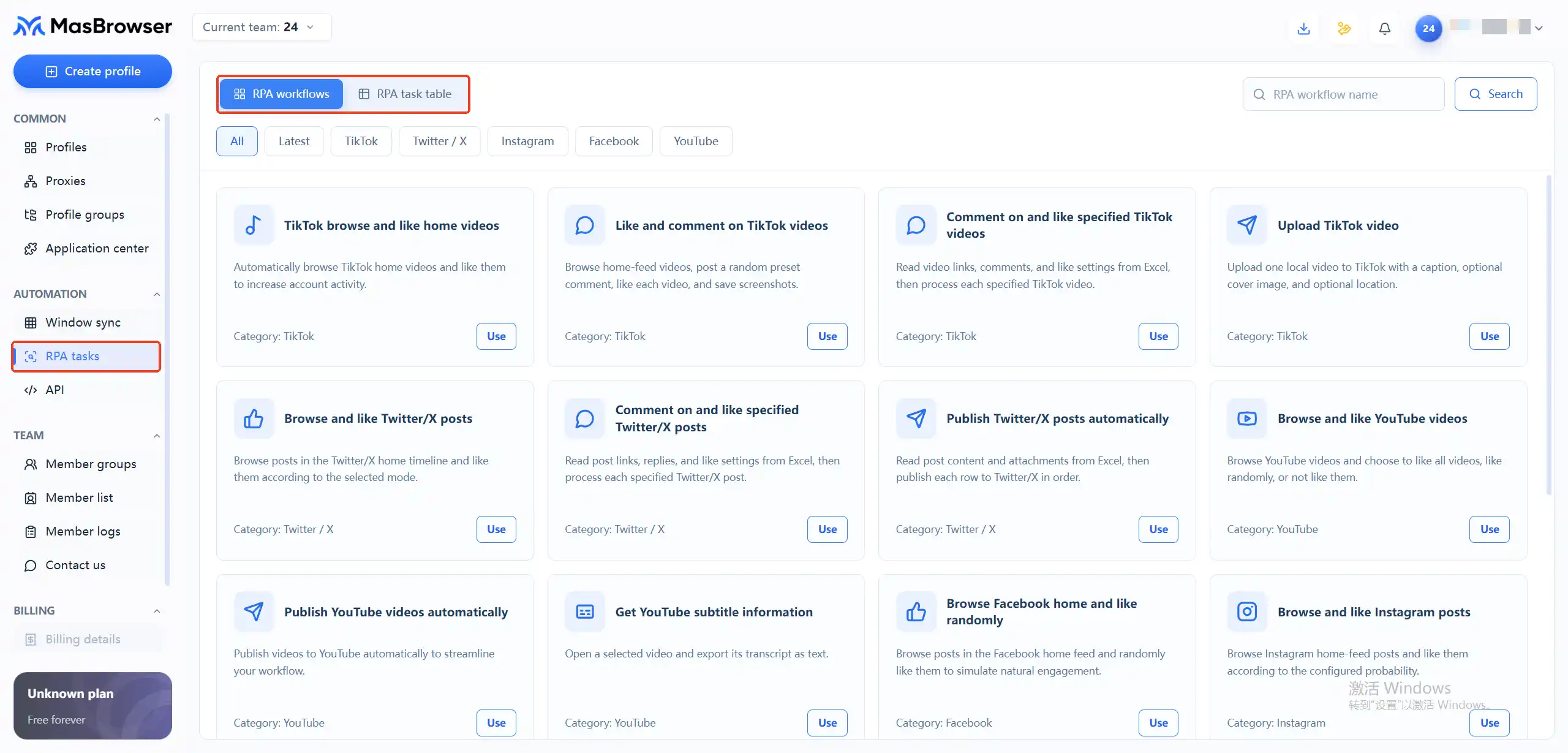
For nurturing rhythm and content planning, see the TikTok matrix account operation guide; the environment layer follows the three lines above.
5. Affiliate offer running
The complete account and tracking pipeline is in the affiliate multi-account management article.
6. Web3 airdrop interaction
The anti-Sybil logic has its own article at airdrop multi-account anti-association; on the browser side, the configuration is one environment per wallet, one to one.
Accounts here are low-value with short lifecycles — configuration can be light, but light never means mixing.
7. Cross-border product testing and market research
The core of the full testing flow is "one project, one identity": environments built per research project, regions aligned to the target market, archived promptly after use — so login traces from the last project don't pollute the next project's price-comparison data.
8. Data scraping and price monitoring
Most scraping blocks come from frequency, not fingerprints: hit the same target at high frequency from one environment and even the cleanest fingerprint gets watched. Splitting tasks across rotating environments and pacing each environment's access beats piling on fingerprint parameters.
Running any scene above solo, building environments is enough; once people join, configuration needs an added permission layer. The practical split: environments grouped by business line, members authorized by group — store-team members can't see airdrop-team environments, and departing members are removed from groups the same day. Even with tight quotas (the free plan has only 2 member seats), the permission boundary stays clear. Grouping operations and permission details are on the official multi-account management feature page; the most common team mistake is sharing all environments with everyone — voluntarily abandoning the business boundary that isolation provides.
Back to the original question: what can the MasBrowser fingerprint browser do? It can carry almost every multi-account business — provided you match the scene: high-risk accounts configured to the max, bulk operations equipped with efficiency tools, lightweight businesses kept light. Figuring out which group your business falls into before building environments is far faster than trial-and-error down a feature list. Start from downloading MasBrowser, build your first test environment, get the configuration right, then scale.
Not recommended. The value of environment isolation is one account, one identity; log two same-platform accounts into one environment and they share every fingerprint and IP — one account's risk control drags the other down directly. Every configuration table in this article is designed around one account per environment, no exceptions.
Don't mix them. Store environments and scraping environments differ completely in risk-control tier, IP type, and operation frequency; mixing exposes high-value accounts to low-value business risks. Build separate environment groups per business line — the cost increase is limited, and the risk isolation is complete.
Yes. The free plan's purpose is running the "create environment, set fingerprint, bind proxy" flow end to end and verifying isolation matches expectations before scaling. The configuration method for all eight scenes is identical — only proxy tier and organization differ, which doesn't affect verifying on the free plan first.
Fingerprint parameters and proxy binding can both be adjusted in environment settings — but for high-risk accounts (stores, ads, payments) be careful: heavily changing the fingerprint or swapping the IP of an environment with a logged-in account can itself trigger platform verification. So get important accounts' configuration right before first login; configuration changes are best reserved for empty environments not yet bound to accounts.


