Claude Account Getting Flagged? Reduce False-Positive Risk with Environment Isolation
Lately many Claude users report accounts hitting unusual verification, restricted access, or even suspension. For paying users who rely on Claude for daily work, reducing the false-positive risk caused by network changes and device switching has become an increasingly real problem — especially when the account carries your daily workflow, where stability itself is productivity.
One premise first: if you're mass-registering accounts, sharing accounts, or exploiting loopholes, those behaviors themselves violate platform rules and no tool can fix the root problem. What we're solving is the other group's real pain: legitimate paid use, falsely flagged as anomalous by risk systems because of unstable environments and broken IP consistency. This kind of collateral damage has a solution, and the solution is systematic.
Why Do Claude Accounts Get Banned? Triggers in Three Layers
Reviewing the large volume of community ban cases, trigger causes split into three layers, each demanding a completely different response:
- Layer 1: hard red lines (real violations, unrecoverable): behavior against terms of service, such as abusing payment loopholes, mass registration, account sharing or resale. Once triggered, no tool saves you — the analysis below targets the other two cases, which trouble most normal users.
- Layer 2: environment consistency broken (highest share, preventable). This is the core reason masses of legitimate paying users get "friendly-fired": the login environment keeps changing — logging in today from the office WiFi on a Windows desktop, tomorrow from a Mac at home, then again through another proxy node next week. Risk systems typically weigh multiple signals together: login location, device characteristics, cookies and browser environment, network origin, behavioral patterns — when these signals stay stable long-term, the account reads as normal use; when signals keep drifting, verification or functional limits can trigger even without any violation (much community-reported "Claude Pro restricted for no reason" relates here).
- Layer 3: guilt by association (isolable). When violations occur under one IP or device, other "clean" accounts may be swept in — in recent ban waves users reported multiple mailboxes invalidated over one shared IP. That's exactly the value of inter-account isolation: keep each account's risk boundary independent.
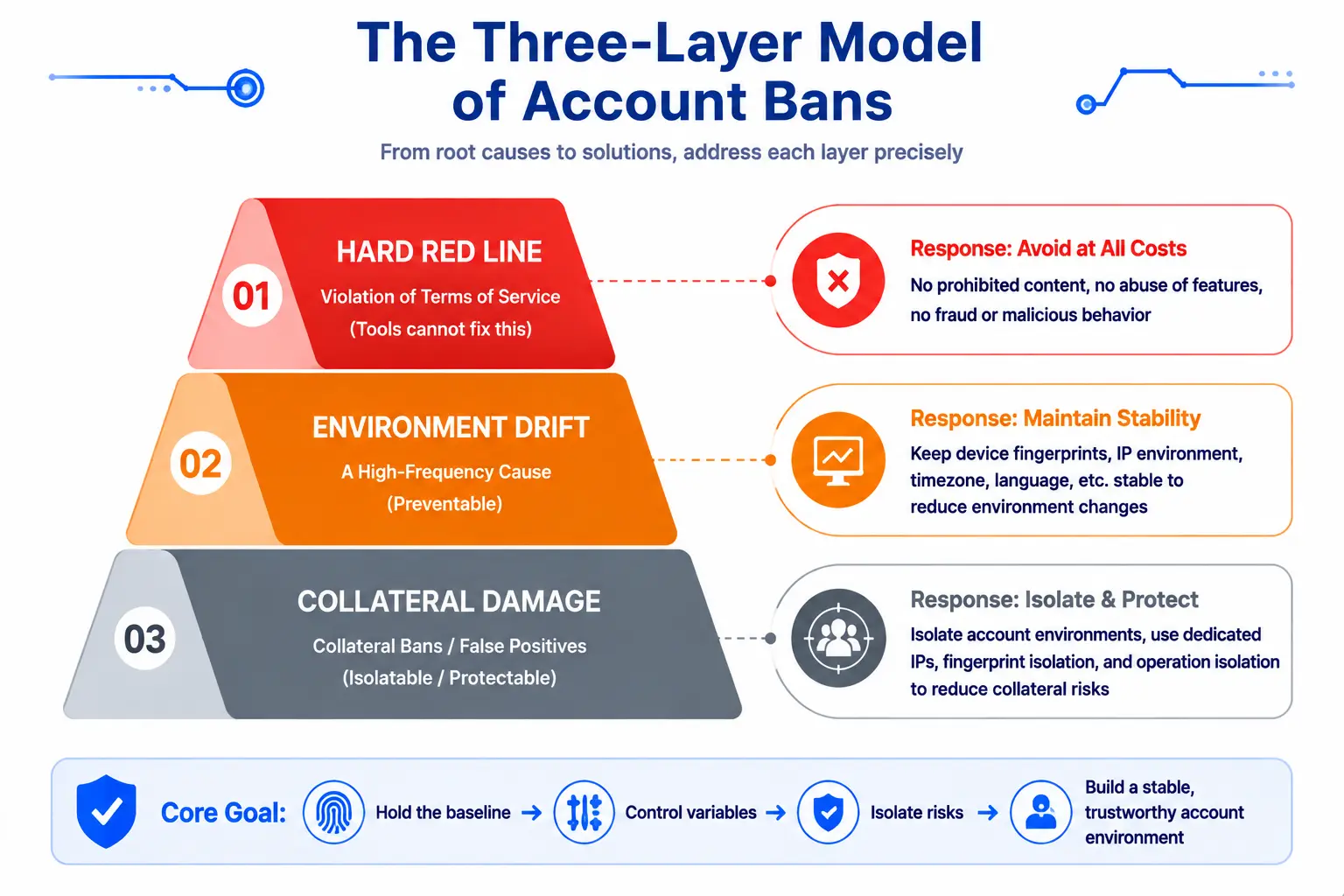
Sort out these three layers and it's clear layers two and three are a fingerprint browser's home turf — stabilize your own environment and isolate accounts from each other, and false-positive risk drops sharply; layer one is beyond saving.
Where MasBrowser Fits: Independent Environments + Stationary Presence
Against those three layers, what a fingerprint browser like MasBrowser can help with is precise (full product capabilities in What is a fingerprint browser):
- One fixed environment per account: the Claude work profile gets its own fingerprint configuration and bound proxy — as long as you don't change them, every login shows up as "same device, same address", exactly how a platform sees a "normal user". Goodbye to environment drift between home, office and rotating VPN regions.
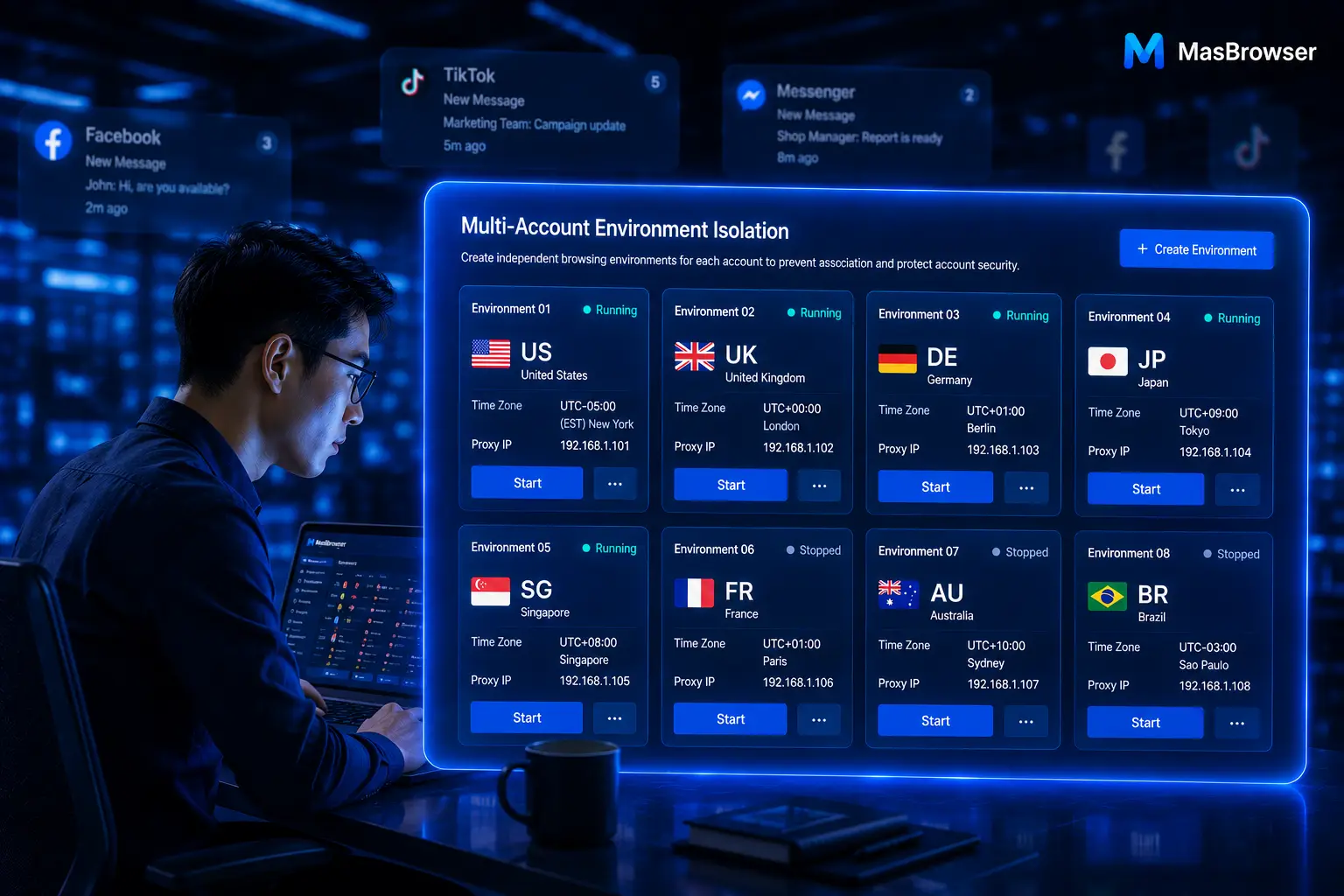
- Environments don't interfere with each other: work and personal accounts live in separate profiles with independent cookies and fingerprints — the layer-three association risk of multiple accounts squeezed into one browser is removed at the root.
- One-click proxy test after binding: MasBrowser supports SOCKS5/HTTP/HTTPS protocols; after configuring, hit Check proxy to see connectivity and IP region instantly — ensuring every launch exits within expectations.
- The honest caveat: it protects against "misjudgment", not "violations". If your account broke layer-one red lines, a perfect environment only delays things. This approach is positioned for legitimate paying users lowering their false-flag rate, not insuring rule-breaking.
One-line positioning: a fingerprint browser can't govern what you do, but it can drive "misjudgment risk from environment changes" very low — for anyone using AI tools long-term, keeping a consistent, isolated browsing environment is itself pragmatic risk management.
Why Do Ordinary Browsers Cause Environment Drift?
Look at a typical usage cycle — the same Claude account's logins within one week:
- Monday: office WiFi, Windows desktop;
- Wednesday: home broadband, MacBook;
- Friday: mobile phone on the company network while out.
Across three days everything the platform observes is changing: device changed, OS changed, network exit changed, IP region possibly changed too — reading this login log alone, calling it "one stable user" is hard. Nobody did anything wrong; ordinary browsers simply have no built-in "environment memory": every open is a real-time snapshot of wherever you happen to be.
A fingerprint browser flips the logic — placing the Claude work session inside one fixed independent environment:
- Fixed device persona: UA, Canvas, WebGL, fonts etc. stay consistent indefinitely;
- Fixed network exit: bind one proxy, login address stays identical;
- Fixed cookie storage: login state lives inside the environment, untouched by local browser cleaning.
Same account, same habits — but on the environment side the platform now sees a perfectly consistent weekly login record — the cheapest, fastest-moving step in AI-tool account security management.
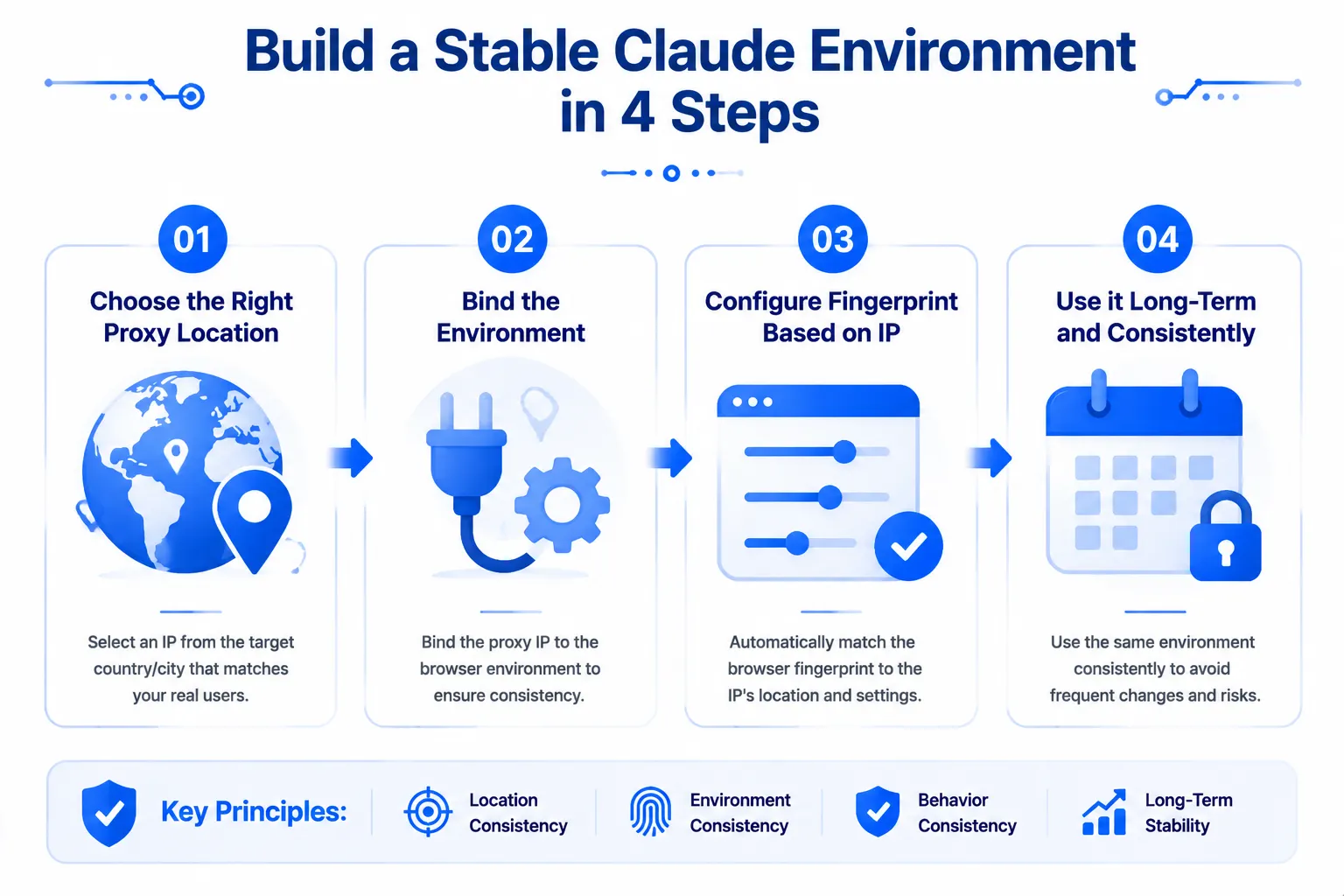
Configure a Stable Claude Environment: Four Steps
Using MasBrowser as an example, the complete flow to build a Claude daily-use environment resilient to environmental change (proxy selection logic fully covered in Residential vs Datacenter IP; this assumes you already have static residential or stable datacenter proxies in supported regions):
- Choose the right proxy region and bind it. Claude serves only certain countries and regions, so the bound proxy must be one of them (US, UK, Japan etc.), and set it once without frequent switching. In the profile's basic info choose Custom proxy, fill in the provider's format (type://host:port:account:password parsing supported), pick HTTPS/SOCKS5/HTTP per its label.
- Set fingerprints via "match by IP". Language, timezone and geolocation auto-align to the proxy's region; configure WebRTC per actual needs — with a proxied environment, check for IP leaks to make sure what the browser exposes matches the network (environment self-consistency is the technical core of avoiding misjudgment).
- Run a connectivity test after saving. Hit the test button to confirm the proxy works and the IP region is correct (optionally re-check leaks with external detector sites, method in isolation double-tool field test).
- From then on, use Claude only inside this environment. Open the profile, log in, and in daily work stop reaching the same account from other networks, nor repeatedly logging that account in and out of environments — stability itself is the best anti-risk-control strategy.
Four steps done, you present as "a steady user living at a fixed address" — something ordinary browsers plus scattered proxies simply cannot deliver.
Habits That Undo Everything
Environment configured — now don't touch any of these (real cases behind each):
- Multiple people sharing one account: a colleague borrows your Claude on their machine for a moment — devices all change — effectively manufacturing your own "abnormal login" records. Need collaboration? Each person gets an account, each account an environment.
- Frequently changing proxy regions: US today, Japan tomorrow, Singapore later — hopping across supported regions is equally suspicious. Settle on one region and keep it long-term.
- Not returning to the original environment after device change or reinstall: logging in through your normal browser voids all accumulated stability (for computer-change scenarios consult official support about the mechanism first, verify with a test profile — never experiment with your primary account).
- Continuing heavy operations after a verification prompt: once an account verification notice appears, stop, check whether the environment drifted or the proxy died, resolve first, resume after — pushing operations under active risk control only deepens suspicion.
Condensing the risk sources into a checklist table (worth bookmarking):
| Risk source | Violates ToS | Improvable | Recommended action |
|---|---|---|---|
| Mass registration / freebie farming | Yes | No | Stop the violation |
| Account sharing / resale | Yes | No | Single-person independent use |
| Frequent IP changes | No | Yes | Fix the network exit |
| Cross-device logins | No | Yes | Isolated environments |
| Local browser data wiped | No | Yes | Use in-profile storage |
All four taboos come down to one thing: the hard-won "stable trustworthy image" is fragile — any environment drift resets trust accumulation from zero. Treat your Claude environment like registered personal property.
FAQ
Can legitimate paid subscriptions get banned too?
Yes, collateral damage happens — both free and Claude Pro accounts recently drew abnormal-login complaints (frequent prompts, partial feature limits), a considerable share being consistent-environment-normal users caught by shared-IP association. That's precisely why paying users need environment management too: you can't decide how the platform judges, but you can make every observation of you consistent.
Does using a fingerprint browser with Claude violate the terms?
Whether it complies depends on the provider's specific rules and usage. This article discusses account isolation and environment management, not evading any platform restrictions — defer to Anthropic's latest terms of service; legitimate paid use combined with a consistent environment is the scenario we discuss and solely recommend.
My account is already banned — what now?
Appeal through official channels (submit a ticket from the Help Center describing usage), and reflect on which layer triggered it. Unofficial tricks like "re-register to dodge punishment" are not advised — handled poorly it becomes a second violation. If appeals fail and business impact is severe, evaluating alternatives beats agonizing over recovery.
Is MasBrowser's free plan enough for this setup?
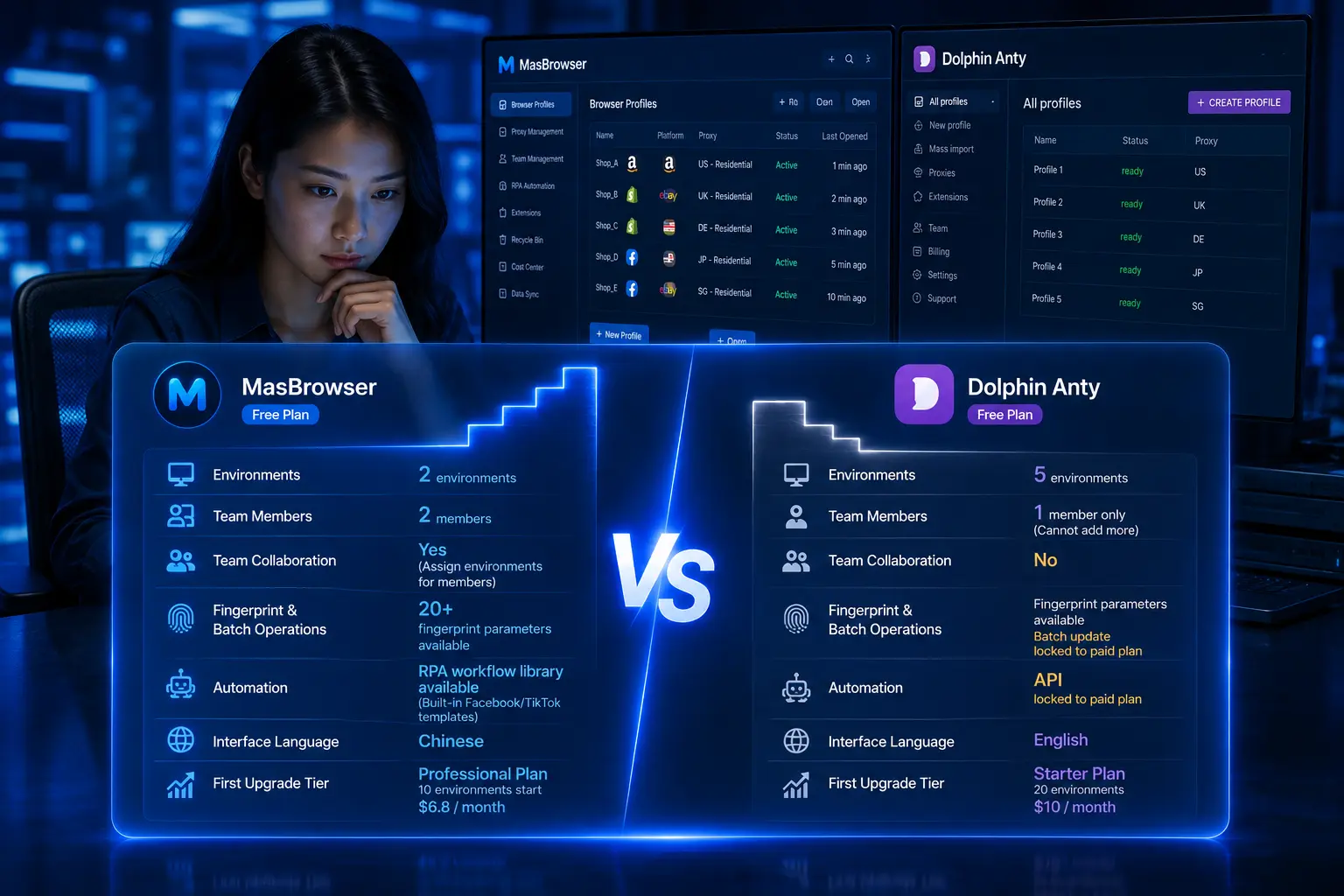
The free plan's 2 environments + 2 members comfortably runs a single-account loop of "create profile → bind proxy → log in → stable use"; for isolating several AI-platform accounts or multi-member teams, upgrade Professional (10+ environments, $40.80/year discounted).
Does a configured environment need periodic maintenance?
Minimal maintenance is three things: ① occasionally confirm the proxy bill isn't expired and the test button still connects; ② after system updates rerun a fingerprint check to audit the persona (the Lies-comparison method from CreepJS explained reuses directly); ③ don't casually clear cache and rebuild because it "feels slow" — one rebuild wipes trust to zero.
Conclusion
In Claude ban waves, the biggest losers are always users who pay diligently yet get swept up by environment-related false positives. The lesson worth remembering: platforms don't care whether you're a good person, only whether your behavior looks consistently credible — consistency is precisely what a fingerprint browser delivers best.
The whole scheme in three sentences: one account, one environment; one environment, one fixed proxy; zero drift across the environment's lifetime. Follow those three and your image before risk systems shifts from "high-risk fluctuating user" to "stable professional living at their own broadband" — which is what you should have looked like all along.
If your Claude account drives long-term work, start from single-account isolation: fix one browser environment → bind stable proxy → keep usage habits constant — MasBrowser free plan's 2 environments cover basic testing. Download MasBrowser, and let your environment be as stable as your workflow from the next working day.